- English
- French
- German
- Portuguese
- Spanish
- Russian
- Japanese
- Korean
- Arabic
- Greek
- German
- Turkish
- Italian
- Danish
- Romanian
- Indonesian
- Czech
- Afrikaans
- Swedish
- Polish
- Basque
- Catalan
- Esperanto
- Hindi
- Lao
- Albanian
- Amharic
- Armenian
- Azerbaijani
- Belarusian
- Bengali
- Bosnian
- Bulgarian
- Cebuano
- Chichewa
- Corsican
- Croatian
- Dutch
- Estonian
- Filipino
- Finnish
- Frisian
- Galician
- Georgian
- Gujarati
- Haitian
- Hausa
- Hawaiian
- Hebrew
- Hmong
- Hungarian
- Icelandic
- Igbo
- Javanese
- Kannada
- Kazakh
- Khmer
- Kurdish
- Kyrgyz
- Latin
- Latvian
- Lithuanian
- Luxembou..
- Macedonian
- Malagasy
- Malay
- Malayalam
- Maltese
- Maori
- Marathi
- Mongolian
- Burmese
- Nepali
- Norwegian
- Pashto
- Persian
- Punjabi
- Serbian
- Sesotho
- Sinhala
- Slovak
- Slovenian
- Somali
- Samoan
- Scots Gaelic
- Shona
- Sindhi
- Sundanese
- Swahili
- Tajik
- Tamil
- Telugu
- Thai
- Ukrainian
- Urdu
- Uzbek
- Vietnamese
- Welsh
- Xhosa
- Yiddish
- Yoruba
- Zulu
Free Standing Digital Signage with Touchscreen Interactive Options
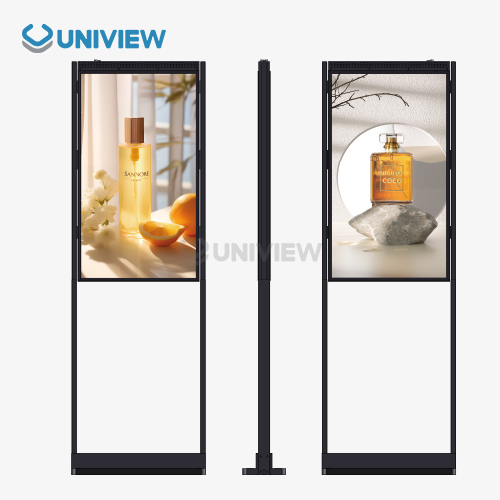
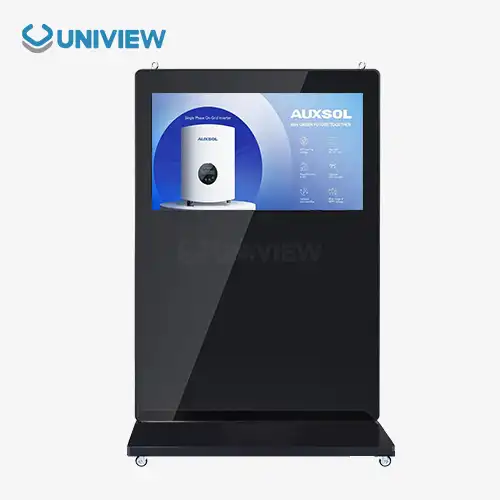
Free standing digital signage with touchscreens that can be used to connect with customers are a completely new way for businesses to communicate and interact with their customers. These flexible display options combine the stunning visuals of high-quality digital screens with easy-to-use touch controls. This makes engaging experiences that encourage connection and raise brand awareness. Interactive touchscreen signage is different from static displays because it turns people who are just looking at it into active participants. This makes it an important tool for businesses in the retail, corporate, hospitality, and transportation sectors that want to improve their communication and operational efficiency.

Understanding Free Standing Digital Signage and Its Interactive Touchscreen Features
Touchscreen displays that are interactive have changed how companies talk to their customers by giving them more ways to interact and use the screens. These high-tech systems combine advanced touch technology with high-resolution screens to make dynamic platforms that react to user input and show interesting visual content.
Core Technology Behind Interactive Digital Displays
Modern touchscreen signs use capacitive or infrared touch technology to very accurately track when a user touches the screen. Capacitive touchscreens react to the electrical conductivity of your fingers, making movement smooth and quick. The technology behind the display usually includes LCD or LED screens that are between 2000 and 4000 nits bright, making them easy to see in a variety of lighting situations.
Multiple people can connect with these screens at the same time because they support multiple touches. This makes them perfect for places where people work together and where there is a lot of traffic. Modern processors can produce complicated images while keeping touch performance fast, even when running apps or video content that use a lot of resources.
Customization Options for Business Applications
Businesses benefit from a wide range of customization options that can be made to fit their needs and brand standards. Screen sizes usually range from 32 inches to 86 inches so that they can fit in a variety of spaces and be seen from a range of distances. Custom fastening options, border colors, and housing materials can be chosen to match the style and architecture of the building.
Software customization goes beyond changing hardware. It lets companies set up branded user interfaces, specialized apps, and content management systems that work with their current processes without any problems. With these customization options, each installation gets the most out of its value while keeping the brand's look uniform across multiple places.
Durability and Environmental Considerations
Commercial-grade touchscreen screens are put through a lot of tests to make sure they can work continuously in harsh conditions. Their IP65 and IP66 grades mean they can handle being exposed to dust and water, so they can be used both inside and outside. Longer operating life is possible with corrosion-resistant materials and specialized coatings, even in harsh environmental circumstances.
Temperature control systems keep things running at their best, so they don't get too hot when they're being used for long amounts of time. These strict building standards make sure that the building works well and doesn't need much upkeep, which lowers the total cost of ownership for business owners.
Comparing Free Standing Digital Signage with Other Digital Display Solutions
Learning about the pros and cons of various display technologies assists buying teams in making smart choices that support specific business goals and practical needs.
Installation Flexibility and Spatial Requirements
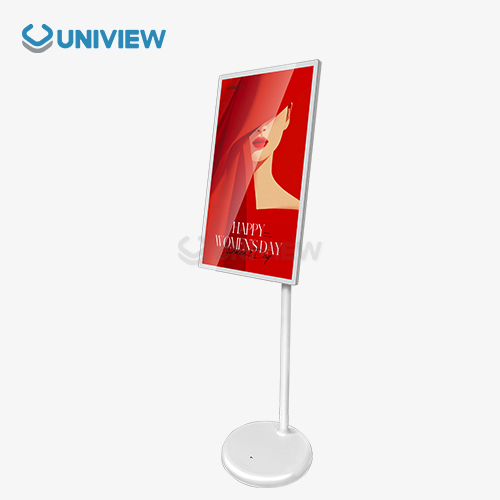
When compared to wall-mounted options, free standing digital signage gives you the most mounting options. These pieces can be moved around as needed to accommodate changing floor plans and seasonal needs without having to make any changes to the structure. This advantage of mobility is especially helpful for businesses that need to change the layout of their spaces often or put up temporary displays for events and sales.
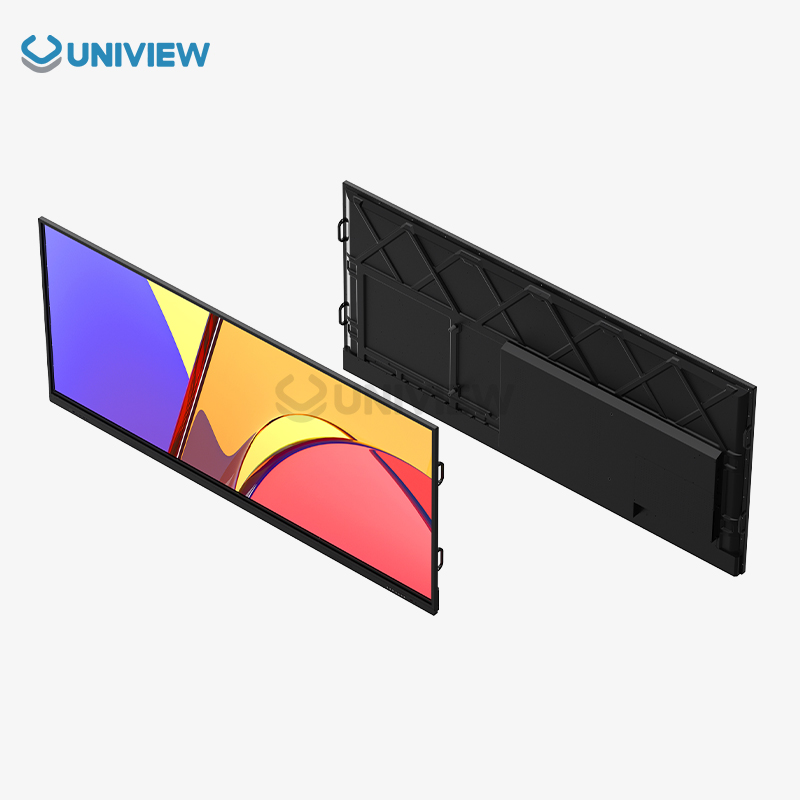
Displays that are placed on the wall need solid mounting hardware and careful thought about how well they can hold the structure. Even though they save floor space, many businesses need to be able to move them around. Ceiling-mounted choices give you great vision, but they can't be used interactively because they aren't easy for everyone to reach.
User Experience and Accessibility Factors
When compared to static displays or digital screens that can't be interacted with, touchscreens are much more engaging for users. Users can read material at their own pace, get specific information whenever they need it, and use the interface to make purchases or ask for information. This self-service feature makes customers happier by giving them instant access to useful information and reducing the workload of staff.
Displays that look like kiosks usually have smaller screens and smaller areas for contact, which could cause problems in places with a lot of people. Standalone touchscreen screens have bigger areas for input and better viewing angles, so they can handle more than one person using them at the same time while keeping the space between them comfortable.
Energy Efficiency and Operational Costs
Modern tablet screens have parts that use less power without lowering performance, which are called "energy-efficient." Using up to 40% less energy than traditional CCFL screens, LED backlighting technology does the same thing. Smart brightness change features also make the best use of power based on the lighting conditions.
Content management costs, software licensing fees, and repair needs are all operational costs that need to be thought about. Free standing digital signage usually has easier setup processes, which lowers the cost of the original setup and the need for ongoing technical help. The total cost of ownership for the display is lower over its useful life because of these reasons.
How to Choose the Best Free Standing Digital Signage with Touchscreen for Your Business?
To get the best return on investment, you need to carefully consider technical specs, operating needs, and long-term business goals when choosing touchscreen signs.
Technical Specifications and Performance Criteria
Screen resolution has a direct effect on how clear the information is and how good the user experience is. For close encounters, 4K screens show a lot of detail, while Full HD resolution is good enough for most business uses at normal viewing distances. Touch response should allow for smooth motion recognition and input with more than one finger, without any lag or problems with accuracy.
Specifications for brightness must match the places where they will be installed. For best vision, indoor uses need 400 to 700 nits, and outdoor or high-ambient-light areas need 2000 nits or more. Color clarity and viewing angle specs make sure that the quality of the image is the same, no matter where the user is sitting or what kind of lighting is present.
Software Compatibility and Content Management
Connectivity choices decide how well new systems can work with old ones. HDMI, USB, Ethernet, and wireless connectivity are all necessary methods for delivering material and managing devices from afar. For example, some programs might need special ports to handle payments, connect cameras, or link sensors from the outside.
Compatibility between content management systems changes how well they work and how much upkeep they need. Cloud-based platforms let you handle material from one place across multiple locations, and local storage choices let you avoid problems with network connections. The system that is picked should be able to handle different types of material, allow scheduling, and allow remote tracking.
The need for developing interactive apps depends on how they will be used. Standard touch interface libraries can be used for simple menu browsing, but complicated apps need custom development or special software platforms. Operational value can be greatly increased by making it compatible with other business systems, like client relationship platforms or product management systems.
Budget Planning and Financing Considerations
Investment planning should account for hardware prices, installation fees, ongoing software licensing, and upkeep needs. Leasing may help your cash flow and give you access to the newest technology through programs that let you update. Multiple-unit purchases often qualify for volume savings, which makes buying in bulk or a cost-effective option for businesses that want to set up more than one system.
Service agreements and extended warranties protect against unexpected repair costs and keep downtime to a minimum. When it comes to mission-critical applications, where display problems could have a big effect on business operations or the quality of customer service, these things become even more important.
Procurement, Installation, and Maintenance Best Practices
For touchscreen signs to work well, it needs to be carefully planned and carried out during the buying, installation, and ongoing upkeep stages so that the benefits to operations are maximized, and problems are kept to a minimum.
Supplier Selection and Quality Assurance
To find trusted suppliers, you need to look at their production skills, quality certifications, and help systems for after the sale. Well-known companies usually offer full guarantees, help networks around the world, and a steady supply of products in case they need to be added to or replaced in the future. Quality standards like FCC, CE, and RoHS compliance make sure that rules are followed and operations are safe.
Integration with Existing Systems
Being able to provide technical help is very important during installation and ongoing activities. For troubleshooting and improvement, suppliers should offer clear instructions, training materials, and quick expert support. Local service networks make it easy to fix technology problems quickly, which cuts down on downtime and keeps operations running smoothly.
Network infrastructure, content delivery systems, and user login methods need to be carefully planned in order for integration to go smoothly. Configuring a firewall, setting up access control rules, and encrypting data for sensitive apps are all things that need to be thought about for network security. Before a full-scale rollout, integration testing should be done to make sure that it works with the current IT system.
Content management integration lets you handle multiple screens from one place while still letting you make changes locally. This method makes things run more smoothly and makes sure that all setups have the same brand message. Early on, it's important to figure out what kind of training the staff needs so that the switch to new systems goes smoothly and most of the features that are offered.
Preventive Maintenance and Performance Optimization
Maintaining equipment regularly keeps it running at its best and extends its life. Following the manufacturer's instructions for cleaning the screen, updating software, and checking the hardware is important. Monitoring the environment helps find problems before they become a problem, like changes in temperature or humidity that could affect how well a display works.
Speed tracking tools show you how the system is being used, how well it's working, and where you might be able to improve its speed. These data can help you make choices about changes to your content strategy, your hardware setup, and your plans for future growth. Recording upkeep tasks and performance indicators helps with warranty claims and finding patterns that could mean upgrades or replacements are needed.
Future Trends and Innovations in Free Standing Touchscreen Digital Signage
As technology improves, new interactive display solutions are being made. These solutions open up new ways for businesses to improve and involve customers in a wide range of fields and uses.
Artificial Intelligence and Personalization
AI-powered content personalization turns static screens into dynamic, flexible communication tools that change based on what each user does and how they behave. In order to improve interest and conversion rates, machine learning algorithms look at how people interact with each other and figure out the best way to show information. Face recognition and demographic analysis make it possible to offer focused content while protecting privacy by processing data in a way that makes it anonymous.
Based on past interaction data, predictive analytics helps companies guess what users will want and make content plans work better. These insights let you make changes ahead of time to improve the user experience and the speed of operations. By integrating natural language processing, voice contact is made possible, which increases accessibility and makes user experiences more natural.
Gesture Control and Contactless Interaction
Using gesture recognition technology instead of touching something lowers the need for physical contact and adds more ways to connect than just touching something. Proximity sensors recognize when users are close by and turn on screens automatically. This saves energy and extends the life of hardware. Concerns about cleanliness are eased by these contactless options, which also make interaction fun.
Advanced motion control systems can understand subtle changes in body language and hand movements, giving you more ways to navigate and control your device. This technology is especially useful in places where standard touch input might not work or be appropriate, like medical facilities or food service areas that need to keep surfaces clean.
Sustainability and Energy Efficiency Improvements
Environmental sustainability drives the creation of parts that use less energy and makes methods that are better for the environment. Integration of solar power allows for self-operation in rural areas while lowering running costs and carbon footprint. Materials that can be recycled and a flexible design help the circular economy and cut down on trash.
Smart power management systems change the settings of displays automatically based on the environment and how they are used, using the least amount of energy possible without affecting the user experience. These new ideas help companies reach their sustainability goals while also cutting costs and showing customers and partners that they care about the environment.
Conclusion
Businesses that want to improve customer interaction, streamline operations, and make sure their communication strategies will work in the future should invest in free standing digital signage with touchscreen interactive options. These solutions are very flexible, work well, and can be changed in a lot of ways to meet the changing needs of businesses in many different types of industries. Advanced technology, easy-to-use interfaces, and solid building all work together to ensure long-term value while giving instant operating benefits. As technology keeps getting better, these interactive screens will get even better, giving businesses and customers even more chances to meet and do business together.
FAQ
What are the main advantages of touchscreen free standing digital signage over traditional displays?
Touchscreen screens that can be interacted with in real time are more engaging than static signs. Users can get detailed information whenever they want, finish deals on their own, and go through personalized material at their own speed. This self-service feature makes customers happier by giving them instant access to relevant information and services. It also makes the staff's jobs easier.
How can touchscreen signage be customized for specific industry requirements?
Hardware changes, like choosing the screen size, mounting options, and environmental protection grades, are part of the customization choices. Customizing software means adding your own logo to the interface, making it work with other business systems, and adding specialized apps. Certain features can be used by different industries, such as payment processing for stores, directions for hotels, and information booths for transportation hubs.
What are typical delivery and installation timelines for bulk orders?
Delivery times vary from 4 to 8 weeks, based on how customized the item is and how many are ordered. Customizations or setups that are very specific may make the wait time 10 to 12 weeks. The schedule for installation relies on how much work needs to be done to prepare the spot and how complicated the system integration is. For standard installations, it usually takes one to three days per location.
How do I ensure compatibility with the existing IT infrastructure?
As part of the compatibility study, the network's capability, security protocols, and software integration should all be looked at. Ethernet, Wi-Fi, and a number of content management systems are all standard ways to connect to most current displays. Getting advice from a professional during the planning stage can help you find possible compatibility problems and come up with good answers before the installation starts.
Partner with Uniview Commercial for Premium Free Standing Digital Signage Solutions
With cutting-edge interactive display solutions that change company communication and customer interaction, Uniview Commercial is your go-to free standing digital signage manufacturer. Our wide selection of touchscreen screens has high light levels (up to 4000 nits), strong IP65/IP66 ratings for safety, and cutting-edge corrosion resistance technology to make sure they work well in any setting. We offer custom solutions backed by longer warranties of 3 to 5 years and professional help 24 hours a day, 7 days a week. Our production experience spans more than 10 years, and we have a presence in more than 100 countries around the world. Our committed team at sales@univiewlcdisplay.com is ready to help you find the best interactive signage option for your business that meets all of your needs and gives you the best value and performance.
References
1. Smith, J., & Johnson, M. (2023). "Interactive Digital Signage Market Analysis and Growth Projections." Commercial Display Technology Quarterly, 15(3), 45-62.
2. Chen, L., Rodriguez, A., & Park, S. (2023). "Touchscreen Technology Innovations in Commercial Applications." Journal of Digital Communication Systems, 8(2), 123-139.
3. Williams, R., Thompson, K., & Davis, P. (2024). "Energy Efficiency Standards for Commercial Digital Displays." International Electronics Manufacturing Review, 29(1), 78-94.
4. Anderson, C., & Liu, H. (2023). "User Experience Design Principles for Interactive Signage Systems." Human-Computer Interaction in Business Environments, 12(4), 201-218.
5. Miller, S., Brown, E., & Garcia, M. (2024). "Cost-Benefit Analysis of Interactive vs. Static Digital Signage." Business Technology Investment Quarterly, 11(2), 34-51.
6. Taylor, D., Kumar, R., & Wilson, J. (2023). "Integration Challenges and Solutions for Commercial Display Networks." Enterprise Technology Systems Journal, 17(3), 156-172.
Learn about our latest products and discounts through SMS or email