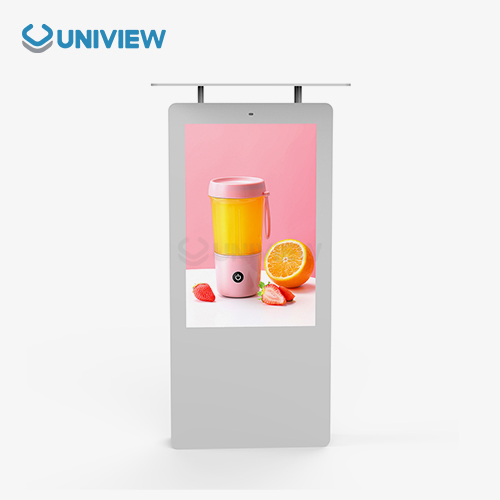
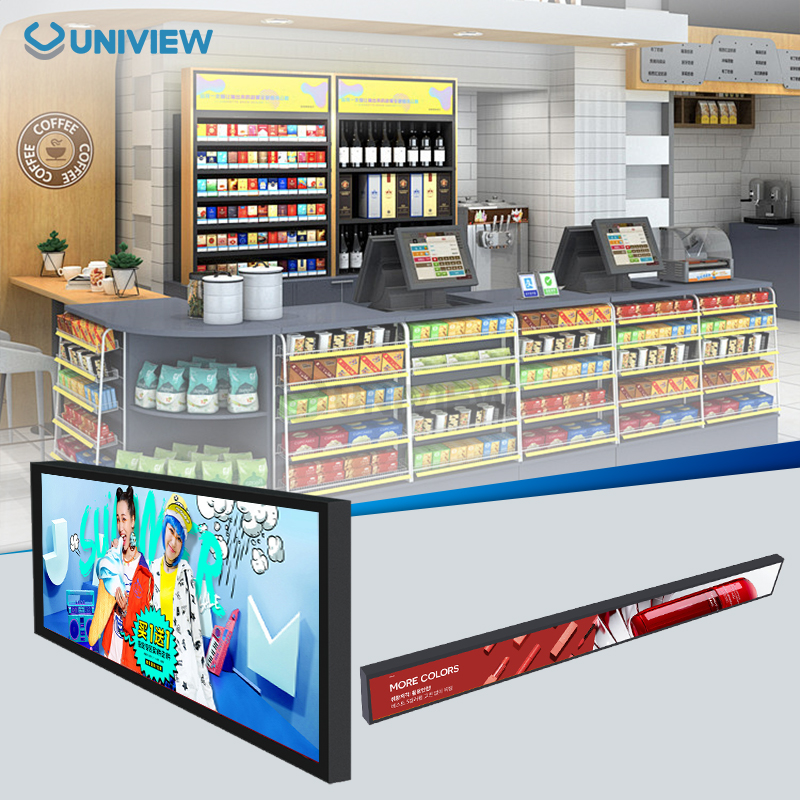
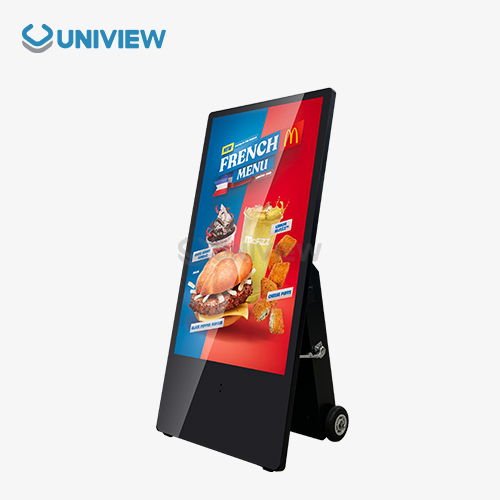
Modern LED technology and smart power management systems make floor standing digital displays very energy efficient. While providing much more brightness at 2000–4000 nits, these displays usually use 40–70% less energy than other types of signs. Businesses can save a lot of money on operating costs with advanced power-saving features like automatic brightness adjustment and standby modes. A properly configured, floor-standing digital display can run all the time with a minimal impact on the environment. This helps businesses in retail, hospitality, and corporate settings go green.
Introduction
Digital advertising has changed the way companies interact with their customers, and digital displays that stand on the floor are one of the most adaptable parts of this change. Since these freestanding units can be placed and seen from any angle, they are perfect for areas with a lot of foot traffic where wall-mounted screens would not work. As businesses put more focus on both sustainability and effective marketing, understanding how much energy different displays use becomes very important for making smart choices about which displays to buy.
Digital signs use energy efficiently, which directly affects how much it costs to run the business, how well it follows environmental rules, and the overall profits in the long run. Since the cost of electricity for businesses keeps going up, there can be a big difference in yearly costs between an energy-saving display and one that uses a lot of power. The energy performance of different display technologies is talked about in this all-inclusive guide. It helps procurement professionals make choices based on facts that are good for the budget and the environment.
Understanding Energy Efficiency in Floor Standing Digital Displays
Digital displays have many different ways of measuring energy efficiency. These help procurement teams figure out the true cost of running the displays. Wattage consumption forms the basis of energy assessment, with modern displays using anywhere from 150W to 800W depending on size and technology. Energy Star certifications set standard guidelines that make sure displays meet high standards of efficiency without losing performance.
Key Measures for Evaluating Energy
Screen brightness and power consumption are directly related for floor standing digital display, making brightness efficiency a critical metric. When the lighting in the room changes, smart LED backlighting systems help advanced displays look their best by changing the way they light up. When compared to unchanging brightness levels, this adjustable brightness feature can cut down on energy use by as much as 30%.
How much standby power is used is another important factor in how much energy is used overall. During periods of inactivity, quality displays enter low-power modes, consuming as little as 5-10W while maintaining network connectivity and quick wake capabilities. This feature is very important for companies that have displays with different schedules during the day.
Adding Technology and Smart Control
Today's power management systems use advanced sensors and software controls that make sure energy is used efficiently based on conditions in the real world. Motion sensors turn on displays when people get close, and scheduling software makes sure displays only work during business hours. When compared to screens that are always run at full power, these smart systems can cut total power use by 40–60%.
Types of Floor Standing Digital Displays and Their Energy Profiles
When it comes to how well they work and how much energy they use, displays of all kinds have their own strengths and weaknesses. LEDs are better at showing true colours, are brighter than other lights, and use less power. Even though they use a little more power than other types, LCD displays are a good, cheap choice for places indoors where a lot of brightness isn't needed.
An Energy Use Comparison of LED and LCD
Compared to similar LCD screens, LED screens are usually brighter and use 30% to 50% less power. 55-inch LED displays use 200 to 300 watts on average, while LCD displays of the same size use 350 to 450 watts. It's easier to see this more efficient use of power on bigger screens, where there can be a difference of over 500W when the screen is fully on.
OLED screens have great contrast and colour, but they can use a lot of power. The amount of power an OLED display uses changes depending on how bright the content is. Dark pictures take a lot less energy than bright and colourful ones.
Power Needs and Features You Can Use
Depending on the type of touch technology and the size of the screen, touchscreen capabilities add 20 to 40W to the base level of consumption. Capacitive touch systems are generally easier to use and require less power than resistive systems. When you add touch response, content management, and connectivity features to interactive displays, they need more processing power.
Optimizing Energy Efficiency: Best Practices and Maintenance Tips
To get the best energy savings, you need to think about how the equipment will be installed, the environment, and how you will maintain it. Proper placement uses natural light to keep things easy to see without making them brighter. Displays will work their best for as long as they're supposed to be used if regular maintenance is done.
Ways to Make the Environment Better
Displays near windows or in other bright areas for floor standing digital display can remain readable at reduced brightness levels. Ambient light sensors automatically adjust the screen's brightness depending on what's going on around it. This saves energy during the day when it isn't needed. Adaptive brightness systems can save 25% to 35% more energy than manually set brightness levels.
For long-term energy savings, it is very important to manage the temperature. Displays that function in areas where the climate is controlled need less cooling power and have less stress on their parts. A good way to vent heat and keep your device from thermal throttling, which uses more power and shortens the life of the display.
Gains in Efficiency That Come from Software
Advanced content management systems need less power because of smart scheduling and automated controls. These systems allow displays to enter sleep mode at set times while staying connected to the network for remote management. Displays are only turned on when people are near because of motion detection algorithms, which uses less energy.
Comparing Floor Standing Digital Displays With Other Advertising Solutions
Floor standing displays offer unique benefits for energy use compared to other ways of advertising. Displays that are mounted on walls usually need more support, and they may use about the same amount of power as floor-standing units. However, wall-mounted displays are easier to place because they don't take up floor space. Because they need to be very bright so people can see them in the sun, LED billboards meant for outdoors typically need two to three times more power than indoor ones.
Energy Efficiency and Operational Context
Indoor floor displays work better than outdoor ones because the environment can be controlled. It takes 4,000 nits of brightness for outdoor displays to get past direct sunlight, while only 500 to 1,000 nits are needed for indoor displays. This difference in brightness means that power use goes up by 300–500% for installations outdoors.
Kiosk systems with built-in computers may use more power for processing, but standalone displays only use power for display functions. Understanding these differences in how things are done helps procurement teams make sure that their energy efficiency goals are in line with specific deployment situations.
Evaluating Energy Efficiency for Procurement Decisions
Energy efficiency certifications and long-term operating costs must be carefully examined during procurement decisions for floor standing digital display. Energy Star ratings make it easier to compare displays from different companies and technologies because they use the same system. EPEAT certifications make sure that the entire product lifecycle, from making it to throwing it away, is good for the environment.
An Analysis of Total Cost of Ownership
To find the true cost of owning something, you need to look at the purchase price, how much power it uses, and how often it needs to be fixed over its expected lifespan. Within 18 to 24 months, savings on the cost of running energy-efficient displays can make up for their higher cost. Agreements for buying in bulk can help save even more money and make sure that energy performance is the same across all installations.
Businesses can make their energy use as efficient as possible for their specific needs by using the customisation options. Variable brightness levels, better scheduling options, and the ability to work with building management systems offer more chances to save energy and money.
Conclusion
The energy consumption of free-standing digital displays is a major factor in modern procurement decisions for floor standing digital display. al displays use. because it balances the cost of running them with environmental responsibility. LEDs use less energy and perform better than other options, and smart control systems can help make things even better. Businesses can make smart choices that help them meet both their financial and environmental goals by properly assessing energy metrics, certificationtotal cost of ownership, and standards. As technology moves forward, businesses that want to be able to talk to customers through digital signage while also saving money on operating costs will need displays that don't use much energy.
FAQ
Q1: How much energy will I save by switching to a floor-mounted digital display?
A: Energy savings are usually 20%–50% higher than normal displays. Smart software and automated scheduling systems that adjust power use to your needs save even more.
Q2: Energy-saving digital displays typically last how long?
Most good energy-saving displays last 50,000–70,000 hours. If you manage energy properly, the parts and display will last as long as they're on.
Q3: Can energy-efficient digital floor displays use current ad software?
A: Today's energy-saving displays have versatile software that works with popular content management systems. You can manage everything from one place and maintain power usage profiles.
Partner with Uniview Commercial for Energy-Efficient Digital Display Solutions
Uniview Commercial offers advanced, energy-saving, floor-standing digital display technology with great performance. Our high-tech LED screens have smart power management systems that use very little energy while still getting as bright as 2000–4000 nits. Our displays work well in a range of business settings. They can handle IP65-IP66 weather, are built to resist corrosion, and operate at a quiet 60dB.
As a top maker of floor-standing digital displays, we offer a lot of ways to customise our products, as well as 24-hour global tech support and long warranties of 3 to 5 years. Our displays have to pass international quality tests, can resist theft, and use technology that keeps them cool. Do you want to save energy on your digital signage and get more customers to interact with it at the same time? Email us at sales@univiewlcdisplay.com if you want to talk about our energy-saving display solutions that are tailored to meet the needs of your business.
References
1. Digital Signage Federation. "Energy Efficiency Standards for Commercial Display Technologies." Industry Report on Power Consumption Metrics, 2023.
2. Environmental Protection Agency. "Energy Star Certification Guidelines for Electronic Displays." Federal Energy Management Standards, 2023.
3. International Display Technology Association. "LED vs LCD Power Consumption Analysis in Commercial Applications." Technical Research Publication, 2023.
4. Green Electronics Council. "EPEAT Environmental Standards for Digital Display Equipment." Sustainability Certification Guidelines, 2023.
5. Commercial Building Energy Consortium. "Impact of Digital Signage on Building Energy Consumption." Energy Management Research Study, 2023.
6. Display Industry Research Group. "Total Cost of Ownership Models for Commercial Digital Displays." Procurement Analysis Report, 2023.