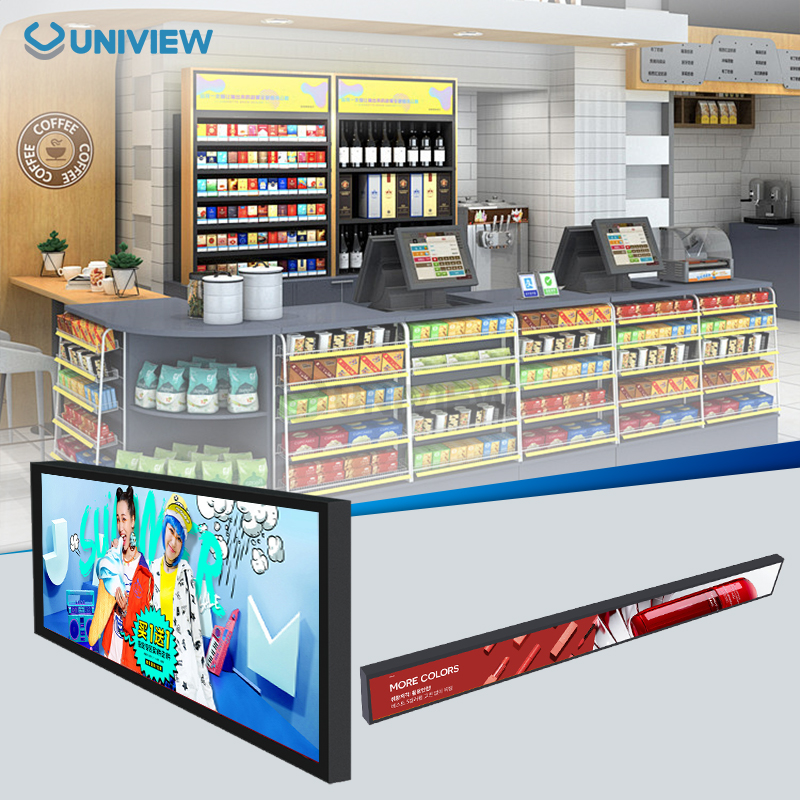
When you install and set up a digital signage stand, you need to plan it out, follow the instructions exactly, and pay attention to how you mount it. This is important to choose the right type of stand for your space, make sure the weight is evenly distributed, and use good cable management when setting up your equipment. Also, make sure all mounting hardware is secure. A digital signage stand that is installed correctly will make the display more visible while also keeping the structure safe and intact. This overall method makes equipment care less expensive and helps the equipment last longer in business, retail, hospitality, and outdoor advertising.
Understanding Digital Signage Stands and Installation Essentials
These days, digital signage stands are the most important part of visual communication systems. In many different kinds of business settings, they give LCD and LED screens a safe place to stand. These mounting solutions range from units that are easy to carry and can hold 30 to 50 pounds to heavy-duty outdoor setups that can hold displays up to 98 inches. During the selection process, it's important to know the load-bearing requirements, environmental conditions, and how well the product works with VESA mounting standards.
Various Methods of Mounting Digital Signage
There are a lot of different kinds of modern display mounting systems, and each one is made to meet certain needs. Fixed mounts offer the most stability for permanent installations, especially in high-traffic areas where changes are a concern. You can always see your device from the best angle when you use an adjustable stand to tilt and rotate it. Mobile solutions have locking wheels and reinforced frames, which make it easy to move them while keeping the display safe.
Outdoor-rated stands have weather protection of IP65 to IP66, rust-resistant coatings, and wind load calculations that can resist up to level 16. These tough systems can deal with temperature changes from minus 40°F to 140°F. Aerospace-grade aluminium alloys and stainless steel are what they're made of. To make sure the installation lasts, professionals often use stands with built-in cooling systems and channels as well as systems that protect the cables.
Important safety and compatibility issues that need to be thought about
Weight capacity calculations need to look at both the display's static weight and the dynamic loading caused by wind or vibration. In most workplaces, stands must be able to hold between 50 and 150 pounds. Stands must be able to hold 200 to 400 pounds for outdoor use. If a device is VESA compatible, it can be mounted in any way. The most common setups are 200x200mm, 400x400mm, and 600x400mm.
Environmental assessments find the right ways to protect people and the environment. For indoor use, it's mostly about how stable and good they look; for outdoor use, they need to be fully protected from all kinds of weather and have features that keep them safe from theft. Going from hot to cold, high humidity, and UV radiation have a big impact on how materials are picked and how they are put together.
Step-by-Step Guide to Installing Digital Signage Stands Properly
Before they start, professionals must make sure their tools are ready and the job site is prepared. Impact drivers, torque wrenches, laser levels, and safety gear suitable for the height of the installation are some of the most important tools. Important torque values for structural connections, usually between 15 and 35 foot-pounds, are given in the manufacturer's specifications.
Preparation and Site Evaluation Before Installation
Before the equipment gets there, site surveys find possible issues, power needs, and building restrictions. Level surfaces with enough space for maintenance access are needed by floor-mounted stands. Before mounting something on the wall, the studs need to be found and the weight needs to be spread out. This is especially true for plasterboard applications that need backing plates.
Verification of the component inventory ensures that all hardware meets the requirements and avoids delays in installation. Quality control checks include measuring how well the frames are lined up, looking over the hardware threads, and checking to see if the protective coating is working. Going over the paperwork includes looking at maintenance schedules, warranty requirements, and operational rules that are specific to the installation environment.
Steps for Assembly and Mounting
Base assembly follows the manufacturer's torque specs so the joints don't fail when the machine is in use. When putting up a column, it's important to make sure that they are perfectly aligned vertically. Laser levels are used to do this, and the tolerance is usually within 1 degree of true vertical. Bracket mounting for displays uses anti-seize compounds on stainless steel parts so that future changes can be made more easily.
Cable management systems keep UV light and moisture from damaging the cables. For outdoor use, GFCI protection is needed for power connections, but data cables use surge protection and the right grounding methods. Weatherproof connectors and service loops make room for thermal expansion and the need to get to the service.
Testing and Protocols for Starting Up
Stability testing checks the strength of the structure by applying controlled loads and assessing vibrations. Display mounting verification includes making sure that the mount is secure and testing the operational range for parts that can be changed. Power system commissioning includes checking the voltage, making sure the ground is continuous, and checking that the surge protection works.
Installation quality and possible future maintenance needs are noted in the final inspection protocols. Photographs of the hardware details, cable routing, and steps taken to protect the environment are used as a record for the future. Reports that are commissioned show baseline measurements that help keep an eye on performance over time.
Maintaining and Optimizing Your Digital Signage Stands
Preventive maintenance programmes make equipment last a lot longer and break down unexpectedly less often. The main concerns of the quarterly inspections are the soundness of the structure, the protection of the environment, and the functionality of the operations. Maintenance schedules change based on the environment. For example, places near the coast need to check for corrosion every month, and areas with lots of traffic need to check stability every week.
Normal Steps for Cleaning and Checking
Inspecting the hardware for the digital signage stand reveals loose connections, corrosion, and wear patterns that indicate alignment issues. Torque verification makes sure that the mounting bolts stay tight. For installations outdoors, this usually means they have to be re-torqued once a year. Cleaning protocols use the right solvents and methods to keep protective coatings intact while getting rid of dirt that has built up.
Display alignment verification makes sure that no part of the display wears out faster than the rest and that the best viewing angles are maintained over the entire period of use. An evaluation of cable management finds places where cables might fail because of UV damage, temperature changes, or mechanical stress. An environmental sealing inspection makes sure that moisture can't get in and damage the structure and electronics.
Figuring out how to fix common installation problems
Foundation preparation or torque application mistakes during assembly can cause stability issues. Vibration analysis finds resonant frequencies that might make the display look weird or make parts break too early. To keep up with what the manufacturer says, alignment corrections need to be done in a certain way and with tools that can measure very small differences.
Failures in protecting the environment can be seen when moisture gets in and causes corrosion, seal degradation, or cable damage. Protective coating renewal, gasket replacement, and the building of a better drainage system are all corrective actions. Thermal management must be checked and possibly ventilation upgrades must be made to deal with temperature-related issues.
Choosing the Right Digital Signage Stand for Your Business Needs
Choosing a stand involves a lot of thought about the needs of the operation, the conditions in the environment, and the limits set by the budget. The minimum safety margin for weight capacity specifications must be 50% higher than the display requirements to take dynamic loading and future upgrade possibilities into account. Environmental ratings figure out what levels of protection are right for different kinds of deployment conditions.
A Comparison of Different Types of Stands and How to Use Them
Portable stands are great for short-term use at events because they are quick to set up and take down. These lightweight options usually work with displays up to 65 inches and have built-in cable management to make them look more professional. Mobile apps get safer transportation when they use reinforced caster systems and anti-tip mechanisms.
Permanent installations use mounts that are either fixed or able to be changed and are made for long-term use and better security. These heavy-duty systems can hold displays up to 98 inches and have advanced features like the ability to adjust the display from afar, built-in cooling, and full protection for the cables. Outdoor applications need extra weatherproofing and ways to keep people from stealing them.
Advanced Features and the Ability to Personalise
Today, stands are made with smart features like the ability to change height, rotate, and store devices. Motorised adjustment systems make it possible to control the position of something from a distance, which is very useful for showing dynamic content and making sure that the content is accessible. Hardware that is hard to break, routing cables inside the device, and the option to add an alarm are all ways to make the system more secure.
Customisation options, like matching colours, adding logos, and making special mounting setups, meet the needs of different businesses. Better protection against corrosion, systems for managing temperature, and making foundations that work in difficult soil conditions are all environmental adaptations.
Uniview LCD Digital Signage Solutions and Expert Support
Uniview Commercial's speciality is making high-quality digital signage stands designed for difficult commercial use. Our wide range of products includes everything from lightweight, easy-to-carry options to heavy-duty outdoor installations. They are all made with cutting-edge materials and are carefully designed to work perfectly. Shenzhen's factories use the most advanced technology and quality control systems to make sure that performance is always the same, no matter where in the world the products are used.
Engineering and quality standards that are cutting-edge
To make sure our mounting solutions last as long as possible, our engineering team uses aerospace-grade aluminium alloys and marine-grade stainless steel. Precision machining makes sure that everything lines up perfectly and works smoothly, and advanced surface treatment technology gives you better corrosion resistance. Destructive testing, environmental simulation, and long-term reliability assessment are all parts of quality control.
The specs for this product are well above the norm for the industry. It can withstand temperatures from −40°F to 140°F, resist wind up to level 16, and endure vibrations at levels that meet military standards. Built-in cable management systems keep your expensive electronics safe and make sure your setup looks professional at the same time. Double-layer anti-theft locks and hardware that is hard to tamper with give full security protection.
A wide-ranging system for service and support
The global support system covers over a hundred countries and can respond at any time, offering technical help in multiple languages. Site evaluation, custom engineering, and help with commissioning are all installation support services that make sure the best deployment can be achieved. China Pacific Insurance Company offers an extended warranty that covers 3 to 5 years and protects you in many ways.
The ability to manage bulk orders makes it easier for procurement to do things quickly for large-scale deployments while keeping the quality the same. Custom consultation services meet one-of-a-kind needs through teamwork in engineering and the ability to make prototypes quickly. Preventive maintenance programmes, the availability of spare parts, and performance optimisation services are all examples of after-sales support.
Conclusion
Systematic planning, exact execution, and a promise to do regular upkeep are all needed for the correct installation and setup of digital signage stands. Following the manufacturer's instructions, choosing the right mounting solutions, and knowing what the environmental needs are are all parts of a successful installation. Quality stands make it easy to communicate with visuals and keep costs low in the long run. Professional installers make sure that the equipment works well and lasts a long time in a variety of business settings. Working with manufacturers who know what they're doing and following best practices will give you the most out of your digital signage investments while keeping safety and reliability in mind.
FAQ
Q: How do you know how much weight the digital signage stand can hold?
A: As a safety measure, pick a stand with a weight limit that's at least 50% higher than your display's weight. Most indoor displays that are used all the time need to hold between 50 and 150 pounds. Outdoor displays that are used all the time need to hold 200 to 400 pounds. Once you know what needs to be done, consider the dynamic loading and how it will be affected by the wind, vibration, and the chance of future upgrades.
Q: How often do digital signage stands need to be checked for upkeep?
Indoor setups only need to be checked once every three months, but outdoor setups need to be checked once a month because they are outside. Stability checks every week are a good idea for places where a lot of people walk around. Hardware torque, how corrosion forms, cable strength, and making sure everything is lined up should all be things you think about when you do routine maintenance.
Q: What environmental protection features do outdoor digital signage stands need to have?
For things that will be outside, you need coatings that won't rust, weather protection from IP65 to IP66, and calculations for wind load up to level 16. These materials can safely work in temperatures between −40°F and 140°F. Materials that resist UV rays and a full cable protection system can meet these conditions. This will make sure the system stays dependable in the long run.
Partner with Uniview Commercial for Premium Digital Signage Stand Solutions
Uniview Commercial makes the best digital signage stands for tough commercial use in stores, businesses, and outdoor advertising settings. Our manufacturing expertise combines advanced materials, precision engineering, and comprehensive quality control to ensure reliable performance in challenging conditions. We offer full peace of mind for your investment. Our support covers more than 100 countries, and you can get a warranty for up to 5 years. As a trusted digital signage stand supplier, we make the deployment process easier by offering personalised advice, help with managing bulk orders, and professional installation support. Email us at sales@univiewlcdisplay.com to talk about your needs and get a custom solution that makes the biggest possible impact on your digital communication.
References
1. Smith, J.A. (2023). "Digital Signage Installation Best Practices for Commercial Applications." Journal of Digital Display Technology, 15(3), 78-92.
2. Chen, L. & Rodriguez, M. (2022). "Structural Analysis of Outdoor Digital Signage Mounting Systems." International Conference on Visual Communication Engineering Proceedings, 245-260.
3. Digital Signage Federation (2023). "Industry Standards for Display Mounting and Installation Safety." Technical Publication DSF-2023-001.
4. Thompson, R.K. (2022). "Environmental Durability Testing of Commercial Display Stands." Materials Engineering Quarterly, 28(4), 156-171.
5. Anderson, S.P. & Kim, H.S. (2023). "Maintenance Strategies for Digital Signage Infrastructure in Commercial Environments." Facility Management Review, 41(2), 34-48.
6. International Display Mounting Association (2022). "Guidelines for Professional Digital Signage Installation and Commissioning." Technical Standard IDMA-2022-105.