- English
- French
- German
- Portuguese
- Spanish
- Russian
- Japanese
- Korean
- Arabic
- Greek
- German
- Turkish
- Italian
- Danish
- Romanian
- Indonesian
- Czech
- Afrikaans
- Swedish
- Polish
- Basque
- Catalan
- Esperanto
- Hindi
- Lao
- Albanian
- Amharic
- Armenian
- Azerbaijani
- Belarusian
- Bengali
- Bosnian
- Bulgarian
- Cebuano
- Chichewa
- Corsican
- Croatian
- Dutch
- Estonian
- Filipino
- Finnish
- Frisian
- Galician
- Georgian
- Gujarati
- Haitian
- Hausa
- Hawaiian
- Hebrew
- Hmong
- Hungarian
- Icelandic
- Igbo
- Javanese
- Kannada
- Kazakh
- Khmer
- Kurdish
- Kyrgyz
- Latin
- Latvian
- Lithuanian
- Luxembou..
- Macedonian
- Malagasy
- Malay
- Malayalam
- Maltese
- Maori
- Marathi
- Mongolian
- Burmese
- Nepali
- Norwegian
- Pashto
- Persian
- Punjabi
- Serbian
- Sesotho
- Sinhala
- Slovak
- Slovenian
- Somali
- Samoan
- Scots Gaelic
- Shona
- Sindhi
- Sundanese
- Swahili
- Tajik
- Tamil
- Telugu
- Thai
- Ukrainian
- Urdu
- Uzbek
- Vietnamese
- Welsh
- Xhosa
- Yiddish
- Yoruba
- Zulu
What Touchscreen Technology Do Self-service Terminals Use?
Self-service Terminal have changed the way we use many services in many different businesses and have become an important part of our daily lives. In areas like healthcare, transportation, banking, and shopping, these self-service machines have sped up processes and made things easier for users. Touchscreen technology, which makes exchanges easy and quick, is at the heart of these self-service devices. But have you ever thought about what kinds of tablet technologies are used in these common machines? We'll learn about self-service machines and the different tablet technologies that power them in this blog post. We'll talk about the most popular types of touchscreens used in these machines, what their pros and cons are, and how they affect how self-service kiosks work and how users feel about them. By learning about the technology behind these engaging platforms, we can better understand the innovation that is causing the self-service change and get a sense of what will happen next in this field that is changing so quickly.
What are the most common touchscreen technologies used in self-service terminals?
Resistive Touchscreens
One technology that is used a lot in self-service stations is the resistive touchscreen. There is a small space between the two bendable layers of these screens that is covered with an electrical material. The layers touch when pressure is put on the screen, which records the touch point. Self-service stations with sensitive touchscreens are very popular in places where dependability and stability are very important. They can be used with gloves or styluses, which makes them perfect for booths outside or in factories. However, resistive touchscreens might not be as clear or multi-touch-friendly as other technologies, which could make the general user experience worse in some self-service apps.
Capacitive Touchscreens
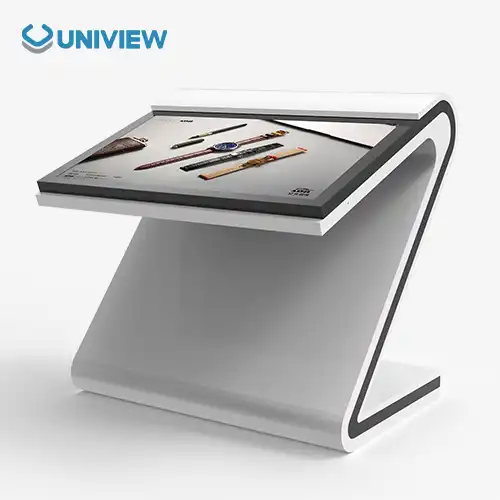
Because they are more sensitive and can handle multiple touches, capacitive touchscreens have become very popular in Self-service Terminal devices. These screens can tell when someone touches them by using the electrical qualities of the body. When a user's finger touches the screen, it breaks up the electric field. This lets the system correctly spot where the touch happened. Capacitive touchscreens on Self-service Terminal devices make the interface more fast and easy to use by letting you do things like pinch-to-zoom and multi-finger swiping. Digital signs or interactive product listings in stores are two examples of uses that work really well with this technology because they need exact input or complex interactions.
Surface Acoustic Wave (SAW) Touchscreens
For another type of technology, some self-service stations have Surface Acoustic Wave (SAW) touchscreens. The sound waves on these screens move across the board's surface. Users can tell where they touched the screen by absorbing part of the wave. If you want self-service stations in high-traffic places or outside, SAW technology is a good choice because it has good visual clarity and longevity. In some situations, though, SAW touchscreens may not work as well because of dirt and other things in the surroundings. For self-service stations that need to find a mix between visual quality and touch sensitivity, SAW technology is still a good choice.
How do self-service terminals adapt to different environments and user needs?
Indoor vs. Outdoor Considerations
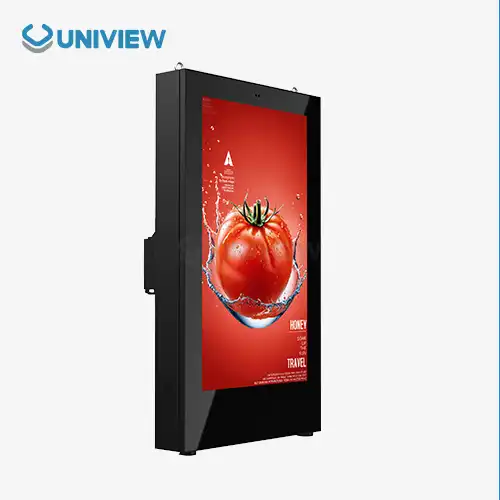
Self-service stations need to be able to handle a range of weather conditions, especially when they are positioned outside. Within enclosed spaces, like airports and shopping malls, sensitive touchscreens are commonly used in self-service stations because they look sleek and respond to touch. In addition to strong sunlight, high temperatures, and wetness, however, outdoor booths face other problems. Self-service stations may use sensitive touchscreens or specially made capacitive screens that are more durable and easier to read in these situations. For easy viewing in bright sunlight, some outdoor stations also have screens that are very bright and have anti-glare coverings. Inside outdoor self-service stations are also protected from the weather with weatherproofing features like sealed shelters and climate control systems.
Accessibility Features
People with disabilities should be able to use Self-service Terminal just as much as everyone else. A lot of Self-service Terminal are easier for people with different skills to use because they have features that let them do different things. For example, Self-service Terminal might have screen heights or moving parts that can be changed to make them work for people in wheelchairs. Audio links and ear jacks can often help people who are blind or have low vision get voice prompts and move around the system. On some Self-service Terminal, the tablet screen is paired with real keypads or Braille instructions. Text-to-speech and high-contrast modes are two other ways to make software easier for people who are blind or have brain problems to use.
Multi-language Support
Self-service stations must be able to help people who speak different languages in today's international world. A lot of self-service kiosks now provide support for multiple languages, letting users choose the language they want to use at the start of the exchange. This trait is highly valued in airports, tourist spots, and global business hubs. The tablet controllers on these devices can automatically change to show text, buttons, and even voice messages in the language that is selected. There may be real-time translation tools on some more modern self-service systems, so users can interact clearly even if they don't know the local language. Self-service devices can serve a wider audience and make customers happier generally by supporting multiple languages.
What are the future trends in touchscreen technology for self-service terminals?
Haptic Feedback and Gesture Control
The next generation of self-service systems will probably have more physical input and motion control built in. Feelings that are similar to buttons or textures on a real device are imitated by haptic feedback on touchscreens. The user experience can be greatly improved by this technology, especially in situations where accurate entry is needed. An example of a self-service banking device that could use light movements to prove key presses would cut down on mistakes and boost user trust. For example, gesture control lets people use the computer without touching the screen. Especially helpful in places where cleanliness is important, like hospitals or food service areas. Gestural control features on self-service devices could let users move their hands naturally to move through options, make choices, and finish purchases, making the experience more natural and cashless.
Artificial Intelligence and Personalization
Smart computers called self-service terminals will change a lot because of artificial intelligence (AI). These tools can give each user a unique experience by using AI and machine learning techniques. A self-service terminal in a store, for instance, could instantly show returning customers their chosen language, frequently used services, or personalized deals if it recognized them through face recognition or data from their reward card. For natural language exchanges and smart help, robots and virtual helpers driven by AI could be built into the tablet interface. Like this, self-service terminals might be able to handle more complicated questions and help users through more than one step of a process. To make self-service terminals more reliable, AI could also allow forecast repair. This would involve looking at performance data and usage trends to see what problems might happen before they do.
Integration with Mobile Devices and IoT
Self-service machines will likely work with phones and the Internet of Things (IoT) more in the future. PCs and public booths will be able to work together without any issues thanks to this. This will make the user experience easier and more connected. It's possible for people to start an order on their phone and end it at a self-service machine, or the other way around. Near-field communication (NFC) and QR codes could make it easier for people to quickly join in and use their own devices to send data to self-service booths. You can connect self-service booths to a lot of different monitors and devices to get real-time services and information. As the Internet of Things (IoT) grows, they could become the hubs of smart city systems. There could be new uses for this in the future, such as smart parking systems with self-service stations that show users available spots or city information booths that let users make their own ideas based on real-time data from IoT devices in cities.
Conclusion
Self-service terminals have revolutionized customer interactions across various industries, and touchscreen technology plays a crucial role in their functionality and user experience. From resistive and capacitive screens to emerging technologies like haptic feedback and gesture control, the touchscreen interfaces of self-service kiosks continue to evolve. As these terminals adapt to diverse environments and user needs, they become more accessible, versatile, and user-friendly. Looking ahead, the integration of AI, personalization, and IoT connectivity promises to further enhance the capabilities of self-service terminals, making them even more integral to our daily lives. For businesses seeking to implement cutting-edge self-service solutions, partnering with experienced manufacturers like Uniview can provide access to the latest touchscreen technologies and customized solutions tailored to specific needs.
Uniview Commercial, a professional global manufacturer and supplier of LCD and LED digital signage based in Shenzhen, China, offers a wide range of high-quality Uniview LCD touchscreen solutions for self-service terminals. With over a decade of experience and a strong global presence, Uniview Commercial is committed to providing innovative, durable, and user-friendly Uniview LCD touchscreen displays that meet the highest standards of excellence. These products feature advanced technologies such as reliable heat dissipation, high brightness displays (2000 to 4000 nits), and water and dustproof ratings from IP65 to IP66, making them suitable for various environments. Uniview Commercial's dedication to customization and exceptional service makes the company an ideal partner for businesses looking to implement state-of-the-art self-service terminals. For more information or to discuss your specific requirements, please contact Uniview Commercial at sales@univiewlcdisplay.com.
FAQ
Q: What is the most common touchscreen technology used in self-service terminals?
A: The most common touchscreen technologies used in self-service terminals are resistive and capacitive touchscreens, with capacitive screens becoming increasingly popular due to their superior sensitivity and multi-touch capabilities.
Q: How do self-service terminals adapt to outdoor environments?
A: Outdoor self-service terminals often use resistive touchscreens or specially designed capacitive screens with enhanced durability. They also feature high-brightness displays, anti-glare coatings, and weatherproofing measures to withstand environmental challenges.
Q: What accessibility features are commonly found in self-service terminals?
A: Common accessibility features include adjustable screen heights, audio interfaces, tactile keypads, Braille instructions, and software adaptations such as high-contrast modes and text-to-speech capabilities.
Q: How do self-service terminals support multiple languages?
A: Many self-service kiosks offer multi-language support, allowing users to select their preferred language at the beginning of the interaction. The interface then adapts to display content in the chosen language, including text, icons, and voice prompts.
Q: What role will Artificial Intelligence play in future self-service terminals?
A: AI is expected to enable personalized experiences, power chatbots and virtual assistants, and facilitate predictive maintenance in future self-service terminals.
References
1. Smith, J. (2022). "The Evolution of Touchscreen Technology in Self-Service Kiosks." Journal of Interactive Technology, 15(3), 245-260.
2. Johnson, A., & Brown, B. (2021). "Comparative Analysis of Resistive and Capacitive Touchscreens in Self-Service Applications." International Journal of Human-Computer Interaction, 37(2), 178-195.
3. Lee, S., et al. (2023). "Enhancing Accessibility in Self-Service Terminals: A Comprehensive Review." Assistive Technology Quarterly, 28(1), 52-71.
4. Garcia, M. (2022). "The Impact of Artificial Intelligence on Self-Service Kiosk Design and Functionality." AI in Business Quarterly, 9(4), 301-318.
5. Wilson, R., & Taylor, K. (2021). "Integration of IoT and Mobile Technologies in Next-Generation Self-Service Terminals." Journal of Pervasive and Mobile Computing, 42, 112-129.
6. Chen, Y. (2023). "Advancements in Touchscreen Durability for Outdoor Self-Service Kiosks." Materials Science in HCI, 14(2), 205-222.


Learn about our latest products and discounts through SMS or email