- English
- French
- German
- Portuguese
- Spanish
- Russian
- Japanese
- Korean
- Arabic
- Greek
- German
- Turkish
- Italian
- Danish
- Romanian
- Indonesian
- Czech
- Afrikaans
- Swedish
- Polish
- Basque
- Catalan
- Esperanto
- Hindi
- Lao
- Albanian
- Amharic
- Armenian
- Azerbaijani
- Belarusian
- Bengali
- Bosnian
- Bulgarian
- Cebuano
- Chichewa
- Corsican
- Croatian
- Dutch
- Estonian
- Filipino
- Finnish
- Frisian
- Galician
- Georgian
- Gujarati
- Haitian
- Hausa
- Hawaiian
- Hebrew
- Hmong
- Hungarian
- Icelandic
- Igbo
- Javanese
- Kannada
- Kazakh
- Khmer
- Kurdish
- Kyrgyz
- Latin
- Latvian
- Lithuanian
- Luxembou..
- Macedonian
- Malagasy
- Malay
- Malayalam
- Maltese
- Maori
- Marathi
- Mongolian
- Burmese
- Nepali
- Norwegian
- Pashto
- Persian
- Punjabi
- Serbian
- Sesotho
- Sinhala
- Slovak
- Slovenian
- Somali
- Samoan
- Scots Gaelic
- Shona
- Sindhi
- Sundanese
- Swahili
- Tajik
- Tamil
- Telugu
- Thai
- Ukrainian
- Urdu
- Uzbek
- Vietnamese
- Welsh
- Xhosa
- Yiddish
- Yoruba
- Zulu
Best Practices for Full Screen Floor Standing Digital Signage
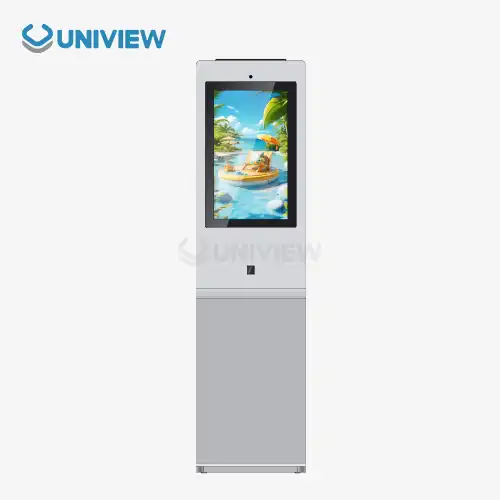
A key investment in modern business communication is full screen floor standing digital signage, which is intended to show changing content horizontally without the need for hardware that is mounted on the wall. These stand-alone units have industrial-grade LCD or LED screens, sturdy cases, and built-in media players. They are designed to work nonstop in busy B2B settings. When it comes to displays, landscape models are better at showing wide-format video content, multi-zone information displays, and panoramic imagery that naturally fits with human peripheral vision. This makes them essential for places like retail promotions, corporate lobbies, transportation hubs, and outdoor advertising, where visual impact and information density are very important.

Understanding Full Screen Floor Standing Digital Signage
What Defines Full Screen Orientation in Digital Signage
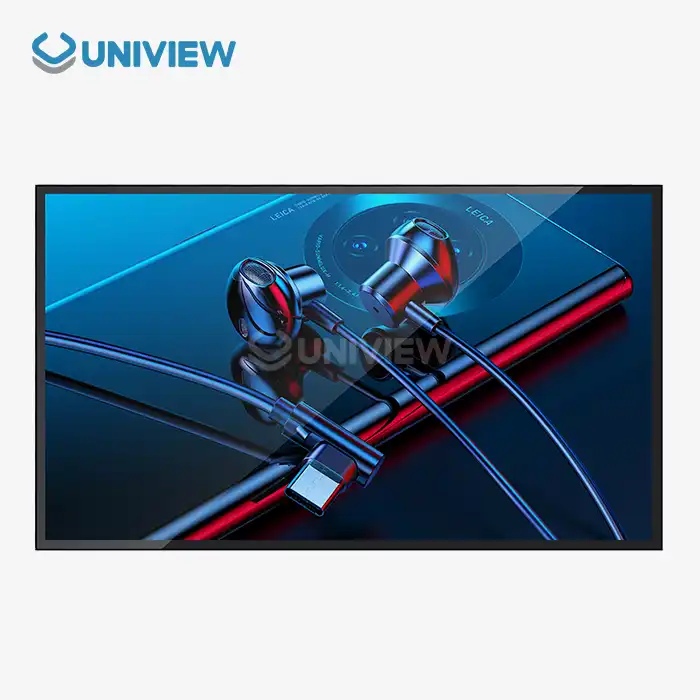
landscape floor standing digital signage stands out because it has a horizontal 16:9 aspect ratio, which is similar to what people are used to seeing on TV and in movies. When showing multimedia content like promotional videos, wayfinding maps with multiple routes, or dashboard-style information like weather, news, and plans all at the same time, this layout is clearly better than portrait modes. The horizontal arrangement naturally works with human binocular vision, making the watching experience more engaging. This is especially true in places where people stop to pay attention for a longer time instead of quickly scanning while walking.
These units have complex hardware designs that are very different from consumer products. Commercial-grade IPS screens have 178-degree viewing angles both horizontally and vertically. This means that colors don't get distorted when watched at an angle, like in a store aisle or a transportation terminal. Specifications for brightness range from 450 nits for climate-controlled indoor places to 2,500 to 4,000 nits for setups facing a window or semi-outdoor uses where natural light requires more light to keep things visible and text readable.
Core Technologies: LCD vs. LED and Interactive Capabilities
Which technology to use—LCD or LED—depends on how far away you want to see the screen and where you want to put it. LCD screens are most common indoors where watchers are within 2 to 10 meters. They offer better color accuracy and resolution density, which are important for showing detailed product images or sending text-heavy business messages. When paired with the right IP-rated enclosures, LED setups offer great brightness uniformity and weather protection for outdoor advertising and large-venue uses where viewing lengths exceed 10 meters.
With touch-enabled interfaces, passive screens can be turned into tools for interactive customer service. Projected capacitive (PCAP) touch technology allows multi-touch movements that are known from using smartphones. This makes it easy to navigate through product catalogs, maps, or self-service check-in processes. Non-touch types simplify the hardware and require less upkeep, making them good for advertising uses where people don't need to connect physically. Content management systems are the backbone of operations. They let you schedule media playing from afar, change content in real time across networks in multiple locations, and use performance analytics to track how long viewers are engaged and how often they interact with the content.
Best Practices to Optimize Full screen Floor Standing Digital Signage Performance
Assessing and Addressing Performance Bottlenecks
Finding external factors that make the monitor less useful is the first step in improving its performance. The most frequent problem is that the screen is too dim. This is especially true in rooms with lots of windows or skylights, where normal 450-nit screens can be almost invisible in the middle of the day. During high sunlight hours, procurement teams should use lux meters to measure the amount of light in the room and choose displays with brightness rates at least three times the amount of light in the room. For outdoor and semi-outdoor applications, there are some special things that need to be thought about, like simulating direct sunshine to make sure the panels will stay stable under long-term UV exposure and temperature changes.
Readability of information and how people feel about a brand are directly affected by resolution clarity in full screen floor standing digital signage. Full HD (1920x1080) is the standard for landscape displays under 55 inches. 4K (3840x2160) is required for displays over 65 inches or setups where users are within 1.5 meters. When figuring out pixel density, you should take into account how far away people usually look. For example, places like stores where people look at screens up close need higher pixel densities than airport areas where people look at screens from farther away. Touch responsiveness adds more speed factors, and response times must be less than 10 milliseconds to keep users from getting frustrated while they're navigating.
Proactive Maintenance Protocols and ROI Optimization
Systematic repair plans keep gear in good shape and make it last longer. Cleaning once a week with cotton cloths and approved anti-static solutions stops dust from building up, which lowers the effectiveness of heat transfer and creates visual flaws. Software updates every three months fix security holes and add new features. Professional checks once a year make sure the cooling system works and look for early signs of component wear and tear before they cause major failures.
When these procedures were put into place on 200 landscape floor standing digital signage units by a store chain, unplanned downtime dropped by 34%, and the average hardware lifespan rose from 4.2 years to 6.8 years, which led to big improvements in the total cost of ownership. Content optimization has an equal effect on speed. For example, video content compressed using H.265 encoding needs 40% less bandwidth than old H.264, which allows for smoother playing and higher quality content to be supported by the network infrastructure that is already in place.
How to Choose the Right Full Screen Floor Standing Digital Signage for Your Business
Evaluating Indoor vs. Outdoor Deployment Requirements
Indoor displays put an emphasis on blending in with their surroundings and keeping quiet. Powder-coated metal extrusions with brushed finishes look great in corporate halls and high-end retail spaces. Fanless cooling designs get rid of noise that would be annoying in hospitality settings or on executive floors. Standard indoor units can work in temperatures between 0°C and 40°C and relative humidity levels between 20 and 80% without condensation, which is enough for business areas that need to be climate-controlled.
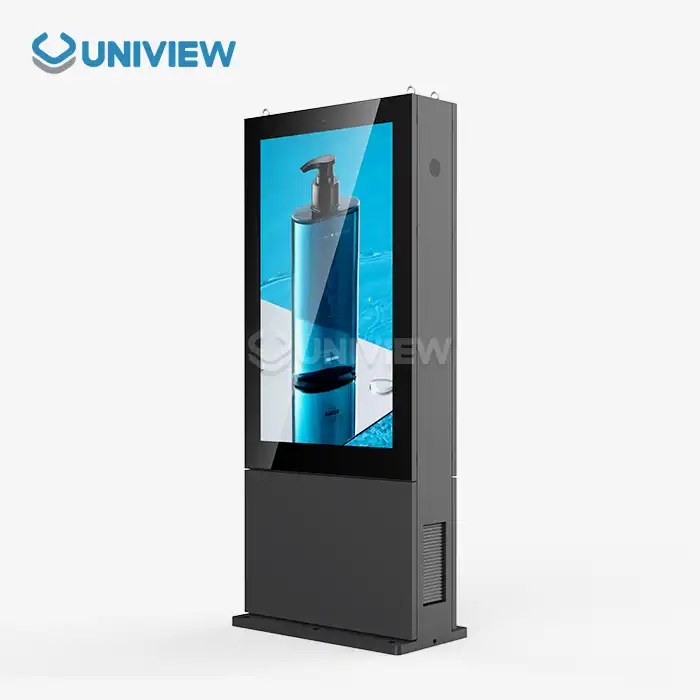
For outdoor and semi-outdoor uses, ruggedized standards are needed to handle harsh environments. IP65 or IP66 grades for entry protection make sure that dust can't get in and water jets can't come from any direction. This is very important for transportation hubs with open-air platforms or storefront displays that need to be cleaned regularly. Vandalism and accidental hits can't break tempered glass faces that are rated at Mohs level 7. Corrosion-resistant coats that follow European surface treatment standards keep things from breaking down in salty coastal environments. Operating temperature ranges from -30°C to +50°C, allowing setups to be made in places where the weather changes a lot from season to season.
Key Performance Metrics and Market Considerations
When choosing a screen size, you have to weigh the need for material visibility against space limitations and price concerns. landscape floor standing digital signage units are usually between 43 and 98 inches, with 55- to 65-inch sizes being the best value for most store and business uses. The 1.5x diagonal measurement rule is used to figure out the viewing distance. For example, a 65-inch screen is best viewed from 2.5 meters away, since that lets you enjoy the material without having to move your head around too much to read it.
As running costs rise over multi-year deployment cycles, energy economy becomes a bigger factor in buying choices. LED-backlit LCD screens use 30–50% less power than older CCFL screens. Depending on the screen size and brightness settings, they usually use 150–400 watts of power. Automated brightness timing through content management platforms cuts down on power use during off-peak hours, when there isn't much activity. This has been shown to save 20–35% of energy in store settings where traffic trends are regular.
On the market right now, there are both well-known makers and specialized OEM providers that offer customization options for full screen floor standing digital signage. Global brands offer uniform product lines with full guarantee coverage and well-established service networks. These brands are good for businesses that want stable vendors and easy buying processes. OEM manufacturers like Uniview Commercial can make custom solutions to fit specific space requirements, brightness requirements, or mounting needs that aren't covered by standard product catalogs. This is especially helpful for architectural installations that need to be perfectly aligned from an aesthetic point of view.
Integrating Full Screen Floor Standing Digital Signage into Your Procurement Strategy
Application-Specific Use Cases and Component Requirements
Landscape formats are used by retail interaction apps to show off sales campaigns that include pictures of products, prices, and dynamic call-to-action messages. Split-screen features let you show star product videos (which take up two-thirds of the screen) along with moving text messages or social media feeds at the same time, making the most of information density without adding visual clutter. When PCAP touch is added to displays, they become dynamic product crawlers that let customers look through larger catalogs, compare specs, and ask for help from staff through built-in alert systems.
Landscape floor standing digital signage is used in corporate communication settings for branding in the entrance, directing people to the right place, and showing real-time data. Displays for booking conference rooms show available plans with colored progress markers. At reception areas, guest check-in interfaces are connected to building management systems. Content management systems that integrate a calendar can automatically make changes to displays that are in sync with the company's event schedules. This gets rid of the need to update content by hand and makes sure that all information is correct.
Here are the essential component specifications that define commercial-grade landscape displays:
Enclosure Construction: Frames made of cold-rolled steel or extruded aluminum provide structural strength while keeping weight low. Frame thicknesses range from 1.5 to 2.5 mm for indoor use and 3 to 4 mm for outdoor use, where impact resistance needs to be higher. Powder-coating finishes, which are put on using electrostatic processes, give better coverage and stickiness than liquid paint applications. The colors can be changed to fit company branding standards.
Connectivity Architecture: Multiple input choices, such as HDMI 2.0, DisplayPort 1.2, USB-C with power delivery, and old VGA, make it possible to connect a wide range of content sources. Built-in media players don't need any extra hardware and usually have quad-core processors, 2–4GB of RAM, and 16–32GB of internal storage, which is enough to store large video files. Dual-band Wi-Fi and gigabit Ethernet connect to the network, which lets you control and send material in real time across multiple locations.
Content Management Integration: Cloud-based content management systems (CMS) let you centrally manage networks of spread signs. They support role-based access controls, content approval processes, and automated playlists that play on a set schedule. Analytics modules keep track of proof-of-play verification for advertising apps, viewer dwell time through built-in sensors, and system health monitoring, which includes panel temperature, uptime statistics, and bandwidth utilization metrics that help plan maintenance and performance improvement projects.
These built-in features turn stand-alone full screen floor standing digital signage displays into networked communication assets that change based on operational needs, audience demographics, and strategy messaging goals over the course of their service lifecycle.
Installation Best Practices and Regulatory Compliance
Professional installation procedures make sure that the system works well and that safety rules are followed. Floor-standing units need stable mounting bases with footprints that are usually between 600x400mm and 800x600mm. These bases are made to stay stable even when they are hit by accident or when there is seismic activity in areas that are prone to earthquakes. Power and data cables are routed through hollow base structures by cable management systems. This keeps areas looking clean, which is important in places that people can see.
Local building rules and safety standards must be followed for electrical systems. For North American markets, this means getting UL certification, for European Union markets it means getting CE marking, and for Asian markets it means getting CCC certification. Outdoor units need power connections that can withstand the weather. These can be made with IP67-rated cable glands and GFCI-protected circuits, which keep electrical dangers from happening when it rains or when cleaning. For thermal management reasons, there must be a minimum space of 100 to 150 mm on all ventilated sides. This is to make sure that there is enough airflow to keep the screen from burning when it is on all the time at full brightness.
Environmental and Operational Considerations for Sustainable Use
Energy Efficiency and Ecological Manufacturing Practices
Sustainability concerns go beyond the amount of energy used for operations and include the whole lifetime of a product. Energy Star approval means that a screen meets strict efficiency standards. For example, it must use less than 0.5 watts of power when it's not in use, and it must automatically change its brightness based on sensors that detect light in the room. When compared to non-certified options, these features cut yearly energy costs by $50 to $150 per display. This is a big savings when you consider that hundreds or thousands of units are used in a business setting.
Responsible makers use environmentally friendly methods all the way through the production process. For example, 30 to 40 percent of cover materials are made from recycled metal, and water-based coating methods get rid of volatile organic compound emissions. By using modular design to keep display screens separate from base structures during shipping, packaging optimization cuts shipping numbers by 25–35%. This lowers both freight costs and the carbon footprint of logistics operations.
Operational Optimization and End-of-Life Management
The operational settings have a big effect on the total cost of ownership and the damage done to the earth. Content timing algorithms that turn off screens at night or during times of low traffic can extend the backlight's life from the usual 50,000 hours to 60,000 to 70,000 hours, which saves money on replacement costs and cuts down on electronic waste. Ambient light sensors lower the brightness to the lowest level needed to read the material. This saves 15 to 25 percent of energy compared to fixed brightness settings while keeping viewers happy.
When electronics reach the end of their useful life, they need to be thrown away properly according to the rules set by the WEEE Directive in Europe and similar rules around the world that require responsible recycling of electronic parts. Manufacturers with take-back programs make it easier to get rid of old electronics in a way that is legal. They can get valuable materials like rare earth elements from display panels and precious metals from circuit boards. Corporate social responsibility profiles look better when sustainable practices are recorded. This helps the brand's image with partners and customers who care about the environment, and these people are increasingly looking at a supplier's sustainability credentials when choosing a vendor.
Conclusion
Full screen floor standing digital signage has real value in a wide range of business-to-business (B2B) uses when buying teams use a structured evaluation method that takes into account technical requirements, environmental concerns, and long-term operating viability. To be successful, you need to make sure that the display's features are right for the job. For example, the brightness levels should be right for the room's lighting, the enclosure should have the right grades for where it will be installed, and the connection systems should support content management processes. Performance optimization through proactive upkeep, content strategy refinement, and energy management increases involvement while extending the life of hardware. When businesses work with experienced makers, they can get access to customization options, longer warranty coverage, and a technical support system that turns signage purchases from cheap items into strategic communication assets that drive measured business results.
FAQ
Q: What screen size works best for different environments?
A: Screen size choice relies on how far away you are watching and how complicated the content is. 55- to 65-inch landscape floor standing digital signage displays work well in retail settings where people are 2 to 3 meters away from the screen. They make watching comfortable without needing too much eye movement. For easy reading in big business lobbies and transportation hubs where people can see from 5 to 10 meters away, 75- to 98-inch formats are needed. The amount of content affects the choice of size. For example, detailed maps for finding your way with little text need bigger screens or to be placed closer together than simple ad movies with little text on top of them.
Q: Can we upgrade software and hardware after purchase?
A: Reliable makers make modular structures that allow changes after the purchase. Software changes through content management systems add new features, improve usefulness, and fix security holes all the way through a product's lifecycle, all without changing the hardware. Hardware updates usually focus on media player parts, like updating internal PCs with newer processors, more memory, or better graphics, while keeping the display panels and cases. This method keeps the system useful even as content needs change, protecting the original investment in capital while avoiding replacing the whole unit. If you make changes to your vehicle that might void the manufacturer's warranty, you need to check with the warranty provider first.
Q: How does digital signage differ from interactive kiosks?
A: Landscape floor standing digital signage focuses on broadcast communication, which means that all watchers see the same content. This type of digital signage is best for advertising, wayfinding, and educational messages that don't need to be interacted with individually. Touch screens, custom apps, and transaction features like payment processing or ticket printing make interactive booths great for one-on-one interactions. Signage units have easier software designs that focus on media playback and online control. Kiosks, on the other hand, need complicated application development, database integration, and security hardening to keep private user data safe. Cost structures are also different: signage projects focus on making hardware last longer and creating content, while kiosk projects spend a lot of money on special software development and ongoing application upkeep.
Partner with Uniview Commercial for Premium Full Screen Floor Standing Digital Signage Solutions
You can trust Uniview Commercial as your landscape floor standing digital signage provider. They offer industrial-grade display solutions designed to work in tough B2B settings in the retail, business, leisure, and transportation industries. Our manufacturing skills combine ultra-bright panels with ratings between 2,000 and 4,000 nits with IP65 and IP66 enclosures that have European surface treatments that prevent corrosion. This ensures that the products work perfectly in both climate-controlled indoor spaces and difficult outdoor installations. Each unit goes through strict testing in a simulated setting and comes with a guarantee that lasts for 3 to 5 years and is backed by 24-hour global technical response teams. Contact our team at sales@univiewlcdisplay.com if you are a procurement professional looking for customized solutions, detailed technical specifications, or project consultations. You can find out how our track record in over 100 countries can help you turn your visual communication strategy into measurable engagement outcomes.
References
1. Digital Signage Federation. (2023). "Commercial Display Specification Standards for B2B Procurement." Industry Technical Guidelines, Vol. 12.
2. Chen, M., & Rodriguez, P. (2022). "Energy Efficiency Analysis in Large-Format Digital Signage Deployments." Journal of Sustainable Commercial Technology, 18(4), 234-251.
3. International Display Standards Organization. (2023). "Brightness and Viewing Angle Requirements for High-Ambient-Light Environments." Technical Report DS-2023-07.
4. Patterson, K. (2021). "ROI Measurement Frameworks for Digital Signage in Retail Environments." Business Technology Review, 45(2), 112-128.
5. Global Electronics Sustainability Council. (2023). "Lifecycle Environmental Impact Assessment of Commercial Display Systems." Environmental Standards Publication Series.
6. Yamamoto, T., & Fischer, L. (2022). "Touch Technology Integration in Commercial Signage: User Experience and Durability Analysis." Human-Computer Interaction in Business Applications, 29(3), 187-203.
Learn about our latest products and discounts through SMS or email