- English
- French
- German
- Portuguese
- Spanish
- Russian
- Japanese
- Korean
- Arabic
- Greek
- German
- Turkish
- Italian
- Danish
- Romanian
- Indonesian
- Czech
- Afrikaans
- Swedish
- Polish
- Basque
- Catalan
- Esperanto
- Hindi
- Lao
- Albanian
- Amharic
- Armenian
- Azerbaijani
- Belarusian
- Bengali
- Bosnian
- Bulgarian
- Cebuano
- Chichewa
- Corsican
- Croatian
- Dutch
- Estonian
- Filipino
- Finnish
- Frisian
- Galician
- Georgian
- Gujarati
- Haitian
- Hausa
- Hawaiian
- Hebrew
- Hmong
- Hungarian
- Icelandic
- Igbo
- Javanese
- Kannada
- Kazakh
- Khmer
- Kurdish
- Kyrgyz
- Latin
- Latvian
- Lithuanian
- Luxembou..
- Macedonian
- Malagasy
- Malay
- Malayalam
- Maltese
- Maori
- Marathi
- Mongolian
- Burmese
- Nepali
- Norwegian
- Pashto
- Persian
- Punjabi
- Serbian
- Sesotho
- Sinhala
- Slovak
- Slovenian
- Somali
- Samoan
- Scots Gaelic
- Shona
- Sindhi
- Sundanese
- Swahili
- Tajik
- Tamil
- Telugu
- Thai
- Ukrainian
- Urdu
- Uzbek
- Vietnamese
- Welsh
- Xhosa
- Yiddish
- Yoruba
- Zulu
Can an Interactive Digital Kiosk Integrate with Existing Systems?
Advanced API connections, cloud-based platforms, and standardized communication protocols can combine an interactive digital kiosk with current company processes. Modern interactive kiosks integrate with CRM, inventory, payment, and ERP systems for real-time data synchronization. This connection turns isolated terminals into strong business intelligence hubs that boost operational efficiency and data consistency across all organizational touchpoints.
Understanding Interactive Digital Kiosk Integration

Interactive digital kiosks combine powerful hardware and clever software to provide seamless user experiences. High-resolution touchscreen screens, embedded CPUs, and extensive connectivity allow direct connection with enterprise-level business systems.
Core Hardware and Software Components
To integrate a kiosk successfully, you must understand the system connectivity components. Modern interactive touch screen kiosks use industrial-grade processors to handle several connections and operate well. The main user interface uses capacitive touch technology to correctly respond to user inputs and show rich multimedia content.
These systems collect human interaction, environmental, and operational data using embedded sensors. Dedicated communication channels integrate this data into connected corporate processes. The software platform manages user interfaces, processes transactions, and exchanges data with external systems using established protocols as the central nervous system.
Communication Methods and Data Exchange
Multiple data transmission paths connect interactive kiosks to business systems for reliability and security. APIs are the main source of real-time data transmission between kiosks and enterprise systems. These APIs support REST and SOAP, making them compatible with most business applications.
Cloud computing has revolutionized kiosk integration by centralizing data administration and remote system monitoring. Cloud-based integration technologies let organizations establish kiosk networks across numerous locations with centralized control and data consistency. SDKs offer pre-built integration tools, decreasing installation time and complexity.
Types and Integration Capabilities
Different kiosk configurations have different integration capabilities. Simple content display and data collection make basic information kiosks useful for wayfinding and product information display. These solutions usually integrate with CMS and basic analytics platforms.
Advanced payment kiosks need payment gateways, inventory management systems, and financial reporting platforms to process transactions. Customer relationship management platforms, point-of-sale systems, and kitchen display systems integrate with retail and hospitality self-service ordering kiosks to automate service.
Challenges and Considerations in Integrating Interactive Digital Kiosks
Building interactive kiosks into the current IT infrastructure involves technical and operational problems that demand careful design and strategy. For companies with legacy business systems that lack new APIs, legacy system compatibility is generally the biggest challenge.
Technical Requirements and Compatibility Issues
Network infrastructure is necessary for kiosk integration. Businesses must assess their network capacity to provide real-time data transmission between kiosks and backend systems. Wi-Fi, cellular, and Ethernet connections have various benefits and deployment circumstances.
Legacy systems that use serial ports or proprietary communication protocols make hardware connectivity difficult. To meet integration needs, modern interactive kiosks have USB, RS-232 serial connectors, and wireless protocols. By converting data formats and communication protocols, middleware technologies connect current kiosk systems to older business applications.
When kiosk operating systems and applications interact with many business software platforms, software interoperability issues develop. For data exchange and system stability across operating systems, cross-platform compatibility testing is necessary.
Security Considerations and Network Protection
Internal business network connectivity raises security considerations for interactive kiosks. To protect sensitive company data and systems, these public devices need strong security. Network segmentation keeps kiosk traffic apart from important company activities while ensuring data sharing.
During kiosk-backend data transmission, encryption mechanisms protect sensitive data. Customer data, transaction data, and business insight are protected during integration using industry-standard encryption. Regular security updates and monitoring safeguard against emerging threats.
Cost Analysis and Budget Planning
Beyond hardware and software purchases, integration costs include maintenance, support, and system updates. When comparing integrated kiosk systems versus standalone ones, organizations must consider total cost of ownership. Integrated systems sometimes need larger upfront investments but provide better operational efficiency and data collection over time.
Integration complexity and infrastructure preparedness affect installation times. Complex legacy system integrations may take months to plan, implement, and test, while simple cloud-based system integrations may take weeks.
Effective Methods to Achieve Robust Integration
Interactive kiosk integration needs a thorough infrastructure assessment, design, implementation, and testing. Organizations that use structured integration methods reduce deployment risks and improve results.
Step-by-Step Integration Process
Integration begins with a full IT infrastructure assessment, including network capacity, security protocols, and system compatibility. Potential integration points and the best connecting options for each business system link are identified by this examination.
Software platform choice affects all integration processes. Modern kiosk management platforms facilitate connection with pre-built connectors for major business applications. Centralized device management, content distribution, and analytics boost system value on these platforms.
Tests verify integration functionality in diverse circumstances and usage patterns. Complete testing covers data correctness, system performance under stress, and security vulnerability checks. User acceptability testing ensures integrated systems meet operational requirements and are easy to use.
Real-World Success Stories
Through improved customer experiences and operational efficiency, integrated kiosk solutions alter retail settings. Interactive product information kiosks connected to inventory management systems provide real-time stock availability and product characteristics at major retailers. These interfaces let users verify product availability, compare options, and order for home or store pickup.
Self-service check-in kiosks connected to property management systems demonstrate enhanced integration in hospitality. These technologies automate room assignments, key cards, and housekeeping notifications during visitor arrivals. CRM integration allows individualized service based on visitor preferences and history.
Healthcare facilities use integrated kiosks to increase patient flow and save paperwork. EHR-connected patient check-in kiosks allow patients to update personal information, confirm appointments, and complete pre-visit questionnaires. These integrations minimize wait times, enhance data accuracy, and free up staff for more complex patient care.
Best Practices for Long-term Success
Maintenance strategies maintain integration reliability and system performance. Software upgrades, security patches, and performance monitoring eliminate integration issues before they affect operations. Clear maintenance schedules and support practices reduce system downtime and maintain user experience.
Documentation and training help internal teams maintain integrated kiosk systems. Organizations can manage systems independently and know when to call for outside help with comprehensive integration architecture, troubleshooting, and emergency protocols documentation.
Comparing Integration Solutions and Choosing the Right Interactive Digital Kiosk
Traditional kiosks lack the capability of newer integrated solutions that use connectivity to add value and possibilities. Knowing these differences helps procurement professionals make decisions that meet organizational and technical goals.
Limitations of Standalone Systems
Business analytics and real-time information are limited by standalone kiosks. Manual content updates, data collection, and maintenance add operational overhead in these systems. Standalone kiosks cannot access inventory, execute complex transactions, or personalize user experiences based on consumer data without integration.
Data silos from isolated systems restrict firms from understanding customer behavior and operational effectiveness. Each kiosk works separately, making it hard to examine usage patterns across locations or improve content depending on user interactions.
Advantages of Integrated Solutions
Information kiosks become significant corporate tools that improve operational efficiency and customer engagement when integrated. Users trust and appreciate real-time data communication because it keeps information current and correct. Centralized content management lets companies update several kiosks at once, saving time and maintaining consistent messaging.
Comprehensive data collection and analysis from connected systems create business insight. Organizations can optimize kiosk performance and business operations using data on user preferences, peak usage times, and popular content areas.
Supplier Evaluation Criteria
Organizations should consider numerous long-term success aspects when choosing an interactive digital kiosk maker. Select suppliers with proven operations in key markets to improve support response times and service quality. Uniview Commercial has extensive support networks on different continents to provide reliable service delivery worldwide.
Organizations can customize kiosk systems to meet operational and branding needs. For the best business process fit, leading providers offer variable hardware configurations, custom software development, and integration advice.
Warranty and support services greatly affect operational reliability and total cost of ownership. Extended warranty coverage, 24-hour technical assistance, and extensive service agreements give kiosk technology investors peace of mind and budget certainty.
Uniview Commercial: Advanced Interactive Digital Signage Solutions
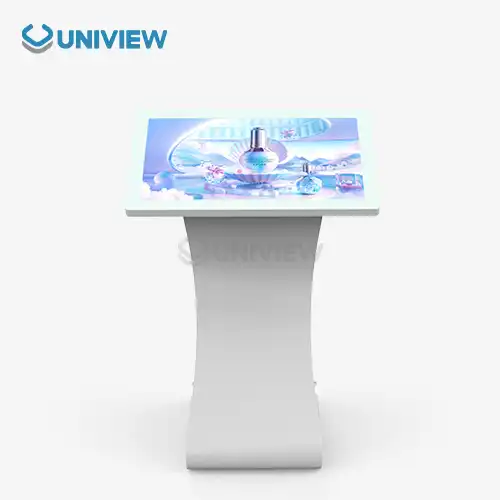
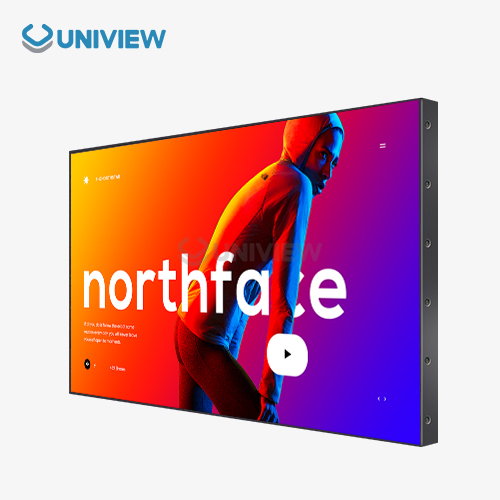
Uniview Commercial is a prominent interactive digital kiosk maker with experience creating integrated solutions for varied commercial situations. Our extensive product line includes high-performance LCD and LED digital signage solutions that integrate seamlessly with business infrastructure.
Product Range and Integration Capabilities
Our interactive touch screen solutions are industrial-grade and have 2000–4000 nits of brightness for maximum visibility in varied lighting circumstances. Wireless protocols, USB interfaces, and Ethernet connections allow these systems to integrate with most commercial system architectures.
Our kiosk systems are built to withstand harsh environments with IP65 to IP66 water and dust protection ratings. European surface treatment technology offers corrosion-resistant construction for long-term performance, and efficient heat dissipation systems maintain appropriate operating temperatures even under constant operation.
Double-layer anti-theft locks and 16-level outside wind resistance ratings provide security. These sturdy structural elements safeguard technology investments and provide user accessibility.
Comprehensive Service and Support
We provide product delivery, integration assistance, and continuous maintenance to ensure customer success. Technical teams help with installation, bespoke software creation, and system optimization for unique operational needs.
Global support delivers fast technical assistance regardless of deployment location. Our 24-hour online response system handles technological difficulties immediately, while regional service specialists give on-site assistance. Technology investments are protected by China Pacific Insurance Company and other third-party underwriters with 3- to 5-year warranties.
Customization services let companies tailor kiosk systems to their needs and branding. Our engineering teams collaborate with clients to create customized solutions that improve functionality and user experiences while integrating smoothly with workflows.
Conclusion
Advanced connectivity and integration technologies allow interactive digital kiosks to integrate with business processes. Effective integration needs strategy, technology selection, and ongoing support for long-term operational success. Companies that use integrated kiosk systems get real-time data, operational efficiency, and better customer service. Successful kiosk deployment requires skilled suppliers who understand technical requirements and business goals.
FAQ
How do interactive kiosks connect with CRM and ERP systems?
Interactive kiosks integrate with Customer Relationship Management and Enterprise Resource Planning systems through standardized APIs and cloud-based platforms. These connections enable real-time data synchronization, allowing kiosks to access customer information, update transaction records, and contribute to business intelligence initiatives. Modern integration platforms provide pre-built connectors for popular CRM and ERP systems, simplifying implementation and reducing development time.
What are the typical costs involved in kiosk integration projects?
Integration costs vary based on system complexity and existing infrastructure readiness. Basic integrations with modern cloud-based systems typically range from $5,000 to $15,000 per kiosk, including hardware, software, and implementation services. Complex legacy system integrations may require additional middleware development and customization, potentially increasing costs to $20,000 or more per unit. Organizations should budget for ongoing maintenance, support, and software licensing fees as part of total cost of ownership calculations.
How long does complete kiosk integration typically take?
Integration timelines depend on project scope and technical complexity. Simple cloud-based integrations often complete within 2-4 weeks from project initiation to full deployment. Complex integrations involving legacy systems, custom software development, or multiple system connections may require 8-12 weeks or longer. Proper planning, including infrastructure assessment and testing phases, helps ensure realistic timeline expectations and successful project outcomes.
Partner with Uniview Commercial for Your Interactive Digital Kiosk Needs
Ready to transform your business operations with seamlessly integrated interactive digital kiosk solutions? Uniview Commercial combines cutting-edge technology with comprehensive integration expertise to deliver customized kiosk systems that enhance customer engagement and operational efficiency. Our experienced team provides end-to-end support from initial consultation through ongoing maintenance, ensuring your investment delivers maximum value. Contact our interactive digital kiosk supplier team at sales@univiewlcdisplay.com to discuss your specific requirements and discover how our integrated solutions can revolutionize your business operations.
References
1. Johnson, M.R. & Stevens, K.L. (2023). "Digital Kiosk Integration Strategies for Enterprise Systems." Journal of Business Technology Integration, 15(3), 78-92.
2. Chen, W.H., Martinez, C.P., & Brown, D.A. (2022). "API-Based Integration Models for Self-Service Technologies." International Conference on Business System Integration Proceedings, 234-248.
3. Thompson, R.J. & Kumar, S. (2023). "Security Considerations in Interactive Kiosk Network Deployments." Cybersecurity and Business Systems Quarterly, 8(2), 145-162.
4. Anderson, L.M., Wilson, P.K., & Davis, N.R. (2022). "ROI Analysis of Integrated vs. Standalone Kiosk Solutions." Business Technology Investment Review, 29(4), 67-83.
5. Roberts, A.S. & Zhang, H.Y. (2023). "Cloud-Based Integration Platforms for Digital Signage Networks." Technology Integration and Management Studies, 11(1), 23-39.
6. Miller, J.D., Garcia, M.L., & Taylor, B.C. (2022). "Best Practices for Kiosk Integration Project Management." Digital Transformation Implementation Guide, 7(3), 156-171.


Learn about our latest products and discounts through SMS or email