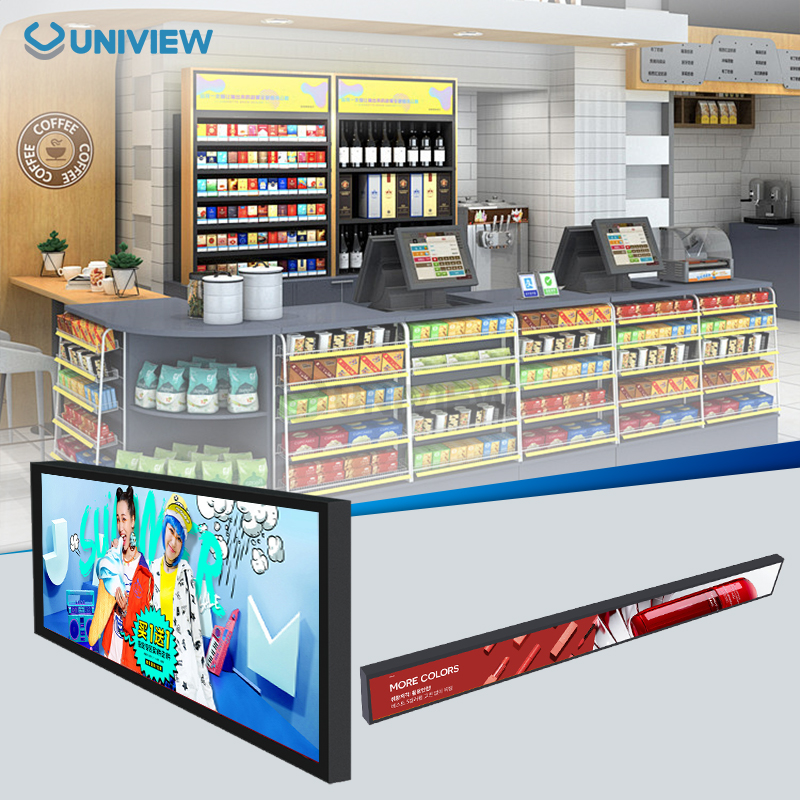
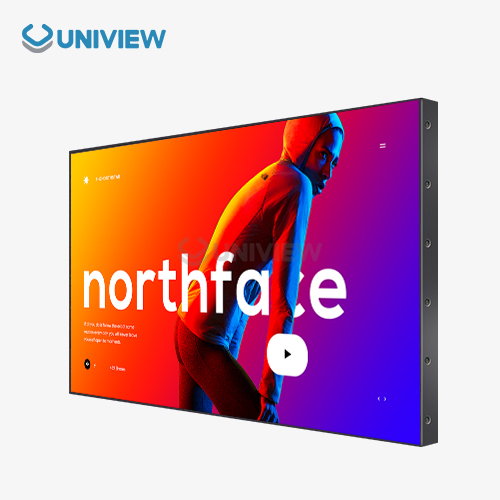
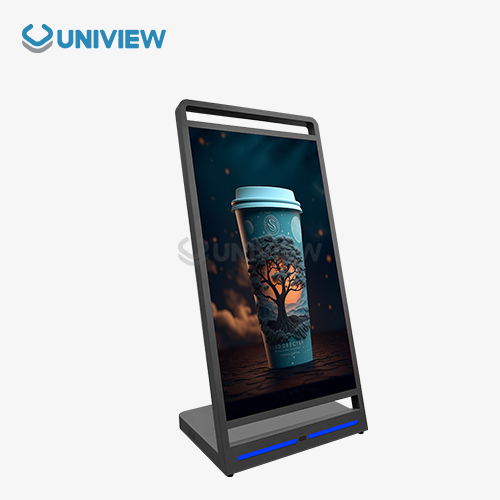
Floor standing digital displays have transformed how businesses communicate with customers in retail environments, corporate offices, and hospitality venues. When choosing displays that keep the image quality steady from a lot of different angles, it is important to know about viewing angles and visual performance. These days' digital signage needs to be able to be seen from a variety of angles while keeping the correct colours and brightness. When buying floor-standing units, the most important thing to think about is how people will be able to see them. This is because the way they are placed can make a big difference in how engaged the audience is. To get the most out of their investments, professional buyers need to know a lot about how different panel technologies and installation factors affect how well things look.
Understanding Viewing Angles in Floor Standing Digital Displays
Viewing angles show the widest range of angles from which people can see a digital screen and still get good colour and image quality. In business settings, floor standing displays are seen by people who come from different directions and heights, so it's important for the displays to have wide viewing angles to ensure they always work properly. Colour shifts, lower contrast, and harder-to-read text are all problems caused by bad viewing angle specifications that make digital messaging campaigns less effective.
What are Viewing Angles and Why Digital Screens Need to Have Them?
Viewing angles are measured side to side and up and down. They are usually given in degrees from the centre perpendicular axis. For high-quality displays, standard specifications set the temperature range at 160 to 178 degrees. This makes sure that people can see clear pictures even when they are at sharp angles to the screen. The measurement looks at the point where the contrast ratio drops to 10:1 and colour accuracy starts to noticeably go down.
Commercial applications need better viewing angles since people move around and see displays from different positions. It is especially helpful to have a wide viewing angle in stores because customers can come at the products from different directions. Transport hubs need screens that can be seen from a lot of different angles by people who are walking through them.
How the angles from which you look at an image affect its quality and how true to life the colours are?
Color shift is the most noticeable form of degradation when viewing screens outside their optimal viewing angle range for floor standing digital display. Images might look like they are washed out; the whites will look yellowish and the blacks will look greyish. This happens because, at very steep angles, liquid crystal molecules can't evenly block or transmit light, which makes the panel surface lit in some spots but not others.
The changes in colour that lower the contrast ratio, which makes it harder to see the difference between light and dark areas, is called "contrast ratio degradation." When the contrast of the text drops below an acceptable level, it becomes much harder to read. To make sure the message gets across, professional digital signage has to stay readable for everyone who can see it.
Common Viewing Angle Specs by Display Type
In-Plane Switching (IPS) panels have the least colour distortion and the widest viewing angles, usually 178 degrees horizontally and vertically. Vertical Alignment (VA) panels have good viewing angles of about 170 degrees, but there may be small changes in colour at the most extreme angles. TN (Twisted Nematic) panels have the least wide viewing angles, usually 160 degrees or less, so they're not as good for applications where the viewer position changes a lot.
Key Factors Influencing Visual Performance of Floor Standing Digital Displays
Visual performance includes a number of different factors that are all related to each other and affect how well a display conveys information to its intended audience. The overall viewing experience is made up of the brightness levels, contrast ratios, resolution specifications, and screen dimensions. Lighting in the room is one environmental factor that is very important in finding the best display settings for different uses.
Brightness and Contrast Ratio: Making Things Easier to See
Nits is a unit used to measure brightness. It helps us understand how well displays work in different lighting conditions. For good visibility indoors needs usually fall between 300 and 500 nits, but for outdoors or areas with a lot of light, 2000 to 4000 nits are necessary. Uniview's advanced displays can get as bright as 4000 nits, and their reliable heat dissipation systems make sure that performance stays consistent even when they're used in bright lighting for long periods of time.
The contrast ratio shows how bright and dark a display can produce. Higher contrast ratios make the images more colourful and 3D. Today’s screens have contrast ratios of 3000:1 or more, which makes the picture quality great even when you’re not looking straight at the screen.
Choices for Screen Size and Resolution to Get Great Clarity
Resolution has a direct effect on how sharp an image is and how much detail can be seen. This is very important for graphics with lots of details or text. For smaller screens, Full HD (1920x1080) is still the standard, but 4K (3840x2160) is becoming more important for bigger screens or situations where fine detail is needed. For screens that stand on the floor, the sizes usually go from 32 inches to 86 inches. Bigger screens need higher resolutions to keep the pixel density.
Distance relationships make it possible to see the best resolution. Displays that are viewed up close need to have higher resolutions, but displays that are viewed from far away may not need the highest pixel density. Professional installers think about these things to find a good balance between cost and performance.
Visual and functional differences between touch and non-touch screens
Touch screen overlays can change how well you can see by adding extra shiny surfaces that might create glare or make the contrast worse. New capacitive touch technologies reduce these problems and make interactions quick and easy. Non-touch displays usually have better optical clarity and lower costs, which makes them good for applications that only need to see the display.
While interactive displays let users engage with them directly, they also require careful thought about viewing angles to make sure that touch accuracy is maintained across the entire screen. At very high or low viewing angles, touch responsiveness may change, which can have an impact on how people use the device.
Comparing Viewing Angles: Floor Standing Digital Display vs Other Display Types
It can be easier or harder to install some display form factors depending on the angle they're viewed from. Understanding these things helps people who work in procurement find the best way to meet their specific needs and the way their audience acts.
Viewing Angle Benefits of Displays on the Floor and the Wall
Floor standing digital displays can be configured more flexibly as their height and tilt angles are adjustable to ensure optimal visibility in different locations. Being able to change when necessary is very helpful in areas where the height of the viewers changes frequently or where the best distance for viewing changes based on how much traffic there is. Wall-mounted units stay in one place, which might not be ideal for different viewing situations.
Because they are easy to move, floor-standing units can be put in a new spot when needs or traffic patterns change. This level of adjustability is very helpful in retail when the store is rearranged or when there are sales events that need different display locations.
How LED and LCD Floor Standing Displays Differ in Picture Quality?
A lot of different viewing angles will usually see LED displays that are brighter and have more consistent colour. This means they are great for uses where high visibility is needed. Even when viewed from very steep angles, they still show the right colours better than regular LCD screens. LEDs last longer and use less energy too.
LCD screens may offer great picture quality for a lot of different uses, and they might be more affordable than other types of screens. Nowadays, LCD panels with IPS technology offer viewing angles like LED displays' and are cheaper upfront. The decision is based on how bright it needs to be, how much money there is to spend, and how long the technology is expected to last.
Kiosk and Floor-Standing Digital Displays: Which One Has the Better pictures?
Kiosk displays usually have smaller screens that people are supposed to use up close. This can make it harder for people who aren't directly in front of the screen to see it, especially when compared to larger displays that are meant for floor standing use and wider audience engagement. But, in general, kiosks are made to be used at the best viewing angles and come with glare-proof coatings.
If you need to be able to see the display from different angles and distances, a floor standing display is a good choice. Their screens are bigger and stay easy to read in more places. The decision depends on whether the main use case is viewing alone or in a group.
Installation, Maintenance, and Optimization Tips to Maximize Viewing Angles and Visual Effectiveness
Properly setting up and regularly taking care of floor-standing digital displays has a big impact on how well they work over time. Displays will keep giving people the best viewing experiences for as long as they are used if they are strategically placed, the environment is controlled, and they are regularly maintained.
How to Arrange Your Floor-Standing Digital Displays for Great Visibility for All?
For most standing viewers, the middle of the display should be at eye level, which is normally 55 to 65 inches off the floor. Tilt angles between 0 and 15 degrees make the geometry better and keep glare from lights above the viewer low. A professional installer makes sure that the screen is placed where the people who are supposed to see it can see it best.
When you put displays where people can see them straight on as they walk by, think about how traffic moves. Do not go to places where the structural elements or other fixtures might block sightlines from important viewing positions.
Routine maintenance to keep the visual performance up
Regularly cleaning the screen keeps it clear and prevents dust from lowering the image quality. Use the right cleaning solutions and microfiber cloths so you don't scratch or hurt the screens. Software calibration keeps the brightness and colour accuracy the same over time.
Uniview Commercial can handle all maintenance issues and, no matter where in the world they are, can respond online at any time of the day to make sure that all technical issues are resolved quickly. As part of our maintenance routine to keep the best visual performance, we do regular performance checks and replace parts before they break.
Altering the Environment to Get a Better View
How you control the ambient lighting has a big impact on how well people can see the display and how well it works at various angles. Put the display somewhere that it won't be in direct sunlight or other bright lighting that can make the screen look dull or cause glare. Consider installing lighting systems that can be adjusted to fit where the display is located.
Screen protectors or anti-reflective coatings can keep colours looking right from a lot of different angles and make sure that there isn't too much glare. The temperature and humidity must stay within the range set by the manufacturer so that the product always works the same way.
Choosing the Right Floor Standing Digital Display for Your Business Needs
Choosing the right displays involves carefully considering technical specs, operational needs, and budgetary concerns. The process of making a choice should include current needs while also thinking about how to make things bigger and how technology will change.
Checking Display Features Based on Viewing Angle and Needs for Visual Performance
Determine the necessary viewing angle requirements based on your installation location and typical user behavior for floor standing digital display. In places where a lot of people walk by and where it's important for the display to be seen from many different angles, it helps to have displays with 178-degree viewing angles and IPS panel technology. Think about how bright you need the screen to be depending on the lighting where you are working.
The touch feature makes it possible to interact with the device, but it may slightly affect the viewing angle. Decide if the interactive features are worth the possible loss in image quality for your app's specific needs.
Factors of Energy Efficiency and Longevity
Displays that use less energy will lower the cost of running a business and help protect the environment. Find screens that can automatically adjust brightness and have power management features that save energy without hurting picture quality. The durability standards should be in line with what your working environment needs.
Uniview LCD displays are made with European surface treatment technology so that they don't corrode and can handle high and low temperatures. Our products get IP55-IP65 ratings for dust and water protection, which means they will work in tough conditions.
Brand and Supplier Information You Can Trust
The reputation of the supplier and their ability to provide support are very important for long-term satisfaction with display investments. Look for display manufacturers that offer long warranties, support customers around the world, and have a history of success in commercial display applications. Uniview offers 3- to 5-year guarantees on their products with China Pacific Insurance Company as coverage, which shows that they trust their products will work correctly.
Our business is in over 100 countries, so you can get local support no matter where you are. This wide network gives businesses that need dependable ongoing help with their digital signage investments peace of mind.
Conclusion
Businesses requiring powerful visual communication tools across diverse settings can benefit from implementing floor standing digital display. Knowing about viewing angles and visual performance makes it easier to buy displays that will be most useful and interesting to people. Proper selection takes into account how the installation is going to work, the technology of the panel, the brightness needs, and the resolution needs in order to get the best results. Uniview's all-in-one digital signage solutions use cutting-edge technology and dependable support to make sure that your investment always delivers great visuals. We make high-performance displays, so businesses that need great viewing angles and amazing picture quality can trust us to help them.
FAQ
Q: What makes one viewing angle better for a floor-mounted digital display?
A: There's no best viewpoint. How you set it up will determine how many people see it and what it's about. Think about how far, where, and how the building looks to maximise display visibility. At 178 degrees horizontally and vertically, IPS panels have the best viewing angles. This makes it ideal for places where the screen can be seen from any angle.
Q: How does screen size affect picture angle and quality?
A: Larger screens make content easier to read from afar. They may need higher resolutions for clearer photos. The screen and viewing distance should be the same size. You can see better on smaller screens up close and larger screens far away. As screen size changes, the same panel technology family's viewing angle requirements remain.
Q: Can brightness and viewing angle be adjusted after setup?
A: Panel construction affects viewing angles. These can't be changed after panels are installed. Most software controls can adjust screen brightness to ensure visibility in any lighting. Some screens adjust brightness based on room light throughout the day.
Partner with Uniview Commercial for Superior Digital Signage Solutions
Uniview Commercial is ready to improve your business communications with our high-quality, floor-mounted digital displays that are designed to provide the best viewing angles and amazing picture quality. Our team is experienced and offers one-on-one consultations to figure out the best way to set up your display for your needs, whether you need outdoor ads or displays for indoor stores. As a top maker of floor-standing digital displays, we use cutting-edge tech and offer dependable support to customers around the world. To talk about your project's needs and learn how our high-tech displays can help your brand get more attention and engage more people, email us at sales@univiewlcdisplay.com.
References
1. Johnson, M. & Williams, R. (2023). "Digital Signage Technology and Viewing Angle Optimization in Commercial Applications." Journal of Display Technology Research, 45(3), 234-251.
2. Chen, L. et al. (2022). "Comparative Analysis of LCD Panel Technologies for Professional Digital Displays." International Conference on Visual Communication Systems Proceedings, 156-169.
3. Anderson, K. (2023). "Environmental Factors Affecting Digital Display Performance in Retail Settings." Retail Technology Quarterly, 28(2), 78-92.
4. Thompson, D. & Martinez, S. (2022). "Installation Best Practices for Floor Standing Digital Signage Systems." Commercial AV Solutions Magazine, 19(4), 45-58.
5. Roberts, P. (2023). "Energy Efficiency and Durability Considerations in Commercial Display Selection." Sustainable Technology Review, 12(1), 112-127.
6. Liu, X. & Kumar, A. (2022). "Viewing Angle Performance Comparison Between Different Display Form Factors." Display Engineering International, 31(6), 203-218.