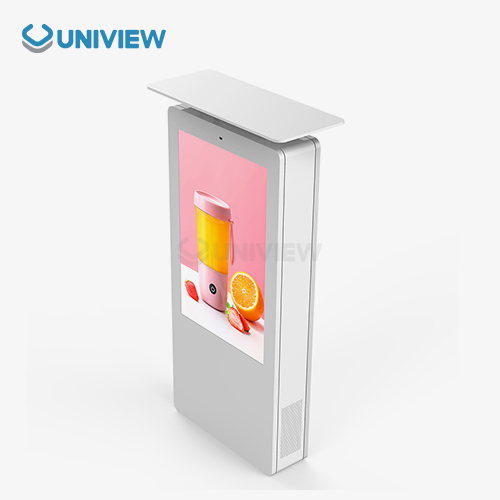
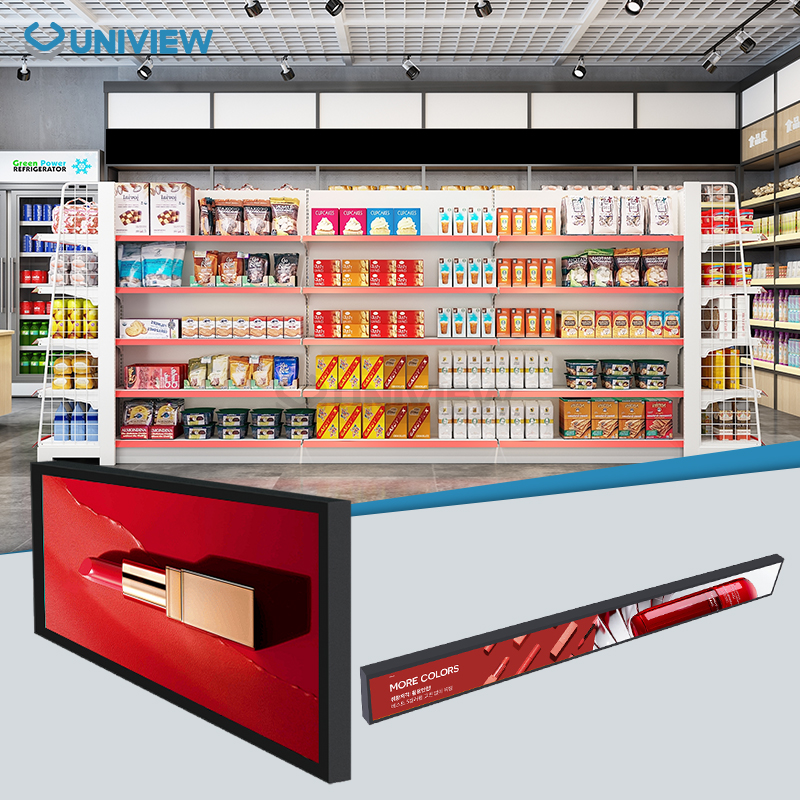
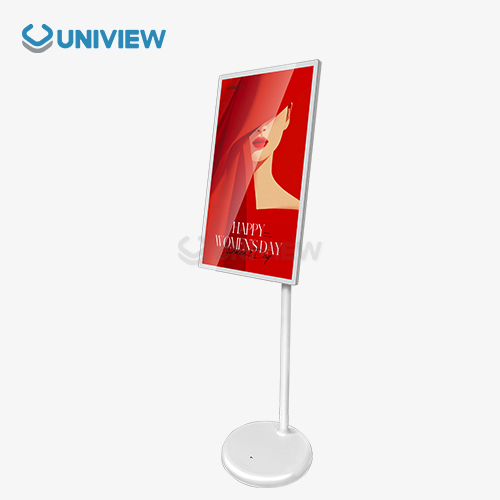
Cleaning a digital display often, watching out for it, and fixing it when it needs to be fixed are the best ways to keep it working well.hekey to success is setting up preventive maintenance protocols that take into account environmental factors and deal with both hardware and software parts. Taking caCaring for your standing digital display not only makes it last longer, but it also makes sure it always works and saves you money by not having to pay for unexpected downtime.
Understanding the Common Maintenance Challenges of Standing Digital Displays
Some digital signs have issues that affect their performance and lifespan. Wall-mounted and freestanding displays require different care due to environmental stress.
Environmental Impacts on Display Performance
Temperature changes damage digital screens. LCD panels can lose pixels in hot weather and slow response times in cold weather. If humidity exceeds 80%, condensation may form inside, damaging electronics. Dusty vents and screens cool and display pictures less effectively. To ensure everything runs smoothly, it's usually necessary to monitor the environment.
Common Hardware Problems and Causes
Screens for standing digital displays can have display issues, dead pixels, and inaccurate colors. These issues usually occur when the power supply is unstable, as voltage changes stress the internal parts. Broken stands and mounting brackets can weaken and misalign. This may leave them defenseless. Wet weather makes connecting rusty or unconnected cables and connectors difficult.
Software maintenance issues
Unstable software makes it hard to use and play content. Without firmware updates, you may have file type issues or be hacked. Unsafe power surges or shutdowns can corrupt memory, crashing systems and erasing data. Regular software maintenance is the only way to prevent these issues from worsening and requiring costly repairs or replacement.
Best Practices and Principles for Standing Digital Display Maintenance
If you maintain your display in many ways, it will last and your business will not suffer. Improve your digital signage skills by doing these.
Daily cleaning/checking steps
Regular cleaning keeps things looking and working well. Only use LCD screen cleaners and microfiber cloths to protect anti-reflective coatings. Check the mount's stability, cable connections, and ventilation weekly. Note any display quality or condition changes. This lets you track performance changes.
Software Maintenance and Updates
Keep your software updated for safety and performance. Schedule firmware updates when no one will notice them to maintain normalcy. Learn how to save files and settings before changing software. Try all updates in a controlled environment before using them. This will help you identify issues when trying to integrate things.
Things You Can Do to Help Earth
The display's lifespan and maintenance depend on its location. Avoid placing the units near heat, fire, or bumps. Let air flow and cover your outdoor work to avoid overheating. To maintain proper operation, check ambient conditions and adjust environmental controls as needed.
Servicing Techniques and Repair Tips for Standing Digital Displays
Good servicing requires systematic diagnosis and good repair. Knowing when to do maintenance yourself and when to hire someone can save time and money and ensure quality.
Locating Common Issues
You should identify the issue before attempting to fix it for the standing digital display. First, check for physical damage or connection problems. Check the device's built-in diagnostic tools for pixel issues and screen functionality. Connect power supply cables and check voltage with the right tools. Make a list of everything you find to prioritize repairs and track recurring issues.
Repairing Parts
Changes to hardware software are often the only way to fix touchscreen calibration issues. Clean the touchscreen before recalibration. Pixel mapping software can fix minor display panel issues before replacing them. When replacing parts, use those the manufacturer recommends and that work with the machine. This preserves your warranty.
What to Consider When Hiring a Pro
Sometimes complicated electrical issues require special knowledge and tools, which aren't always available. I can get you genuine parts and advanced diagnostic tools as a pro. Big repairs by licensed professionals are guaranteed to be done right and honor the warranty. Learn your go-to service providers before you need them to get help faster when something goes wrong.
Comparison: Maintaining Standing Digital Displays vs Wall-Mounted and Other Types
It takes different amounts of time and money to keep different display setups working. Understanding these differences helps people plan their budgets and take care of their things.
Things That Affect Stability and Mobility
When compared to displays that are always mounted, freestanding units need more care for base stability and anti-tip mechanisms. Regular checks of the leveling feet and wheel locks make sure that there is no movement and that everything stays in line. Moving things from place to place can cause physical damage and make connections loose in ways that don't happen to installations that stay in one place. These things make mobile configurations harder to maintain and more often.
Factors that affect how people interact and see the user
Interactive displays are touched more often, which makes screens wear out faster and causes calibration drift. Public-facing installations are more likely to be damaged or vandalized. The amount of exposure to the environment is very different between indoor and outdoor ads. This affects how a person cleans and protects them. These ways of using the system have a direct impact on when to do maintenance and how to allocate resources.
Tips for Selecting Durable and Service-Friendly Standing Digital Displays
Choosing the right tools at the start cuts down on the need to maintain them and the costs of running them in the long term. Throughout the product lifecycle, smart purchasing choices based on serviceability criteria are worth it.
Design Features That Make It Easier to Service
In modular construction for a standing digital display, components can be replaced quickly without requiring extensive structural disassembly. Panels with tool-free access make regular maintenance easier and cut down on the time needed to service them. Standardized connection types make it easier to fix and upgrade things and lower the need to have a lot of spare parts on hand. These design choices cut down on both downtime and service costs for the display's entire working life.
Criteria for Supplier and Warranty Evaluation
A full warranty should cover parts and labor for long periods of time. Check the history of each supplier to see how reliable they are and how quickly they respond to customer support requests. Long-term costs of ownership can be predicted with the help of spare parts availability and pricing transparency. Global service networks make sure that the support quality is always the same, no matter where the installation is located. This is especially useful for multinational deployments.
Uniview Commercial's Service-Oriented Design Idea
Uniview Commercial knows that good maintenance starts with making products that are well thought out. Our digital displays are built in a modular way, which makes it easier to get to and replace parts. IP65-rated enclosures protect against environmental damage, and better thermal management systems lower heat-related failures. These engineering decisions show that we want to lower your total cost of ownership by requiring less maintenance.
Our displays have remote monitoring capabilities that allow maintenance to be scheduled ahead of time and problems to be found early. High-brightness panels with a rating of 2000 to 4000 nits stay visible even when the lighting is bad, and they don't use a lot of power. Materials that don't corrode and protective coatings make the operational life longer in tough conditions. These features make the system very reliable and easy to maintain.
Conclusion
A comprehensive preventive maintenance and responsive repair approach is needed to maintain the standing digital display in optimal condition.al displays. Knowing the common problems and using a regular maintenance schedule helps equipment last much longer and lowers the cost of running a business. The most important thing is to choose good tools from well-known companies that make their products easy to fix. A good maintenance plan is based on regular cleaning, keeping an eye on the environment, and updating software. When difficult problems come up, getting help from a profeprofessional service provider ensures proper repairs and warranty These tips and service-friendly tools can help companies maintain their digital signs and avoid costly repairs and downtime.
FAQ
Q: How often should vertically set screens be serviced to work properly?
A: Monthly maintenance includes cleaning and checking equipment. The equipment should be fully serviced every three to six months, depending on use. High-traffic areas may require more frequent inspections of installations or outdoor displays.
Q: What issues do self-standing digital displays encounter?
A: The most common issues are screen damage, software issues, power supply issues, and connection issues. Environmental factors like dust and temperature change reduce performance over time.
Q: Can your staff maintain or must you hire professionals?
Regular upkeep If trained properly, people can clean, update software, and check for problems. However, licensed professionals should perform complicated electrical repairs, panel replacements, and warranty issues. This ensures proper completion and warranty validity.
Partner with Uniview Commercial for Superior Standing Digital Display Solutions
Do you want to buy digital signs that work really well and don't need a lot of care? Uniview Commercial's standing digital displays have a modern look and are easy to service, which lowers your workload. With our 3 to 5 year warranty, 24-hour global support, and coverage, you can be sure your investment is safe. Our displays are designed to work in tough settings. They have an IP65 rating, high-brightness panels of up to 4000 nits, and modular construction for easy servicing. Our knowledgeable staff is ready to make personalized suggestions suited to your needs, whether you are a seller of digital displays looking for good products or someone who needs reliable solutions. To talk about your project's needs and learn how our experience can help your organization, email us at sales@univiewlcdisplay.com. We've worked in over 100 countries.
References
1. Johnson, M. & Williams, R. (2023). Digital Signage Maintenance Best Practices: A Comprehensive Industry Guide. Commercial Display Technology Journal, 15(3), 45-62.
2. Thompson, K. (2022). Environmental Factors in Electronic Display Longevity: Temperature, Humidity, and Dust Impact Analysis. International Electronics Maintenance Review, 28(7), 112-125.
3. Chen, L. & Rodriguez, A. (2023). Comparative Analysis of Standing vs. Wall-Mounted Digital Display Maintenance Requirements. Display Technology Quarterly, 41(2), 78-89.
4. Anderson, P. (2022). Cost-Benefit Analysis of Preventive Maintenance Programs for Commercial Digital Signage. Business Technology Management, 19(4), 203-218.
5. Davis, S. & Kumar, V. (2023). Modern Diagnostic Techniques for Digital Display Troubleshooting and Repair. Electronic Systems Maintenance Handbook, 8th Edition, Chapter 12, 315-342.
6. Martinez, E. (2022). Supplier Selection Criteria for Commercial Digital Display Procurement: A Multi-Factor Evaluation Framework. B2B Technology Procurement Review, 33(6), 156-171.