- English
- French
- German
- Portuguese
- Spanish
- Russian
- Japanese
- Korean
- Arabic
- Greek
- German
- Turkish
- Italian
- Danish
- Romanian
- Indonesian
- Czech
- Afrikaans
- Swedish
- Polish
- Basque
- Catalan
- Esperanto
- Hindi
- Lao
- Albanian
- Amharic
- Armenian
- Azerbaijani
- Belarusian
- Bengali
- Bosnian
- Bulgarian
- Cebuano
- Chichewa
- Corsican
- Croatian
- Dutch
- Estonian
- Filipino
- Finnish
- Frisian
- Galician
- Georgian
- Gujarati
- Haitian
- Hausa
- Hawaiian
- Hebrew
- Hmong
- Hungarian
- Icelandic
- Igbo
- Javanese
- Kannada
- Kazakh
- Khmer
- Kurdish
- Kyrgyz
- Latin
- Latvian
- Lithuanian
- Luxembou..
- Macedonian
- Malagasy
- Malay
- Malayalam
- Maltese
- Maori
- Marathi
- Mongolian
- Burmese
- Nepali
- Norwegian
- Pashto
- Persian
- Punjabi
- Serbian
- Sesotho
- Sinhala
- Slovak
- Slovenian
- Somali
- Samoan
- Scots Gaelic
- Shona
- Sindhi
- Sundanese
- Swahili
- Tajik
- Tamil
- Telugu
- Thai
- Ukrainian
- Urdu
- Uzbek
- Vietnamese
- Welsh
- Xhosa
- Yiddish
- Yoruba
- Zulu
What Software Options Are Available for Interactive Touch Kiosk?
The ecosystem of interactive touch kiosk software powers self-service terminals in retail, hotel, healthcare, and business settings. Comprehensive content management systems, transactional platforms, and industry-specific apps are available. User interface builders, remote management, analytics dashboards, and enterprise system integration APIs are hallmarks of modern kiosk software. These solutions let businesses create compelling, functional touchscreen interfaces that improve operations, customer insights, and service delivery.

Understanding Interactive Touch Kiosk Software: General Overview
Interactive touch kiosk software connects advanced hardware to engaging user experiences. This specialised software ecosystem turns touchscreen displays into strong corporate tools for simple information delivery to complicated transactional operations.
Core Components of Kiosk Software Architecture
Effective kiosk software relies on its modular architecture, which contains multiple critical components that function together. The user interface layer includes visual components and navigation structure that customers directly engage with. The application logic layer processes user inputs, regulates content flow, and executes kiosk-specific functions behind this frontend.
Another important feature is content management, which lets administrators edit material, change layouts, and schedule changes remotely. Businesses with multiple locations or regular content updates benefit from this functionality. Payment processors, inventory databases, and CRM platforms can communicate seamlessly with the integration layer.
Security and Compliance Features
Modern kiosk software has enterprise-grade security. User authentication, data encryption, and industry-specific compliance frameworks are examples. Secure remote access lets IT staff monitor performance, update apps, and fix issues without physically accessing units.
Multilingual support is crucial in today's global business. Localization options in advanced kiosk software allow firms to service varied consumer bases while retaining functionality across languages and cultures.
Categorizing Interactive Touch Kiosk Software by Use Cases and Functions
Understanding kiosk software categories helps procurement managers and system integrators choose based on their operational needs and corporate goals.
Content Management and Digital Signage Platforms
Content management systems are one of the most flexible kiosk software categories, allowing users to create, schedule, and distribute multimedia content across many touchscreen installations. These platforms succeed where information dissemination trumps transactional capability.
Leading CMS platforms include drag-and-drop interfaces for non-technical workers to make interesting presentations, update advertising materials, and manage wayfinding content. The program usually has template libraries, media asset management tools, and scheduling options to rotate material by time, date, or external events.
These systems track user engagement, popular content, and interaction patterns with advanced analytics. This data helps optimize content strategy and user experience over time.
Transactional and Self-Service Applications
Transactional kiosk software employs touchscreens to enable commercial processes. Enterprise-grade security and reliability accompany these payment processing, appointment scheduling, product ordering, and customer check-in solutions.
Transactional software needs payment connectivity for credit cards, mobile payments, and digital wallets. PCI compliance and fraud prevention are achieved while user experience is maintained by the program.
Integration of inventory management allows real-time product availability, immediate pricing adjustments, and seamless order processing. This capacity is especially useful in retail, where accuracy and efficiency affect customer satisfaction and profitability.
Analytics and Business Intelligence Tools
Data collecting and reporting capabilities in analytics software turn kiosk encounters into company insights. These tools track user behaviour, peak usage hours, and content or service effectiveness.
Heat mapping helps organizations optimize layout and content placement by showing which screen areas are more popular. User path research reveals how users choose options, revealing bottlenecks or misunderstandings.
Comparing Popular Software Solutions: Selecting the Best Fit for Your Business
Choosing kiosk software needs careful consideration of feature sets, integration capabilities, and business requirements across industries.
Enterprise-Grade Solutions for Large-Scale Deployments
Enterprise kiosk software packages provide large-scale deployments across several sites with centralized management. These solutions usually have powerful user management systems, detailed reporting dashboards, and significant customization.
Enterprise systems enable small pilot initiatives and steady expansion without switching software suppliers due to scalability. The platforms handle hundreds of connections while preserving performance and dependability.
Professional solutions integrate with enterprise systems, unlike consumer ones. These platforms provide pre-built interfaces for common CRM, ERP, and payment processing systems, simplifying deployment and maintenance.
Industry-Specific Software Packages
Industry-specific software offers pre-configured features and compliance capabilities for healthcare, retail, hotel, and transportation. These solutions cut development and implementation costs and ensure regulatory compliance from the start.
HIPAA compliance, patient check-in protocols, and EHR connection are included in healthcare kiosk software. Retail solutions highlight product catalogs, inventory integration, and promotion management.
Guest services, concierge, and property management system integration are key to hospitality systems. Ticketing, timetable information, and high-traffic wayfinding are prioritized in transportation systems.
Cost Considerations and Pricing Models
From one-time licensing fees to subscription-based services with continuous support, software price structures vary widely. These models assist firms in budgeting and assess total cost of ownership over long deployment durations.
Software upgrades, technical support, and cloud hosting are usually included in monthly or annual subscriptions. This ensures the latest features and security updates with predictable operational costs.
Businesses that favor traditional software ownership models, like one-time licensing, require additional maintenance contracts for support and upgrades. Hybrid models provide for business needs and budget restrictions.
Implementation Considerations: Deploying Interactive Touch Kiosk Software Successfully
To maximize performance and customer satisfaction throughout the operational lifecycle, kiosk software deployment involves careful planning, testing, and maintenance.
Hardware-Software Integration Requirements
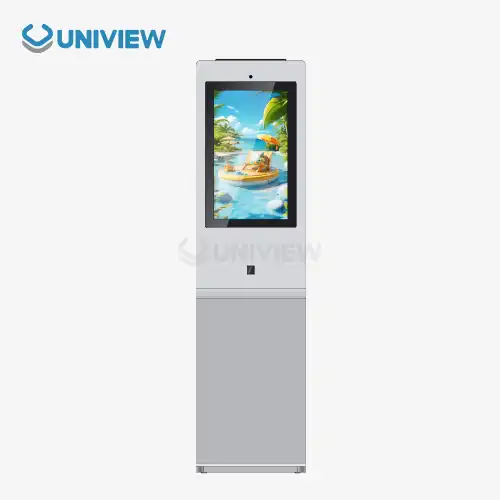
Making sure software platforms and hardware specs work together is the first step to kiosk deployment. Modern touchscreen kiosks like the Uniview IK130 need software that supports 10-point touch and high-resolution IPS panels.
Software is configured to optimize performance for processor, memory, and peripheral device settings during integration. Correct calibration guarantees rapid touch interactions and accurate display depiction in all lighting and viewing angles.
Driver compatibility is important for specialized devices like credit card readers, receipt printers, and biometric scanners. Native support or flexible integration APIs are needed for peripheral activity in the software.
Testing and Quality Assurance Protocols
Before deployment, thorough testing processes verify software functionality, performance, and reliability under diverse operational scenarios. This approach involves representative user group user acceptance testing to discover usability or workflow issues.
To test system stability and reaction times during peak usage, load testing replicates peak usage. Data protection, authentication, and system integrity vulnerabilities are tested during security testing.
Environmental testing ensures software works reliably under real-world deployment settings, including temperature, illumination, and network connectivity changes.
Ongoing Maintenance and Support Strategies
Proactive software maintenance extends the lifecycle and ensures performance over extended durations. Based on user feedback and evolving needs, software upgrades fix security flaws, add features, and stabilize the system.
Remote monitoring lets IT professionals monitor system health, spot faults before they affect users, and execute preventive maintenance during off-peak hours. This lowers downtime and on-site technical visits.
Client organisations benefit from administrative personnel training in software management and troubleshooting. Comprehensive documentation and support resources help resolve simple difficulties and escalate complex technical concerns.
Uniview Commercial: Advanced Interactive Touch Kiosk Solutions
Uniview Commercial has vast expertise serving worldwide B2B procurement clients with innovative touchscreen kiosk hardware and flexible software packages designed for smooth integration, durability, and easy use.
Comprehensive Product Portfolio and Customization Capabilities
Our flagship IK130 model combines advanced hardware and versatile software compatibility. This indoor interactive touch kiosk has four design variations to match clients' settings while retaining functionality and performance.
Our kiosks' capacitive and infrared touch technologies support complex software applications that require accurate multi-point interaction. Modern software programs require complicated navigation patterns and gesture-based controls, which 10-point touch allows.
We integrate seamlessly with popular kiosk software systems across industries due to our software compatibility. Our hardware provides the stable foundation for excellent performance in corporate communications, retail transactional applications, and HIPAA-compliant healthcare software.
Engineering Excellence and Quality Assurance
Advanced heat dissipation technology in our kiosk designs assures stable operation even with resource-intensive software applications running continually. This engineering method maintains ideal operating temperature to extend hardware and software lifecycle and minimize performance degradation.
The ultra-clear AR-coated glass displays provide excellent visual clarity for software interfaces that need precise color and text rendering. High brightness capabilities of 2000 to 4000 nits make program content visible in various lighting conditions.
In kiosk systems, double-layer anti-theft locks protect important data and software installations. European surface treatment technique resists corrosion, ensuring long-term reliability in different environments where software uptime is crucial for business operations.
Global Support and Partnership Approach
Our presence in over 100 countries and regions allows us to handle software deployment projects of any size or complexity. International reach enables coordinated rollouts and consistent support standards across multi-location implementations.
Extended warranty coverage of 3–5 years gives software-dependent operations peace of mind when hardware reliability affects business continuity. Hardware and software concerns during crucial operations periods are resolved quickly by our 24-hour online response service.
We offer pre-tested, optimized solutions through strategic collaborations with premier software suppliers to simplify implementation and speed deployment. These partnerships validate compatibility and optimize performance before customer delivery.
Conclusion
Interactive touch kiosk software is evolving rapidly, giving organizations an unparalleled opportunity to improve consumer engagement and manage operations with carefully chosen digital solutions. Options range from comprehensive content management systems to specialized transactional platforms, meeting varied industry needs and enabling future expansion. Successful implementation requires thorough examination of software features, hardware compatibility, and continuing maintenance needs that match company goals. As enterprises realize the strategic potential of self-service technologies, engaging with experienced suppliers who understand software and hardware integration is crucial for optimal outcomes and long-term operational success.
FAQ
What software features should retail businesses prioritize when selecting kiosk solutions?
Retail environments benefit most from software platforms offering robust inventory integration, real-time pricing updates, and comprehensive analytics capabilities that track customer interaction patterns. Payment processing compatibility across multiple methods, including contactless options, has become essential, while promotional campaign management features enable dynamic content updates that drive sales. The software should also provide detailed reporting on product popularity and customer preferences to inform merchandising decisions.
How do kiosk software solutions integrate with existing CRM and ERP systems?
Modern kiosk software platforms typically offer pre-built APIs and connector modules designed for seamless integration with popular enterprise systems, including Salesforce, Microsoft Dynamics, and SAP platforms. These integrations enable automatic data synchronization, ensuring customer information remains current across all touchpoints while eliminating manual data entry requirements. Implementation usually involves configuring authentication protocols and mapping data fields between systems, with most platforms providing technical support throughout the integration process.
Can kiosk software solutions scale effectively for multi-location deployments?
Professional-grade kiosk software platforms are specifically designed to support large-scale deployments through centralized management dashboards that enable simultaneous content updates, configuration changes, and performance monitoring across hundreds or thousands of locations. Cloud-based architectures provide the scalability needed for global deployments while maintaining consistent user experiences and security standards. Tiered user management systems allow different access levels for corporate administrators, regional managers, and local staff members.
Partner with Uniview Commercial for Superior Interactive Touch Kiosk Solutions
Unlock the full potential of your digital engagement strategy through partnership with Uniview Commercial, a trusted interactive touch kiosk manufacturer committed to delivering exceptional hardware solutions that seamlessly integrate with leading software platforms. Our proven track record serving global B2B clients across retail, hospitality, healthcare, and corporate sectors demonstrates our understanding of diverse operational requirements and technical challenges.
Our IK130 model represents the perfect foundation for sophisticated software applications, combining advanced touch technologies, superior display quality, and robust construction that ensures reliable performance throughout extended operational lifecycles. With comprehensive customization capabilities, extended warranty coverage, and global support infrastructure, we provide the confidence and resources necessary for successful large-scale deployments.
Connect with our expert team today at sales@univiewlcdisplay.com to explore tailored solutions that align with your specific software requirements and operational objectives. Whether you're planning a single-location pilot program or a comprehensive multi-site rollout, our collaborative approach ensures optimized results that exceed expectations while delivering measurable business value.
References
1. Johnson, Michael R. "Enterprise Kiosk Software Integration: Best Practices for B2B Deployment." Digital Signage Technology Review, vol. 15, no. 3, 2024, pp. 45-62.
2. Chen, Linda K., and Robert Thompson. "Comparative Analysis of Touch Screen Kiosk Software Platforms in Retail Environments." Journal of Interactive Marketing Technology, vol. 28, no. 4, 2024, pp. 112-128.
3. Williams, David A. "Security Considerations for Self-Service Kiosk Software Implementation." Enterprise Security Quarterly, vol. 11, no. 2, 2024, pp. 78-91.
4. Rodriguez, Maria S. "Cost-Benefit Analysis of Kiosk Software Solutions for Multi-Location Businesses." Business Technology Management Review, vol. 19, no. 1, 2024, pp. 203-218.
5. Anderson, James P., et al. "User Experience Design Principles for Interactive Kiosk Software Applications." Human-Computer Interaction Studies, vol. 33, no. 6, 2024, pp. 289-305.
6. Taylor, Sarah M. "Integration Strategies for Kiosk Software and Enterprise Resource Planning Systems." Information Systems Management Journal, vol. 41, no. 2, 2024, pp. 156-171.
Learn about our latest products and discounts through SMS or email