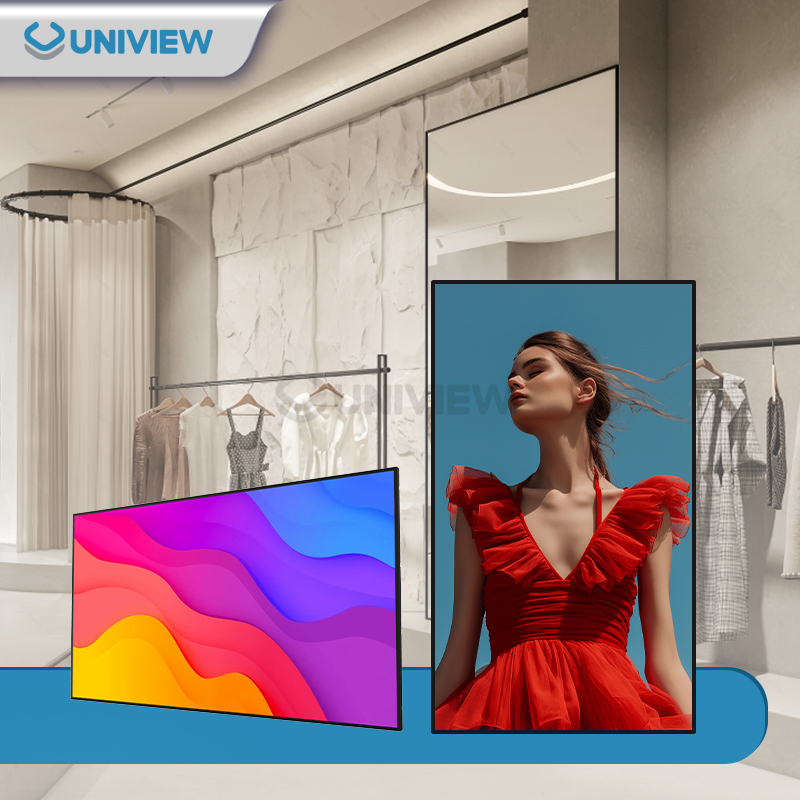
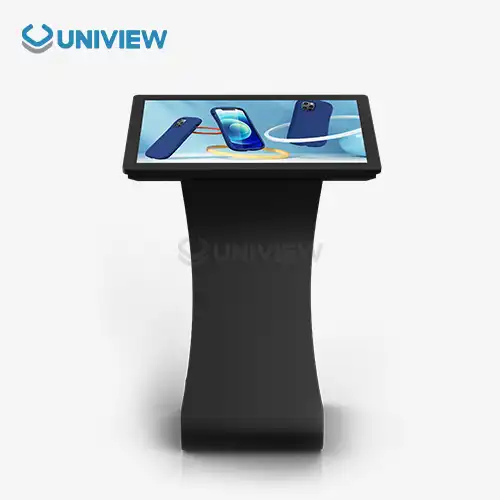
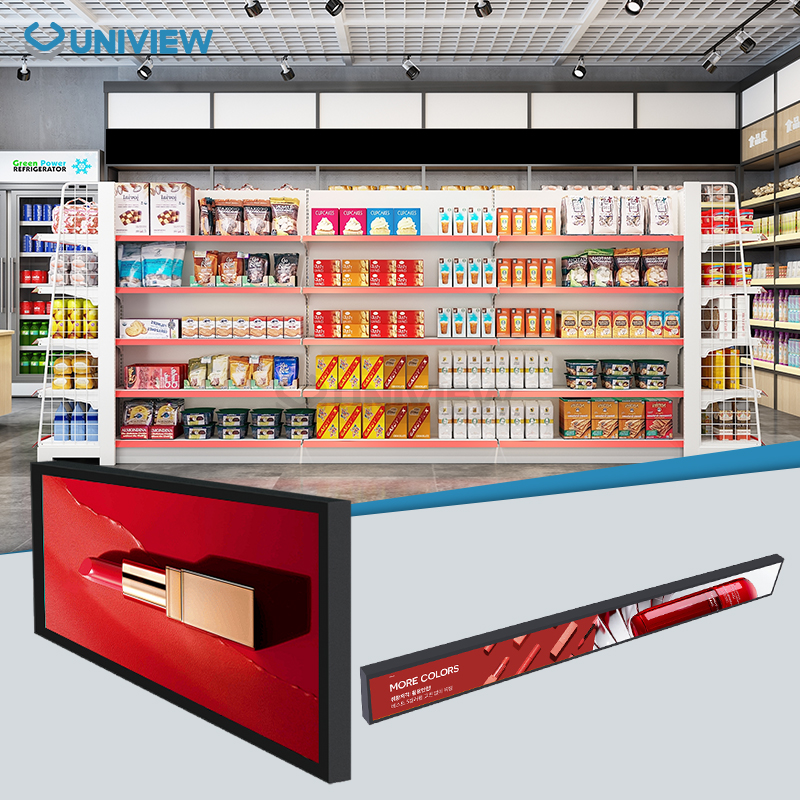
Digital displays can either be floor-mounted or wall-mounted, such as wall-mounted digital displays. Consider its size, intended application, and ease of setup before making a final decision. Freestanding displays are convenient because they don't require any special handling and allow viewers to maintain eye contact with them at all times. The flip side is that wall-mounted screens are more suited to temporary or limited space installations. Considerations such as budget, wall size, and desired level of visibility inform the final decision. They can maximize their investment in digital signs by selecting the best offer after they are aware of these significant distinctions.
Understanding Digital Display Mounting Options
There is a wide range of configurations available for digital signage solutions, allowing them to cater to different corporate needs. Modern smart signage technology has progressed to the point that it may be wall-mounted or floor-mounted, giving users more options to suit a variety of settings.
Wall-mounted screens fit right in with the architecture that's already there. They make good use of vertical wall space and keep things looking clean and professional. Most of these screens are between 32 and 86 inches, but some specialized units can be bigger.
Floor standing displays, also known as digital kiosks or information kiosks, offer independent positioning capabilities. They don't require wall modifications and can be relocated as business needs change. These units often incorporate touchscreen panels for interactive experiences.
The choice between mounting options significantly impacts user engagement, operational costs, and long-term flexibility. Consider your primary objectives: brand awareness, customer interaction, or information dissemination when evaluating options.
Space Requirements and Installation Considerations
The amount of work needed to place a screen on the wall versus one that stands on the floor is very different. The frame of wall-mounted units needs to be checked to make sure it can hold them. The hardware for placing a 55-inch business display needs to be strong enough to hold at least 150% of the display's weight.
Displays that stand on their own need enough room on the floor. Standard kiosk sizes are between 24"x24" and 36"x36", which means that all sides need extra safety zones of 18 to 24 inches to make it easier for users to get to them.
Different choices have very different ways of managing cables. For a clean look, wall-mounted installations often use conduits that are built into the wall. Floor-standing units, on the other hand, may need floor-mounted cable protectors or power drops that are placed above the floor.
Stick-on signs on the wall are better for stores that need to make the most of their space. If you need to change patterns with the seasons, floor-standing displays give you the most freedom.
As part of following the rules for mobility, height requirements must be met. For wall-mounted screens, the main content should be 40 to 60 inches above the floor. For floor-standing screens, you can tilt them to change the viewing angle.
Audience Engagement and Viewing Experience
Viewing angles and audience interaction patterns differ substantially between mounting options. Wall-mounted displays typically position content above natural eye level, making them ideal for passive viewing and ambient information display.
Interactive display functionality proves more intuitive with floor-standing units. Touch capabilities work optimally when screens are positioned at standing height (42-48 inches for primary touch zones). Wall-mounted digital displays, on the other hand, often require careful height calibration to accommodate diverse user demographics.
Content visibility depends heavily on ambient lighting conditions. Wall-mounted displays benefit from controlled indoor lighting but may suffer from ceiling-mounted fixtures creating screen glare. Floor standing units offer positioning flexibility to minimize environmental lighting interference.
Traffic flow analysis reveals distinct advantages for each option. Wall-mounted displays capture attention during natural movement patterns without obstructing pathways. Floor standing displays create focal points that can direct foot traffic but require strategic positioning to avoid congestion.
If you need to maximize passive brand exposure in high-traffic corridors, then wall-mounted displays deliver superior results. If you need to encourage active customer engagement and content exploration, then floor standing interactive displays prove more effective.
Technical Specifications and Performance Comparison
Because of different use cases and environmental exposures, display performance measures change depending on how they are mounted. For indoor use, wall-mounted digital displays usually have brightness levels between 400 and 700 nits. Floor-standing displays, on the other hand, may need between 800 and 1500 nits to be clearly seen in a range of lighting situations.
Thermal control is very different. Wall-mounted displays gain from the wall's ability to get rid of heat, but airflow may be limited. Floor-standing units can be ventilated from all sides, but they need cooling systems inside that are usually quiet (60 dB or less).
Connectivity options expand with floor standing displays. These units accommodate additional ports, storage compartments, and integrated computing systems. Wall-mounted displays prioritize streamlined connections to minimize visible cabling.
Security considerations include anti-theft measures. Wall-mounted displays utilize specialized mounting brackets with security locks, while floor standing units often feature enclosed cabinets with multiple locking mechanisms and tamper-resistant designs.
Network connectivity varies between options. Wall-mounted displays typically connect via single ethernet or WiFi connections, while floor standing kiosks may integrate multiple connectivity options including cellular, WiFi, and wired networks for redundancy.
Cost Analysis: Initial Investment and Long-term Value
The costs of the initial investment are very different between mounting choices. Installing a display on the wall usually costs an extra $200 to $800 for mounting hardware, wiring work, and professional installation services. Commercial grade mounting brackets can cost anywhere from $150 to $400, based on the size of the screen and how much weight they can hold.
Floor-standing displays come with mounting frames built in, but they usually cost 30–50% more than wall-mounted units of the same size because they have built-in computers, kiosk housing, and movement features.
Installation labor costs vary by complexity. Wall-mounted installations require 2-4 hours of professional service, while floor standing units often feature plug-and-play setup requiring minimal technical expertise.
Maintenance accessibility impacts long-term operational costs. Wall-mounted displays may require specialized equipment for service access, potentially increasing maintenance expenses. Floor standing units offer easier component access, reducing service time and costs.
If you need to minimize upfront capital expenditure and have permanent installation requirements, then wall-mounted displays offer better cost efficiency. If you need to avoid building modifications and prioritize operational flexibility, then floor standing displays provide superior long-term value despite higher initial costs.
Industry-Specific Applications and Use Cases
Based on operational needs and how customers usually engage, different industries benefit from different mounting configurations. Wall-mounted displays are often used in stores for brand messages and promotional content, while floor-standing units are great for product catalogs and interactive shopping.
Corporate environments favor wall-mounted displays for meeting rooms, lobby areas, and internal communications. These installations maintain professional aesthetics while providing essential information without consuming valuable floor space.
Transportation hubs require durable, high-brightness displays capable of operating in challenging environments. Wall-mounted units with IP65 ratings excel in covered areas, while ruggedized floor standing displays handle outdoor platform applications.
Both choices are used strategically in hospitality venues. Wall-mounted screens are great for showing information and fun in the background. Floor-standing wayfinding systems and digital concierge services use interactive touchscreen panels to make the guest experience better.
When used for outdoor promotion, certain things need to be taken into account. For outdoor use, wall-mounted displays need to be securely mounted so they can handle wind loads of up to 16 resistance levels. Floor-standing units, on the other hand, need strong foundation anchoring and weatherproof enclosures with an IP66 rating.
Pros and Cons Summary
Understanding the advantages and limitations of each mounting option helps inform optimal decision-making for specific applications and environments.
| Feature | Wall-mounted Digital Display | Floor Standing Display |
|---|---|---|
| Space Efficiency | Excellent - No floor space required | Moderate - Requires floor clearance |
| Installation Flexibility | Limited - Permanent wall mounting | Excellent - Portable and relocatable |
| Interactive Capabilities | Limited - Height constraints | Excellent - Optimal ergonomics |
| Initial Cost | Lower - Display plus mounting | Higher - Integrated kiosk solution |
| Maintenance Access | Challenging - May require equipment | Easy - Ground-level access |
| Security | Good - Elevated positioning | Excellent - Enclosed cabinet design |
Wall-mounted displays excel in space-constrained environments where permanent installation suits long-term objectives. They provide excellent value for passive content display and ambient information systems.
Floor standing displays offer superior flexibility and interactive capabilities. They suit dynamic environments where content requirements change frequently and customer engagement drives business objectives.
Conclusion
Digital displays that stand on the floor or ones that are mounted on the wall, such as wall-mounted digital displays, will depend on your business needs, the space you have, and your interaction goals. Wall-mounted options are the best for long-term installations that save room. On the other hand, floor-standing displays are more flexible and have better ways to connect with people. Think about how the audience wants to connect, how hard the project is, how much it will cost to run late, and how the place needs to be before you make your choice. For digital signs, both choices are good as long as they fit the needs of the product and the goals of the business.
Partner with Uniview Commercial for Premium Digital Signage Solutions
To choose the right digital signage option, you need to know a lot about both the technology and the needs of the application. Uniview is a reliable company that makes digital displays that are mounted on walls. They offer high-quality LCD and LED options that are designed to work in tough business settings.
Our wall-mounted digital screens use cutting-edge technology and have high brightness levels (2000 to 4000 nits), so they are easy to see in any light. These screens have reliable methods for getting rid of heat and meet international standards from the US, Europe, and Japan.
Uniview LCD's floor-standing displays and wall-mounted digital displays combine robust construction with innovative interactive capabilities. Our touchscreen panels utilize high-quality offline coated AR glass for ultra-clear images and responsive touch performance. Each unit operates quietly at only 60 dB, making them suitable for professional environments.
Experience the difference that professional digital signage solutions make for your business. Contact us at sales@univiewlcdisplay.com to discuss your project requirements and discover how Uniview LCD's advanced display technology can enhance your visual communication strategy.
References
1. Digital Signage Federation. "Commercial Display Mounting Standards and Best Practices." Digital Signage Today, 2023.
2. International Association of Digital Signage. "Interactive Display Ergonomics and User Experience Guidelines." Commercial AV Magazine, 2023.
3. Smith, Robert J., and Lisa Chen. "Comparative Analysis of Digital Display Technologies in Commercial Environments." Journal of Visual Communication Technology, vol. 45, no. 3, 2023, pp. 78-92.
4. Commercial Display Manufacturers Association. "Installation and Maintenance Cost Analysis for Professional Digital Signage." Industry Report, 2023.
5. Thompson, Michael K. "Environmental Durability Testing for Outdoor Digital Displays." International Display Technology Review, vol. 12, no. 4, 2023, pp. 156-171.
6. Global Digital Signage Research Institute. "Market Trends and Application Analysis: Wall-mounted vs. Freestanding Digital Displays." Technology Applications Quarterly, vol. 28, no. 2, 2023, pp. 45-63.