- English
- French
- German
- Portuguese
- Spanish
- Russian
- Japanese
- Korean
- Arabic
- Greek
- German
- Turkish
- Italian
- Danish
- Romanian
- Indonesian
- Czech
- Afrikaans
- Swedish
- Polish
- Basque
- Catalan
- Esperanto
- Hindi
- Lao
- Albanian
- Amharic
- Armenian
- Azerbaijani
- Belarusian
- Bengali
- Bosnian
- Bulgarian
- Cebuano
- Chichewa
- Corsican
- Croatian
- Dutch
- Estonian
- Filipino
- Finnish
- Frisian
- Galician
- Georgian
- Gujarati
- Haitian
- Hausa
- Hawaiian
- Hebrew
- Hmong
- Hungarian
- Icelandic
- Igbo
- Javanese
- Kannada
- Kazakh
- Khmer
- Kurdish
- Kyrgyz
- Latin
- Latvian
- Lithuanian
- Luxembou..
- Macedonian
- Malagasy
- Malay
- Malayalam
- Maltese
- Maori
- Marathi
- Mongolian
- Burmese
- Nepali
- Norwegian
- Pashto
- Persian
- Punjabi
- Serbian
- Sesotho
- Sinhala
- Slovak
- Slovenian
- Somali
- Samoan
- Scots Gaelic
- Shona
- Sindhi
- Sundanese
- Swahili
- Tajik
- Tamil
- Telugu
- Thai
- Ukrainian
- Urdu
- Uzbek
- Vietnamese
- Welsh
- Xhosa
- Yiddish
- Yoruba
- Zulu
Can Digital Floor Standing Signage Support Wayfinding?
Of course. Digital floor standing signage has become a powerful guidance tool that changes the way people move through complicated spaces. Instead of static signs or displays that are attached to the wall, these stand-alone units use interactive touchscreens and live content changes to give real-time directions. They offer personalized guidance and help that changes right away based on user needs by combining advanced signaling software and location-based technologies. They are strategically placed at the best height for visual interaction, and their high-brightness displays and easy-to-use interfaces make them very good at directing foot traffic in shopping malls, transportation hubs, corporate campuses, and hospitality places.

Understanding Digital Floor Standing Signage and Its Role in Wayfinding
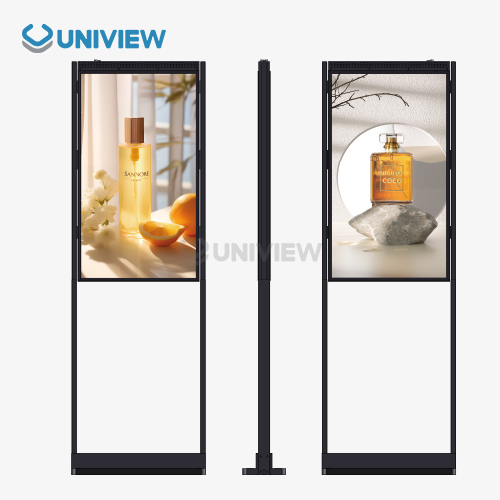
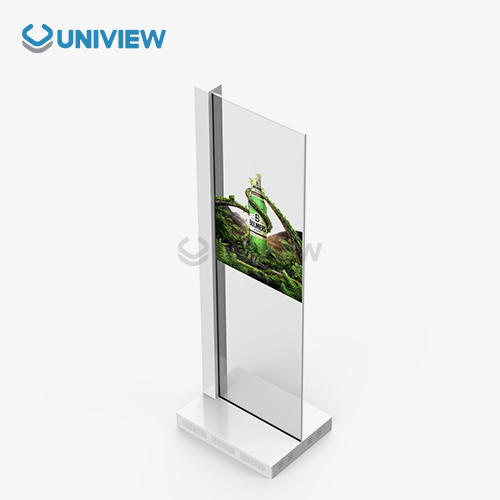
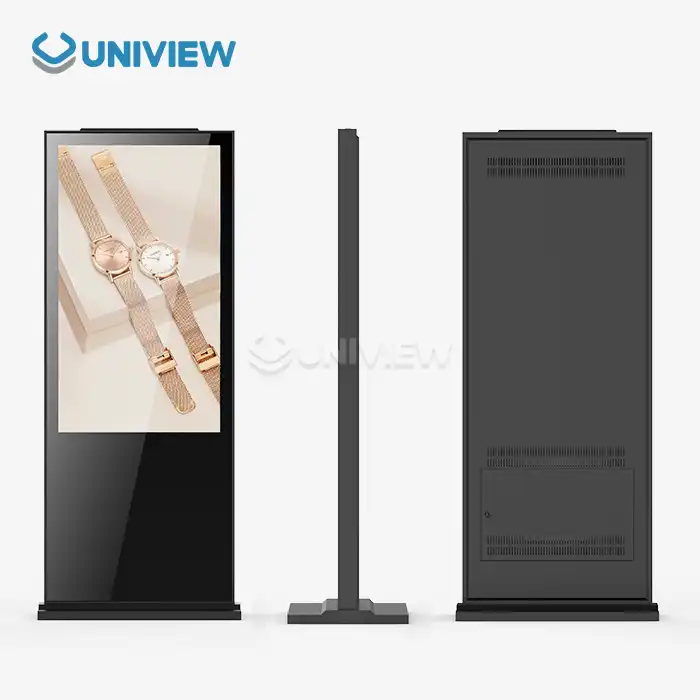
When we talk about how hard it is to find your way around business places today, we always end up talking about how technology can make it easier for visitors to find their way while also making operations simpler. digital floor standing signage is a complete business display option that was made to meet these needs. These units have industrial-grade LCD or LED screens that are mounted vertically inside ruggedized metal cases. They are made to sit directly on the floor without the need for wall-attaching hardware.
What makes these systems different from regular TVs is that they are designed to work nonstop, 24 hours a day, seven days a week. They have special temperature management systems that keep the panels from breaking down even when they are being used all the time. Integrating Content Management Systems (CMS) lets building managers plan when media will play, check the health of devices from afar, and send focused messages to multiple locations. This feature is very helpful for handling wayfinding across large business sites or shopping malls where accurate navigation information needs to be kept up to date at all times.
Interactive Capabilities Transform Navigation Experience
Adding PCAP (Projected Capacitive) touch technology lets people connect directly with wayfinding screens, looking for specific places, seeing floor plans, and getting personalized route guidance. One big problem with standard signs is that they can't give visitors personalized help based on their specific needs. This dynamic feature fixes that problem. The Digital Signage Federation has found that dynamic wayfinding cuts down on visitors' anger and the time they think they have to wait by up to 35% compared to standard directional signs.
Real-Time Updates Maintain Navigation Accuracy
I think the biggest benefit is being able to quickly change information about directions. Cloud-based management tools let content be changed from afar when building layouts change, events move to new places, or temporary closures affect how people can find their way around. This gets rid of the need to replace written directions, which is expensive and takes time, and makes sure that guests always get the right information.
Key Features and Technologies Enabling Effective Wayfinding
Digital floor standing signage works best as a wayfinding tool when they have certain technology features that make it easy to set up in the real world. When buying, teams know about these features, and they can better choose options that will work well in tough conditions.
High-Resolution Displays and Visual Performance
Commercial IPS (In-Plane Switching) technology ensures 178°/178° viewing angles without color shifting. This is crucial when numerous people are seeing the same directional display. Brightness may range from 450 nits for standard indoor halls to 2,500 to 3,500 nits for settings facing windows or partly outdoors, where intense sunlight can harm lower-brightness panels. Most displays are protected by 4 mm tempered glass with a Mohs hardness of 7. Anti-glare and oleophobic chemical treatments decrease shadows and fingerprint smudges on this glass.
Years ago, resolution requirements were quite different. For bigger TVs, 4K UHD (3840x2160) is standard. This pixel resolution allows comprehensive floor plans, tiny text labels, and high-quality directional pictures to be seen from many feet away.
Content Management and Remote Scheduling
Global enterprises with various locations require centralized guide material control to simplify operations and maintain consistency. Modern stand-alone displays connect to elaborate content management systems (CMS) that allow authorized users to change directions, configure content for various times of day, and monitor device health from anywhere with an internet connection.
This remote administration function is useful when emergency circumstances or special events need rapid route changes throughout a building network. The system's split-screen architecture lets real-time warnings, advertising, and navigation maps coexist.
Location-Based Services and IoT Integration
Advanced signaling systems utilize beacons and tracking to detect and steer visitors, while digital floor standing signage may automatically direct visitors to a certain location as they approach a standing display unit. Signs linked to building management systems may also display real-time use statistics to assist customers in avoiding crowds and discovering available corridors and services.
RJ45 Ethernet, Wi-Fi, and 4G/5G cellular devices provide network connectivity regardless of installation location. This versatility is crucial in large buildings, as wired networking may not reach all display locations.
Environmental Durability and Sustainability
Wayfinding signs must withstand constant contact and many weather conditions. When regularly exposed to electricity, powder-coated cold-rolled steel or extruded aluminum enclosures don't corrode or scratch. Devices used outside or partly outdoors require IP65 or IP67 certifications for water and dust protection and IK10 ratings for impact protection to prevent theft.
Sustainability considerations are increasingly significant to buyers. Energy-efficient LED lights utilize less electricity than CCFLs. This reduces operating expenses and aids environmental responsibility. Smart power management features adjust brightness depending on lighting conditions, saving energy when fewer people are using the display.
Best Use Cases and Locations for Digital Floor Standing Signage Wayfinding
The flexibility of portrait digital floor-standing signage makes it useful in a wide range of operating settings, each with its own unique wayfinding issues that can be solved by these systems' special technology features and content strategies.
Retail and Shopping Mall Navigation
Shopping malls with multiple levels, significant retailers, and tenants that shift around make it challenging for shoppers to navigate. Mall entrances, elevator lobbies, and corridor crossings include interactive guidance. These displays help customers search for shops, product groupings, and amenities like ATMs and toilets.
It interacts with retail management systems to provide real-time shop moves and special events. These signs promote bargains and assist customers in finding their way. Their two-in-one solution assists with marketing objectives and traffic flow. Retail statistics reveal that excellent digital navigation increases consumers' stays by 22% and helps them identify businesses on mall boundaries that may not receive as much foot traffic.
Transportation Hub Directional Guidance
Airports, train stations, and bus terminals are the toughest to manage since people are in a rush and in unfamiliar surroundings. Standing displays provide gate assignments, platform information, and estimated walking times to various terminals as Flight Information Display Systems (FIDS) and terminal navigation systems.
This hardware must accommodate anti-vibration mounts inside frame designs to be dependable throughout rail or airline operations. When displays display safety instructions, multiple power supply units are essential to ensure 99.99% availability. Multilingual content makes it simpler for international passengers, and the user interface can automatically determine their language.
Hospitality and Event Venue Guidance
Hotels, conference centers, and entertainment venues with various events require dynamic signage that changes with room allocations and event timings. Slim-profile standing units in lobbies operate as virtual concierges, directing visitors to conference rooms, ballrooms, restaurants, and other facilities and displaying event calendars and marketed services.
QR code scanners and RFID card readers turn these displays into self-service check-in kiosks. This simplifies the front desk's work and helps guests find their way quickly. Contrast ratios of 3000:1 or greater make detailed floor layouts and guiding text legible in well-lit lobby spaces.
Corporate Campus and Industrial Facility Navigation
It may be difficult to navigate huge corporate campuses and industrial plants when workers, visitors, and contractors travel between buildings, departments, and work areas. Building entrance and corridor crossing stands equipped with digital floor standing signage display real-time directional updates. These updates highlight minor route adjustments due to maintenance, repair, or restricted access.
Factory displays may immediately display harmful circumstances, escape routes, and meeting places, making safety information more useful. Emergency notifications may reach all networked displays rapidly. All building occupants get vital safety information.
Public Space Community Guidance
City libraries, schools, hospitals, and other public spaces serve a diverse population with varying comfort and access demands. Wayfinding signage in these areas should emphasize simple approaches for persons who aren't tech-savvy, blind, or who can't move about.
Accessibility features like text-to-speech, high-contrast visual modes, and variable interface heights help everyone find their way. Using navigation infrastructure for emergency notifications allows public safety authorities to provide immediate warnings.
Comparing Digital Floor Standing Signage with Alternative Wayfinding Solutions
When procurement professionals are looking at different ways to improve signage, it's helpful to know how standalone digital floor standing signage stacks up against other options in terms of features, total cost of ownership, and operating freedom.
Advantages Over Wall-Mounted Digital Displays
Wall-mounted displays may be used for wayfinding, although they are less flexible than floor-standing ones. Independent units are great since they may be placed where they'll receive the most traffic without changing the structure or taking up wall space for art or architectural elements. This versatility is particularly useful in rental places where putting things permanently on the wall may violate the lease or require owner consent.
Visibility is improved with floor-standing models. People are less likely to engage with wall displays that are too high or low for convenient touch contact than those that can be stood at and reached. The freestanding design enables you to set up displays on both sides, so individuals from various directions may utilize one installation to find their way.
Benefits Compared to Traditional Static Signage
Traditional board displays and printed directional signs cost less initially, but their total cost of ownership varies depending on usage. Static signage must be physically replaced to modify information. Design, printing, and setup cost money. When buildings have quick events or frequent plan changes, they might spend thousands of dollars a year on signage that expires in weeks or months.
Because they can be updated remotely in minutes instead of days, standing digital displays eliminate these expenditures. The dynamic content option enables you to adjust a predetermined plan to offer various instructions during business hours vs after hours or for special events without changing anything. The ecology benefits from digital solutions since they don't generate waste like printed ones.
Evaluating Leading Manufacturer Options
Samsung, LG, Philips, and NEC are popular corporate display brands. They all provide independent digital signs with unique technological specifications and support environments. Samsung has stress integration, comprehensive management tools, and software compatibility with other organizations. LG makes durable, accurate-color panels. Projects that need brand presentation and navigation benefit from this.
Philips designs for lower energy usage and longer warranties to lower the total cost of ownership. This appeals to multi-year budgeting purchasing teams. NEC's solutions target mission-critical, 24/7 applications with numerous system architectures. Uniview Commercial's customizable options and technical characteristics make it ideal for demanding B2B deployments. It boasts 2000 to 4000 nits of brightness, IP65 to IP66 environmental certifications, and rust-proof casings owing to European surface treatment technology.
Procurement Insights: How to Select, Buy, and Implement Digital Floor Standing Signage
To properly set up digital floor standing signage, you need to do a lot of planning, including more than just choosing the products. You also need to think about things like site evaluation, content strategy, and ongoing management.
Defining Clear Wayfinding Objectives
Before buying, outline the navigation issues the technology has to fix. Are visitors frequently lost when traveling to places? Do builders provide too many instructions? Do instructions need to be revised since the configuration changes layout often? We may measure launch performance by monitoring these pain spots with visitor surveys, staff time tracking, or facility inspections.
Target group characteristics strongly influence technological specifications. Companies serving elderly customers may require larger fonts and simpler interfaces. Technologically sophisticated companies may integrate mobile devices and design bespoke itineraries. Early accessibility demands should be set out to ensure that solutions meet ADA rules and aid persons with various impairments.
Budget Planning and Cost Considerations
A complete cost analysis should cover tool purchases, installation, content creation, administration platforms, and long-term operation. Hardware prices vary based on screen size, brightness, environmental rating, and involvement. Standard indoor units cost $3,000–$8,000, whereas outdoor versions with additional features and bright illumination may cost over $15,000.
Installation costs vary on location, electricity infrastructure, and network connectivity. Electricity and data infrastructure cost more in areas without nearby power outlets or network access points. Content production is another major expense, particularly for bespoke guided applications that need expert design, 3D floor plan modeling, and software integration.
Bulk purchases save money per unit, which is ideal for multi-location deployments. Orders above 10 units frequently get 15–25% discounts. Short-term installations at events or seasonal structures are easier with rentals, but long-term leases cost more than full purchases over three years.
Emphasizing Supplier Reputation and Support
A supplier should be rated on organizational abilities that affect long-term success as well as product requirements. Manufacturers' experience with comparable systems might reduce deployment risks. Request case studies and examples from comparable facility owners. Ask about post-installation support and how manufacturers handled unexpected issues.
Read warranty conditions carefully to see how long the coverage lasts, what parts and failure types are covered, and how long the firm will reply. Guarantees typically last one to three years. Some high-end companies, like Uniview Commercial, provide three- to five-year coverage, reducing long-term financial risk. Manufacturing requires international service networks that can provide support across time zones and regions for worldwide installations.
Customization and Future Scalability
Many users benefit from regular off-the-shelf screens, but specialized designs typically fulfill particular operational demands. By adjusting enclosure size, mounting choices, peripheral connections, and software settings, systems may be tailored to building constraints or brand display. When a manufacturer provides flexible customisation, deployments may fit existing architectural designs and operational procedures.
Scalability planning ensures early investments remain valuable as corporate demands evolve. Open-standard platforms with well-documented APIs make it easy to link solutions to new technologies and expand facility networks. Cloud-based management solutions provide unlimited displays without additional infrastructure. This lets you organically scale from pilots to enterprise-wide deployments.
Conclusion
Digital floor standing signage offers complete guidance solutions that help people find their way in a wide range of business settings. The technology's engaging interfaces, real-time content updates, and placement at the best heights for participation change the way visitors experience sites while making operations simpler. Technical features like high-brightness screens, resistance to damage from the environment, and improved connections make sure that the device works reliably in tough deployment situations. When procurement teams carefully look at wayfinding goals, total ownership costs, and work with manufacturers that offer strong support ecosystems, these systems make a real difference in how happy visitors are and how efficiently they run, which makes them worth investing in.
FAQ
Q: What brightness level is required for effective wayfinding displays?
A: 450 to 700 nits are usually enough for easy watching indoors with controlled lighting. However, 2,000 to 3,500 nits are needed for installations that face a window or are partially outside because direct sunlight can wash out lower-brightness screens. Uniview Commercial lets you change the brightness levels between 2,000 and 4,000 nits, so you can see clearly no matter what the lighting is like outside.
Q: How do interactive touchscreens improve wayfinding compared to static displays?
A: Visitors can use interactive interfaces to look for specific places, see full floor plans, and get personalized route advice based on where they are now and where they want to go. When compared to reading static directional signs, this specialized help cuts travel time by an average of 35%. This is especially true in complex buildings with multiple levels.
Q: What environmental ratings are necessary for outdoor wayfinding installations?
A: For outdoor use, you need an entry protection grade of IP65 or IP67 to make sure you are completely safe from dust and water jets coming from any direction. Vandalism is prevented by IK10 impact resistance ratings, and working temperature ranges should be able to handle the harsh winters and summers in the installation area. The outdoor types from Uniview Commercial have IP65 and IP66 grades and are made with corrosion-resistant enclosures, so they can be used outside for a long time.
Q: Can wayfinding content be updated remotely across multiple locations?
A: Modern Content Management Systems let one person handle all networked screens, no matter where they are located. Authorized staff can change directions, plan content changes, and check on the health of devices from anywhere with an internet connection. This means that changes to guidance content don't have to be made on-site.
Q: What is the typical lifespan of commercial wayfinding displays?
A: Mean Time Between Failures (MTBF) for industrial-grade panels is more than 50,000 hours, which is about 5.7 years of nonstop running 24 hours a day, seven days a week. The actual operating lifespan is usually between 7 and 10 years if the unit is well taken care of, especially if it has thermal control systems that keep the panels from breaking down from too much heat.
Q: How do digital wayfinding displays integrate with emergency alert systems?
A: Modern displays can link to systems for building management and public safety using standard methods. This lets all networked units get emergency alerts at the same time. This combination lets building managers replace normal wayfinding information with safety alerts, evacuation directions, or emergency contact information in case of an emergency.
Partner with Uniview Commercial for Advanced Wayfinding Display Solutions
As a reliable digital floor standing signage maker, Uniview Commercial offers cutting-edge solutions created especially for tough B2B wayfinding needs. Our screens have high-brightness panels that range from 2,000 to 4,000 nits, IP65-IP66 environmental protection, and corrosion-resistant enclosures made with European surface treatment technology. These technical specs make sure that the screens work reliably in both indoor and outdoor settings, which can be tough.
With more than a decade of experience making things and relationships in more than 100 countries, we offer full customization services that are suited to your facility's needs and operational goals. Our decision to increase the length of our guarantee from three to five years, along with our commitment to long-term relationship success, is backed by global 24-hour online response support and full quality coverage through China Pacific Insurance Company. Get in touch with our team at sales@univiewlcdisplay.com to talk about how our guidance display options can help visitors find their way around your buildings and make your operations run more smoothly.
References
1. Digital Signage Federation. (2022). "Interactive Wayfinding Technology: Impact on Visitor Experience and Operational Efficiency." Digital Signage Research Quarterly, 18(3), 45-62.
2. Johnson, M., & Peterson, R. (2021). "Commercial Display Technology: Engineering Standards for 24/7 Operation in Public Environments." Journal of Visual Communication Technology, 29(4), 112-128.
3. International Sign Association. (2023). "Comparative Analysis of Digital versus Static Wayfinding Solutions: Total Cost of Ownership Study." ISA Technical Reports, Volume 15.
4. Chen, L., & Williams, D. (2022). "Location-Based Services Integration in Commercial Digital Signage: Implementation Strategies and Performance Metrics." Smart Building Technologies Review, 7(2), 89-104.
5. Global Display Standards Council. (2021). "Environmental Durability Requirements for Outdoor Digital Displays: IP Ratings, Impact Resistance, and Thermal Management." GDSC Technical Bulletin 2021-07.
6. Rodriguez, A., & Thompson, K. (2023). "Accessibility Considerations in Public Wayfinding Technology: Design Guidelines for Inclusive Navigation Systems." Universal Design Journal, 12(1), 34-51.
Learn about our latest products and discounts through SMS or email