- English
- French
- German
- Portuguese
- Spanish
- Russian
- Japanese
- Korean
- Arabic
- Greek
- German
- Turkish
- Italian
- Danish
- Romanian
- Indonesian
- Czech
- Afrikaans
- Swedish
- Polish
- Basque
- Catalan
- Esperanto
- Hindi
- Lao
- Albanian
- Amharic
- Armenian
- Azerbaijani
- Belarusian
- Bengali
- Bosnian
- Bulgarian
- Cebuano
- Chichewa
- Corsican
- Croatian
- Dutch
- Estonian
- Filipino
- Finnish
- Frisian
- Galician
- Georgian
- Gujarati
- Haitian
- Hausa
- Hawaiian
- Hebrew
- Hmong
- Hungarian
- Icelandic
- Igbo
- Javanese
- Kannada
- Kazakh
- Khmer
- Kurdish
- Kyrgyz
- Latin
- Latvian
- Lithuanian
- Luxembou..
- Macedonian
- Malagasy
- Malay
- Malayalam
- Maltese
- Maori
- Marathi
- Mongolian
- Burmese
- Nepali
- Norwegian
- Pashto
- Persian
- Punjabi
- Serbian
- Sesotho
- Sinhala
- Slovak
- Slovenian
- Somali
- Samoan
- Scots Gaelic
- Shona
- Sindhi
- Sundanese
- Swahili
- Tajik
- Tamil
- Telugu
- Thai
- Ukrainian
- Urdu
- Uzbek
- Vietnamese
- Welsh
- Xhosa
- Yiddish
- Yoruba
- Zulu
Can Wall Mount Digital Signage Replace Printed Posters?
The short answer is yes—most business uses can successfully replace printed signs with wall mount digital signage. These commercial-grade electronic screens can show changing information, get changes right away, and work with multimedia in ways that static paper just can't. Digital signage can change with the needs of a business in real time, while printed posters can only be used once and break down over time. It also offers better participation measurements and lower long-term costs. This change has changed how people in the retail, hotel, workplace, and transportation sectors talk to their customers. Now, digital displays are the best option for forward-thinking businesses that want to make a difference and be flexible with their operations.

Understanding Wall Mount Digital Signage vs Printed Posters
There is a big difference between these two ways of communicating that goes beyond the obvious difference in looks. Digital screens are a big change in how businesses share information, while printed products are stuck in old ways of doing things.
Real-Time Content Updates and Multimedia Integration
wall mount digital signage changes the way people talk to each other because it gets rid of the delays that come with standard printing. When a store chain needs to let everyone know about a flash sale, centralized Content Management Systems make sure that all digital screens are updated right away. Printed banners, on the other hand, need to be approved for design, coordinated printing, physically distributed, and installed by hand, all of which can take days or weeks. Because of this delay, companies often miss marketing opportunities that need to be done quickly, which directly affects their ability to make money. Adding multimedia gives it a new depth that can't be found on paper. Video clips, animated graphics, live social media feeds, and dynamic price info are all mixed smoothly on digital screens. A quick-service restaurant can show video clips of tasty food items along with nutrition facts and real-time wait times. Multiple senses work together to get people's attention better than still images. In high-traffic areas, digital material gets 400% more views than traditional signs, according to studies.
Cost Analysis and Lifespan Considerations
There are secret costs that keep adding up that come with printed signs. There are design fees, printing costs (about $3 to $5 per unit), shipping costs, labor costs for putting up the posters, and dumping fees for a single poster campaign in 50 stores. Campaigns that change every month cost more than a few thousand dollars per place every year. Damage from humidity, sunshine, or physical wear means that things have to be replaced too soon, which drives up costs even more. Digital advertising costs more at first, but saves you a lot of money in the long run. Commercial screens that are made to work nonstop for 50,000 to 60,000 hours, which is about six to seven years of use. Updates to content don't cost anything other than staff time, so there are no printing or mailing costs. When compared to similar poster efforts, groups usually save 60–70% over five years. At the same time, they reduce environmental waste by using less paper and throwing it away less.
Engagement Metrics and Messaging Agility
These days, companies want marketing efforts to yield measurable results. Wall-mounted digital signs with analytics features keep track of the types of people who see them, how long they stay, and how often they interact with the content using built-in sensors and cameras. This information shows which content works best for different groups of people, which isn't possible with written materials because they can't be improved all the time. When digital screens are used in stores, people are 30–40% more likely to know about a product and 25% more likely to buy an advertised item. The most convincing benefit may be the flexibility of messaging. A company's offices can plan different content for viewers in the morning, afternoon, and evening. Messages can be changed in real time to reflect things like weather, inventory levels, or breaking news. At transportation hubs, screens show up-to-date departure times, emergency alerts, and navigation help that changes based on how many people are using them. This flexibility makes signs more relevant in a way that static posters can't, which makes the whole user experience better.
How Wall Mount Digital Signage Meets Modern B2B Procurement Needs
More and more, procurement pros in the retail, business, hospitality, and industry sectors are under pressure to provide technology solutions that work well together and make operations simpler. These problems can be solved by digital display systems, including wall mount digital signage, which are technically compatible and reliable.
Seamless Integration and Batch Deployment
Modern digital signage platforms use standard network methods to easily connect to an organization's current infrastructure. These screens can talk to each other through LAN, WAN, or cloud-based networks. They can connect to business data tools, customer relationship platforms, and software for managing inventory. In a hotel chain, lobby screens can be synced with booking systems to show real-time availability. In a business setting, live data from internal analytics tools can be used to show success metrics. Batch release makes large-scale setups easier, which is important for businesses that run in more than one place. With centralized control tools, IT teams can set up dozens or even hundreds of screens at the same time, using a single dashboard to push firmware changes, content schedules, and security fixes. This scalability gets rid of the organizational nightmare of arranging billboard campaigns in places that are far apart, which cuts down on both labor costs and application times. System designers like it when mounting standards are standardized, and APIs are easy to access because they make custom integration projects easier.
Durability and Total Cost of Ownership
Commercial-grade digital displays use industrial parts that are made to last much longer than household gadgets. The heavy-duty power sources in these units have a Mean Time Between Failures of more than 50,000 hours. They also have temperature management systems that keep them from overheating while they're in constant operation, and the anodized aluminum or cold-rolled steel casings make them resistant to impact. Display screens use IPS technology and have anti-glare films and wide viewing angles to keep things visible in bright light. The total cost of ownership comparison shows that owning something is much more cost-effective than buying new posters all the time. A normal 55-inch business display that costs between $2,000 and $3,000 doesn't need any repairs for years; it just needs to be cleaned and its software updated every so often. On the other hand, a poster program that changes 50 sites every month costs around $30,000 a year just for materials and work. Over the course of five years, digital signs save businesses close to six figures in costs while also making them more useful and better for the environment.
Installation Logistics for Complex Infrastructures
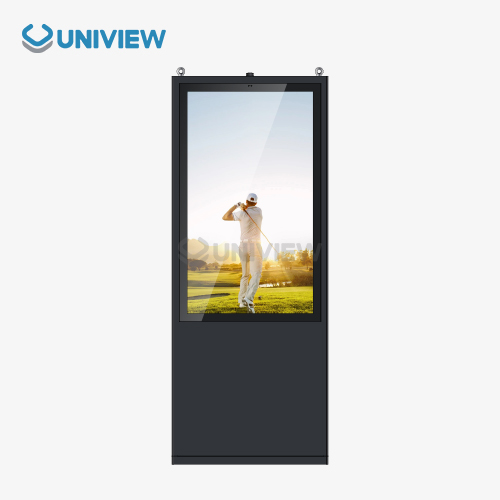
Standardized VESA mounting patterns from 200x200mm to 600x400mm allow modern business screens to fit a wide range of building needs. This makes them compatible with universal brackets and articulating arms. Professional mounts have pop-out or swing-arm mechanisms that let you service the device without taking it all the way off, which is important for video wall setups or ceiling-mounted installs. Large-format screens and protected cases can be supported by weights of 200 pounds or more. Power supply, network connection, and environmental factors are all taken into account when planning an installation. Power over Ethernet features make wiring easier in many places, and wireless connectivity options get rid of the need for network hardware in awkward places. For outdoor use, models with an IP65 or IP66 grade are needed to keep dust and water out, and panels that are brighter than 2,000 nits are needed to keep the screen visible in full sunlight. When it comes to these technical issues, makers and system designers with a lot of experience can easily help. This makes sure that operations go smoothly and are tailored to each operating setting.
Comparing Different Types of Wall Mount Digital Signage for Optimal Selection
To pick the right display technology, you need to match technical specs with useful needs. There are a lot of different choices on the market, from normal indoor units to ruggedized outdoor systems, and each one is best for a certain type of use.
Form Factors and Mounting Configurations
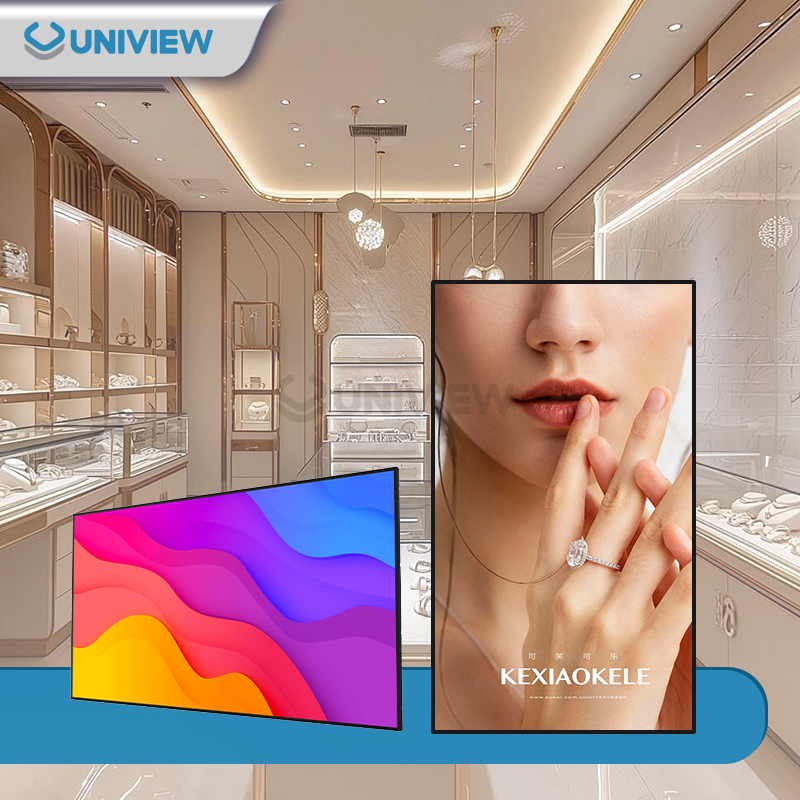
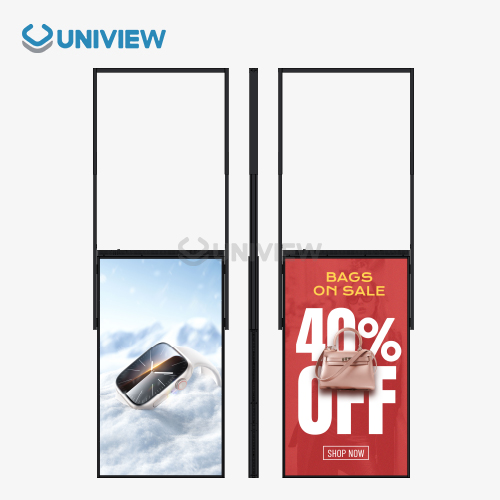
The most popular type of display is one that is mounted on the wall. These are easy to put up on vertical surfaces in stores, business offices, and transportation hubs. These units include 32-inch screens that are small enough for elevator rooms and 98-inch screens that are so big they stand out in major stores. Ceiling-mounted options work well in places where there isn't much wall room or where being higher up makes it easier to see, like airport concourses or factories. Portrait direction has become more common for digital menu boards and wayfinding tools because it makes the most of the vertical space available. For video material and horizontal layouts, landscape viewing is still the norm. Some commercial displays can be rotated, which lets IT teams change the direction from afar when the content strategy changes, without having to replace the display physically. Mounting depth affects both how it looks and how much room it takes up. Ultra-thin profiles (less than two inches) make things look sleek and modern, and they fit right in with modern buildings.
Interactive Touchscreen vs Standard Display Panels
Interactive touchscreen screens make things more fun and can be useful for self-service, product research, and finding your way. These units have sensitive or infrared touch technology that lets you use multiple touches and enter exact information. Touchscreens are used in stores to show virtual catalogs that let customers look through goods, check specs, and ask for help. Interactive displays are used in business settings for joint workspace apps and methods for registering visitors. Standard screens that don't need to be touched work fine for broadcasting, where viewers don't need to interact with the screen. These screens usually cost 30–40% less than touchscreen types that do the same thing, which makes them better for educational and advertising uses. You should choose between interactive and standard forms based on how engaged users are and whether the extra money and upkeep needed for touch functions are worth it.
Resolution Differences and Visual Quality
The resolution has a direct effect on the quality of the image and the best viewing distance. Full HD screens with a resolution of 1920x1080 work well for most indoor uses with viewing lengths of more than six feet, offering clear images at reasonable prices. Ultra HD 4K displays with a resolution of 3840x2160 show a lot of detail up close, which is great for places like high-end business halls or luxury store showrooms where picture quality shows off a brand's status. The higher pixel density makes sure that text stays clear and pictures look lifelike even up close. Color accuracy is important, especially in store settings where how a product looks changes people's decisions to buy. Commercial screens that use either the DCI-P3 or Adobe RGB color schemes show colors that are true to life and make items look appealing. Brightness levels ranging from 450 nits for normal indoor use to 2,500+ nits for setups facing a window or being partially outside make sure that the screen can be seen in a variety of lighting conditions. Anti-glare and anti-reflective coatings make reading even easier by cutting down on shadows that can be annoying.
Procurement Strategies: Buying and Managing Wall Mount Digital Signage
To make sure that deployments go smoothly and that operations are supported long term, strategic procurement involves checking the qualifications of suppliers, product specs, and service promises.
Evaluating Manufacturers and Supplier Reliability
Leading makers show their skill by having a wide range of products, professional certifications, and a long history in the market. Companies that have been around for at least ten years have seen the market change and improved their products by always getting better. Manufacturers in places where the electronics industry is well-established usually have strict quality control standards and good ties with suppliers of parts to make sure stability. Certifications are an objective way to prove that something is safe and of good quality. UL/ETL listings make sure that electrical safety rules are followed, and FCC Class A or B grades make sure that the equipment is electromagnetically compatible so that it doesn't interact with other devices. Energy Star approval means that the company uses less power, which lowers its costs. Following international standards, such as the RoHS guidelines that limit dangerous chemicals and CE marking for European markets, shows a dedication to following the rules and caring for the environment.
Referrals from customers and case studies show how well something works in the real world. Procurement teams should ask for proof of similar operations, especially ones that are in the same business, are the same size, and are in the same setting. By visiting current pieces in person, you can get a better idea of the quality of the displays, the stability of the mounting, and how well they work. Companies that are ready to let these reviews happen show that they are sure their goods will meet customer needs.
Custom Orders and Bulk Purchasing Advantages
Customization and bulk prices are very helpful for large-scale deployments. Manufacturers that give custom solutions make sure that the monitor specs, fitting hardware, and software settings are exactly what the project needs. Customized bezel colors fit the company's name, and unique building restrictions are met by custom enclosures. Remote management tools and content management software that are already set up make implementation and ongoing control easier. When you buy in bulk, you save a lot of money. When you order more than 50 units, you can usually get tiered prices, which lower the cost per unit by 15 to 30 percent. Making a promise to buy a lot of something also gives you more power when you're bargaining for things like a longer warranty, bundled installation services, and faster technical support. Setting up long-term partnerships with makers makes sure that projects run smoothly across multiple phases and that parts are available for future upkeep and growth.
Payment terms and how the package will be delivered need to be carefully negotiated. Payment plans that are tied to project goals protect both parties and make it easier to handle cash flow. Clear delivery dates with fines for missing them keep projects from getting derailed. For phased rollouts in multiple places, warehousing and logistics planning are very important. This means that suppliers need to have strong supply chain skills and regional delivery networks.
Warranty and Installation Service Priorities
The scope of a warranty has a direct effect on the total cost of ownership and the reduction of risk. Most standard contracts cover flaws in the products or the work for three years. Five- to seven-year extensions on warranties offer extra safety, which is especially helpful for mission-critical projects where downtime has a big effect on business. Full coverage should include replacing panels, fixing parts, and providing expert help without any extra costs or restrictions.
Installation services range from simple delivery to full turnkey deployment, which includes site studies, providing mounting hardware, coordinating electricity work, setting up networks, and setting up content management systems. Professional installation makes sure that the placement meets the load standards, that the viewing angles are right, that there is enough air flow to keep the computer cool, and that the cables are routed safely. Certified workers know how to meet the needs of business displays and follow local building rules. This keeps problems from happening that could cancel warranties or put people in danger.
Ongoing technical help is an important part of any business. When problems happen, manufacturers who offer global help lines that are open 24 hours a day, remote testing, and quick on-site service keep downtime to a minimum. Training programs for in-house IT staff make it possible for them to handle routine issues and control material, which means they don't need as much help from outside sources. Comprehensive service agreements that include preventative maintenance, software updates, and early access to extra parts protect investments that will last for a long time.
Troubleshooting, Maintenance, and Maximizing ROI with Wall Mount Digital Signage
Regular upkeep and planned optimization make sure that digital displays keep giving you the most value for their money for as long as they work.
Common Technical Issues and Resolution Techniques
Problems with the power source, connection, or software are often to blame for wall mount digital signage displays that don't work right. Power problems show up as random shutdowns, not being able to power on, or strange noises coming from inside the computer. The first step in troubleshooting is to check the electrical connections, check the strength in the outlets, and look for damage in the power cords. Power supply units sometimes need to be replaced after years of continuous use. This is a simple fix that can be done by trained technicians.
When there are problems with connectivity, material delivery and remote control are slowed down. Most of the time, these problems are caused by mistakes in the network setup, firewall limits, or damaged cables. Checking the IP addresses, trying the network wires, making sure the router and switch ports work, and going over the firewall rules are all diagnostic steps. Interference or weak signals can affect wireless links, which may require moving access points or upgrading the network hardware.
Software bugs like app crashes, choppy video playing, or interfaces that don't respond can usually be fixed by updating the firmware or clearing the cache. Manufacturers usually release updates that fix bugs and make things work better. Setting up regular update times outside of business hours keeps things running smoothly and avoids interruptions. Factory restarts fix software problems that won't go away, but you still need to back up your content and settings before you start the process.
Best Practices for Installation and Preventive Upkeep
The basis for effective long-term function is set by proper installation. Displays need enough air flow to keep their internal temperatures within the ranges specified by the maker. A minimum of space around air holes keeps heat from building up and breaking down parts. Mounting on the wall to structural studs or a reinforced backing makes sure that the connection is stable and can handle both static and moving loads. Using ducts or wire channels to manage cables keeps links safe and keeps things looking clean.
Preventive upkeep keeps the quality of the image and makes the monitor last longer. Using microfiber cloths and approved cleaning solutions, air holes and screen surfaces are cleaned every three months to get rid of dust buildup. Protective coats and anti-glare treatments get worn down by rough chemicals or materials. Checking fastening hardware for loosening and retightening screws keeps the work safe. By looking at the system logs, you can find mistakes or speed drops that keep happening and need to be fixed before they happen.
Monitoring the environment stops damage from happening when you least expect it. Temperature and humidity sensors let staff know when HVAC systems stop working or when water gets into equipment that could damage it. Uninterruptible power sources and surge breakers keep electricity from going out. Testing backup power systems on a regular basis makes sure that displays can still work during power blackouts, which is very important for emergency message apps.
Measuring Engagement and Business Impact
With the help of advanced analytics, digital signs can be turned from tools for streaming into marketing assets that can be measured. Built-in cameras and sensors collect private information about viewers, like their age, gender, and how long they pay attention. This information shows what kinds of material your target audience likes, which helps you improve your creativity. Heat mapping tells you exactly which parts of the screen get the most attention, which helps you decide how to arrange your information.
Conversion tracking links show how much exposure there is to business results. In stores, featured items are linked to sales data, which helps figure out the return on investment (ROI) from different programs. Screen-mounted QR codes keep track of how many times they are scanned, which connects digital interaction to online sales or app downloads. Foot traffic research checks to see if signs successfully lead people to certain products or department areas.
The ability to do A/B tests lets you improve material based on proof. By showing different copies of the work to different groups of people, you can see which messages, images, and calls to action get the most attention. Continuous optimization based on performance data makes sure that things keep getting better and that content investments give the best return possible.
Conclusion
Wall mount digital signage is clearly better than printed ads in almost every important way, including how well they involve people, how flexible they are, how much they save, and how environmentally friendly they are. These commercial-grade screens provide dynamic, measurable communication that instantly adjusts to changing business needs while getting rid of the need for expensive prints and complicated logistics. Digital signage is essential for businesses that want to use modern communication strategies. It's used in retail spaces that need responsive advertising content, corporate buildings that need to visualize data, and hospitality places that want to give guests an immersive experience. As powers grow, the initial investment barrier keeps going down. This makes adoption easier for businesses of all kinds that want to gain a competitive edge through better visual communication.
FAQ
Q: Can digital signage really save money compared to printed posters?
A: Of course. Digital displays require a bigger initial investment, but they don't have the ongoing costs of designing, printing, distributing, installing, and getting rid of posters. Most organizations get their money back within 18 to 24 months, and then they get free material changes for years. Businesses usually save between 60 and 70% over five years compared to similar poster systems, while getting better features and measurement tools.
Q: What brightness level do I need for window-facing installations?
A: Displays with a rating of at least 1,500 nits are needed in window-facing and partially outdoor areas. Displays with a rating of 2,000 to 2,500 nits are better for direct sunlight exposure. Standard indoor screens only offer 450 to 700 nits, which is not enough for places with a lot of natural light. Brightness monitors change the output automatically based on the conditions around them. This keeps things visible while saving energy. Uniview Commercial has models with brightness levels of up to 4,000 nits that are designed to work in difficult lighting conditions.
Q: How difficult is content management across multiple locations?
A: Modern Content Management Systems make managing multiple locations a lot easier. Cloud-based systems let you handle hundreds or thousands of displays from one place using simple web interfaces. Any device that can connect to the internet can be used to schedule content, keep an eye on devices, and fix problems remotely. Updates can be sent to all places at the same time or only to certain areas, which takes away the need for communication problems. Most systems are easy to learn, and employees can get up to speed in just a few days.
Q: Are digital displays environmentally friendly?
A: When compared to printed products, digital signage has a much smaller effect on the world. Getting rid of the need for paper, printing methods that use a lot of chemicals, and transportation emissions related to distributing posters greatly reduces the carbon footprint. Modern screens use 40–60% less power than older technologies because they use energy-efficient LED lights. Electronic trash is kept to a minimum by using parts that can be recycled and making electronics last longer than six years. A lot of businesses that want to get green licenses say that using digital signs is a real step toward their environmental goals.
Partner with Uniview Commercial for Superior Digital Signage Solutions
As a reliable wall mount digital signage maker with more than ten years of experience around the world, Uniview Commercial offers top-notch LCD and LED display options made for tough business settings. Our goods have the best specs in the business. They have brightness levels between 2,000 and 4,000 nits, water and dustproof grades of IP65 to IP66, improved corrosion resistance thanks to European surface treatment technology, and reliable heat dissipation systems that make sure they can keep working. We offer flexible customization services that are tailored to your needs. These services are backed by full warranties that last between 3 and 5 years and expert help that is available 24/7 around the world. We stand behind every product we sell. They have been used successfully in more than 100 countries, and China Pacific Insurance Company makes sure they are covered. Get in touch with us at sales@univiewlcdisplay.com to talk about how our wall mount digital signage options can change the way your business communicates and give you real results.
References
1. Digital Signage Federation. "ROI Analysis and Best Practices for Commercial Display Deployments." Industry Standards Publication, 2022.
2. Chen, M. and Rodriguez, K. "Comparative Study of Static vs. Dynamic Visual Communication in Retail Environments." Journal of Marketing Technology, Vol. 18, 2021, pp. 234-251.
3. International Display Standards Committee. "Technical Specifications for Commercial-Grade Digital Signage Systems." Technical Reference Manual, 4th Edition, 2023.
4. Anderson, J. "Total Cost of Ownership Analysis: Digital Signage vs. Traditional Print Media in Multi-Location Enterprises." Business Technology Review, 2022.
5. Environmental Protection Agency. "Sustainability Impact Assessment of Digital Display Technologies in Commercial Applications." Environmental Research Report, 2021.
6. Thompson, S. and Williams, D. "Audience Engagement Metrics and Content Optimization Strategies for Digital Out-of-Home Advertising." Advertising Technology Quarterly, Vol. 12, No. 3, 2023, pp. 45-67.
Learn about our latest products and discounts through SMS or email