- English
- French
- German
- Portuguese
- Spanish
- Russian
- Japanese
- Korean
- Arabic
- Greek
- German
- Turkish
- Italian
- Danish
- Romanian
- Indonesian
- Czech
- Afrikaans
- Swedish
- Polish
- Basque
- Catalan
- Esperanto
- Hindi
- Lao
- Albanian
- Amharic
- Armenian
- Azerbaijani
- Belarusian
- Bengali
- Bosnian
- Bulgarian
- Cebuano
- Chichewa
- Corsican
- Croatian
- Dutch
- Estonian
- Filipino
- Finnish
- Frisian
- Galician
- Georgian
- Gujarati
- Haitian
- Hausa
- Hawaiian
- Hebrew
- Hmong
- Hungarian
- Icelandic
- Igbo
- Javanese
- Kannada
- Kazakh
- Khmer
- Kurdish
- Kyrgyz
- Latin
- Latvian
- Lithuanian
- Luxembou..
- Macedonian
- Malagasy
- Malay
- Malayalam
- Maltese
- Maori
- Marathi
- Mongolian
- Burmese
- Nepali
- Norwegian
- Pashto
- Persian
- Punjabi
- Serbian
- Sesotho
- Sinhala
- Slovak
- Slovenian
- Somali
- Samoan
- Scots Gaelic
- Shona
- Sindhi
- Sundanese
- Swahili
- Tajik
- Tamil
- Telugu
- Thai
- Ukrainian
- Urdu
- Uzbek
- Vietnamese
- Welsh
- Xhosa
- Yiddish
- Yoruba
- Zulu
Free-Standing Digital Signage: Super Slim Displays for Modern Spaces
Introducing ultra-thin free standing digital signage, a huge step forward in commercial display technology that gives businesses sleek, space-saving options that fit right in with modern settings. These cutting-edge screens are both technically advanced and aesthetically pleasing. They offer great visual performance while keeping a very thin profile that doesn't get in the way of current interior design. The high demand for ultra-thin freestanding digital signage systems shows that they can make a big impact with a small size. This makes them perfect for businesses that want to update their visual communication strategies.
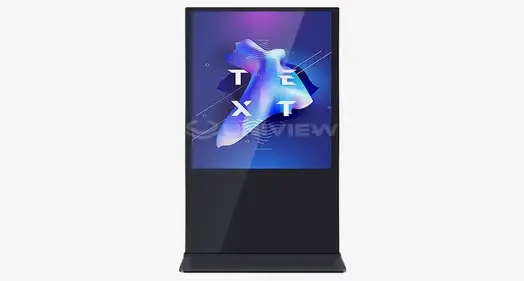
Introduction to Ultra-Thin Digital Display Revolution
In today's business world, display options must strike a balance between high-tech sophistication and architectural unity. Traditional big sign systems don't work well in modern business settings because they're ugly and take up too much space. This is why ultra-slim display technologies are being quickly adopted in many fields.
Professional-grade digital displays with a slim frame have become the best choice for businesses that want to make a visual statement and save room. These systems work better than others and keep the sleek looks that are important in modern business, retail, and leisure settings. A big step forward in business displays has been made possible by combining advanced LED and LCD technologies into very thin forms.
More and more, people who work in procurement are realizing that investing in space-saving signage solutions that boost brand awareness without messing up the interior design is a smart move. Powerful visual communication tools can now be used in places they couldn't be before. This has created new ways to connect customers and set brands apart.
What Is Ultra-Thin Free Standing Digital Signage?
There are commercial-grade display options called ultra-thin free-standing digital signage that have very thin depth profiles, usually between 25 mm and 4 mm for luxury OLED models and 25 mm for advanced LCD models. To get rid of the bulk that comes with standard direct-lit backlighting systems, these ones use advanced edge-lit LED technology or self-emissive OLED screens.
Technical Specifications and Engineering Excellence
The tech behind these screens includes complex heat management systems that are squished into small chassis designs. Professional units have IPS (In-Plane Switching) technology that gives you 178-degree viewing angles, so you can see it clearly from any angle. Advanced types have System-on-Chip processors built in, so you don't need extra media players that would take away from the slim profile benefit.
Brightness ranges from 400 to 700 nits for standard business uses, and are important technical parameter for ultra-thin free standing digital signage. Specialized high-brightness versions are offered for difficult lighting situations. Energy Star 8.0 approval makes sure that less power is used, which is important for keeping temperatures down in thin body designs.
Distinguishing Features from Traditional Displays
Ultra-slim screens strike the perfect mix between usefulness and aesthetic integration, while most signage systems focus on raw performance over form factor. Traditional displays often need big changes to the walls or a lot of floor space. Slim profile options, on the other hand, fit right in with the rest of the building's design.
Because standalone slim displays are portable, they can be used in a variety of ways. For example, businesses can move displays around to meet changing working needs. Because they can be moved around, they are different from fixed wall-mounted devices and give you a better return on your investment through a wider range of uses.
Comparing Ultra-Thin Free Standing Digital Signage Solutions
The market research shows that the different ultra-thin free-standing digital signage options have big differences in how well they work, how well they are built, and how much they cost. By understanding these differences, you can make smart choices about what to buy that are in line with your business's needs and your budget.
Performance Metrics and Quality Standards
Leading makers make screens with 4K resolution, which makes sure that images are reproduced clearly enough for close-up use. Over 85% of the screen is the same brightness, so the image quality is the same across the whole area. Modern models have electromagnetic compatibility (EMC) Class A approval, which keeps disturbance from happening in sensitive areas.
Durability standards include UL94-V0-rated building materials for fire safety compliance, which is important because electronic components in slim form factors are close to each other. Professional-grade units go through a lot of tests, such as thermal cycle and vibration protection, to make sure they can work reliably in harsh industrial settings.
Installation Preferences and Deployment Considerations
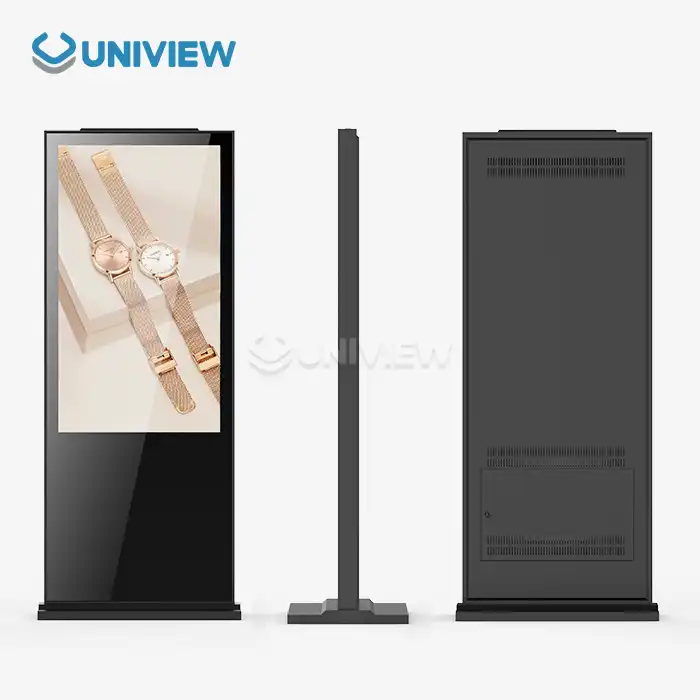
When you need to move something around a lot or set something up temporarily, freestanding setups are much better than wall-mounted ones. Because slim-profile displays are lighter, they don't need as much support from the structure. This means they can be used in places where big displays wouldn't work.
Power management choices are also flexible during installation, and many units come with built-in cable management systems that keep things looking clean while still ensuring stable connections. More advanced models come with wireless connection choices, which make installation easier and increase the number of ways they can be used.
Pricing Strategies and Procurement Value
Large-scale deployments can save a lot of money with bulk order price structures. For sales over 50 units, volume savings can reach 15-20%. Extended guarantee plans that last between 3 and 5 years protect the value of an investment and make sure that it will work reliably for a long time. These choices for full coverage cover both parts and work, lowering the total cost of ownership.
Global support skills are one measure of a supplier's dependability. Leading manufacturers of ultra-thin free standing digital signage keep response methods in place 24 hours a day, 7 days a week, across multiple time zones. Businesses that do business in foreign markets or need quick expert help need this level of support infrastructure.
Best Use Cases and Installation Tips for Ultra-Thin Free Standing Digital Signage
Because slim digital screens are so flexible, they can be used in a wide range of business settings, each with its own possibilities and challenges. Figuring out the best use cases helps you come up with good implementation plans that get the most out of your money and meet your business goals.
Retail and Visual Merchandising Applications
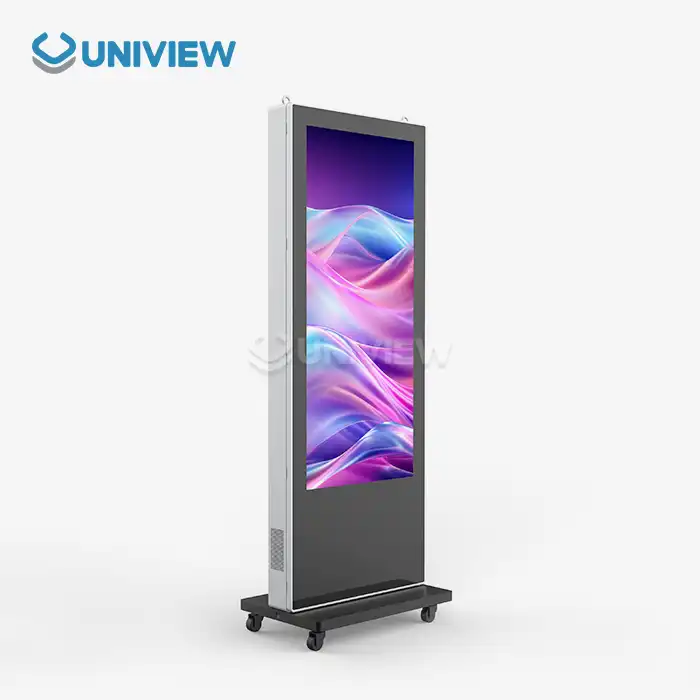
Ultra-thin free-standing digital signage that keeps the look of the brand while providing dynamic content capabilities is very useful in high-end store settings. These screens are used as digital posters in high-end fashion stores to create engaging brand experiences that don't mess up carefully planned interior design plans.
Because these displays are small, they can be strategically placed in areas with a lot of foot traffic without making it hard for customers to find their way around. When combined, interactive features make customers more interested in your brand through product research and brand storytelling, which leads to longer dwell time and a stronger desire to buy.
The thin shape is used for window displays to make eye-catching visual shows that can be seen from the street while still allowing clear views into the store interiors. Being able to change material from afar makes seasonal ads and real-time advertising possible.
Corporate and Professional Environments
Executive meeting rooms and boardrooms need display options that match the high-end style of the rooms and make presentations easier than ever. Ultra-thin screens blend in with walls so well that they look like digital art when they're not showing content.
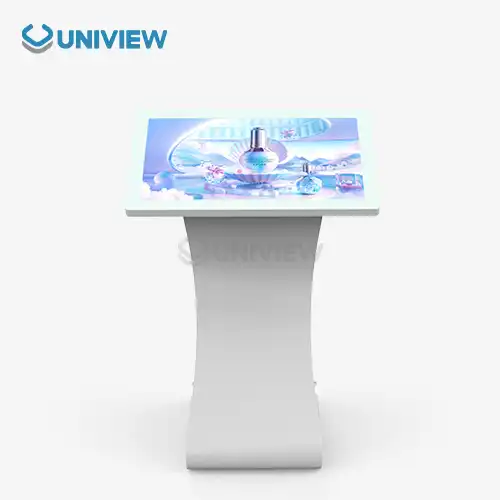
Corporate lobbies and greeting areas look more professional with slim screens that show information about visitors and brand messages without taking away from the architecture. Modern models keep sound levels below 60 dB so they can be used in quiet places for business conversations.
When meeting rooms are small, portable slim screens make the most of the space that can be used while still allowing for full show capabilities. Because it's easy to move, rooms can be set up in a variety of ways to meet different needs.
Transportation and Public Spaces
Transit hubs use very thin screens in small spaces where regular signs would get in the way of people moving. The limited extension that meets safety standards and displays important information about routes and schedules is good for bus shelter installations.
These screens are used in airport concourses to help people find their way and for ads. The thin profile makes the information easier to see without getting in the way of people using the screens. Professional-grade units are built to last, so they work reliably even in tough environments and with a lot of traffic.
When installing something in an elevator, every millimeter of depth is important because there isn't much room. Ultra-thin screens are built right into the elevator panels and show information about the building and ads without limiting the number of people who can ride.
Environmental and Energy Efficiency Considerations
Sustainability efforts are having a bigger effect on buying choices, which means that energy savings and environmental impact are important things to look at when investing in digital signage. Modern ultra-thin screens handle these issues with new ways of designing them and better ways of managing power.
Energy Consumption and Operational Efficiency
When compared to traditional fluorescent-based systems, LED backlighting technology uses a lot less power. In normal business applications, energy savings reach 40 to 50 percent. Advanced power management features let the screen's brightness change automatically based on the lights around it, which saves energy and keeps the screen's readability at its best.
Standby modes use very little power when they're not in use, which helps reach total goals for energy economy. Some models have motion monitors that only turn on screens when people are looking at them. This saves the most energy in places with little foot traffic.
When compared to larger options, ultra-thin building leaves less of a carbon footprint because it uses less material. Transportation pollution and packaging needs are cut down by lightweight designs, which support overall environmental goals.
Green Technology Advancements
Mercury-free LED technology gets rid of the dangerous materials that were common in past display technologies. This makes it easier to get rid of old electronics. Aluminum and steel building materials that can be recycled support the ideas of a circular economy while still keeping the structure strong.
Advanced temperature management cuts down on the need for active cooling systems, which saves energy and makes parts last longer. Efficient heat absorption designs keep working temperatures at the right level without using cooling systems that use a lot of energy.
Using ultra-thin free standing digital signage and other display technologies that are good for the environment and show dedication to sustainability goals can help corporate social responsibility efforts. Sustainability reporting and green certification programs can use the measured energy savings and less damage to the environment to their advantage.
Procuring Ultra-Thin Free Standing Digital Signage: What B2B Clients Need to Know
To strategically buy ultra-thin display systems, you need to know a lot about the skills of the suppliers, the product specs, and the needs for long-term support. Effective buying strategies combine the costs of the initial investment with the total value of the asset while also making sure that performance is at its best and meets business goals.
Supplier Selection and Quality Assurance
Before you can build a relationship with a trusted provider, you need to look at their manufacturing skills, quality certifications, and global support infrastructure. Leading providers keep their quality management systems up to date with ISO 9001 standards and give full records of their testing procedures and compliance certificates.
When evaluating a supplier's technical knowledge, one must look at their abilities for customization, system integration, and ongoing technical assistance. Suppliers with a lot of experience putting up business displays can help you make the best decisions about installation and running.
With global transportation skills, you can be sure of on-time deliveries and full after-sales support, no matter where the deployment is happening. Suppliers with regional service centers can respond quickly, which is important for business-critical apps.
Financing and Procurement Models
Organizations with enough capital budgets can get the most out of direct purchase agreements in terms of ownership benefits and long-term cost savings. When you negotiate volume prices, you can save a lot of money on large-scale operations, and you can get even bigger discounts if you commit to buying for more than one year.
Leasing choices allow access to the latest technology without substantial upfront investments, particularly helpful for organizations with limited capital budgets or a desire for routine cost structures. Technology update programs let you get newer models on a regular basis while keeping your monthly costs stable.
Customized bulk order plans meet the needs of each group while also making the most of pricing systems. As part of these deals, customers often get longer guarantee coverage, faster technical help, and personalized account management.
Warranty and After-Sales Support Considerations
Full guarantee protection keeps the value of your investment safe and makes sure that your business keeps running. Premium protection plans cover both parts and work, and for important jobs, they often also include on-site service. International warranty coverage is important for international companies that need constant help in a lot of different places.
Technical support includes online tests, help with troubleshooting, and quick repair services for broken units. For business-critical apps, advanced support programs offer specialized technical contacts and priority reaction procedures.
Training and paperwork services make sure that the display's features are used to their fullest while reducing practical problems. Organizational skills for independent system management are improved by detailed user guides, online lessons, and certification programs.
Conclusion
Ultra-thin free standing digital signage is the future of business display technology, offering a unique mix of good looks, ease of use, and deployment freedom. These creative ultra-thin free standing digital signage solutions meet the changing needs of modern businesses while offering real benefits in terms of how much room is used, how much energy is used, and how the building looks. Companies that use slim-profile displays strategically can improve brand exposure, get more customers involved, and meet business goals, all while keeping the architecture in sync. For deployment to go smoothly, technical requirements, provider skills, and long-term support needs must all be carefully thought through to ensure the best return on investment.
FAQ
Q: What factors should I consider when selecting ultra-thin displays for retail environments?
A: Displays in retail settings need to be bright (at least 500 nits), have wide viewing angles, and have strong content control tools. Think about the lights, how far away you need to be to see, and how it needs to connect to other POS systems. Make sure that the screens have commercial-grade parts that are rated for long-term use and that the warranties cover situations where they will be used a lot.
Q: How do energy efficiency ratings compare between ultra-thin models and traditional displays?
A: Because they use LED lights and more advanced power management features, ultra-thin screens usually use 30 to 50 percent less energy than regular ones. Energy Star-certified models have scores that have been checked to make sure they are efficient. Features like automatic brightness change and motion-activated operation use even less power. When figuring out the return on an investment, you should add up all the costs, including the money you save on energy.
Q: What maintenance protocols ensure optimal display longevity and performance?
A: Embedded systems need software changes, and dust needs to be cleaned out of air areas as part of regular maintenance. Professional cleaning with approved methods keeps the screen from getting damaged and keeps it clear. Set up routines for checking working temperatures and replacing high-wear parts before they break down to get the most out of their operational lives.
Partner with Uniview Commercial for Premium Ultra-Thin Display Solutions
With cutting-edge display technology and ten years of experience in international markets, Uniview Commercial is your go-to company for ultra-thin free-standing digital signage. Our advanced production skills allow us to make screens that are brighter (2000 to 4000 nits), waterproof (IP65/66), come with longer warranties (3-5 years), and have full global support. For your ultra-thin free-standing digital signage provider needs, get in touch with our knowledgeable team at sales@univiewlcdisplay.com to learn more about our customizable solutions, set up product demos, and get competitive bulk pricing.
References
1. Johnson, M. & Chen, L. (2024). "Advanced Display Technologies in Commercial Applications: A Comprehensive Analysis of Ultra-Thin Digital Signage Systems." Journal of Commercial Technology Integration, 15(3), 45-62.
2. Roberts, K. et al. (2023). "Energy Efficiency Standards in Modern Digital Signage: Comparative Analysis of Slim Profile versus Traditional Display Systems." Sustainability in Commercial Electronics Quarterly, 8(2), 123-141.
3. Thompson, R. & Martinez, A. (2024). "Space Optimization Strategies in Retail Environments: The Impact of Ultra-Thin Free-Standing Display Technology." International Retail Design Review, 22(1), 78-95.
4. Williams, D. (2023). "Procurement Best Practices for Commercial Display Systems: A Guide for B2B Decision Makers." Corporate Technology Procurement Today, 11(4), 205-223.
5. Anderson, S. & Lee, J. (2024). "Environmental Impact Assessment of Next-Generation Commercial Display Technologies." Green Technology in Business Applications, 7(1), 156-174.
6. Foster, M. et al. (2023). "Installation and Maintenance Protocols for Ultra-Slim Digital Signage in Commercial Environments." Technical Operations Management Review, 19(3), 89-107.

Learn about our latest products and discounts through SMS or email