- English
- French
- German
- Portuguese
- Spanish
- Russian
- Japanese
- Korean
- Arabic
- Greek
- German
- Turkish
- Italian
- Danish
- Romanian
- Indonesian
- Czech
- Afrikaans
- Swedish
- Polish
- Basque
- Catalan
- Esperanto
- Hindi
- Lao
- Albanian
- Amharic
- Armenian
- Azerbaijani
- Belarusian
- Bengali
- Bosnian
- Bulgarian
- Cebuano
- Chichewa
- Corsican
- Croatian
- Dutch
- Estonian
- Filipino
- Finnish
- Frisian
- Galician
- Georgian
- Gujarati
- Haitian
- Hausa
- Hawaiian
- Hebrew
- Hmong
- Hungarian
- Icelandic
- Igbo
- Javanese
- Kannada
- Kazakh
- Khmer
- Kurdish
- Kyrgyz
- Latin
- Latvian
- Lithuanian
- Luxembou..
- Macedonian
- Malagasy
- Malay
- Malayalam
- Maltese
- Maori
- Marathi
- Mongolian
- Burmese
- Nepali
- Norwegian
- Pashto
- Persian
- Punjabi
- Serbian
- Sesotho
- Sinhala
- Slovak
- Slovenian
- Somali
- Samoan
- Scots Gaelic
- Shona
- Sindhi
- Sundanese
- Swahili
- Tajik
- Tamil
- Telugu
- Thai
- Ukrainian
- Urdu
- Uzbek
- Vietnamese
- Welsh
- Xhosa
- Yiddish
- Yoruba
- Zulu
Indoor Free Standing Digital Signage for Modern Retail Spaces
Indoor free standing digital signage is a game-changing tool for modern stores that want to improve the customer experience and make conversation easier. These business screens don't need to be mounted on the wall or have complicated structural changes made because they have advanced LCD or LED panels, media players, and content management systems built into a single strong unit. These smart booths show changing, real-time material at eye level, which is different from static signs and makes them more engaging in places with a lot of people. These systems are used by retailers to show advertising campaigns, directions, and interactive product lists, all while keeping the look flexible in a variety of room settings.

What Is Indoor Free Standing Digital Signage and How Does It Enhance Retail Spaces?
Understanding the Core Technology Behind Free Standing Displays
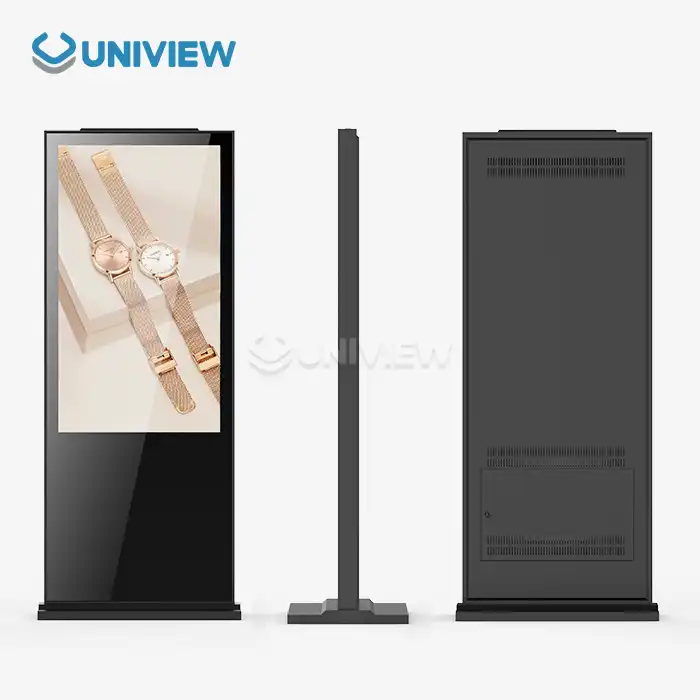
Indoor free standing digital signage is made up of commercial-grade electronic display systems that are kept in vertical frames that can stand on their own without being attached to the wall or supported from the outside. The main difference between these units and regular TVs is that they have industrial-grade parts that are made to work nonstop, 24 hours a day, seven days a week. An Original A+ grade IPS commercial screen is at the heart of these devices. It provides consistent color and wide viewing angles of 178 degrees across and up and down. This makes sure that the picture quality is the same no matter where in a store a customer looks at the screen.
The brightness range is usually between 350 and 700 nits (cd/m²), which is carefully adjusted for the lighting conditions inside. This range keeps glare from happening in controlled settings while still giving off enough light to compete with store lighting. The structure is made of cold-rolled steel or an aluminum alloy frame that has been powder-coated to protect it from corrosion and make it strong enough to withstand regular use by the public. Screen protection comes in the form of 4mm to 6mm tempered glass with a Mohs hardness level of 7. This protects against unintentional drops and intentional damage that often happens in stores that are left unsupervised.
Chemical compliance is still very important, and all of the parts meet RoHS guidelines, which means they don't contain any dangerous materials like lead or mercury. With the built-in media player, buying teams can choose from a variety of content management software options because it works with both Android and Windows devices. When temperatures drop to 0°C or rise to 50°C, advanced thermal management systems keep operations stable. This is especially important for shops near exits where temperatures change often.
Tangible Benefits for Modern Retail Operations
Retailers who put up indoor free standing digital signage see a clear rise in customer interaction data. The dynamic content feature lets you use split-screen, which means that video ads, product pictures, and scrolling advertising tickers can all be shown at the same time. This method uses multiple types of material on a single device to meet the needs of customers with different attention spans and information interests.
Another big benefit is that material can be updated in real time. By connecting to the network through Wi-Fi or 4G modules, shop managers can quickly change prices, inventory levels, or promotional messages in multiple places without having to do it by hand. This ability to respond quickly is very helpful during flash deals or when changing prices to match those of competitors. Getting rid of the need to make standard signs saves money right away, and the environmental benefits are in line with the company's efforts to be more environmentally friendly.
Interactive tablet versions turn watching something into doing something. Customers can look through longer lists of products that don't fit on shelves, get detailed information about each product, and even buy things using built-in payment devices. These "endless aisle" apps help stores that don't have a lot of showroom space, which is especially helpful for shops that sell seasonal items or a lot of different kinds of goods.
Popular Display Configurations for Diverse Retail Needs
Different display features are needed in retail settings because of limited space and the way customers move through the store. Portrait displays, which are usually between 43 and 65 inches, work well in tight hallways or on either side of entranceways where there is a lot of vertical space. Moving foot traffic can easily understand these units' navigation or time-sensitive advertising.
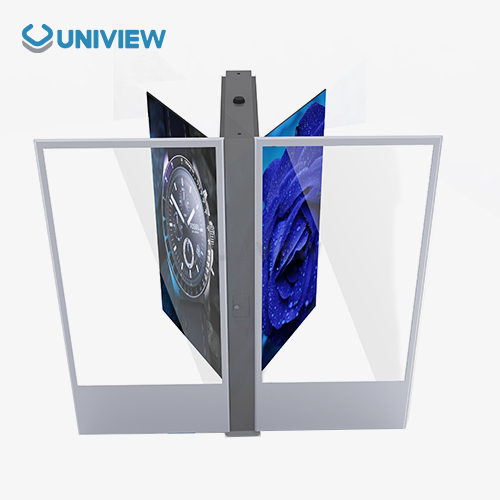
Landscape setup screens work well in open-plan stores where people stay for longer. Larger format screens (55 to 86 inches) make brand experiences more engaging. This works especially well in high-end stores where visual impact is what makes people decide to buy. Double-sided units handle traffic that flows in both directions, which is common in airport shopping areas or the concourses of shopping malls. They maximize content exposure without the need to buy duplicate hardware.
The use of kiosk-style enclosures with built-in shelves or product dispensing features combines digital and real product contact. When customers want to try out goods after seeing digital demos, these hybrid solutions work really well in stores that sell makeup or gadgets.
How to Choose the Right Indoor Free Standing Digital Signage for Your Retail Business
Assessing Critical Technical Specifications
Procurement managers must evaluate screen size relative to viewing distance and content complexity. For close exchanges, like entertainment in the checkout line, a 43-inch screen is enough. For open showrooms where customers can see from 10 to 15 feet away, 65-inch or bigger screens work best. Resolution standards have changed over time, and now 4K (3840x2160) is the standard for clear text and detailed product images. This is especially important when showing small print or complicated product features.
Touch ability adds another level of choice. Projected Capacitive (PCAP) technology that supports 10 points of simultaneous touch makes the screen as sensitive as a smartphone, which is important for engaging product configurators or virtual try-on apps. Touchless versions are less expensive and work better in places where the content is just for knowledge and not for transactions. The choice affects both the initial cost of gear and the budget for making content, since engaging experiences need more complex software development.
Software ecosystem consistency is very important. A lot of stores already have content management systems or business resource planning platforms in place. If you choose indoor free standing digital signage with open API designs, they will work seamlessly with inventory systems, letting you change the content automatically based on stock levels. Support for standard content forms like HTML5, MP4, and popular picture codecs makes operations run more smoothly and lowers the cost of making content.
Comparing Free Standing Versus Wall-Mounted Solutions
When used in certain situations, indoor free standing digital signage is very useful. Installing floor stands without damaging the walls is helpful in stores with glass curtain walls, historic buildings with preservation rules, and leased properties where permanent changes are not allowed. The weighted base design, which usually has 30 to 50 pounds of counterweight, keeps the table stable without the need for cutting or wall fixing.
Another important benefit is the freedom to move around in space. Retailers can change the placement of indoor free standing digital signage based on the seasons. For example, they can move displays near the door to sell summer items or to clearance areas when their inventory changes. This flexibility isn't possible with wall-mounted systems because they need to be reinstalled by a professional.
Wall-mounted screens do work well in places with limited floor room where every inch counts. When luxury shops don't have a lot of space, they make the most of it by hanging screens above the shelves. When it comes to security, putting on the wall is better in high-theft areas than floor units because the higher position makes it harder to steal.
Energy Efficiency and Operational Cost Considerations
Commercial screens that are on 16 to 24 hours a day use a lot of energy over the course of their lives. Depending on the size of the screen, current units with high-efficiency LED backlighting use 150 to 300 watts of power, while older models with CCFL backlighting used 400 to 600 watts. This difference will save thousands of dollars in energy costs for each monitor over the course of five years.
Smart brightness sensors change the screen's brightness instantly based on the amount of light in the room. This saves power in the evening, when store lighting is lower. Scheduling functions turn off displays completely when stores are closed, but instant-on functions make sure they are ready right away when the stores open. By lowering thermal stress during off-peak hours, these functions save you money on your energy bills and make parts last longer.
How well a content management system works affects how much data and servers cost. Edge caching in cloud-based systems stores frequently used material on the display's internal storage, which reduces the load on the central server. This design reduces the amount of bandwidth that is used, which is important for retail chains that have to manage hundreds of screens in different time zones with different material.
Installation, Maintenance, and Troubleshooting for Indoor Free Standing Digital Signage
Strategic Placement for Maximum Customer Engagement
Positioning has a direct effect on how well indoor free standing digital signage works. As customers move from the outside world into the store, high-traffic places like entrances make the best first impressions because they are mentally open to brand messages. According to studies, people look at material in these transition zones for 8 to 12 seconds, which is long enough for short ads or directions.
People who are waiting in line are trapped in places for managing lines for three to five minutes. Putting interactive screens in checkout lines makes people think they don't have to wait as long and lets you make last-minute sales. In these places, content strategies should strike a balance between entertaining visitors and selling more products. They should switch between interesting content and relevant ideas for quick purchases.
Installation mistakes can be avoided with sight line analysis. Displays placed near bright windows have glare that makes the information on the screen hard to see, and units placed in dark corners lose the chance to be seen. By walking through the space at different times of the day, you can find the best spots, taking into account both foot flow and lighting. Making sure the middle of the screen is 55 to 65 inches above the floor is in line with the normal adult eye height and provides the most natural watching comfort.
Routine Maintenance Protocols for Longevity
Cleaning on a regular basis keeps things looking good and working well. Tempered glass screens get dirty and fingerprinted quickly, especially on units that can be touched. Anti-glare films last longer when they are cleaned once a week with microfiber cloths and alcohol-free screen wipes. Harsh chemicals or rough materials can damage oleophobic coats that are put on surfaces that people touch, making them less sensitive over time.
Every three months, internal parts should be inspected. When dust builds up in air channels, it makes the cooling system less effective. This makes fans run faster, which makes more noise and shortens the life of the bearings. Cleaning intake vents with compressed air or a vacuum stops thermal throttling, which can dim displays or shut down without warning during high operation times.
Maintenance for software is also very important. Content management systems need to be updated on a regular basis to fix security holes and make them work with new media types. Manufacturers of displays often release firmware changes that fix small bugs that affect touch responsiveness, improve color calibration accuracy, and make methods that use less power work better. Setting up a written update plan stops the problems that come up when you have to do emergency patches during busy shopping times.
Common Issues and Resolution Strategies
Most technology issues are about problems connecting to the internet. When displays don't get content changes, it's usually because of problems with network authentication or IP address issues. IT teams and display makers need to work together to make sure that displays can still connect to content servers through networks that are protected by firewalls. Setting up backup network links, both wired Ethernet and wireless, makes sure that material stays available even if the main network goes down.
Loss of touch functionality is generally a sign of calibration drift or surface contamination that is interfering with capacitive sensors. Recalibration steps that can be accessed through management settings fix errors without having technicians come to the site. If the problems keep happening, it could mean that the digitizer layers are broken and need to be fixed by a professional. However, most high-quality commercial screens come with 3 to 5 year contracts that cover component failures.
Problems with screen consistency, such as edge fading or color differences, could mean that the backlight is getting old or the driver boards are failing. These hardware problems need to be fixed by a professional, but they don't happen very often in commercial-grade panels that are rated to last 50,000 hours. Keeping track of trends of performance degradation helps warranty claims by showing that problems happened during the coverage time and not because of overuse or damage from the environment.
Procurement Insights: Cost, Financing, and Bulk Purchasing Options
Understanding Price Factors Across Display Categories
Entry-level 43-inch non-touch screens from reliable brands start at about $1,200 to $1,800 per unit and can be used for simple informational indoor free standing digital signage. Prices for 55-inch interactive displays with PCAP touch technology run from $2,500 to $4,000. These screens are responsive and durable enough for customer-facing uses. Premium ultra-bright 65-inch or bigger models with advanced features like face recognition or gesture control cost $5,000 to $8,000. These prices are reasonable in flagship shops where brand recall is based on difference.
The licensing fees for content management systems affect the total cost of ownership in addition to the hardware costs. Most cloud-based systems charge between $15 and $30 per show per month for hosting, updates, and technical help. Enterprise contracts for self-hosted systems cost between $5,000 and $20,000 a year, based on how many screens are handled. This makes them a good choice for big retail chains that want to control their data and make changes to it.
Installation costs depend on the conditions of the spot and the vendor's rules. Some sellers include simple installation in their prices, which includes placing the screen and making sure the network connection works. Add $500 to $1,500 per spot for setups that are more complicated and need electrical upgrades or custom mounting solutions. When you buy a lot of something for a lot of shops, you can arrange flat-rate installation contracts that lower the cost per unit.
Evaluating Supplier Credentials and Support Infrastructure
There are more factors than just product specifications that go into choosing a supplier. These include reliability and help skills. Manufacturers who have ISO 9001 quality badges show that they are committed to consistent production standards. This lowers the number of defects and guarantee claims. When compared to direct imports, which take longer to clear customs, regional distribution centers in the target market allow for faster shipping times and easier return handling.
How quickly after-sales help responds has a huge effect on business continuity. Suppliers with 24-hour technical hotlines with help in the customer's original language are able to solve problems faster than those who only use email to communicate across time zones. Advanced repair programs that send out extra units before the broken ones are sent back cut down on downtime to hours instead of weeks. This is especially helpful during busy shopping times, when broken displays directly affect sales.
Warranty terms should be carefully thought through. Standard 1-year guarantees cover problems with the way the product was made, but they might not cover wearable parts like backlights or touch sensors. Longer guarantees, from 3 to 5 years, help you plan your budget by setting up upkeep costs ahead of time. Third-party insurance plans that cover damage or theft caused by accidents are an extra layer of protection. This is especially important for displays that are in public places where they could be vandalized.
Flexible Procurement Models for Diverse Budgets
Capital buy is still the best choice for businesses with enough cash on hand because it gives them full ownership and tax breaks for depreciation. When you buy 10 or more units at once, you can usually get savings of 15% to 25%, which greatly increases the project's return on investment. Negotiating longer payment terms, like net-60 or net-90, can help your cash flow during the installation time, before the screens start to bring in real money.
Leasing plans are good for businesses who are on a tight budget or who want to keep up with the latest technology. Operating leases with terms of 3 to 5 years include upgrade options that let you swap old equipment with newer models at the end of the lease. This keeps technology from becoming outdated. Large capital purchases are turned into predictable running costs with monthly payments ranging from $80 to $300 per display, based on specs. This makes budget approvals easier.
Rental programs are good for short setups like pop-up shops during certain times of the year or at events. Daily rates range from $50 to $150 and include delivery, setup, and removal services. This means that you don't have to worry about any leftover assets after a campaign is over. Some rental companies offer "rent-to-own" options, where rental payments can be put toward a buy in the future if the long deployment works out.
Future Trends and Innovations in Indoor Free Standing Digital Signage for Retailers
Artificial Intelligence Transforming Content Personalization
Indoor free standing digital signage with AI look at information about customers by using built-in cameras to get a rough idea of their age, gender, and even mental states. This information lets content change in real time, showing ads for toys when families come close or high-end things when wealthy people are seen. Edge processing is used by privacy-conscious applications to analyze data locally without keeping images that could be used to identify people. This is in line with rules like GDPR or CCPA.
Predictive analytics use past data on foot traffic and sales to figure out the best times to post content. Machine learning systems find links between certain ads and conversion rates at different times of the day or in different weather conditions. They then automatically change tracks to get the best results. When compared to basic content change strategies, these systems help retailers get 20% to 35% more people to redeem their promotions.
Voice-activated product search is possible with natural language processing. This is especially helpful in big shops where customers find it frustrating to find specific things. People in stores can talk to the device and get directions and information about supply right away. Customers who are carrying packages or pushing shopping carts and find touch screens awkward will like this hands-free option.
Sustainability Initiatives Shaping Product Development
Cutting down on energy use drives material innovation across the board. Compared to traditional LED arrays, new mini-LED backlighting technology cuts power use by 30% to 40% while improving contrast ratios through targeted dimmer zones. OLED screens don't need any backlighting at all, but because they are more expensive, they can only be used in high-end setups where the visual effect is worth the cost.
The ideas of the circular economy affect the way things are made. Modular component designs let you change only the broken parts instead of the whole unit, which increases its useful life from 5 to 10 years. More and more, manufacturers are offering trade-in programs that accept old displays for repair or responsible recycling. This keeps electronics from going to waste and saves customers money on upgrades.
New product lines are slowly switching from using new materials to using sustainable materials like bio-based plastics and recycled metal casings. Certifications like Energy Star or EPEAT help procurement teams check environmental claims. This meets the needs of business sustainability reporting standards and lowers running costs by making things run more efficiently.
Evolving Customer Expectations Driving Feature Development
Omnichannel integration represents the next evolution, bridging digital and physical retail experiences. Customers who are looking at goods online can save the ones they like to their account and then scan a QR code or tap an NFC tag to get them from a display in a store. This continuity gets rid of the need to look over and over, which speeds up decision-making about purchases and collects useful behavioral data by connecting online and real interactions.
Augmented reality adds virtual items to scenes recorded by display cameras in the real world. Furniture stores let customers see how things will fit in their homes, which lowers the number of returns caused by bad fits. Cosmetics companies offer virtual makeup applications so that customers can try out different shades without having to send in actual samples. This helps with cleanliness issues and cuts down on product waste.
When people were more concerned about their health, contactless connection became more important, which sped up the adoption of motion control. Displays can pick up on hand movements from 6 to 12 inches away, so you can move through menus without touching the screen. Customers can continue interacting with the business on their smartphones, where they can complete deals or get more information about the products in the comfort of their own home.
Conclusion
In today's retail world, success depends more and more on giving customers interesting and useful experiences that combine the benefits of digital shopping with those of real buying. indoor free standing digital signage serves as the technology link between these worlds. It allows for freedom, interactivity, and changing material that isn't possible with static signs. When procurement teams look at these options, they have to weigh technical specs like light levels, touch response, and software compatibility against practical ones like how to install, how often to maintain, and the total cost of ownership. New technologies like AI personalization and augmented reality could make involvement even greater, and sustainable efforts are in line with what companies say they will do to protect the environment. To find the best provider, you need to check their certifications, help infrastructure, and warranty terms that protect your long-term investments. As stores move toward a mix of real and digital models, smart stores that use freestanding displays to get people's attention, sway their buying choices, and build long-lasting relationships with customers.
FAQ
Q: What makes free standing digital signage better than wall-mounted displays for retail?
A: Installing indoor free standing digital signage is more flexible than putting them on the wall in places where it's physically impossible or just doesn't look good, like shops with glass walls or historic homes that can't be changed. The weighted base design makes the display stable without the need for cutting, and stores can easily move displays from season to season to highlight different types of goods. Wall-mounted choices work better in places with limited room where floor space is highly valued.
Q: How long do commercial-grade indoor displays typically last?
A: Commercial LCD screens of good quality are recommended for 50,000 hours of use, which is about 10 to 12 years of 12-hour use every day. The actual lifespan relies on things like how stable the temperature is, how well the device is maintained, and how bright the content is. Parts like media players and cooling fans may need to be replaced more often, but flexible designs let these problems be fixed without having to replace whole units.
Q: Can existing content management systems integrate with new displays?
A: Most new screens have open API designs that work with most content management systems over HDMI, USB, or network protocols. As part of the buying verification process, API documentation is tested against what the current system can do. Some companies sell software that connects private systems to standard display inputs. This makes sure that the two work together smoothly without having to replace any infrastructure that is already in place.
Q: What warranty coverage should retailers expect for commercial displays?
A: Standard maker guarantees cover parts and work for 1 to 3 years to fix problems with the way the product was made. Premium providers offer guarantees that last up to 5 years longer and often include advanced replacement programs that keep downtime to a minimum. The warranty terms should make it clear that they cover business 24/7 operation instead of consumer-grade limited-hour coverage. They should also make it clear if expensive parts like backlights and touch sensors are fully protected.
Q: How much technical expertise is required for ongoing management?
A: Cloud-based content management systems make it easier for people who aren't tech-savvy to plan and share content by giving them easy-to-use web platforms. When setting up a network for the first time, the IT staff usually needs to help set up firewall rules and give IP addresses. Routine tasks like updating content don't need much training, but access to seller expert support is helpful for tasks like updating firmware and fixing problems.
Q: Are touchscreen displays more expensive to maintain than non-touch versions?
A: Touch-enabled screens cost an extra $500 to $1,500 up front, but they don't add much to the cost of care as long as they are cleaned properly. PCAP touch technology is very sturdy; it can handle millions of touches without losing its effectiveness. The main difference in upkeep is that screens need to be cleaned more often to get rid of the fingerprints and oils that build up from frequent use.
Partner with Uniview Commercial for Premium Indoor Free Standing Digital Signage Solutions
Uniview Commercial is a reputable indoor free standing digital signage maker that works with retailers all over the world to provide high-quality products with a variety of customization options. Our factories in Shenzhen use cutting-edge heat management technology and high-quality offline coated AR glass to make pictures that are very clear and bright, with a range of 2000 to 4000 nits. This is much brighter than what is usually needed indoors for window-facing or semi-outdoor transition zones. To make sure it meets foreign standards from Europe, the United States, and Japan, each unit goes through a lot of tests that simulate long periods of light exposure.
We offer a wide range of high-quality products, such as reliable digital screens that can stand alone and are protected against water and dust (IP65 to IP66), finishes that won't rust thanks to European surface treatment technology, and double-layer anti-theft locks that keep your investment safe in public places. We keep professional store environments by running quietly at only 60 dB, even when we're busy. Our extended 3- to 5-year insurance coverage, backed by China Pacific Insurance Company, and our global 24-hour online response support help procurement managers make sure that your retail network has as little downtime as possible.
We know that each store space has its own brand needs and space limitations. That's why our dedicated engineering team creates solutions that are just right for you. Our flexible buying models can work with a wide range of budgets, whether you need a single prototype to test an idea or to buy in bulk for hundreds of sites. Get in touch with our business-to-business experts right away at sales@univiewlcdisplay.com to learn more about how our indoor free standing digital signage options can increase customer interaction and boost sales.
References
1. Digital Signage Federation. (2022). "Commercial Display Technology Standards and Best Practices for Retail Environments." Industry Technical White Paper Series, Volume 14.
2. Retail Technology Review. (2023). "The Impact of Interactive Digital Signage on Customer Dwell Time and Conversion Rates: A Multi-Store Analysis." Journal of Retail Innovation, 28(3), pp. 112-134.
3. International Display Technology Association. (2021). "LCD Panel Specifications for Commercial 24/7 Operation: Technical Requirements and Testing Protocols." IDTA Technical Publication 2021-07.
4. Supply Chain Management Quarterly. (2023). "B2B Procurement Strategies for Digital Signage: Cost Analysis and Supplier Evaluation Frameworks." Professional Procurement Series, Issue 41.
5. Energy Efficiency in Commercial Electronics. (2022). "Power Consumption Analysis of LED Backlit Displays in Continuous Operation Scenarios." Environmental Technology Research, 19(2), pp. 78-95.
6. Retail Experience Innovation Council. (2023). "Future Trends in Customer Engagement Technology: AI, IoT, and Personalized Digital Experiences." Annual Industry Outlook Report, pp. 45-67.
Learn about our latest products and discounts through SMS or email