- English
- French
- German
- Portuguese
- Spanish
- Russian
- Japanese
- Korean
- Arabic
- Greek
- German
- Turkish
- Italian
- Danish
- Romanian
- Indonesian
- Czech
- Afrikaans
- Swedish
- Polish
- Basque
- Catalan
- Esperanto
- Hindi
- Lao
- Albanian
- Amharic
- Armenian
- Azerbaijani
- Belarusian
- Bengali
- Bosnian
- Bulgarian
- Cebuano
- Chichewa
- Corsican
- Croatian
- Dutch
- Estonian
- Filipino
- Finnish
- Frisian
- Galician
- Georgian
- Gujarati
- Haitian
- Hausa
- Hawaiian
- Hebrew
- Hmong
- Hungarian
- Icelandic
- Igbo
- Javanese
- Kannada
- Kazakh
- Khmer
- Kurdish
- Kyrgyz
- Latin
- Latvian
- Lithuanian
- Luxembou..
- Macedonian
- Malagasy
- Malay
- Malayalam
- Maltese
- Maori
- Marathi
- Mongolian
- Burmese
- Nepali
- Norwegian
- Pashto
- Persian
- Punjabi
- Serbian
- Sesotho
- Sinhala
- Slovak
- Slovenian
- Somali
- Samoan
- Scots Gaelic
- Shona
- Sindhi
- Sundanese
- Swahili
- Tajik
- Tamil
- Telugu
- Thai
- Ukrainian
- Urdu
- Uzbek
- Vietnamese
- Welsh
- Xhosa
- Yiddish
- Yoruba
- Zulu
Interactive Kiosk Display Trends You Should Know in 2026
As we move into 2026, the interactive kiosk display has changed from a simple self-service station to a high-tech, AI-powered engagement tool that is changing the way companies talk to their customers. These specialized stations are now important parts of infrastructure in the transportation, healthcare, retail, and public advertising industries. Learning about the newest developments in interactive kiosk technology is not only helpful, but it's necessary for global B2B procurement professionals, system developers, and brand owners who want to improve operating efficiency while giving users a great experience. When advanced display technologies, AI, and ruggedized hardware come together, they create possibilities that have never been seen before for companies that are willing to carefully invest in these powerful customer-facing solutions.
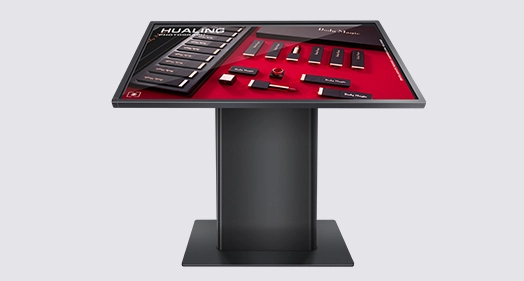
Understanding Interactive Kiosk Displays in 2026
Modern interactive kiosks are more than simply tablets in public. Modern industrial-grade HMI systems may link end users to backend business resource planning systems without human intervention. These machines are built to run 24/7 in demanding corporate environments, unlike consumer PCs.
Core Components of Modern Interactive Kiosks
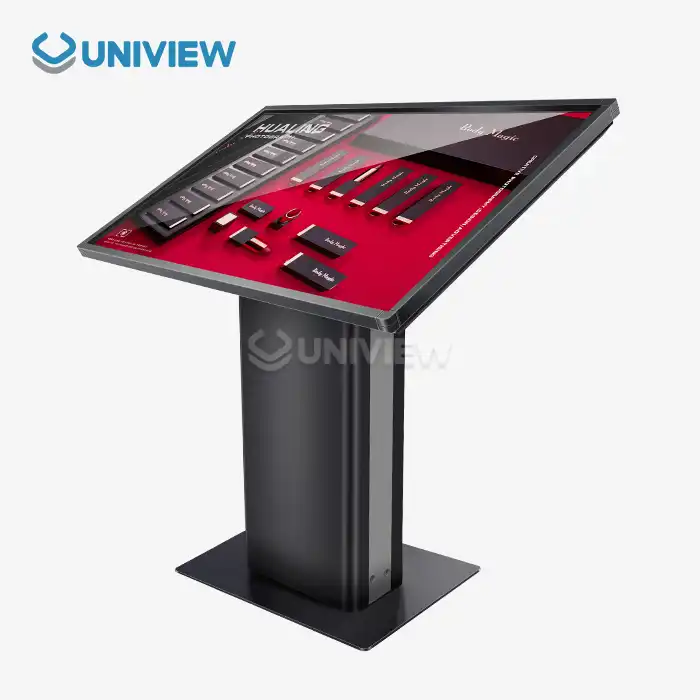
Modern interactive touch screen kiosks contain numerous complicated pieces that function together. A commercial-grade capacitive multi-touch touch screen and an integrated computer unit running PC- or Android-based operating systems form the foundation. External modules like barcode scanners, thermal printers, EMV card readers, and RFID devices offer functionalities for specific businesses. All parts are stored in custom-built shelters that endure weather and look excellent.
Key Benefits Driving Adoption
Interactive kiosk displays may improve company processes. The main advantage is decreased labor expenses because these systems manage ticketing, purchasing, and information requests previously handled by humans. Line management is more efficient during busy periods, improving customer satisfaction. Data collecting technologies provide real-time behavioral analytics, unlike human service counts. These tools aid strategic decision-making for enterprises. Consistent brand usage throughout client interactions promotes the brand's identity and ensures after-hours service.
Types and Deployment Models
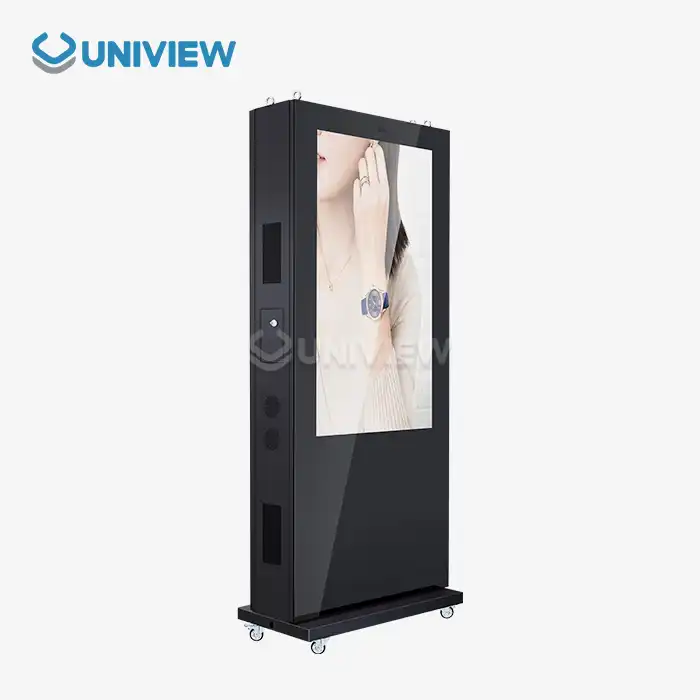
Knowing the numerous interactive touch screen kiosk possibilities helps buying teams match technology to particular purposes. Indoor variants are ideal for malls, company lobbies, and hotel welcoming areas due to their elegant design and intuitive user interface. Outdoor-rated devices include IP65 or IP66 classifications, thermal management systems, and 2000–4000 nits bright displays for full-sun visibility. Payment machines with built-in POS systems, wayfinding terminals with enormous displays and disabled functionality, and mixed models that display merchandise and perform transactions are examples.
Emerging Technologies and Their Impact on Interactive Kiosk Displays
Several interlocking innovations are reshaping the capabilities of interactive kiosk display technology in 2026. By combining cutting-edge display hardware with smart software, computers can learn from how users behave, guess what they might need, and give them more and more personalized experiences.
Advanced Display Technologies
With 4K and even 8K resolution becoming common in high-end interactive digital kiosk setups, the quality of the images has hit a whole new level. These ultra-high-definition screens show product images and videos that are very clear and stand out in busy places. Optical bonding technology gets rid of the air holes between protective glass and display screens. This makes it much easier to read in dim light and lowers the amount of glare. For outdoor use, tempered anti-reflective glass with special treatments keeps images clear even when they are in full sunlight. This solves the "blackout" problem that older generations had.
Outdoor interactive kiosk display units now usually have brightness levels above 2500 nits, and smart ambient light sensors change the level of brightness to improve sight while saving energy. A wide color range makes sure that brand colors look true and vivid, which is important for advertising and store use. Touch technology has grown beyond simple capacitive sensors to include advanced features like palm rejection, wet-finger operation, and recognition of multiple touch gestures. These are important features for restaurant and outdoor transit apps.
AI and Machine Learning Integration
Interactive touch screen kiosk stations are changing from idle order takers to platforms for active interaction thanks to artificial intelligence. Computer vision algorithms make it possible to recognize demographics. This lets systems show material and products that are proper for a person's age without collecting personally identifiable information. Conversational interfaces that understand context and purpose are powered by natural language processing. This makes interactions feel more natural and less frustrating for users.
Predictive analytics look at past usage trends to guess when demand will be highest. This lets content be changed on the fly, and repairs be scheduled ahead of time. Machine learning algorithms are always improving the design of user interfaces based on how people interact with them. For faster access, they move frequently used options to better match those interactions. Backend connection with inventory and customer relationship management systems creates closed-loop experiences where interactions with kiosks feed into bigger business data.
Enhanced Security and Compliance
Security worries have led to a lot of new developments in interactive kiosk technology. Compliance with the Payment Card Industry Data Security Standard (PCI DSS) is now built into the design of hardware instead of being a mistake. End-to-end encryption covers all parts of a financial transaction, from inserting a card to approving the transaction. Biometric identity methods, such as scanning a person's fingerprints or recognizing their face, add extra levels of security while making user verification easier.
Privacy laws like GDPR and CCPA affect how things are designed. For example, interactive digital kiosks have privacy filters that limit viewing angles, automatic screen timeouts, and clear alerts about how data is being handled. Antimicrobial screen treatments help protect health in places where people touch things a lot, like food service and healthcare settings. Remote tracking systems pick up on efforts to tamper with the system and strange usage trends, sending automatic alerts to security staff.
Market Comparison and Decision-Making Insights for 2026
To get around in the market for interactive kiosk display solutions, you need to know how these systems are different from other technologies and which makers always make reliable products that come with good customer service. When making buying choices, smart people weigh the initial investment against the long-term value of operations.
Interactive Kiosks vs. Alternative Technologies
Digital signs and tablets are great ways to get people to connect with your business, but interactive touch screen kiosk systems are better for apps that need to handle a lot of transactions and information. Digital signage is great at sending information to people who aren't paying attention, but it doesn't have the input features needed for self-service deals. Consumer computers are flexible, but they aren't designed to be used by the public all the time. They don't have the environmental protection and anti-theft features that are needed for unsupervised deployment.
Integrated purpose-built interactive kiosk display units are more reliable than solutions that were thrown together on the spot. Commercial-grade parts can handle high temperatures, vibrations, and constant use, all of which would quickly break down consumer gadgets. With a unified design, the display, computer, accessories, and housing all work together without any problems. This is because they don't have to be individually integrated, which can be hard to support.
Leading Manufacturers and Market Positioning
There are both well-known tech companies and specialized kiosk makers in the global interactive kiosk display market. Each has its own strengths. Companies like Samsung take advantage of their leadership in display technology to make units that look great and have great screen quality. Elo Touch Solutions is a company that only works with touch technology. They offer highly fast platforms that are perfect for business settings. NEC is good at putting systems together, and they're especially good at it in the transportation and business areas. Advantech makes designs that are tough and can be used in harsh settings for commercial uses.
New Asian makers, like Uniview Commercial, are getting a lot of market share by offering advanced specifications and the ability to be customized in many ways. With support networks that reach all over the world, these businesses often offer better value for projects that need unique changes. Their large production capacity lets them offer affordable prices without lowering quality, which makes them very appealing to system designers who are in charge of cost-conscious deployments.
Indoor vs. Outdoor Considerations
The deployment setting has a significant impact on the interactive kiosk display specs and total cost of ownership. Temperature and humidity can be controlled in indoor models, which lets designers focus on improving the user experience and making the models look good. Installation costs are lower with thinner profiles and lighter cases, and power use is lower with normal brightness levels (300–700 nits).
Installing interactive touch screen kiosks outside is a lot harder than indoor setups. Controlling the temperature is very important, and systems need both heating parts for cold places and active cooling for hot places. For operating temperatures between -20°C and +60°C, you need to use complicated heat management, which makes things more difficult and costs more. Strong electricity infrastructure is needed for high-brightness screens that use a lot more power. Enclosures with an IP65 or IP66 rating keep out dust and water jets, which is important for long-term use in open areas. Protective coats and materials that don't rust keep things safe from salt air near the coast and chemicals in factories.
Procurement and Operational Considerations
When buying interactive kiosk display solutions strategically, you need to do more than just compare price sheets and unit counts. For deployments to go well, suppliers' skills must be carefully looked at, accurate total cost models must be used, and suppliers must be committed to providing ongoing operating support.
Total Cost of Ownership Analysis
The price of the purchase is only the beginning of the costs that come with an interactive kiosk display. A thorough budget takes into account all of the costs that come with installation, such as preparing the spot, doing electrical work, connecting to the network, and integrating new systems with old ones. Think about the ongoing costs of connecting to the network, whether it's for cell phone data plans in rural areas or connecting to corporate networks. The amount of electricity used depends on the lighting of the screen, the number of hours it is used, and the needs of the surroundings; outdoor units naturally use more electricity.
Maintenance costs cover both preventative maintenance to get the most out of your equipment and corrective fixes when something breaks. Costs should be discussed up front for things like software licensing, security changes, and adding new features. For content management systems to keep the information they show up to date and useful, they need either in-house tools or outside services. Vandalism, theft, and liability problems can all be covered by insurance. Premiums change depending on location and deployment setting.
Installation and Maintenance Best Practices
Professional placement is the first step in making sure that an interactive touch screen kiosk works correctly. When choosing a site, you should think about how many people will be walking by, where the power is, and how to connect to the internet. Stability and user safety are ensured by the right placement, whether it's on the floor, on the wall, or custom-integrated. Cable handling keeps things looking neat and safe while protecting connections. Hardening security and configuring the network stops people who aren't supposed to be there from getting in and makes sure that contact with core systems works well.
Scheduled repair helps systems last longer and avoid sudden downtime. Regular cleaning keeps surfaces visually appealing and sensitive to touch, which is especially important in places that get a lot of use. Updates for software fix security holes and add new features. Inspection of parts finds wear before they break, so they can be replaced on a plan during slow times instead of having to be fixed right away. Technicians can take action before problems get worse because remote tracking tools let them know when performance is dropping.
Customization for Future-Proofing
The most useful interactive kiosk display units are those that can be changed to fit changing needs. Modular hardware design lets you update parts of systems without having to buy whole new ones. For example, you can swap out computers to get faster processors or bring screens up to date with the latest technology. Through well-documented APIs and middleware choices, software design should be able to work with new corporate systems and changing business processes.
Scalability is also important; test projects that work need to be able to grow. Make sure that providers can meet the same standards as operations go from a few dozen units to hundreds of units. Standardized designs make it easier to keep track of supplies and train technicians, and they also let you get better prices by buying in bulk. Cloud-based management systems bring together control over multiple installations, letting material be updated at the same time and problems be fixed remotely across whole networks.
Future Trends Shaping the Interactive Kiosk Display Landscape
As artificial intelligence, better connections, and changed customer demands come together, the development of interactive kiosk display technology keeps speeding up. Procurement strategies that are ahead of the curve take into account new trends that will determine economic edge through 2026 and beyond.
AI-Powered Personalization
The next generation of digital kiosks employs AI to personalize interactions. Computer vision tweaks selections based on consumer demographics and preferences to offer the products and services most likely to appeal to each user. Real-time customization doesn't compromise privacy since demographic analysis is done at the edge instead of gathering personal data.
Aggregated use data trains recommendation algorithms to offer suitable add-ons and related items. This increases the average transaction value. Instead of utilizing menus, conversational AI enables consumers to tell companies what they need. Sentiment analysis may identify disgruntled users and suggest interface modifications or real-world assistance before they abandon the purchase. Smart features transform interactive kiosk displays from transaction tools into locations where consumers can engage and have their needs answered.
Sustainability and Energy Efficiency
As companies aim to be greener, sustainable buying is becoming more significant. New interactive touch screen kiosks offer energy-saving features that save money and indicate the corporation cares about the environment. Ambient light sensors reduce screen brightness to suitable viewing levels. This saves electricity over always having the screen on maximum brightness. Presence detection turns off displays while not in use. This conserves energy without impacting use.
Manufacturers are employing eco-friendly materials and making goods easier to disassemble and recycle. ARM-based low-power computers can do most tasks and use less power than PCs. Solar panels on outdoor installations might eliminate grid electricity under certain scenarios. Better company sustainability reporting makes environmental considerations more essential in buying choices.
Omnichannel Integration
The digital-real world divide is narrowing. Interactive kiosk displays are key to omnichannel initiatives. Customers expect to start purchases on phones and finalize them at booths, or vice versa. When a loyalty program is connected, previous customers get discounts immediately. All stores provide individualized recommendations using purchase data.
Interactive digital kiosk systems may complete orders for home delivery, in-store pickup, and shipping to multiple locations using inventory from actual stores and e-commerce platforms. Now that queue management systems interact with mobile applications, clients may join virtual lines from anywhere and receive notifications when their time comes up. This link requires robust API designs and data synchronization. Forward-thinking providers include these elements in interactive kiosks.
Conclusion
The world of interactive kiosk display solutions has grown into a complex web of hardware, software, and services that bring real business benefits to many different types of businesses. As we move through 2026, successful operations will need to find a balance between cutting-edge features and useful operating issues. Once used only for automatic transactions, the kiosks are now smart platforms for interaction driven by AI that provide personalized experiences while collecting useful behavioral data. Professionals in procurement need to look at more than just technical specs. They also need to see how well the seller can meet long-term support obligations and how well the product fits with the company's changing business strategies. When businesses carefully invest in high-quality interactive touch screen kiosk solutions, they can take advantage of new ways to connect customers and cut costs at the same time, which has a direct effect on their profits.
FAQ
Q: What factors should I prioritize when selecting an interactive kiosk display supplier?
A: When choosing a supplier, you have to look at more than just the product specs. Check the solutions' ability to be customized to make sure they can fit your specific business needs instead of forcing your processes to fit standard goods. Check that your global support infrastructure has a local presence in the places where you plan to launch, so that problems can be fixed quickly. Look at finished work in related fields to get an idea of how much knowledge is useful. Three- to five-year extended warranties show that the maker trusts the product's dependability. Make sure you're following all the rules that apply to your industry, such as those about payment security, accessibility, and the environment that are specific to your markets.
Q: How do outdoor interactive kiosk displays differ from indoor models?
A: The environmental safety of outdoor interactive touch screen kiosk units is much better than that of indoor models. Operating temperatures are usually between -20°C and +60°C, so they need heating and cooling systems that are built in, which indoor units don't have. For viewing in full sunlight, the display brightness can reach 2000–4000 nits, while 300–700 nits is enough for indoor use. The entry protection grades of IP65 or IP66 keep dust and water out. Materials that don't rust and special coats keep out salt air and other natural pollutants. Ruggedized shelters can handle attempts at mischief and accidental hits. These higher standards make the original investment and ongoing operating costs much higher, but they are necessary for safe outdoor operation.
Q: Can interactive kiosk displays integrate with existing enterprise systems?
A: Modern interactive digital kiosk platforms are built to work with business systems by using standard APIs and software designs. When you connect to customer relationship management systems, you can give each customer a unique experience based on their past actions and interests. Integrating inventory management lets you see what products are available in real time and gives you more options for how to complete orders across channels. Payment handling is linked to financial systems so that reports and reconciliation can be done automatically. Analytics systems get information about how people use kiosks based on their actions, which helps with business intelligence in general. The level of sophistication of each supplier's integration skills varies a great deal, making this an important factor to consider when buying something. Ask for specific technical papers and examples of implementations that show how integration has worked well in situations like yours.
Partner with Uniview Commercial for Your Interactive Kiosk Display Needs
With cutting-edge solutions made for tough B2B uses, Uniview Commercial is ready to be your trusted interactive kiosk display provider. Our wide range of products includes interactive touch screen kiosks that can be used indoors or outdoors. These systems have displays with ultra-high brightness levels (2000 to 4000 nits), are protected against the elements (IP65/IP66), and have improved thermal management for stable operation in harsh conditions. In the retail, hotel, transportation, and outdoor advertising industries, we are experts at flexible customization that changes hardware setups and software interfaces to fit your exact operating needs.
We don't just deliver hardware; we offer full turnkey solutions that include skilled installation, business system integration, full global support, and warranties that last for three to five years. We provide the quality and speed that system integrators and brand owners need. Our production excellence is based in Shenzhen, and our delivery networks reach over 100 countries. Get in touch with our team at sales@univiewlcdisplay.com to talk about your project needs, look into your customization options, and learn how our interactive kiosk display solutions can change the way you connect with your customers and make your business more efficient.
References
1. Brown, M. & Peterson, R. (2025). Digital Transformation in Retail: Self-Service Technologies and Customer Experience. Journal of Business Technology, 18(3), 245-267.
2. Chen, L. (2025). Industrial-Grade Display Technologies for Outdoor Applications. International Conference on Commercial Electronics Proceedings, Seoul.
3. GlobalData Industry Research. (2025). Interactive Kiosk Market Analysis and Forecast 2025-2030. Technology Market Reports Series.
4. Harrison, T. & Williams, K. (2024). AI Integration in Customer-Facing Hardware: Opportunities and Implementation Challenges. MIT Technology Review Press.
5. International Digital Signage Association. (2025). Standards and Best Practices for Interactive Terminal Deployment. IDSA Technical Guidelines, Version 4.2.
6. Zhang, W., Kumar, S., & Anderson, J. (2025). Total Cost of Ownership Models for Self-Service Terminal Investments. Supply Chain Management Quarterly, 12(1), 89-112.
Learn about our latest products and discounts through SMS or email