- English
- French
- German
- Portuguese
- Spanish
- Russian
- Japanese
- Korean
- Arabic
- Greek
- German
- Turkish
- Italian
- Danish
- Romanian
- Indonesian
- Czech
- Afrikaans
- Swedish
- Polish
- Basque
- Catalan
- Esperanto
- Hindi
- Lao
- Albanian
- Amharic
- Armenian
- Azerbaijani
- Belarusian
- Bengali
- Bosnian
- Bulgarian
- Cebuano
- Chichewa
- Corsican
- Croatian
- Dutch
- Estonian
- Filipino
- Finnish
- Frisian
- Galician
- Georgian
- Gujarati
- Haitian
- Hausa
- Hawaiian
- Hebrew
- Hmong
- Hungarian
- Icelandic
- Igbo
- Javanese
- Kannada
- Kazakh
- Khmer
- Kurdish
- Kyrgyz
- Latin
- Latvian
- Lithuanian
- Luxembou..
- Macedonian
- Malagasy
- Malay
- Malayalam
- Maltese
- Maori
- Marathi
- Mongolian
- Burmese
- Nepali
- Norwegian
- Pashto
- Persian
- Punjabi
- Serbian
- Sesotho
- Sinhala
- Slovak
- Slovenian
- Somali
- Samoan
- Scots Gaelic
- Shona
- Sindhi
- Sundanese
- Swahili
- Tajik
- Tamil
- Telugu
- Thai
- Ukrainian
- Urdu
- Uzbek
- Vietnamese
- Welsh
- Xhosa
- Yiddish
- Yoruba
- Zulu
Interactive Wall Mounted Digital Display Screen for Visitors
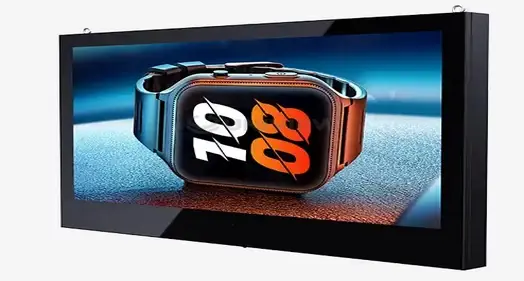
A cutting-edge communication solution that turns boring signs into fun, touchscreen-enabled interfaces is a wall mounted digital display screen that guests can interact with. High-definition LCD or LED technology and multi-touch features are combined in these high-tech gadgets. This lets people interact directly with displayed content using simple commands and movements. A wall mounted digital display screen with interactive features, on the other hand, acts as a dynamic information hub, providing real-time updates, helping with finding your way, and personalized content experiences that significantly increase visitor engagement and operational efficiency in professional settings.
What Is an Interactive Wall Mounted Digital Display Screen?
The advancement of traditional signs into cutting-edge communication platforms that connect information delivery and user interaction is represented by interactive wall mounted digital display screens. These high-tech visual communication tools combine responsive touch technology with high-definition LCD or LED screens to create immersive experiences that keep guests interested while also being useful for business.
Core Technology Components
The technical design of any successful wall mounted digital display screen is its cornerstone. Modern interactive displays have capacitive touchscreens with multiple layers that can recognize up to 20 touch points at the same time. This lets more than one person participate at the same time. The display technology usually uses either LCD screens with LED backlighting or direct LED arrays, which can produce brightness levels between 350 and 700 nits indoors and up to 2,500 nits in places with a lot of natural light. Content management systems are the backbone of operations. They let managers change information from afar, plan changes to content, and keep an eye on how displays are working in different places. These systems can play a lot of different types of media, like 4K video, high-resolution photos, and HTML5 or Android-based interactive apps.
Advanced Interactive Features
Modern interactive displays have proximity sensors that turn on content instantly when a guest gets close. This saves energy and makes sure that the display responds right away. Gesture detection technology lets people connect with devices without touching them by detecting hand movements with built-in cameras or infrared sensors. Artificial intelligence is built into these screens, so they can learn what users like and change the material to match. This creates personalized experiences that keep people interested for longer and help them remember what they've learned. Voice recognition lets people talk to each other without using their hands, which is especially helpful in healthcare settings or other places where cleanliness is important.
Benefits of Interactive Wall Mounted Digital Displays for Visitor Engagement
Interactive digital displays completely change how businesses talk to guests, making experiences that people will remember that go far beyond basic signs. Implementing these high-tech communication tools leads to measured increases in visitor happiness while also improving working efficiency in a wide range of business settings.
Enhanced User Experience and Engagement
The ability to touch interactive screens automatically grabs people's attention and makes them want to learn more. Research shows that people are 70% more likely to be interested in interactive material than passive displays. Visitors spend an average of 3–5 minutes playing with well-designed tablet interfaces. Companies can better share complicated information and make good brand memories with this extra time to interact with customers. Real-time content updates make sure that guests always see the most up-to-date information, so they don't have to deal with the frustration of written materials or displays that don't change. Content that responds to the weather, live event updates, and dynamic wayfinding information changes as the weather does, giving people current, useful information that makes their experience better overall.
Operational Efficiency and Cost Reduction
Many practical tasks that used to need staff input are made easier by interactive wall-mounted screens. Automated visitor check-in systems make the front desk's job easier while keeping detailed visitor logs for compliance and security reasons. Self-service directory systems let guests find staff, offices, or services on their own, which means that staff can work without being interrupted. Getting rid of written papers saves a lot of money in the long run. Companies say that when they use complete digital signage options, their printing costs drop by 60 to 80%. Being able to quickly update information gets rid of the waste that comes with printing out old materials and makes sure that all points of contact are consistent. Digital displays also collect useful analytical data, keeping track of how users interact with them, what material they like, and when they're most active. This knowledge lets companies keep improving their content strategies and learn more about how visitors behave.
How to Choose the Best Interactive Wall Mounted Digital Display Screen?
To choose the best interactive display option, you need to carefully look at technical specs, environmental needs, and long-term operating factors. As part of the decision-making process, performance needs are weighed against budget limits, and the chosen solution must meet the wants and growth goals of the company.
Technical Specification Evaluation
Screen size choice relies on how far away you are watching and how complicated the content is. Displays between 32 and 55 inches work well in most indoor greeting areas. For meeting rooms or high-traffic halls where a lot of people will be using the screen at the same time, 65- to 86-inch screens are better. When screens need to be seen from different angles, the viewing angle standard becomes very important. Industrial-grade panels offer 178-degree viewing angles, while consumer-grade panels only offer 160 degrees. Resolution needs depend on the type of information and how far away you are from the screen. For detailed maps, technical drawings, or high-resolution images, 4K screens are the clearest option. For text-heavy apps and simple interactive features, 1080p resolution is enough. When thinking about processing power, you should think about RAM size (at least 4GB is recommended) and storage space for caching material, which is especially important in places with slow internet.
Durability and Environmental Considerations
Commercial-grade screens have higher reliability standards, so they can be used all the time. Usually, these units can work for 50,000 hours, while market models can only work for 30,000 hours. In enclosed locations, being able to get rid of heat is very important. Commercial screens have better ventilation systems and temperature control. The environment affects the choice of materials and the safety features they have. Displays with anti-condensation technology and housings that don't rust are needed in places with a lot of humidity. For screens to be seen in places with a lot of natural light, they need to have anti-reflective coatings and the ability to be brighter.
Mounting and Installation Requirements
Weight distribution, cable handling, and ease of entry for upkeep are all things to think about when hanging something on the wall. Professional-grade hanging systems can hold screens that weigh between 50 and 150 pounds and let you tilt and turn them to get the best viewing angles. Integrated wire management systems keep things looking neat and make sure links are safe. Power needs are very different for different screen sizes and systems. Most smaller screens can be hooked up to standard 110V circuits, but bigger ones might need their own 220V circuits. Hardwired Ethernet is the most reliable way to connect to a network, but Wi-Fi lets you choose where to put the device.
Installation and Maintenance Best Practices for Wall Mounted Interactive Displays
For dynamic wall-mounted screens to work well, they need to be carefully planned, professionally installed, and regularly maintained. When implemented correctly, the display will work at its best, last a long time, and make users happy, all while reducing problems and extra costs that come up during its lifetime.
Pre-Installation Planning and Site Assessment
Before work starts, a full site review finds any problems that might come up. Structural tests check the wall's ability to hold the weight of the display and the mounting hardware. This is especially important for drywall projects that need to be reinforced or where the studs should be placed. A review of the electrical equipment makes sure that there is enough power and finds the best places for electrical connections that don't ruin the look of the building. Network infrastructure review figures out the best ways to connect based on security standards and bandwidth needs. For important uses, hardwired links are more reliable, while wireless solutions give you more installation options in tough places. Planning how cables will be routed reduces the visual effect while making sure that they can be reached for repair or upgrades in the future. Lighting analysis finds possible sources of glare and figures out where the display should be placed for best viewing during business hours. Natural light patterns change with the seasons, so you need to think about sun angles and objects that might reflect light and make it harder to see the screen.
Professional Installation Procedures
Choosing the right fixing gear and installing it correctly will keep your display safe and last a long time. Wall mounts made for businesses spread the weight across several wall bolts and use safety wires as extra support. Precise leveling and alignment make things look professional and make sure that viewing angles are right for people of different heights. Local building rules and safety standards must be followed when making electrical links. Power changes can't affect the performance of the monitor because of dedicated circuits, and surge protection keeps the electronics from getting damaged. In some places, like near water sources or outdoor setups, you may need a ground fault circuit interrupter (GFCI) security. Setting up the network, integrating the content management system, and customizing the user experience are all parts of software settings. Password protection, user access controls, and automatic software changes are some of the security measures that keep hackers and security holes at bay.
Ongoing Maintenance and Performance Optimization
Cleaning on a regular basis keeps things touch-sensitive and clear to see. Specialized cleaning products made just for touchscreens keep anti-reflective films from getting damaged and get rid of fingerprints and smudges effectively. Microfiber cloths and alcohol-based cleaners that are allowed by the maker are the best ways to take care of things without voiding guarantees. Regular system changes, security patch installations, and content refresh plans are all parts of software maintenance. Performance tracking finds problems before they affect users, and the ability to do diagnostics remotely lets you plan maintenance ahead of time. Battery backup systems for content control hardware make sure that the hardware can keep working even if the power goes out for a short time. Monitoring the environment keeps track of temperature, humidity, and operating hours to improve efficiency and figure out when a repair is needed. Scheduled replacements of parts based on what the maker suggests keep problems from happening when operations are at their busiest.
Use Cases and Industry Applications of Interactive Wall Mounted Displays
Interactive wall-mounted screens are very flexible and can be used in a wide range of industries. They can be adjusted to meet the needs of each operation while still providing consistent value through better communication, better guest experiences, and streamlined processes. The following applications show how businesses use these tools to get measurable results for their business.
Corporate and Manufacturing Environments
Interactive screens in modern corporate offices have changed how visitors are managed and help reinforce brand identity. Installations in the reception area allow for automatic check-in, which cuts down on wait times and records guest information for security and compliance reasons. Integration with current security systems makes it possible for badges to be printed and entry to be granted automatically, which speeds up the whole process of welcoming visitors. These screens are used in factories to communicate about safety and give reports on operations. Visitors are kept up to date on facility-specific rules by real-time production data, safety alerts, and compliance messages. Interactive plant maps show guests where to go and mark off closed areas and emergency processes. This makes sure that safety rules are followed and cuts down on the need for escorts. Large-format interactive screens are used in executive briefing centers to make presentations that are lively and interesting for clients and potential clients. Touch-enabled product demos, live case studies, and real-time data visualization all make experiences that are appealing and help companies stand out in competitive markets.
Retail and Hospitality Applications
Interactive screens are used in stores to connect the online and offline shopping experiences. Product information kiosks let buyers see full product specs, watch movies of how the product works, and compare different options without needing help from a salesperson. Integration with inventory management systems lets you see what products are available right now and offer other products to buy when an item is sold out. Hotels and meeting centers use live concierge systems that help guests 24 hours a day, seven days a week, without the need for staff. Local area information, food suggestions, transportation choices, and event schedules give guests a lot of information at the front desk and cut down on questions. Support in multiple languages helps foreign guests feel more at home, which makes all guests happier overall.
Healthcare and Educational Institutions
Interactive guidance systems are used in healthcare facilities to make things run more smoothly and reduce stress among patients. Interactive maps that show you how to get around a complicated medical center make it easy to find your way. The maps also confirm your appointments and give you an idea of how long it will take to get from one place to another. When you connect to appointment systems, you can give patients personalized information based on their plans. Interactive screens are used by schools to show information about the location, promote events, and send out emergency messages. Information about student services, school calendars, and real-time updates about events on campus make communication tools that are interesting and reach a wide range of students. When there is an emergency, emergency communication features allow immediate campus-wide notifications. This makes sure that information gets out quickly, even if normal communication methods aren't working. These tools work with the emergency plans that are already in place, giving you extra ways to communicate that make the whole school safer.
Conclusion
Wall mounted digital display screens with interactive capabilities are a game-changing technology that improves guest experiences and has quantifiable business advantages across many industries. These high-tech communication platforms combine advanced touch technology with powerful content management tools to make user experiences that are both visually appealing and efficient for business operations. The smart use of these shows brings in a lot of money because they make visitors happier, cut down on costs, and improve how people think of the brand. When businesses spend money on high-quality interactive display solutions, they set themselves up to stay ahead of the competition and meet the changing needs of visitors in a world that is becoming more digital.
FAQ
What is the typical lifespan of an interactive wall mounted digital display?
Under normal conditions, commercial-grade interactive displays should work effectively for 50,000 to 70,000 hours, which is about 8 to 12 years of usual business use. Lifespan changes depending on the surroundings, how much it is used, and how well it is maintained. When used in harsh conditions, high-brightness screens may not last as long, but when kept in good shape and in controlled settings, they often last longer than the manufacturer's recommendations.
How do interactive displays integrate with existing visitor management systems?
API links, database syncing, and cloud-based systems are just a few of the ways that modern interactive displays can be integrated. RESTful APIs, LDAP login, and webhook messages that let data be sent in real time are all common interaction methods. Software development kits (SDKs) or third-party middleware solutions can be used to add unique features to most systems.
What are the energy consumption differences between 4K and 1080p interactive displays?
Because they need more processing power and better dimming systems, 4K screens usually use 20 to 40 percent more power than 1080p models of the same size. A 55-inch 4K interactive display uses about 150 to 200 watts of power, while a 1080p model uses about 120 to 150 watts. Automatic brightness change and energy-efficient LED backlighting can cut use by 15 to 25 percent in both resolution groups.
Partner with Uniview Commercial for Advanced Interactive Display Solutions
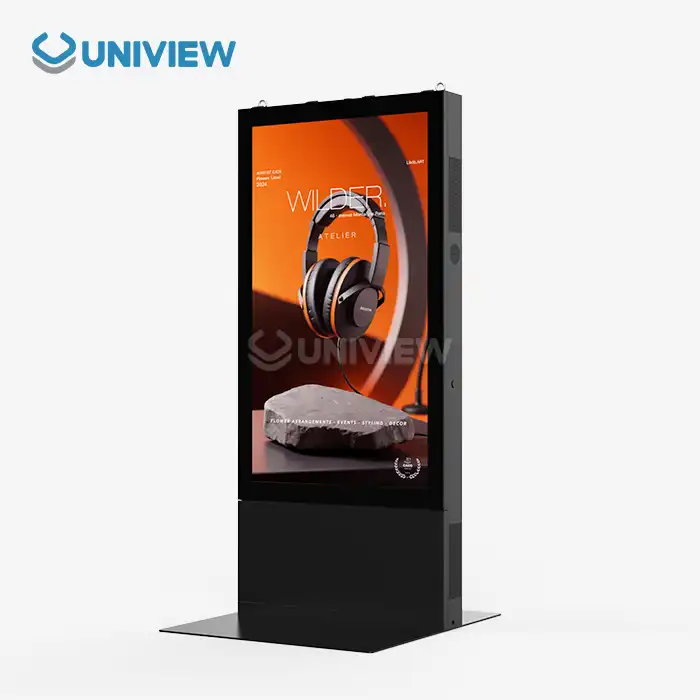
With cutting-edge wall mounted digital display screen options that are specifically designed to meet your business needs, Uniview Commercial is ready to change the way you connect with visitors. Our wide range of products includes high-light screens with 2,000 to 4,000 nits of brightness, which make them easy to see in any setting. Each display is built to last, with IP65/IP66 ratings, surfaces that won't rust, and longer warranties that last between 3 and 5 years, backed by 24/7 global support. To talk about your interactive display needs with our expert team, email sales@univiewlcdisplay.com. Find out why top companies around the world choose Uniview Commercial as their wall mounted digital display screen provider.
References
1. Digital Signage Today Industry Report: Interactive Display Technology Trends and Market Analysis, 2023
2. Commercial Display Technology Association: Best Practices for Interactive Digital Signage Implementation, 2023
3. International Display Manufacturing Standards: Commercial Grade Display Specifications and Testing Protocols, 2023
4. Building Technology Integration Guidelines: Professional Display Installation and Maintenance Standards, 2023
5. Visitor Experience Management Research: Impact of Interactive Digital Displays on Customer Satisfaction, 2023
6. Energy Efficiency Standards for Commercial Electronic Displays: Consumption Analysis and Optimization Strategies, 2023
Learn about our latest products and discounts through SMS or email