- English
- French
- German
- Portuguese
- Spanish
- Russian
- Japanese
- Korean
- Arabic
- Greek
- German
- Turkish
- Italian
- Danish
- Romanian
- Indonesian
- Czech
- Afrikaans
- Swedish
- Polish
- Basque
- Catalan
- Esperanto
- Hindi
- Lao
- Albanian
- Amharic
- Armenian
- Azerbaijani
- Belarusian
- Bengali
- Bosnian
- Bulgarian
- Cebuano
- Chichewa
- Corsican
- Croatian
- Dutch
- Estonian
- Filipino
- Finnish
- Frisian
- Galician
- Georgian
- Gujarati
- Haitian
- Hausa
- Hawaiian
- Hebrew
- Hmong
- Hungarian
- Icelandic
- Igbo
- Javanese
- Kannada
- Kazakh
- Khmer
- Kurdish
- Kyrgyz
- Latin
- Latvian
- Lithuanian
- Luxembou..
- Macedonian
- Malagasy
- Malay
- Malayalam
- Maltese
- Maori
- Marathi
- Mongolian
- Burmese
- Nepali
- Norwegian
- Pashto
- Persian
- Punjabi
- Serbian
- Sesotho
- Sinhala
- Slovak
- Slovenian
- Somali
- Samoan
- Scots Gaelic
- Shona
- Sindhi
- Sundanese
- Swahili
- Tajik
- Tamil
- Telugu
- Thai
- Ukrainian
- Urdu
- Uzbek
- Vietnamese
- Welsh
- Xhosa
- Yiddish
- Yoruba
- Zulu
Wall Mounted Digital Display Screen for Advertising & Info
Digital screens that are mounted on walls have changed the way companies talk to their customers. They are now strong advertising and information-sharing tools in many fields. These high-tech gadgets use the latest display technology and smart placement ideas to give businesses visually appealing content that gets people's attention and keeps them interested. Modern wall mounted digital display screen options give companies more control over their content than ever before. They can change messages instantly while keeping a professional look that works in any setting.
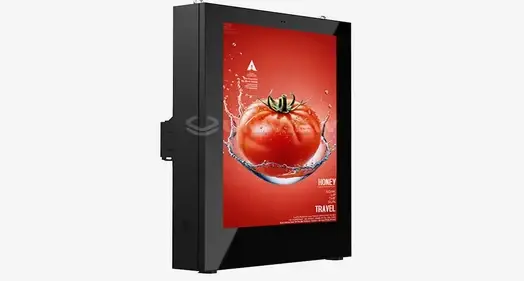
What Is a Wall Mounted Digital Display Screen and How Does It Work?
Wall mounted digital display screens that are fixed on the wall are high-tech communication tools with flat-panel displays that are attached to upright surfaces and can show changing ads and information. Intelligent software platforms are combined with advanced hardware components in these systems to create smooth content delivery experiences that meet strict business needs.
Core Technology Components and Architecture
The basic structure of these display devices is made up of several important parts that work together. Powerful processing units handle rendering and distributing information, while high-resolution display screens act as the user's eyes. Advanced connectivity features allow for real-time updates and online content management, which makes sure that businesses can keep messages up to date in multiple places. Memory storage systems temporarily store information locally, which lowers the need for the network and raises the trustworthiness of displays in business settings.
To make modern screens bright, they use advanced backlight technologies that can reach levels as high as 4000 nits for outdoor placements and 500 nits for indoor uses. Because they can be adjusted for brightness, the material can be seen in a range of lighting conditions. This makes them suitable for a wide range of business settings, from shops to transportation hubs.
Display Technology Variations and Performance Characteristics
LCD technology is the most popular type of business monitor because it is reliable and doesn't cost much. Because LED screens are brighter and use less energy, they are perfect for use outside and in places with a lot of natural light. Even though OLED technology has great contrast ratios and color accuracy, it is still very expensive and is only used in specific situations where the best viewing quality is needed.
These differences in technology have a big effect on rollout tactics. When used inside, LCD screens work best in controlled settings with even lighting. LED displays are better at withstanding bad weather and being seen outside than other types of displays. Getting to know these differences helps buying teams choose the right technology for each installation and working setting.
Types and Features of Wall Mounted Digital Display Screens
The market for digital signage has a wide range of display options that can be customized to meet the needs of different businesses and environments. By knowing about these differences, you can make smart choices about what technology to buy that match your business's goals and the installation setting.
Indoor versus Outdoor Display Solutions
Image quality and energy economy are more important to indoor displays than protecting the Earth. The brightness of these units is usually between 500 and 1500 nits, which is bright enough for controlled lighting settings. Advanced color correction makes sure that the presentation is always the same, and quiet operation keeps things professional in business and store settings.
Outdoor displays need to be well protected from the elements and be easy to see. IP65 and IP66 grades cover a wide range of weather conditions, such as rain, dust, and high temperatures. High levels of brightness (more than 2000 nits) make sure that the material can be seen in full sunlight. Materials that don't rust and temperature control systems make things last longer in harsh outdoor conditions.
Interactive versus Standard Display Configurations
Standard display setups focus on showing information without letting the user interact with it. When one-way contact is enough, these methods work great for advertising. They are good for large-scale operations in many places because they are cost-effective and easy to maintain.
Interactive tablet displays let users connect directly with the screen, which keeps them interested. Multitouch lets you use complicated apps like product catalogs, customer service platforms, and find your way. For growing accessibility, regular cleaning routines, and software security to prevent unauthorized entry or content modification, these systems need more thought.
Technical Specifications and Performance Metrics
Resolution standards have a big effect on the quality of the material and the distance from which it must be viewed. When watching something up close, 4K screens show a lot of detail, while 1080p resolution is still a good value for most business uses. Different methods use a lot of different amounts of energy, which affects both long-term prices and environmental concerns.
The flexibility of integration with current systems depends on the connectivity choices. HDMI, DisplayPort, and network links let you connect to different content sources and control them in different ways. The ability to send information wirelessly makes installations easier while keeping the same level of reliability.
How to Choose the Best Wall Mounted Digital Display Screen for Your Business?
To choose the best display options, you need to carefully look at your operational needs, the surroundings, and your long-term goals. In this step, you look at your current communication needs and try to guess what your future growth needs and technology advances will be.
Application Requirements and Environmental Assessment
Basic selection factors are driven by business uses. These include material types, watching distances, and interaction needs. For advertising purposes, visual effect and brightness are most important, while for informational purposes, reading and content control options are most important. Accessibility and speed of the interface need to be thought about more in interactive apps.
Environmental factors have a big impact on the choice of technology and the needs for installation. Indoor setups are better because the conditions are more stable and there are fewer fixing requirements. For outdoor setups, you need complete weather protection, better security features, and special mounting systems that can handle wind loads and heat expansion cycles.
Critical Selection Criteria and Evaluation Framework
Choosing the right screen size means finding a balance between the distance needed for watching, the room available for installation, and your budget. For bigger screens to have the same visual effect, the content quality and processing power need to be increased by the same amount. Installation sites must allow for good viewing angles and easy entry for upkeep.
Resolution needs rely on how complicated the content is and how far away people usually sit to watch it. High-resolution screens can show graphics and text with lots of details, while normal resolution screens can still handle simple text and drawings. To make sure smooth playing and responsive user interfaces, processing power must match the complexity of the material.
Brand Comparison and Market Analysis
Leading brands like Samsung, LG, and Sony make a wide range of business displays that have been shown to be reliable. Samsung displays are very accurate in terms of colors and use very little energy. LG displays, on the other hand, focus on new screen technologies and low prices. Sony puts a lot of emphasis on professional-grade features and high-quality construction for tough jobs.
Manufacturers of specialized business displays often offer better personalization options and features that are better suited to specific applications. These suppliers know the specific needs of businesses and can provide custom solutions, such as different mounting choices, custom sizes, and better warranty coverage, that regular consumer goods companies can't match.
Installation and Maintenance Guide for Wall Mounted Digital Display Screens
Professional installation and regular upkeep have a direct effect on how well the display works, how reliable it is, and the total cost of ownership. To get the best performance out of a display over its entire life, these factors need to be carefully planned for and constantly monitored.
Pre-Installation Planning and Site Preparation
A review of a site includes checking the building, the electrical system, and the surrounding area. For outdoor installs, wall mounted digital display screen needs enough structural support to hold the weight of the show plus wind loads. Electrical planning makes sure that there is enough power and the right kind of circuit safety so that the system can run safely.
Planning the infrastructure of a network includes thinking about how to send information and how to manage it from afar. Wired links are the most reliable, but wireless options give you more installation options as long as you check the signal strength. To keep people from getting in without permission, security measures like physical entry control and network security rules are important.
Installation Procedures and Integration Requirements
Professional fixing methods make sure that the display is securely attached and can handle changes in temperature and humidity. In outdoor setups, weatherproof electrical lines keep water out and stop corrosion. Cable handling keeps things looking neat and protects connections from damage from the surroundings and machines.
Setting up the network and installing tools are needed to integrate a content management system. Protocols for testing make sure that everything works right, checking for things like lighting, color, and connection. Procedures for documentation make sure that repair teams know how to troubleshoot and understand operational factors.
Ongoing Maintenance and Performance Optimization
Cleaning the screen on a regular basis keeps it in good shape and stops dirt and dust from getting in the way of heat management. Cleaning rules are different for indoor and outdoor setups. Because they are exposed to weather and dirt from the environment, outdoor displays need to be cleaned more often.
Maintenance for software includes regular changes, security patches, and checks on how well it's running. Content management systems need to be optimized on a regular basis to keep working reliably and responsively. Monitoring the environment helps find problems before they affect the performance or dependability of a show.
Pricing, Procurement, and Supplier Selection Strategies
A good buying strategy balances the costs of the original investment with the costs of running the business over time and meeting performance standards. Knowing how the market works and what suppliers can do lets you make smart choices that maximize value while still meeting business goals.
Pricing Structure and Cost Considerations
Prices for displays vary a lot depending on their size, technology, and the features you need. Premium features, like high brightness, environmental protection, and the ability to connect with the user, cost a lot more than simple display configurations. Customizing the size and fitting needs adds extra costs that need to be weighed against the working benefits.
The total cost of ownership includes the price of the show itself, the cost of installation, the cost of ongoing upkeep, and the amount of energy it uses over its lifetime. Energy-efficient displays may be worth the extra money they cost up front because they save money on running costs over time, especially for large-scale projects or needs for ongoing operation.
Sourcing Strategies and Supplier Evaluation
Bulk buying deals save a lot of money for deployments in multiple locations and make sure that specs are always the same. They also make upkeep easier. When you make a large commitment, you can often get better warranty terms and faster expert help, which lowers your long-term operational risks.
Evaluating a supplier's trustworthiness includes looking at their financial security, technical knowledge, and service skills. Having suppliers that have been around for a while and have a good track record gives you more confidence in their continued help and product availability. When compared to suppliers who need third-party service arrangements, local service skills cut down on reaction times and maintenance costs.
Quality Assurance and Risk Management
Full warranty protection against mistakes in manufacturing and early failures, as well as easy access to new parts throughout the display's lifetime. Options for longer warranties offer extra security for mission-critical sites where downtime has a big effect on business.
The ability to provide technical help has a direct effect on how quickly and efficiently operations run and problems are solved. Suppliers who give technical help 24 hours a day, 7 days a week, and remote diagnostics cut down on downtime and the need for on-site service. Training programs make sure that internal teams know how to do basic fixing and regular upkeep tasks correctly.
Conclusion
Wall mounted digital display screens that are placed on the wall are important communication tools for modern businesses that want to advertise and send information effectively. To make sure that the best technology fits the needs of the business, the decision process must carefully look at application standards, environmental conditions, and long-term operating goals. The best way to get the most out of your purchase is to install and maintain your display correctly so that it works reliably for as long as possible. When you look at the total cost of ownership, the skills of the provider, and quality assurance measures as part of a strategic procurement approach, you can make confident buying choices that help your business communication goals.
FAQ
What maintenance is required for wall mounted digital display screens?
As part of regular maintenance, the right tools are used to clean the surfaces of displays, the mounting hardware is checked for security, and software systems are updated. Because they are outside, outdoor displays need to be checked every week and cleaned every month. Indoor displays only need to be cleaned every month. Professional repair services can take care of all of your needs, such as checking the heat management and making sure the connections work.
Can wall-mounted screens be changed to fit certain needs?
Modern digital screens can be changed in a lot of ways, such as by size, by mounting method, by weather protection, and by software settings that are specific to an application. Many companies offer custom solutions that are made to fit specific needs, like mounting angles that aren't normal, harsh environmental conditions, or specific communication needs that standard goods can't meet.
How much power do digital screens that are placed on the wall use?
How much energy a monitor uses depends a lot on its size, technology, and lighting settings. Depending on the size of the screen, indoor displays usually use 150 to 400 watts. For best exposure, high-brightness outdoor displays may need 500 to 800 watts. LED technology is more energy efficient than traditional LCD screens, which could cut costs by 30 to 40 percent over the life of the display.
Ready to Transform Your Business Communication with Premium Display Solutions
Expert advice and access to tested technology platforms are necessary for finding the ideal wall mounted digital display screen option. Uniview Commercial offers complete digital sign options backed by decades of experience in making products and setting them up around the world. Our tech team specializes in making unique display systems that meet strict business needs while also being very reliable and offering great value.
Find out how our cutting-edge wall mounted digital display screen options can improve the usefulness of your business communications by getting in touch with our sales team at sales@univiewlcdisplay.com. For wall mounted digital display screen source relationships that get results that can be measured, we offer individual talks, in-depth product demos, and reasonable pricing.
References
1. Report from the Global Industry Research Institute on Digital Signage Market Analysis and Technology Trends for 2024
2. Standards and procedures for testing commercial display technology, published by the International Display Standards Committee in 2023
3. Advice on how to install digital signs in businesses that use less energy, from the Commercial Building Energy Council in 2024
4. Standards for Outdoor Digital Displays That Can Handle Weather and Protect the Environment, Electronic Equipment Protection Association, 2023
5. A study by the Business Technology Research Group in 2024 looked at the total cost of ownership for commercial digital signage deployments.
6. Professional AV Installation Association, 2023, What Are the Best Ways to Install and Keep Wall Mounted Display Systems Safe?

Learn about our latest products and discounts through SMS or email