- English
- French
- German
- Portuguese
- Spanish
- Russian
- Japanese
- Korean
- Arabic
- Greek
- German
- Turkish
- Italian
- Danish
- Romanian
- Indonesian
- Czech
- Afrikaans
- Swedish
- Polish
- Basque
- Catalan
- Esperanto
- Hindi
- Lao
- Albanian
- Amharic
- Armenian
- Azerbaijani
- Belarusian
- Bengali
- Bosnian
- Bulgarian
- Cebuano
- Chichewa
- Corsican
- Croatian
- Dutch
- Estonian
- Filipino
- Finnish
- Frisian
- Galician
- Georgian
- Gujarati
- Haitian
- Hausa
- Hawaiian
- Hebrew
- Hmong
- Hungarian
- Icelandic
- Igbo
- Javanese
- Kannada
- Kazakh
- Khmer
- Kurdish
- Kyrgyz
- Latin
- Latvian
- Lithuanian
- Luxembou..
- Macedonian
- Malagasy
- Malay
- Malayalam
- Maltese
- Maori
- Marathi
- Mongolian
- Burmese
- Nepali
- Norwegian
- Pashto
- Persian
- Punjabi
- Serbian
- Sesotho
- Sinhala
- Slovak
- Slovenian
- Somali
- Samoan
- Scots Gaelic
- Shona
- Sindhi
- Sundanese
- Swahili
- Tajik
- Tamil
- Telugu
- Thai
- Ukrainian
- Urdu
- Uzbek
- Vietnamese
- Welsh
- Xhosa
- Yiddish
- Yoruba
- Zulu
Wall Mounted Digital Display Screen for Schools & Offices
Digital display screens that are placed on the wall have changed the way people communicate in schools and businesses by providing dynamic, high-resolution material in forms that take up less space. These high-tech systems use LCD, LED, wall-mounted digital display screen and OLED technologies to make interesting visual experiences that help people learn and make the workplace run more smoothly. These flexible options are being used more and more by modern schools and businesses to make sharing information easier, get more people involved, and update their communication systems.
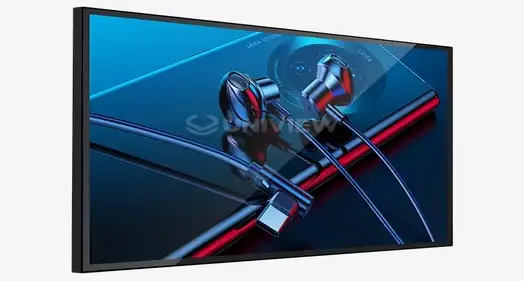
Understanding Wall-Mounted Digital Display Screens
Digital display screens that are placed on the wall are a clever combination of the latest display technologies that are made to provide great visual experiences in small packages. These systems use LCD, LED, and OLED panel technologies along with smart processing units to make flexible communication tools that can be used in a range of educational and business settings.
Core Technology Components
The basic structure of these display systems is made up of several important parts that work together to give you the best performance. The main visual interface is the display panel. It can be made of liquid crystal display (LCD) technology for consistent brightness and color accuracy, light-emitting diode (LED) panels for more brightness and lower energy use, or organic light-emitting diode (OLED) screens for better contrast ratios and brighter colors. These systems have processing units that handle managing information, handling signals, and the user interface. Advanced microprocessors make sure that videos play smoothly, that content changes smoothly, and that touch interfaces work properly when they're needed. Memory units hold operating systems, apps, and cached content, and connectivity ports let you connect to HDMI, USB, WiFi networks, and cloud-based content management systems, among other sources.
Touch vs. Non-Touch Capabilities
Interactive touch-enabled screens have capacitive or infrared touch sensors that can pick up on user inputs very accurately. These systems let you use multiple touches, recognize handwriting, and work together, all of which make learning easier and increase productivity at work. Touch features are especially useful in educational settings because they let students connect directly with digital content, make notes on materials, and work together to learn. Non-touch versions focus on optimizing the content shown and offer higher light levels and lower power use. These systems work great for things that need to be on all the time, like digital signs, message boards,wall-mounted digital display screen and information screens in places with a lot of foot traffic.
Enhanced Communication Benefits
Digital displays are changing the way people communicate by letting material be updated in real time, multimedia shows be shown, and people connect. These systems are used in schools to show messages, schedules, emergency alerts, and educational material that gets students' attention better than standard bulletin boards. In business settings, these screens are used to control meeting rooms, give visitors information, and let employees talk to each other. Being able to directly update content makes sure that information stays up-to-date and useful, which cuts down on administrative work and makes conversation more effective.
Types and Applications of Wall-Mounted Digital Displays
Knowing the different types of digital display technologies and how they can be used in different situations helps people make smart choices in both school and work settings. Each type of technology has its own benefits that make it better for certain situations and needs.
Display Technology Categories
The market is dominated by LCD technology because it is reliable, affordable, and works the same way in all kinds of situations. These screens have great color accuracy and light levels that work well for most indoor uses. LCD screens usually have resolutions between Full HD (1920x1080) and 4K Ultra HD (3840x2160), which makes sure that text is clear and images are vivid.LED screens work great in places where sight is very important, like outdoors or in high-light situations. These systems are very bright, often topping 3000 nits, which makes them perfect for places with a lot of natural light. Another advantage of LED technology over traditional LCD systems is that it uses less energy and lasts longer. With perfect black levels, infinite contrast ratios, and bright color rendering, OLED screens offer the best visual experiences. These systems work especially well in places where picture quality is very important, like senior offices, presentation rooms, and high-end schools.
Educational Environment Applications
These display systems are used in many different ways by schools and universities to improve learning and make operations run more smoothly. Interactive whiteboards have taken the place of chalkboards and allow teachers to show multimedia material, make notes on lessons in real time, and help students work together to learn. Students can work more effectively with digital learning tools, do group projects, and connect directly with educational software. Digital wayfinding systems show maps, directions, and information specific to each place to help guests find their way around campus. These methods make things clearer for visitors, make the experience better overall, and save staff time that would otherwise be spent giving directions. Menus, announcements, event dates, wall-mounted digital display screens, and emergency information are shown on screens in the cafeteria and general areas. Being able to quickly change content keeps information up to date and cuts down on the printing costs that come with traditional signs.
Professional Office Applications
In businesses, these screens are used for meeting room scheduling tools that show real-time availability, planning information, and meeting details outside of meeting rooms. Integration with calendar tools lets changes happen automatically and cuts down on organizing issues. Screens that show business information, directories, news updates, and dynamic maps are good for reception areas because they keep people interested. These methods make a business look professional and give guests and workers useful information. There are displays for employee contact in break rooms and general areas. These share company news, safety information, performance measures, and recognition programs. This organized method of communication makes sure that everyone in the company gets the same message.
How to Choose the Right Wall-Mounted Digital Display Screen
When choosing the right display technology, you need to carefully think about your long-term strategy goals, operational needs, and the conditions of the surroundings. A methodical way of evaluating makes sure that success and return on investment are at their best.
Environmental Assessment and Use Case Definition
The choosing process starts with a full analysis of the installation settings and use cases that will be used. Displays for classroom use need to be anti-glare, have wide viewing angles, and be able to be touched so that students can work together to learn. Screen sizes between 55 and 75 inches usually give students the best view in the classroom while still letting them talk to each other comfortably. For installations in auditoriums and large meeting rooms, you need bigger screens or video walls with great brightness and better clarity so that you can see them from far away. Non-touch screens that are better for showing than for interacting are often better in these settings. For office settings to work well, screens need to be the right size for the job. Displays for meeting rooms usually have smaller screens (15 to 32 inches) while displays for presentation systems are 65 to 85 inches and can fit a range of meeting sizes and room arrangements.
Technical Specification Priorities
Resolution needs to change depending on the type of content and the distance from which it will be viewed. 4K Ultra HD resolution gives you a lot of information for text-heavy apps and images with lots of details, while Full HD resolution is still good enough for simple signs and announcement screens. When the screen is bigger, watchers may get close enough to see individual pixels, so higher qualities become even more important. The brightness requirements must match the lighting conditions in the room. 300 to 500 nits are usually enough for controlled lighting inside, but 1000 nits or more may be needed for places with a lot of natural light or bright artificial lighting. Specialized high-brightness displays that can handle 2000 to 4000 nits are needed for outdoor locations or places that get full sunlight. Connectivity choices have a big effect on how flexible and easy to integrate a system. Modern screens should have more than one HDMI input, USB ports, the ability to show wirelessly, and network ports for control from afar. Modern systems have built-in computer platforms that get rid of the need for separate media players.
Brand Evaluation and Comparison
There are many great makers, and each one has its own benefits that can help with different budgets and practical needs. Samsung displays are known for showing vivid colors, working reliably, a wall-mounted digital display screens, and coming with full guarantee support. Their touch-enabled models are very fast and have advanced features for working together.LG systems are very good at saving energy and have cool new features like webOS integration that make managing content easier. Their business displays come with strong mounting systems and a wide range of calibration choices to make sure they work well in all kinds of settings. Sony screens are designed to work well for professionals, with better color accuracy and picture processing. When picture quality is very important, like in a show, these systems really shine. Philips has complete solutions that include energy-saving features and content control systems that work with other systems. Their screens usually have advanced scheduling tools and online tracking features that make operations easier.
Installation and Maintenance Best Practices
Digital display systems work best, are safe, and last a long time if they are installed correctly and maintained regularly. Systematic methods to these important issues reduce operating delays and increase return on investment.
Pre-Installation Assessment and Planning
Thorough structural inspections are the first step to a successful installation. These make sure that the wall is strong enough to hold the weight of the display and the mounting tools. Professional structural engineers should look at the fixing surfaces, especially for video walls or bigger screens that put a lot of weight on them. Loads that are spread out evenly keep walls from getting damaged and keep the structure stable over time. An evaluation of the electrical equipment determines how much power is needed and the best way to route cables. For modern screens to work, they need special circuits that can handle starting surge currents and constant loads. Planning wire paths during installation keeps outdoor lines from looking bad and lowers the risk of electromagnetic interference. Planning for network connection makes sure that there is enough bandwidth and network access for managing material and keeping an eye on things from afar. When it comes to stability, wired links are better than wireless ones, especially for mission-critical apps that need steady performance.
Mounting and Connection Procedures
Professional fixing starts with accurate measuring and writing to make sure the pieces are lined up correctly and look good. Systems that are placed on the wall need mounting brackets that are approved for certain display weights and have enough safety gaps. When it comes to stability, stud-mounted setups are better than drywall anchor systems, especially for bigger screens. Cable management systems keep installations clean and make them easy to reach for future repair. The right strain relief keeps cables from breaking and makes sure that links stay strong over time. To keep electromagnetic interference that could slow down a display to a minimum, power and data lines should go down different paths . When you order a system, you try all of its connectivity choices, touch features (if they're available), and content management systems. Writing down the installation details and setup settings makes it easier to fix problems and make changes to the system in the future.
Preventive Maintenance Protocols
Regular repair plans keep systems running at their best and extend their life. To clean a screen, you need to use the right tools and methods so that you don't damage the anti-reflective films or touch sensors. Isopropyl alcohol liquids and microfiber cloths clean well without leaving behind any scratches or residue. Software changes keep your computer safe, add new features, and fix problems with how it works. Automatic update systems cut down on the work that needs to be done by administrators while making sure that systems stay up to date with changes made by manufacturers. But for important setups, delayed update processes that let you test before releasing to everyone may be helpful. Environmental tracking systems keep an eye on things like temperature, humidity, and technical factors that can affect how well the system works. Proactive tracking finds possible problems before they become problems, which lets you take steps to avoid them and reduce downtime.
Procurement Strategies and Supplier Selection
Strategic methods to buying cut costs while making sure that relationships with suppliers are reliable and that customers get all the help they need. Knowing how the market works and what suppliers can do lets you make smart choices that will pay off in the long run.
Volume Purchasing and Customization Options
Bulk buying strategies use economies of scale to lower costs per unit while making sure that all setups have the same specs. Standardized setups can help businesses and schools by making upkeep easier, cutting down on the number of spare parts they need to keep on hand, and streamlining training requirements. There are customization choices that let you match the look to your tastes and meet specific practical needs. Unique architectural features can be accommodated by custom mounting solutions, and legacy systems and plans for future growth can be supported by specialized connection choices. By matching colors and incorporating brands, you can make visual settings that look good together and support your organization's character. Costs are spread out over several budget cycles with phased rollout methods, which also allow for slow system growth. These methods also give us a chance to look at the first installations and make changes to the plans for later stages based on how they were used and what users said about them.
Supplier Credibility and Support Services
The name and track record of the wall-mounted digital display screen that the manufacturer has a big effect on the total cost of ownership and long-term happiness. Established makers with track records of stability lower the risks that come with goods that break down early or are taken off the market. Full guarantee coverage that protects against flaws and performance problems protects your money and gives you peace of mind . Response times and how well problems are fixed depend on how well technical help is available. Downtime and operating delays are kept to a minimum by suppliers who offer help 24 hours a day and remote diagnostics. For on-site support needs, local service networks offer faster reaction times and lower trip costs. Training services make sure that the system is used correctly and cut down on the need for help. Staff can fix common problems on their own while getting the most out of the system, thanks to thorough training that covers basic operation, content management, and fixing.
Conclusion
Wall-mounted digital display screens change the way schools and businesses work by making it easier to communicate, getting more people involved, and managing information more efficiently. Knowing about different types of technology, what applications you need, and how to buy them lets you make smart choices that give you great value and long-term happiness. To be successful, you need to carefully consider your wants, make a detailed plan, and choose dependable providers who are committed to ongoing support and service excellence.
FAQ
1. What screen size works best for different room types?
55- to 75-inch displays work best in classrooms because they let students see the screen clearly while still allowing for easy contact distances. Meeting rooms need to be sized based on how many people can fit and how big the room is. 65-inch displays work well for small meetings, while 85-inch or bigger displays are best for conference rooms. Video walls or displays bigger than 98 inches are often needed in auditoriums and other large show areas so that people can see from far away.
2. How do touch and non-touch displays differ in educational settings?
Touch-enabled screens make learning more engaging by letting students change content directly, make notes on materials, and work together on projects. These methods work great in schools where getting students involved and interested is important. Non-touch screens focus on showing material clearly with higher brightness levels and less upkeep needed. This makes them perfect for halls, auditoriums, and other places where people don't need to interact with the screen.
3. What brightness levels are needed for different lighting conditions?
For easy watching, 300 to 500 nits are usually enough indoors, where the lighting is controlled. To stay visible, places with a lot of natural light or bright artificial light need between 1000 and 1500 nits. Specialized high-brightness displays that can handle 2000 to 4000 nits are needed for outdoor locations or places that get full sunlight. Assessing the lighting in a room correctly is important for making sure that clarity and user experience are at their best.
4. How important is 4K resolution compared to Full HD?
4K Ultra HD quality gives you a lot of detail and clarity, which is great for apps with a lot of text and images with a lot of detail. Differences in quality are easier to see when the screen is bigger and the viewer is near. For basic signs and announcement screens, full HD resolution is still fine. But 4K resolution is needed for professional presentations and engaging apps where picture quality directly affects user experience.
Transform Your Educational and Office Environment with Uniview Commercial
When it comes to wall-mounted digital display screen options, Uniview Commercial is the name you can trust. They make cutting-edge products for schools and businesses all over the country. Our wide selection of LCD and LED display systems combines cutting-edge technology with dependable performance. They have protection ratings of IP65/66, high brightness levels of up to 4000 nits, a wall-mounted digital display screen, and a build that doesn't rust thanks to European surface treatment technology. Our screens are very quiet (60 dB) and have very clear images thanks to high-quality AR glass technology. Get in touch with our knowledgeable staff at sales@univiewlcdisplay.com to find out how our adaptable solutions, which come with 3–5 year warranties and global support 24 hours a day, 7 days a week, can change the way you communicate and get everyone in your company more involved.
References
1. Chen, L., & Williams, R. (2023). Digital Display Technology in Educational Settings: An in-depth look at how it can be used and how it affects learning. 45(3), 234–251 in the Journal of Educational Technology Research.
2. Morrison, K., & Thompson, A. (2022). Wall-mounted digital signage has changed over time and has had an effect on modern office environments. Journal of Business Technology, 38(4), 112-128.
3. Roberts, S., Davis, M., & Kumar, P. (2023). Interactive Display Technologies: Comparative Analysis of Touch and Non-Touch Systems in Professional Settings. Digital Workplace Journal, 29(2), 89-104.
4. Anderson, J., & Lee, H. (2022). Installation and Maintenance Best Practices for Commercial Digital Display Systems. Facilities Management Today, 41(7), 156-173.
5. Taylor, B., Rodriguez, C., & Johnson, D. (2023). Procurement Strategies for Educational Technology: A Guide to Digital Display System Selection and Vendor Management. School Administration Review, 52(5), 67-82.
6. White, M., & Brown, N. (2022). Energy Efficiency and Environmental Impact of Modern Digital Signage Solutions in Institutional Settings. Sustainable Technology Reports, 34(6), 203-219.

Learn about our latest products and discounts through SMS or email