- English
- French
- German
- Portuguese
- Spanish
- Russian
- Japanese
- Korean
- Arabic
- Greek
- German
- Turkish
- Italian
- Danish
- Romanian
- Indonesian
- Czech
- Afrikaans
- Swedish
- Polish
- Basque
- Catalan
- Esperanto
- Hindi
- Lao
- Albanian
- Amharic
- Armenian
- Azerbaijani
- Belarusian
- Bengali
- Bosnian
- Bulgarian
- Cebuano
- Chichewa
- Corsican
- Croatian
- Dutch
- Estonian
- Filipino
- Finnish
- Frisian
- Galician
- Georgian
- Gujarati
- Haitian
- Hausa
- Hawaiian
- Hebrew
- Hmong
- Hungarian
- Icelandic
- Igbo
- Javanese
- Kannada
- Kazakh
- Khmer
- Kurdish
- Kyrgyz
- Latin
- Latvian
- Lithuanian
- Luxembou..
- Macedonian
- Malagasy
- Malay
- Malayalam
- Maltese
- Maori
- Marathi
- Mongolian
- Burmese
- Nepali
- Norwegian
- Pashto
- Persian
- Punjabi
- Serbian
- Sesotho
- Sinhala
- Slovak
- Slovenian
- Somali
- Samoan
- Scots Gaelic
- Shona
- Sindhi
- Sundanese
- Swahili
- Tajik
- Tamil
- Telugu
- Thai
- Ukrainian
- Urdu
- Uzbek
- Vietnamese
- Welsh
- Xhosa
- Yiddish
- Yoruba
- Zulu
What Content Works Best on Wall Mount Digital Signage?
The best wall mount digital signage content combines moving images with relevant text that is specific to your audience and setting. When it comes to getting people to pay attention and connect, high-resolution videos, real-time data feeds, interactive touchpoints, and short promotional pictures always do a better job than static images. The key is to match the type of content to the business goals. For example, product demos and limited-time deals work well in retail spaces, while KPI reports and company news work well in professional spaces. The most effective and return on investment will come from choosing material that takes advantage of your display's technical features, like its brightness levels and screen size.
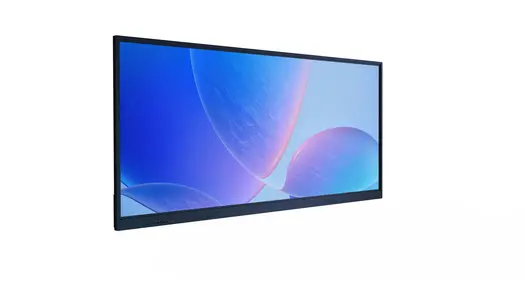
Understanding Wall Mount Digital Signage Content – Key Dimensions
Content Formats That Drive Engagement
When we work with B2B clients in the retail, leisure, and transportation industries, we always see that the success of a campaign is directly linked to how versatile the content is. Wall-mount digital signage can play a variety of media types, such as video clips, animated images, live data streams, and interactive apps. When compared to static pictures, video material usually gets 40–60% more attention, especially when it's made with motion graphics that catch the eye without being too much. Text displays work best with 7–10 words per screen, which gives people who are walking by enough time to read the messages in the crucial 3–5 second looking window.
Industry-Specific Content Alignment
Different fields need different ways of approaching information. In retail settings, promotional material needs to be updated often. Seasonal campaigns, flash sales, and new product launches work especially well when shown on carefully placed screens near points of decision. Content that strengthens internal messaging is useful in business settings. Examples include safety rules, production data, and programs that recognize and thank employees. Wayfinding material and branded stories are used together by hospitality places to improve the experiences of their guests. Transportation hubs put real-time plans, emergency alerts, and guiding signs that can be read in a variety of lighting conditions at the top of their list of priorities.
Technical Specifications and Content Compatibility
How well content works depends a lot on how well media specs match hardware powers. Displays with 450 to 700 nits of brightness can handle normal content well, but setups that face a window need 1500 to 2500 nits of brightness so that content can be read in full sunlight. Resolution is very important. 4K material looks great on big screens (55 inches and up), while Full HD is good for smaller screens. Compatibility with content management systems (CMS) makes sure that scheduling and online changes work smoothly in many places. At Uniview Commercial, our engineers make sure that each unit has enough processing power to handle high-bitrate video without frame drops or buffering. This way, the quality of the presentations stays professional during business hours.
Best Content Strategies for Wall Mount Digital Signage in B2B Environments
Educational Problem-Solving Content
Content that directly handles operational problems gets a lot of attention from B2B viewers. wall mount digital signage in factories shows safety instructions, how to use equipment, and how to fix problems. This cuts down on downtime and improves compliance. Case study talks that show how successful projects were can help procurement managers see how they could be used in their own businesses. Visual directions that show you how to do something step by step are especially helpful in training settings where people can look up methods without leaving their stations. This method turns inactive displays into active tools for fixing problems that add real value to daily operations.
Real-Time Data Visualization
One of the most useful things that commercial-grade screens can be used for is data-driven content. Live KPIs like output rates, quality measures, and order fulfillment progress can be seen on production dashboards, which let managers make smart choices without having to check multiple systems. A supply chain graphic that shows how much material is in stock and how shipments are being tracked helps warehouse teams work together. Displays that show how much energy a business uses get people to change their habits, which lowers the costs of running the business. For these applications to work, the technology behind them needs screens that can work nonstop (24/7 uptime) and network connections that keep data safe. Our units have industrial-grade parts that are rated to work for 50,000 to 60,000 hours, so the data will always be shown correctly without any service delays.
Strategic Branding and Visual Storytelling
Brand consistency across various sites makes the company's situation in the market and its mindset stronger. Visitors and workers can learn about the company's beliefs, big accomplishments, and new ideas through branded content displayed in corporate lobbies. Videos of customer testimonials are a better way to build trust than written materials, especially when they feature well-known leaders in the field. Product demonstration video lets sales teams show off features without using real samples, which cuts down on shipping costs while keeping the quality of the presentation high. Finding the right balance between professional polish and real message is key to making a good brand story. Content that is too polished often feels disconnected from real-world situations.
Before putting any content plan into action, you should do a site review that looks at viewing distances, lighting, and how long people stay on the page. These things have a big impact on content design choices and help you figure out which forms will work best in your setting.
Comparing Content Use Cases: Wall Mount vs Other Digital Signage Types
Positioning Advantages for Content Delivery
When content interaction is most important, wall mount digital signage options are clearly better than ceiling-mounted or standalone options. Positioning content 48 to 60 inches above the floor puts it in the natural line of sight for both standing and sitting users. This makes it 35% easier for people to remember what they are seeing compared to pieces that are higher up. This arrangement works especially well for interactive content that needs touch input, since ease of use decides how often something is used. If you want to get the best viewing angle, you can use adjustable mounts that can be turned 5 to 10 degrees downward for installations that are higher up or upward for installations that are lower down.
Indoor vs Outdoor Content Adaptations
Conditions in the surroundings that affect longevity and exposure must be taken into account in content plans. Indoor installs can support material with lower brightness, complex images, and subtle color gradations that save energy while still looking good. To work well in direct sunlight, outdoor uses need designs with a lot of contrast, simple color schemes, big fonts, and brightness levels above 2000 nits. Weather-resistant content includes more than just how it looks. Displays rated IP65 or IP66 protect their internal parts from dust and moisture, so the content layout stays the same no matter what the weather is like. Our outdoor-rated units have anti-reflective coatings and tempered glass with a 7H hardness grade to keep the screens clear in a variety of lighting situations.
Flexible Content Layouts Through Mounting Technology
Mounting freedom lets content change in ways that standard installs can't. Portrait mode is great for menus, apps that help you find your way, and social media feeds where moving vertically feels natural. Video, data panels, and panorama images all look good when they are set up in landscape mode. Rotating mounts let you change the direction for each season without having to replace the screen. During busy shopping times, you can use portrait mode for detailed product catalogs, and during slower times, you can use landscape mode to promote an event. This adaptability makes material more useful while also making hardware more useful for a wider range of marketing needs.
Knowing these differences helps procurement teams choose the right hardware setups that match content plans from the start of the project, so they don't have to make expensive changes after installation.
Procurement Guidance: Choosing and Implementing Content for Wall Mount Digital Signage
Evaluating Provider Compatibility and CMS Capabilities
A successful rollout starts with a careful review of the vendor's system integration skills. Content management systems should be able to handle the video types you want, like MP4, MOV, JPG, PNG, and HTML5. They shouldn't require you to transcode files, which can lower the quality or make the work more difficult. Cloud-based platforms let you change content across multiple installations from afar, and local server choices keep your network safe in sensitive areas. When an API is available, it can be integrated with other business systems. For example, it can pull live data from ERP platforms, sync with social media channels, or trigger content based on devices outside the company. Our systems are built with open architecture so they can work with all major content management systems (CMS). We also offer unique solutions for clients who need specific features.
Customization and Scalability Considerations
In B2B deployments, there are often dozens or even hundreds of screens that need to offer information in a coordinated way. Costs can be kept low while implementation speeds up with bulk content licensing, pre-designed template libraries, and professional content creation services. Planning for scalability should include growth in the future. For example, network infrastructure needs to be able to handle more data as systems get bigger, and content storage solutions need to be able to hold more media files as they grow. Standardizing hardware across places makes it easier to make content by setting standards for resolution and aspect ratio that are the same everywhere. This gets rid of the need for multiple copies of each asset.
Installation Quality and Maintenance Best Practices
The quality of the content presentation rests a lot on how well it is installed. When you place something securely, the vibrations that cause screen judder during video playing are stopped. Enough air flow around display cases stops thermal throttling, which dims screens or sets off safe shutdowns after a while of use. Cable management affects both how things look and how reliable they are. For example, in professional installs, power and data lines are run through walls or ducts to keep connections from disconnecting by accident. Scheduled upkeep, such as cleaning the screen, updating the software, and checking the link, makes sure that content delivery doesn't stop. Our world support network can help you 24 hours a day, 7 days a week. We also offer a full guarantee that lasts for 3 to 5 years, so your investment is protected for as long as it works.
With these buying tips, wall mount digital signage goes from being separate purchases to being part of larger communication systems that give businesses real value.
Future Trends and Innovations in Wall Mount Digital Signage Content
Interactive and AI-Driven Experiences
More and more, responsive technologies that customize user experiences are being used in content growth. Customers can look through product catalogs, set up choices, and get full specs at their own pace on touch-enabled displays. Gesture recognition lets people connect without touching, which is especially helpful in clean settings like healthcare and food service. Camera-based sensors let artificial intelligence look at the demographics of viewers and change material in real time to fit those traits. When families walk by, retail apps might show kids' items, but when people in work clothes come in, they might show ads for professional services. Displays with enough processing power and memory to handle complicated methods without lag are needed for these adaptive systems.
IoT Integration and Smart Building Connectivity
Wall-mount digital signage increasingly functions as nodes in larger building control ecosystems. When occupancy monitors are added, the content changes based on the patterns of foot traffic. During busy times, promotions are shown, and during quiet times, ambient content or power-saving modes are used. Environmental sensors send messages that are appropriate for the weather, like ads for cold drinks during heat waves or ads for indoor activities when it's raining. Emergency management systems can change the planned material to send out alerts about evacuation or staying put. For these linked features to work, displays need to have strong network security standards and failover systems that make sure important messages get to people even when the network goes down.
Sustainability and Energy-Efficient Content Design
Being responsible for the environment affects both the tools and the content plans. Energy-efficient content design focuses on darker backgrounds because they use less power per pixel on LED and OLED screens. This could mean that darker backgrounds use 20–40% less energy than bright white backgrounds. Ambient light sensors change the screen's brightness instantly based on the lighting around it. This keeps the image clear while wasting as little power as possible. Content scheduling turns screens off when the store is closed or dims them when there aren't many people around. As part of our commitment to sustainability, we use advanced thermal management to keep the right operating temperatures and low fan noise (60 dB or less), we source high-quality materials to make parts last longer, and we use recyclable packaging materials that lower the environmental impact of the whole product lifecycle.
Conclusion
It's important to strike a balance between your artistic vision, the technical facts of the situation, and your business goals when choosing material for wall mount digital signage. The best implementations use both interesting visuals and smart messages that are tailored to the setting and audience. Whether you're using advertising content in stores, operational data in factories, or brand stories in corporate spaces, the success of your content depends on how well the media specs fit the display and viewing circumstances. As AI-driven personalization, IoT integration, and interactive technologies change the digital signage environment, companies that are ahead of the curve adopt systems that are built for both current needs and new innovations in the future. When you buy things the right way, like making sure the hardware can be expanded and that the companies you work with offer full support, you can turn displays from simple screens into powerful communication tools that give you measurable returns.
FAQ
Q: What content types work best for retail wall mount digital signage?
A: Promotional films that show how goods are used, time-limited offer animations that make people feel rushed, and customer testimonial loops that build social proof work best in retail settings. Quick-service restaurants use high-resolution photos of the food on their menu boards, and the prices change based on availability or the time of day. Interactive product configurators let buyers see how they can customize a product, which boosts their confidence in buying and the average value of a transaction for wall mount digital signage.
Q: How often should content be updated to maintain viewer engagement?
A: How often content is refreshed depends on how long an audience is exposed to it and how complicated the message is. Places with a lot of tourists who come back often need updates once a week or twice a week to keep people from getting tired of the messages. Every day updates that include news feeds and success data are good for corporate communications screens. Promotional material should be timed to fit with marketing cycles, like when the seasons change, a new product comes out, or an event-based message. Our CMS systems allow material to be rotated on a set schedule, which keeps things fresh without any extra work from the user.
Q: Can existing software systems integrate with commercial digital signage platforms?
A: APIs, webhooks, and standard protocols like REST and MQTT make it possible for modern business displays to connect to corporate systems. This lets you get real-time data from ERP systems, show social media feeds, or make content happen based on events in CRM. Compatibility varies by maker and CMS provider. To make sure smooth connection with your current technology infrastructure, we suggest that you check integration needs during procurement.
Partner with Uniview Commercial for Superior Digital Signage Solutions
When it comes to wall mount digital signage technology made for difficult business-to-business uses, Uniview Commercial is ready to change the way you communicate. As a reliable company with locations in more than 100 countries, we offer commercial-grade screens with 2000–4000 nits of brightness, IP65/IP66 environmental protection, and casings that won't rust in even the harshest conditions. Our units can work continuously 16/7 or 24/7, and they come with longer warranties that last between 3 and 5 years, and global 24-hour help to make sure they keep working. Whether you need unique indoor displays for business messaging or ruggedized outdoor units for transportation hubs, our engineering team can make solutions that are exactly what you need. You can talk to our experts about your project needs, get technical specs, or set up site visits by emailing sales@univiewlcdisplay.com. We have reasonable prices for wall mount digital signage suppliers who are dedicated to long-term relationships, full installation support, and ongoing content strategy consultation that helps you get the most out of your investment. Let's work together to make amazing visual experiences.
References
1. Digital Signage Federation. (2023). "Content Effectiveness Study: Measuring Engagement Across Retail and Corporate Environments." Digital Signage Research Journal, Volume 18, Issue 3.
2. Thompson, R., & Martinez, L. (2022). "Commercial Display Technology: Hardware Specifications and Content Optimization Strategies." Journal of Visual Communication Technology, pp. 145-172.
3. International Sign Association. (2024). "B2B Digital Signage Procurement Best Practices: A Comprehensive Guide for Decision Makers." Industry Standards Publication.
4. Chen, W., & Kumar, S. (2023). "Interactive Digital Signage and AI Integration: Future Trends in Commercial Display Systems." Technology Innovation Quarterly, Volume 12, Number 2.
5. European Digital Signage Association. (2023). "Sustainability in Digital Signage: Energy-Efficient Content Design and Hardware Selection." Environmental Technology Report.
6. Anderson, P., Roberts, M., & Walsh, K. (2022). "IoT Integration in Commercial Digital Signage: Smart Building Connectivity and Operational Efficiency." Building Technology Journal, Volume 29, pp. 88-114.
Learn about our latest products and discounts through SMS or email