- English
- French
- German
- Portuguese
- Spanish
- Russian
- Japanese
- Korean
- Arabic
- Greek
- German
- Turkish
- Italian
- Danish
- Romanian
- Indonesian
- Czech
- Afrikaans
- Swedish
- Polish
- Basque
- Catalan
- Esperanto
- Hindi
- Lao
- Albanian
- Amharic
- Armenian
- Azerbaijani
- Belarusian
- Bengali
- Bosnian
- Bulgarian
- Cebuano
- Chichewa
- Corsican
- Croatian
- Dutch
- Estonian
- Filipino
- Finnish
- Frisian
- Galician
- Georgian
- Gujarati
- Haitian
- Hausa
- Hawaiian
- Hebrew
- Hmong
- Hungarian
- Icelandic
- Igbo
- Javanese
- Kannada
- Kazakh
- Khmer
- Kurdish
- Kyrgyz
- Latin
- Latvian
- Lithuanian
- Luxembou..
- Macedonian
- Malagasy
- Malay
- Malayalam
- Maltese
- Maori
- Marathi
- Mongolian
- Burmese
- Nepali
- Norwegian
- Pashto
- Persian
- Punjabi
- Serbian
- Sesotho
- Sinhala
- Slovak
- Slovenian
- Somali
- Samoan
- Scots Gaelic
- Shona
- Sindhi
- Sundanese
- Swahili
- Tajik
- Tamil
- Telugu
- Thai
- Ukrainian
- Urdu
- Uzbek
- Vietnamese
- Welsh
- Xhosa
- Yiddish
- Yoruba
- Zulu
What Features Matter in a Wall Mounted Digital Display Screen?
The most important things to think about when purchasing a wall-mounted digital display screen for your business are the display density, light levels, life scores, and environmental protection. You can use these important specs to find out how well your digital signs will work in places like stores and outdoor advertising spots. When buying, managers know about these important features, they can make smart choices that meet the needs of the business and the budget while also getting the best visual effect and long-term stability.
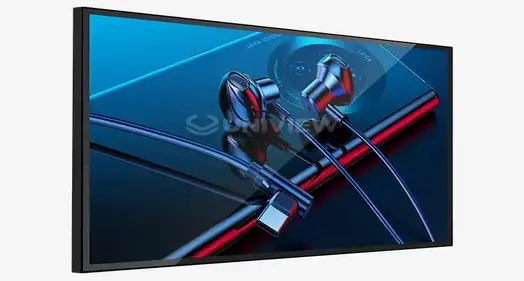
Understanding Wall-Mounted Digital Display Screens
Digital screens that are mounted on walls today are high-tech solutions that mix complicated engineering with useful business uses. Modern technologies, such as LED lights, LCD screens, and OLED innovations, are used in these display systems to make them look great in a variety of work settings.
Core Technologies and Components
A lot of different technologies are used in digital screens, and they all work together to make beautiful pictures. LCD screens with LED lights let you easily adjust the brightness and use less power. OLED technology, on the other hand, gives you more accurate colors and better contrast. Which of these tools you use will depend on the show, the way you're watching it, and your budget. Screens that can be touched have sensitive or infrared touch sensors built in that let you move your finger across the screen. So instead of just looking, you can connect with the product in fun ways. Non-touch forms are better for ads and informational screens because they are easy to use and don't need as much care.
Connectivity and Integration Capabilities
Thanks to HDMI, USB, Ethernet, and wireless standards, modern screens have many ways to join. This makes it easy to add them to digital sign networks that are already in place. Material management systems can keep an eye on how well systems are going in sites all over the world, change materials on a set plan, and handle multiple displays from away.
Application Versatility Across Industries
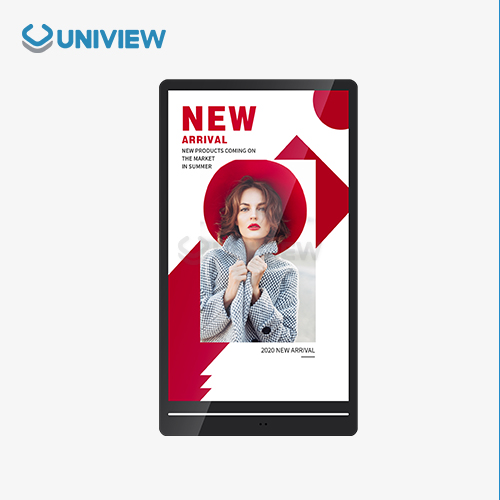
These screens are used in stores to show ads and information about goods. In business situations, they talk about success metrics and company news. In dining settings,wall-mounted digital display screenthey help people find their way and give them things to do. At transportation hubs, schedules are shown in real time. They also use changing materials to get people's attention in public advertising spots.
Key Features to Consider When Choosing a Wall-Mounted Digital Display Screen
Here are some important technical specs to keep in mind when picking the best monitor: speed, reliability, and return on investment. These important features determine how well your digital signage helps your business reach its goals and lasts over time.
Display Resolution and Image Quality
The quality makes a big difference in how strong and clear the pictures are. Full HD displays with a resolution of 1920x1080 work well for viewing from a moderate distance and are less expensive. 4K displays with a resolution of 3840x2160 pixels work well for watching up close. This number determines how clear the text is, how sharp the pictures are, and how professional everything looks. How lively and real your content looks to people depends on how true the colors are and how much difference there is. High-quality screens can show a wider range of colors, so brand colors stay the same and marketing materials keep the look they were meant to have.
Size and Aspect Ratio Selection
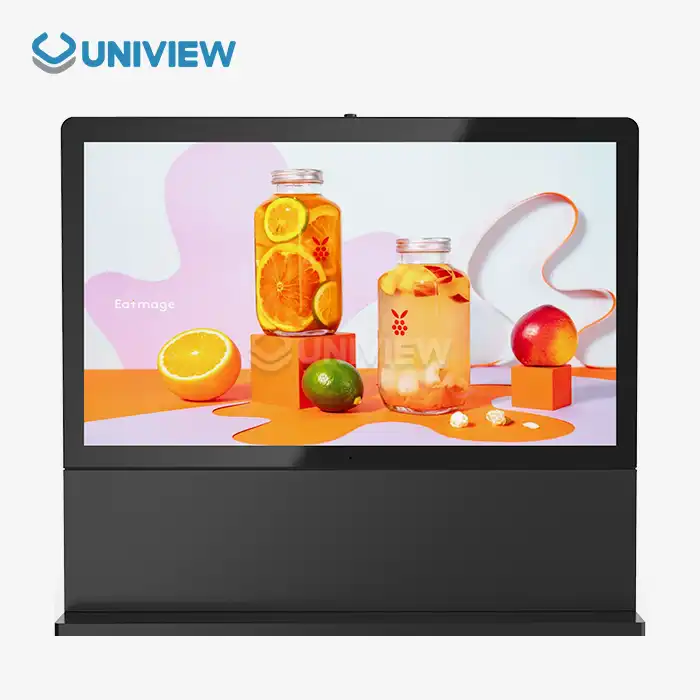
Screen size is determined by how far away you want to watch, how much space you have, and what you want to watch. Bigger screens let you see more, but they take up more space and use more power. Very wide forms are great for digital message boards and information screens, while standard 16:9 aspect ratios work well for most types of material.
Brightness and Viewing Performance
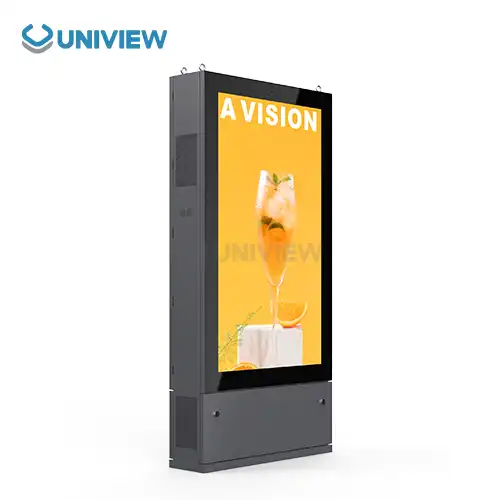
How well something can be seen in different lighting conditions is based on its brightness, which is measured in nits. Most uses inside need between 300 and 700 nits. Outside, in bright sunlight, they need between 2000 and 4000 nits to stay noticeable. Wide viewing angles make it possible to see colors and details clearly, even when you look at something from different angles.
Interactive Capabilities
Adding touchscreens to displays turns them into engaging tools that keep people interested and gather useful information. Multi-touch systems let more than one person use complicated motions at the same time. Single-touch systems, on the other hand, are cheaper for simple jobs.
Environmental Protection and Durability
It tells you how well a product keeps dust and water out with IP ratings. IP65 and IP66 grades are the best for outdoor sets because they protect the most. Surface processes and materials, such as wall-mounted digital display screensthat don't rust, make things last a long time in difficult conditions. The temperature ranges they can handle determine where they can be used. For screens outside, the average temperature range is between -20°C and +50°C. This makes sure they still work well when the weather changes. In places with a lot of wetness, humidity resistance stops mist from building up inside and parts from breaking down.
Comparing Wall-Mounted Digital Display Screens: Making an Informed Decision
Buyers can make smart decisions that get the best value and performance when they know who the rivals are and how their products are technically different. It depends on the needs of the program and the goals of the business to know which display technology is best for you.
Wall-Mounted vs. Floor-Standing Alternatives
Putting displays on the wall saves space and makes the area safer by keeping them out of the way of people walking by, which lowers the risk of theft. These things make the room look neat and clean, and they use the floor space well. Because of the freedom of placement, screens can be put in places where they can be seen best by different groups of people. Floor-standing displays are easier to move and set up, but they may be hard to get to in busy areas because they take up more space. The choice will depend on how the venue is set up, worries about safety, and the need for running flexibility.
Technology Comparison: LED vs. OLED vs. LCD
LED backlit LCD screens are good for most business uses because they are cheap, bright, and use little power. Their work is good, they last longer, and they need less maintenance. You can get deeper blacks and brighter colors with OLED technology, but it costs more and might not last as long in high-brightness settings. These screens really shine when used inside, where picture quality is more important than light.
Market Leaders and Performance Analysis
Well-known names like Samsung, LG, and Sony make high-end screens with lots of extra features and big support networks. They cover a lot of people with insurance, have service networks all over the world, and have a history of being reliable in tough business situations. A lot of the time, new companies offer low prices and features that are made to fit specific wants. When making your decision, you should think about things like how well it was built, how long the guarantee lasts, how easy it is to get help from experts, and how long it will be possible to get parts.
Installation and Maintenance Best Practices
If you install and take care of your tools the right way, they will work better and last longer. Professional installation methods make sure that safety rules are followed, that nothing breaks, and that the system works better from the start.
Professional Installation Considerations
It is important to make sure that the wall is strong and that the fixing will work before starting the installation. For safety reasons and to avoid damage from power spikes or bad grounding, make sure the electrical connections are right. Taking care of the wires and blocking off the area around them protects the links from damage, water, and dust. To make sure the job is done right, professional fitters know the local building codes, safety rules, and builder specs.
Routine Maintenance Requirements
By cleaning often, you can keep the picture quality high and keep dust from gathering, which can make the computer too hot. When you clean screens, you need to use the right tools and methods to protect anti-reflective films and touch screens. Fixed bugs and updates in software keep systems stable and safe from online risks. Every so often, wall-mounted digital display screen content management systems need to be backed up to keep data safe and the business running.
Service and Support Networks
Service plans that are backed by the maker give you access to replacement parts, expert technical help, and guarantee coverage that keeps your new equipment safe. Due to local service networks, it is possible to quickly fix and maintain things that need it.
Procurement and Customization: Buying Guide for Businesses
Companies that buy things strategically get the best deals and make sure that the products they use meet their specific needs. You will be happy with your purchases in the long run if you know your supplier's skills and customization options before you buy.
Cost-Effective Purchasing Strategies
When you buy a lot, you can save a lot of money and often get better guarantee terms for businesses that need more than one unit. It's easier to handle extra parts, training, and maintenance when you stick to a few types and manufacturers. If you want to know how much something costs to own, you should add up all of its parts and labor costs, energy use, fixes, and the time it will take to replace it. In-depth studies like these help to support the use of extra features that lower running costs by showing what the real long-term costs are.
Customization and Integration Options
People who make things often offer customization services. For example, they can make goods in different sizes, find unique ways to put them together, and add branding elements. It is easy to connect to content management systems, data sources, and business tools that you already use when you deal with software. By matching the colors, customizing the borders, and adding logos, you can create uniform brand experiences that help the company stand out. These options for customization let you make sets look unique while still keeping them professional.
Supplier Evaluation and Selection
When judging a provider, you should look at how well they make things, how technically skilled they are, where they are located in the world, and how well they set up networks for help after the sale. Being able to get help in the future and having enough money to live on are both signs of long-term success. Quality badges, safety standards, a wall-mounted digital display screen, and environmental compliance all show that you want to do the right thing and follow the rules. These things are even more important when putting in businesses that are controlled or when going abroad.
Conclusion
When selecting the best wall-mounted digital display screen, it is important to take into account the technical specifications, application requirements, and long-term working goals. Key features like clarity, brightness, durability, and environmental protection have a direct effect on performance and return on investment. When procurement managers know about these important things, they can make decisions that are in line with the goals of the company and make sure it runs smoothly for a long time. A good implementation includes picking the right provider, having a professional set it up, and following the maintenance plans that make sure the equipment works well for as long as it's meant to.
FAQ
1. What resolution is recommended for retail environments?
Full HD (1920x1080) quality lets you see clearly most of the time in stores where people are farther away than three feet. Small features need to be seen clearly, and 4K clarity helps with that on bigger screens or up close. The type of content, the viewing distance, and the price all play a role in the decision.
2. How often should wall-mounted displays receive maintenance?
Once a month, cleaning and eye checks help keep things in good shape and find problems early. Once a year, skilled service checks and software changes every three months make sure that security and reliability will last for a long time. Places outside or with a lot of foot traffic may need more regular attention depending on the weather.
3. Can digital displays be customized for specific corporate branding?
A lot of manufacturers do let you change things about their goods, like the color of the bezels, how they're fixed, and whether or not they have your name on them. When you customize software, you can make user screens with your business's logo, unique content themes, and links to other systems in your company. These options keep things looking professional and make work experiences more uniform.
4. What brightness level is suitable for outdoor installations?
A screen outside needs to be between 2000 and 4000 nits bright to stay visible in full sun. Things work better in low light when the brightness level is higher, but they use more power and stress the parts more. The best amounts of light depend on where you are, which way the sun is shining, and how its path changes each year.
5. How important are IP ratings for digital display durability?
In order to figure out how well a place keeps dust and water out, IP grades are very important. Ratings of IP65 and IP66 are great for keeping things safe outside and in wet rooms. Over time, these numbers have a direct effect on how long things last, how often they need to be fixed, and how reliable they are in tough conditions.
Partner with Uniview Commercial for Premium Wall-Mounted Digital Display Solutions
Your go-to wall-mounted digital display screen manufacturer is Uniview Commercial, which offers cutting-edge LCD and LED options that alter business interactions in foreign markets. Our high-tech screens are very bright (2000 to 4000 nits), protect you from the weather (IP65/66), and don't rust because they are made with European surface treatment technology. We have all the digital signs you need to advertise in shops, businesses, hotels, and outside. Our solutions come with full customization choices, longer warranties that last between 3 and 5 years, and help that is available around the clock, seven days a week. You can talk to our knowledgeable staff about your specific requirements by emailing sales@univiewlcdisplay.com. Discover why purchasing managers from all over the world choose our dependable and effective display options.
References
1. Digital Signage Federation. "Commercial Display Standards and Best Practices for B2B Applications." Industry Technical Report, 2023.
2. Thompson, Michael R. "LED vs LCD Technology Comparison in Commercial Digital Displays." Journal of Display Technology Research, Vol. 15, 2023.
3. International Electrotechnical Commission. "IP Rating Standards for Electronic Equipment Environmental Protection." IEC Technical Publication 60529, 2022.
4. Chen, Sarah L. "Total Cost of Ownership Analysis for Commercial Digital Signage Systems." Business Technology Quarterly, Issue 3, 2023.
5. Rodriguez, Carlos M. "Installation and Maintenance Best Practices for Wall-Mounted Digital Displays." Commercial AV Magazine, September 2023.
6. Global Market Research Institute. "Digital Signage Market Analysis and Procurement Trends for B2B Sectors." Annual Industry Report, 2023.

Learn about our latest products and discounts through SMS or email