- English
- French
- German
- Portuguese
- Spanish
- Russian
- Japanese
- Korean
- Arabic
- Greek
- German
- Turkish
- Italian
- Danish
- Romanian
- Indonesian
- Czech
- Afrikaans
- Swedish
- Polish
- Basque
- Catalan
- Esperanto
- Hindi
- Lao
- Albanian
- Amharic
- Armenian
- Azerbaijani
- Belarusian
- Bengali
- Bosnian
- Bulgarian
- Cebuano
- Chichewa
- Corsican
- Croatian
- Dutch
- Estonian
- Filipino
- Finnish
- Frisian
- Galician
- Georgian
- Gujarati
- Haitian
- Hausa
- Hawaiian
- Hebrew
- Hmong
- Hungarian
- Icelandic
- Igbo
- Javanese
- Kannada
- Kazakh
- Khmer
- Kurdish
- Kyrgyz
- Latin
- Latvian
- Lithuanian
- Luxembou..
- Macedonian
- Malagasy
- Malay
- Malayalam
- Maltese
- Maori
- Marathi
- Mongolian
- Burmese
- Nepali
- Norwegian
- Pashto
- Persian
- Punjabi
- Serbian
- Sesotho
- Sinhala
- Slovak
- Slovenian
- Somali
- Samoan
- Scots Gaelic
- Shona
- Sindhi
- Sundanese
- Swahili
- Tajik
- Tamil
- Telugu
- Thai
- Ukrainian
- Urdu
- Uzbek
- Vietnamese
- Welsh
- Xhosa
- Yiddish
- Yoruba
- Zulu
What Features Should You Look for in Free Standing Digital Signage?
When purchasing free-standing digital signage, you should look for displays with high brightness (2000–4000 nits), weather protection (IP65/IP66), a variety of connectivity options, and trustworthy content management systems. These movable display boxes are the most adaptable you'll find for advertising in stores, businesses, and outside. Key features include touchscreens, resistance to corrosion, safe mounting systems, and full warranty coverage to ensure long-term operating success and the highest return on investment.

Understanding Free Standing Digital Signage: Key Features and Benefits
Digital display systems have changed the way companies talk to their customers. Displaying multimedia material on freestanding digital signs is a flexible way to communicate that can be used in places where standard mounted displays can't. These portable units are much more flexible than set wall-mounted or kiosk options because they can be moved around to meet the needs of the business as they change. Because they can be moved around easily, they are great for business-to-business uses in stores, offices, hotels, and public advertising efforts.
Essential Technical Specifications
For modern display units to work reliably, they need to have certain technical abilities. High-quality screens are the building blocks of good visual communication. Many professional-grade units offer 4K resolution to make sure images are sharp and clear, which grabs people's attention. Connectivity choices are very important for how well operations run. Advanced units can connect to Wi-Fi, LAN, and cellular networks (4G/5G), so content changes can happen without any problems, no matter where the unit is installed. This range of connection options makes sure that marketing texts are always up-to-date and useful. Another very important part is content management tools. Strong CMS systems let you schedule material from afar, make changes in real time, and work together across multiple screens. With these tools, marketing teams can make sure that messages are consistent across multiple places, even if the content needs to be changed for different groups or times.
Operational Advantages for B2B Applications
Using these display options has a lot of practical benefits that procurement managers and original equipment manufacturers (OEMs) can see. When dynamic content replaces static signs, customers are naturally more interested, which leads to longer stays and better information recall. One of the best things about it is that deployment is flexible. For yearly campaigns, special events, or changes in foot traffic, these units can be moved around quickly. This flexibility lowers long-term infrastructure costs while increasing the effect and visibility of the show. Scalability is especially important for businesses that have more than one site. Companies can start with a small network and grow it as their budgets allow, making sure that their image and message are the same everywhere.
Types and Technology Trends of Free-Standing Digital Signage
There are many types of free-standing digital signage display technologies used in digital signs, and each one is best for a certain setting and set of needs. By understanding these choices, you can make smart decisions about buying that meet business needs.
Display Technology Categories
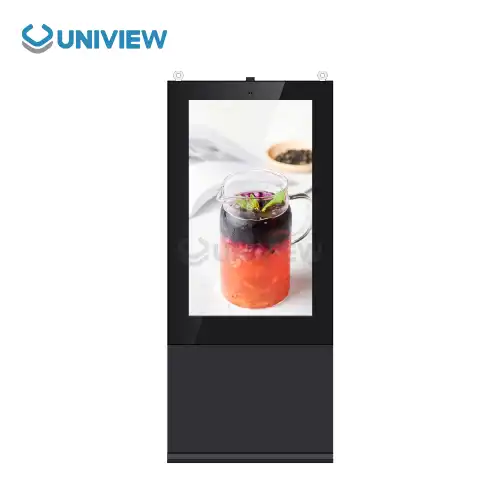
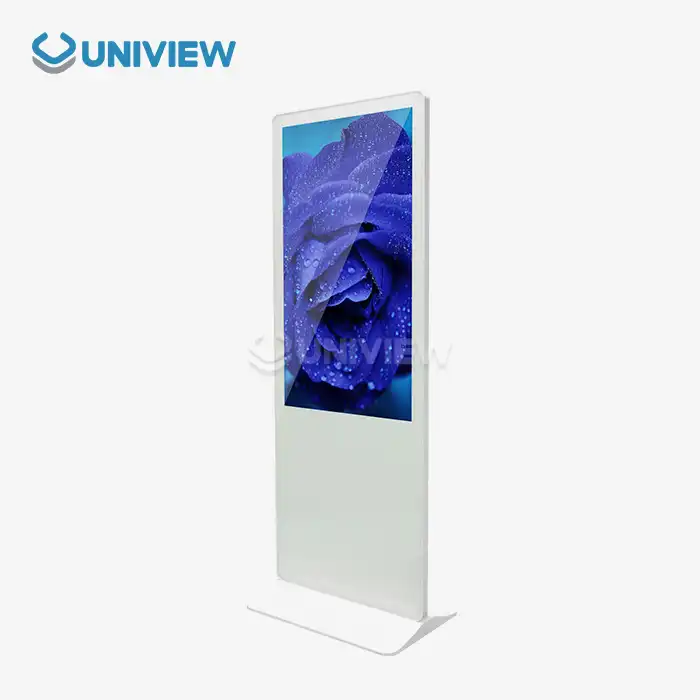
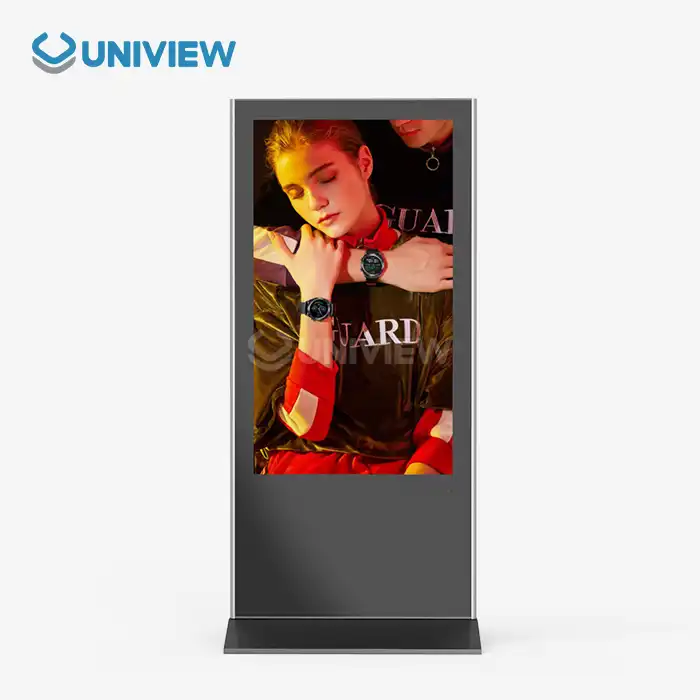
LCD technology is used most often indoors because it is cheap and reproduces colors very well. Most of the time, these displays work well in controlled settings and provide steady service for long periods of time. A lot of LCD screens have anti-glare coatings and brightness settings that can be changed so they can be seen in a variety of lighting situations. When used outside, where light is important, LED screens work great. These units can get as bright as 4000 nits, which means they can be seen even in full sunlight. When compared to older display technologies, LED technology also lasts longer and uses less energy. Users can interact with interactive tablet models by touching and dragging them. This makes them perfect for information booths, product catalogs, and finding your way. Non-interactive units are used for simple show tasks where one-way contact is enough.
Emerging Technology Integration
The ability to control displays has greatly improved with the addition of the Internet of Things (IoT). Connected screens can give you real-time information about how engaged viewers are, how well the material is performing, and how healthy the system is. This information lets content plans be improved, and preventative upkeep be planned. By looking at viewer demographics and interaction habits, artificial intelligence makes personalized content delivery possible. AI-powered systems can change messages instantly based on the time of day, the weather, or characteristics of the audience that have been identified. New energy-efficient hardware keeps lowering running costs and making devices last longer. Modern screens have smart power management features like automatic brightness adjustments and sleep modes that use less power when they're not being used.
How to Choose the Best Free-Standing Digital Signage for Your Business
To find the best display options, you need to carefully consider your business's needs and the limits of your operations. To make good procurement choices, you need to know what your use case options are.
Environmental Considerations
When used indoors, picture quality, viewing angles, and how well the device fits in with the current decor are all important. The lighting and temperature in these places are usually controlled, so the attention is on color accuracy and sharpness rather than features that last a very long time. Installations outside need to be able to withstand bad weather. With an IP65 or IP66 grade, you'll be safe from dust, water, and high temperatures. In seaside or industrial areas, materials that don't rust and special treatments keep the environment from being damaged. The interactive needs of your apps will tell you if touchscreen features are useful. When judging engaging features, you should look at how people usually use them, the types of material they contain, and how easy they are to maintain.
Performance and Durability Factors
Resolution, clarity, color consistency, and viewing angles are all parts of display quality. In professional settings, the light level needs to be at least 2000 nits for indoor use and 4000 nits for outdoor exposure. High contrast ratios make sure that text can be read and pictures look bright in a range of lighting situations. Size issues combine the need for visibility with the limits of installation space and funds. Larger screens get people's attention better, but they also require more money to be spent on hardware and content. When used outside, durability qualities become even more important. Rated wind resistance, building that isn't easily damaged, and safe mounting systems all work together to protect investments and make sure they work properly every time. Anti-theft features like reinforced shelters and tamper alerts make sure that expensive equipment is even safer.
Cost Analysis and ROI Evaluation
The total cost of ownership includes more than just buying the tools. It also includes costs for setup, upkeep, content creation, free-standing digital signage, and running the business. Full insurance coverage for 3 to 5 years helps you plan for and manage long-term costs and makes sure you have solid support when problems happen. A thorough cost-benefit study of different options, like traditional signs, kiosks, or LED posters, shows what the real value offer is. When figuring out return on investment, you should think about things like how often you change material, how engaged your audience is, and how flexible your operations are.
Installation, Maintenance, and Support Considerations
Before deployment can go well, the site needs to be carefully studied to find the best spot for visibility and operating efficiency. Professional installation makes sure that safety rules and guarantee requirements are followed, while reducing the risks of execution.
Site Preparation and Installation
When a site is properly evaluated, it takes into account things like electrical access, network connections, viewing angles, foot traffic patterns, and the surroundings. These tests keep you from having to make expensive changes during installation and make sure you get the best results from the start. Expert installation teams know a lot about fixing systems, how to keep cables organized, how to keep things dry in bad weather, and safety rules. Some simple setups can be done by the customer with help from the provider, but more complicated setups are much better when done by a professional. The network infrastructure needsto change depending on how often information is updated and how it can be displayed. Reliable internet access lets you handle material remotely, schedule it, and keep an eye on the whole system, all of which improve working efficiency.
Ongoing Maintenance Requirements
Cleaning equipment regularly keeps it in good shape and makes it last longer. Outdoor units need more frequent maintenance because they are exposed to the weather, while indoor displays need to be cleaned every so often to keep their shine and clarity at their best. Updates for software make it safer, more compatible, and add new features. A system that automatically updates software reduces the work that needs to be done by administrators while keeping features up to date and protecting against security holes. Unexpected downtime is kept to a minimum with component tracking and preventive repair. Good providers offer diagnostic tools and proactive help that find problems before they affect operations.
Supplier Support and Service
Professional suppliers are different from commodity sellers because they offer full after-sales support. Look for providers that offer professional training, quick troubleshooting, easy access to spare parts, and global help for operations in multiple locations. There should be clear service level agreements and warranty terms that cover both devices and software. Options for longer warranties offer extra security for mission-critical sites where downtime has a big effect on business. When you work with suppliers as a partner, you can build long-term value through ongoing optimization, planning for growth, and technology updates. Long-term sellers know how to help businesses meet their changing needs and can suggest improvements that boost performance and return on investment (ROI).
Use Cases and Success Stories in B2B Environments
Digital display solutions have had a measured effect on many different types of industries, making case studies that are useful for justifying purchases and planning implementations.
Retail and Hospitality Applications
Dynamic screens are used in stores to show information about products, deals, and brand messages that change based on inventory levels and customer profiles. Interactive brochures let users browse on their own, which makes customers happier and lowers the workload of staff. Displays are used in hospitality places to show event schedules, directions, promotional material, and real-time information. Being able to move displays for seasonal or special events campaigns makes the best use of assets while keeping guest experience standards high. When restaurant chains put up digital menu boards that highlight special items and limited-time deals, the average value of a transaction goes up a lot. Being able to change prices and supply in real time makes operations simpler and more accurate.
Corporate Communication Solutions
Centralized communication systems that send out company news, safety warnings, training materials, and operational changes are helpful in business settings. These systems make sure that messages are always the same and cut down on the use of email and paper documents. Wayfinding apps in big buildings make the experience of visitors better while cutting down on the time staff spend giving directions. Interactive maps and listing systems can be quickly updated to free-standing digital signage show how an organization has changed or to reflect short-term changes. Interactive screens are used in training and development programs to show how to do things safely and to make sure people follow the rules. The interesting structure increases retention rates and makes it possible to track progress in a way that meets regulatory needs.
Event and Exhibition Flexibility
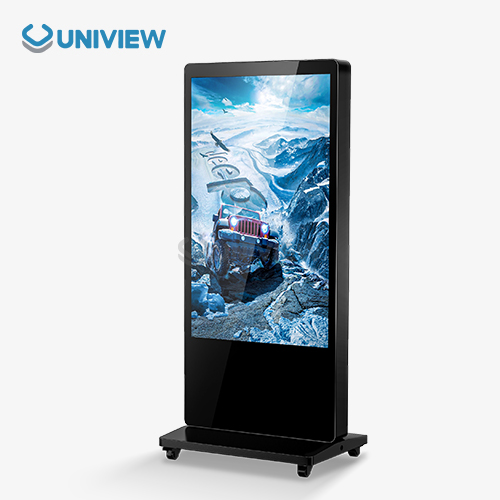
At trade shows and fairs, people need movable solutions that can make brand presentations that stand out and be easy to set up and take down multiple times. Lightweight displays with secure carrying cases make it possible to use the same name at multiple events. Rapid deployment makes it easier to set up temporary sites for things like product launches, holiday campaigns, or community events. Battery-powered options give you more setting options in places that aren't easily accessible to electricity. When material is updated in real time during events, marketing can respond to crowd feedback, changes in the schedule, or news that breaks. In fast-paced advertising settings, this flexibility gives you an edge over your competitors.
Conclusion
Freestanding digital signs are a smart investment in communication technology that is flexible and can change as business needs do. The most important features to look for are screens with a lot of brightness, weather resistance, solid connectivity choices, and full content management systems. For implementation to go well, the setting, the need for ongoing upkeep, and the supplier's ability to help must all be carefully thought through. When chosen and used correctly, these display options make a real difference in how engaged customers are, how efficiently operations run, and how well people can communicate in retail, workplace, hospitality, and outdoor advertising settings.
FAQ
1. What distinguishes free-standing digital signage from digital kiosks?
Digital signage that stands alone is mostly used to show content and promote brands. Digital booths, on the other hand, usually have engaging features like the ability to accept payments, order products, or get information. Signage units focus on the quality of the display and the ability to handle content, while kiosks focus on the design of the user experience and the ability to process transactions.
2. Can free-standing digital signage operate reliably in outdoor environments year-round?
High-quality outdoor units with the right weather protection ratings (IP65/IP66) can work reliably in a wide range of weather situations. Corrosion-resistant materials, temperature-controlled shelters, wetness protection, and UV-resistant screens are some of the most important features. Installing things correctly and keeping up with care will keep them working well, no matter what the weather is like.
3. What are typical pricing ranges and volume purchasing options?
Prices vary a lot depending on the size of the screen, the type of technology used, the surroundings, and the features that are included. Indoor LCD screens can be as cheap as a few thousand dollars, but outdoor LED screens with a lot of light can cost tens of thousands of dollars. When you buy a lot of something, you can usually get a 10–20% discount for each extra unit you buy. You can save even more with long-term service contracts and standard setups.
4. How important is warranty coverage for digital signage investments?
A full warranty covers expensive hardware purchases and makes sure that upkeep costs are predictable. Hardware and software parts from good sources come with contracts that last between 3 and 5 years. For mission-critical sites where downtime has a big effect on business, extended warranty choices add more value.
Partner with Uniview Commercial for Premium Free Standing Digital Signage Solutions
Uniview Commercial stands as your trusted free-standing digital signage manufacturer, delivering cutting-edge LCD and LED display solutions engineered for superior performance across challenging environments. Our displays feature industry-leading brightness levels from 2000 to 4000 nits, robust IP65/IP66 weather resistance, and advanced corrosion protection using European surface treatment technology. We provide comprehensive customization services backed by 3-5 year warranty coverage and global 24-hour support across over 100 countries. Contact our expert team at sales@univiewlcdisplay.com to discuss your specific requirements and discover how our innovative display solutions can enhance your business communications and drive measurable results.
References
1. Digital Signage Technology Standards and Best Practices for Commercial Applications, International Society for Technology in Education, 2023.
2. Weather Resistance Requirements for Outdoor Digital Display Systems, International Electrotechnical Commission Standard 60529, 2022.
3. Commercial Digital Signage Market Analysis and Technology Trends, Global Industry Research Institute, 2023.
4. Energy Efficiency Guidelines for Professional Display Systems, Environmental Protection Agency Commercial Equipment Standards, 2022.
5. B2B Digital Communication Technology Impact Assessment, Business Technology Research Council, 2023.
6. Installation and Maintenance Standards for Commercial Digital Signage Systems, Professional Display Installation Association, 2022.
Learn about our latest products and discounts through SMS or email