- English
- French
- German
- Portuguese
- Spanish
- Russian
- Japanese
- Korean
- Arabic
- Greek
- German
- Turkish
- Italian
- Danish
- Romanian
- Indonesian
- Czech
- Afrikaans
- Swedish
- Polish
- Basque
- Catalan
- Esperanto
- Hindi
- Lao
- Albanian
- Amharic
- Armenian
- Azerbaijani
- Belarusian
- Bengali
- Bosnian
- Bulgarian
- Cebuano
- Chichewa
- Corsican
- Croatian
- Dutch
- Estonian
- Filipino
- Finnish
- Frisian
- Galician
- Georgian
- Gujarati
- Haitian
- Hausa
- Hawaiian
- Hebrew
- Hmong
- Hungarian
- Icelandic
- Igbo
- Javanese
- Kannada
- Kazakh
- Khmer
- Kurdish
- Kyrgyz
- Latin
- Latvian
- Lithuanian
- Luxembou..
- Macedonian
- Malagasy
- Malay
- Malayalam
- Maltese
- Maori
- Marathi
- Mongolian
- Burmese
- Nepali
- Norwegian
- Pashto
- Persian
- Punjabi
- Serbian
- Sesotho
- Sinhala
- Slovak
- Slovenian
- Somali
- Samoan
- Scots Gaelic
- Shona
- Sindhi
- Sundanese
- Swahili
- Tajik
- Tamil
- Telugu
- Thai
- Ukrainian
- Urdu
- Uzbek
- Vietnamese
- Welsh
- Xhosa
- Yiddish
- Yoruba
- Zulu
What Operating Systems Support Digital Display Touch Screen Kiosk?
Digital display touch screen kiosks work with a number of different operating systems, such as Linux, Windows IoT, and Android. Windows systems work well in business settings because they are easy to use and work with a lot of software. Android has options that are both cheap and powerful, making them perfect for use in retail and hospitality. Linux offers better security and more customization options, which is why companies that need open-source control and specific configurations for their interactive kiosk deployments choose it.
Introduction
Retail, leisure, healthcare, and logistics are just a few of the B2B industries that can't do without digital display touch screen kiosks. These interactive systems change how companies connect with their customers, make tasks easier, and send data quickly. Picking the right operating system (OS) is important for making sure that the booth works well, is safe, and keeps users interested, as well as for its long-term success.
OS compatibility is important for more than just simple functionality. Today's businesses need kiosks that work well with their current systems, can be used for a variety of tasks, and are reliable even when conditions are tough. This introduction talks about how important it is for these kiosks to work with different operating systems. It also sets the stage for procurement professionals to make smart choices that meet business needs and long-term goals.
Figuring out how hardware powers relate to software needs helps businesses avoid mistakes that cost a lot of money and get the best return on their investment. The operating system you choose has a direct effect on how long it takes to deploy, how much maintenance it needs, and how many places it can be used in.
Understanding Digital Display Touch Screen Kiosks and Their Operating Systems
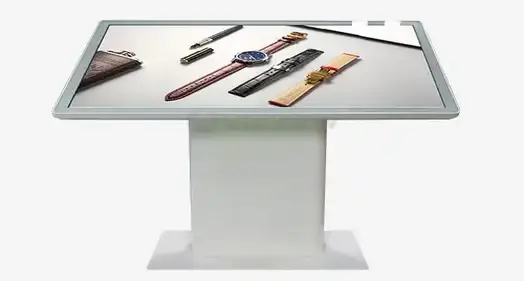
Digital display touch screen kiosks use both hardware and operating systems to give businesses dynamic digital solutions that are made for them. These high-tech gadgets have responsive touch screens, powerful computers, and specialized software that work together to make interesting user experiences that meet certain business goals.
Core Components and Architecture
Modern interactive booths are made up of several important parts that work together. Usually, the display panel has either capacitive or resistive touch technology, which lets the user connect with it precisely. Industrial-grade processors do the complicated math behind the screen, and dedicated controllers handle touch input, display output, and contact with peripheral devices.
This layer of embedded software connects the hardware to the user's programs. This part explains what a kiosk is made of—touch screens, processors, and built-in software—and shows how they can be used strategically in areas like warehouse planning, healthcare self-service, and retail checkouts. Memory management, storage options, and connectivity choices change depending on the environment and the apps that will be used.
Strategic Business Applications
It's important to understand the OS's part because it controls system stability, security protocols, and how user interfaces can be customized. These all have a direct effect on how reliable the device is and how the customer feels about it. Kiosks that help with product management, customer loyalty programs, and integrating point-of-sale systems work well in retail settings. Healthcare facilities need tools that can check patients in, help them find their way, and give them information while also following privacy rules.
Kiosks are used in transportation hubs to sell tickets, show schedules, and help people find their way. These systems are used in businesses to handle visitors, help employees, and talk to each other inside the company. For the best performance and user satisfaction, each program needs a different set of OS capabilities.
Key Operating Systems Supporting Digital Display Touch Screen Kiosks
There are a few main operating system choices for kiosks. Each has its own benefits that make it better for certain types of work. As part of the selection process, technical specs, licensing prices, support availability, and integration needs that are unique to each deployment scenario are all looked at.
Windows-Based Solutions
People like Windows systems, like Windows IoT and Embedded editions, because they work with a lot of software and are easy to integrate. These systems work great in business settings where being able to connect to the current Microsoft infrastructure is a big plus. Windows IoT Enterprise has security features that are suitable for large businesses, the ability to control devices, and easy-to-use interfaces that make training less necessary.
There are a lot of business apps that work with Windows, which makes it easy to connect to ERP systems, CRM platforms, and specialty industry software. IT departments can easily take care of many kiosks with the help of remote control tools, and regular security updates protect against new threats.
Android Platform Benefits
Android is a flexible, low-cost option that works well with multiple touches, making it a popular choice in busy places. Because Android is open source, it can be changed in many ways and is still cost-effective for large-scale operations. Android's easy-to-use touch interface works well for both apps, especially ones that people will be using.
Google regularly changes its software to make it safer and add new features. The platform uses less energy, which lowers operational costs, and it works with a lot of different hardware, so companies can choose parts that meet their unique performance and cost needs.
Linux-Based Systems
Linux-based systems are popular because they are reliable, secure, and easy to customize, making them perfect for clients who value open-source control. Linux's ability to let users make their own user interfaces and add their own tools is helpful for businesses with specific needs. The technology is stable enough to be used continuously, which makes it good for mission-critical deployments.
Some security benefits are that you are less likely to be attacked by common malware, and you can set up your own security procedures. Even though Chrome OS and other niche OSes can help with cloud integration, most people still use mainstream solutions because they are stable and have strong support communities.
How to Choose the Right Operating System for Your Digital Display Touch Screen Kiosk?
To pick the best OS, you need to make sure that your buying goals are in line with your technical and operational needs. Before a decision is made, the current infrastructure, plans for future growth, and the specific application needs that will determine long-term success must all be carefully looked at.
Technical Compatibility Assessment
Hardware compatibility is an important evaluation factor that affects both the original deployment and ongoing operations. This part explains how to look at hardware compatibility, security compliance, and software environments all at the same time. Different operating systems have very different processors, memory needs, storage needs, and support for external devices.
How fast graphics need to be depends on how complicated the information being shown is and how the user interacts with it. Video playback, animation effects, and multi-touch gestures all need enough memory and computer power. Options for connecting to the network, such as wireless features and Ethernet ports, must work with the building's system and meet security needs.
Security and Compliance Considerations
For business operations to run smoothly, things like system stability, UI customization, integration with ERP or CRM systems, and the ability to grow are essential. Security protocols are very important in places where sensitive data or financial deals are handled. Compliance with industry standards like PCI DSS for payment handling or HIPAA for healthcare applications has a big impact on the choice of OS.
Platforms differ in how often they update security, how they control user access, and how they can secure data. When comparing operating system choices, businesses need to think about how much risk they are willing to take and their legal responsibilities.
Operational Requirements and Scalability
Case studies from the business world show how choosing the right operating system (OS) can lower upkeep costs and increase system uptime, giving procurement leaders useful information they can use. When deployments happen in more than one place, they need centralized management and standard maintenance processes.
Costs include more than just the original licensing fees. They also include ongoing support, training needs, and ways to get new versions of the software. Businesses that want to grow should choose operating systems that allow for automated deployment and remote control.
Installation, Maintenance, and Troubleshooting Considerations Linked to OS Choices
How kiosks are set up and maintained depends a lot on the OS that is picked. By knowing these differences, organizations can make sure they have the right tools and support systems in place to keep operations running smoothly and avoid problems.
Deployment Procedures and Setup Requirements
Windows-based systems usually have easy-to-follow setup instructions and a lot of vendor help, so IT teams that already know how to use Microsoft can use them. Different platforms have very different installation times, configuration complexity, and basic setup needs. Standardized imaging methods allow for quick deployment in many places while keeping security and configuration settings the same.
How to integrate a network depends on how authentication is done, how to join a domain, and how security protocols are implemented. Companies that already have an IT infrastructure should choose operating systems that work with the tools and methods they already use for management.
Ongoing Maintenance and Support
Routine maintenance includes managing drivers, updating the operating system (OS) on time, and doing preventative checks to make sure the system can keep running. For the best upkeep and troubleshooting methods, Android and Linux users may need to know specific things. The schedule for updates needs to strike a balance between security needs and keeping operations running smoothly, especially in places where kiosks are always on.
Problems with driver compatibility can stop activities if they are not fixed right away. Building relationships with hardware providers and keeping backup systems up to date can help keep downtime to a minimum during maintenance. Documenting configuration settings and troubleshooting steps makes sure that help stays the same even when staff changes and shifts happen.
Troubleshooting and Support Considerations
Getting to the bottom of common problems like boot errors or software crashes is connected to the operating system. To keep downtime to a minimum, seller support services and warranty terms are very important when deciding what to buy. Response time needs depend on how important the kiosk's operations are and how readily available backup systems are.
Remote diagnostics cut down on the need for technicians to come to the site, which speeds up the problem-solving process. When choosing operating systems and hardware vendors, businesses should look at how available help is, how long it takes to respond, and how to escalate problems.
Future Trends: Operating Systems and Digital Touch Screen Kiosk Innovation
New operating system improvements are changing the kiosk business by adding cloud connectivity, Internet of Things (IoT) support, and better remote control tools. Knowing about these changes in technology helps businesses decide what investments to make that will still make sense as the market and users' needs change.
Cloud Integration and Remote Management
These trends focus on making systems safer and keeping an eye on them in real time, which lets them be set up in more ways and grow to cover more places. The cloud-based management systems allow for centralized control over networks of kiosks that are spread out. This makes it possible to quickly update content, change configurations, and check on performance from a single administrative interface.
Edge computing skills make it less important to be connected all the time while allowing advanced processing to happen locally. Less bandwidth needs and faster response times for user exchanges are good for businesses. Data analytics tools give you information about how people use content, which helps you make it better and figure out when maintenance is needed before it happens.
Artificial Intelligence and Personalization
To make sure investments are future-proof and can keep up with fast market changes and rising digital demands, procurement strategies need to plan for these changes in technology by putting an emphasis on OS compatibility with next-generation hardware and software. Machine learning techniques let you customize the experience for each user based on how they interact with the system and information about their demographics.
For technologies like voice recognition, gesture control, and face recognition to work, they need operating systems that can handle complicated algorithms in real time. Privacy concerns and following the rules make it harder to add these advanced features while still keeping users' trust and following the law.
Conclusion
To choose the right operating system for Digital display touch screen kiosks, you need to carefully look at their technical needs, their operational needs, and their long-term strategy goals. Windows platforms are better for business integration, while Android platforms are better for cost-effective flexibility in consumer-facing apps. Linux systems offer better protection and the ability to be customized to meet specific needs.
When organizations choose an OS, they need to think about how hard it is to set up, how much upkeep it needs, and how it can grow in the future. Integration of the cloud, AI powers, and IoT connectivity is all changing quickly. This calls for forward-thinking strategies that can adapt to new technologies while still ensuring operational reliability and security compliance in a wide range of business settings.
FAQ
Can I switch operating systems after purchasing a digital display touch screen kiosk?
Switching operating systems post-purchase is possible but involves significant considerations, including hardware compatibility, driver availability, and application migration requirements. Some hardware components may not function optimally with different operating systems, potentially requiring additional investments in compatible peripherals or system modifications.
Which operating system provides the best security for kiosk applications?
Security effectiveness depends on implementation rather than the operating system itself. Linux traditionally offers enhanced security through its architecture and reduced target profile for malware. Windows provides enterprise-grade security features with extensive management tools. Android includes sandboxing capabilities and regular security updates. Proper configuration, regular updates, and appropriate access controls matter more than the underlying platform.
Are Android-based kiosks suitable for heavy-duty industrial environments?
Android kiosks can operate effectively in industrial settings when paired with appropriate hardware designs and environmental protection. The operating system's efficiency and touch interface capabilities work well in demanding environments. However, consideration must be given to hardware specifications, environmental ratings, and industrial-grade components to ensure reliable operation under challenging conditions.
Contact Uniview Commercial for Professional Digital Display Touch Screen Kiosk Solutions
Uniview Commercial stands as a globally recognized digital display touch screen kiosk manufacturer, specializing in Windows, Android, and Linux-powered systems designed for demanding B2B environments. Our engineering expertise delivers customizable solutions featuring high-brightness displays, IP65/66 environmental protection, and robust construction suitable for retail, hospitality, transportation, and outdoor advertising applications. Connect with our technical team at sales@univiewlcdisplay.com to explore how our comprehensive product portfolio can address your specific operational requirements and deployment objectives.
References
1. Smith, J. & Anderson, M. (2023). "Operating System Selection for Commercial Kiosk Deployments: A Comprehensive Analysis." Journal of Interactive Technology Systems, 15(3), 245-267.
2. Chen, L. (2024). "Comparative Study of Windows, Android, and Linux Performance in Self-Service Terminal Applications." International Conference on Digital Signage Technology Proceedings, 89-104.
3. Rodriguez, P. & Thompson, K. (2023). "Security Protocols and Best Practices for Touch-Screen Kiosk Operating Systems." Cybersecurity in Retail Technology Quarterly, 8(2), 178-195.
4. Williams, R. (2024). "Cost-Benefit Analysis of Operating System Choices in Large-Scale Kiosk Deployments." Business Technology Review, 41(4), 312-329.
5. Kumar, S. & Davies, A. (2023). "Future Trends in Kiosk Operating Systems: Cloud Integration and IoT Connectivity." Digital Transformation in Public Spaces, Academic Press, Chapter 7, 156-174.
6. Johnson, E. (2024). "Maintenance and Support Considerations for Multi-Platform Kiosk Networks." Facilities Management Technology Journal, 29(1), 67-82.
Learn about our latest products and discounts through SMS or email