- English
- French
- German
- Portuguese
- Spanish
- Russian
- Japanese
- Korean
- Arabic
- Greek
- German
- Turkish
- Italian
- Danish
- Romanian
- Indonesian
- Czech
- Afrikaans
- Swedish
- Polish
- Basque
- Catalan
- Esperanto
- Hindi
- Lao
- Albanian
- Amharic
- Armenian
- Azerbaijani
- Belarusian
- Bengali
- Bosnian
- Bulgarian
- Cebuano
- Chichewa
- Corsican
- Croatian
- Dutch
- Estonian
- Filipino
- Finnish
- Frisian
- Galician
- Georgian
- Gujarati
- Haitian
- Hausa
- Hawaiian
- Hebrew
- Hmong
- Hungarian
- Icelandic
- Igbo
- Javanese
- Kannada
- Kazakh
- Khmer
- Kurdish
- Kyrgyz
- Latin
- Latvian
- Lithuanian
- Luxembou..
- Macedonian
- Malagasy
- Malay
- Malayalam
- Maltese
- Maori
- Marathi
- Mongolian
- Burmese
- Nepali
- Norwegian
- Pashto
- Persian
- Punjabi
- Serbian
- Sesotho
- Sinhala
- Slovak
- Slovenian
- Somali
- Samoan
- Scots Gaelic
- Shona
- Sindhi
- Sundanese
- Swahili
- Tajik
- Tamil
- Telugu
- Thai
- Ukrainian
- Urdu
- Uzbek
- Vietnamese
- Welsh
- Xhosa
- Yiddish
- Yoruba
- Zulu
Why Upgrade to a Wall Mount Digital Signage Display?
When companies in the retail, hotel, professional, and transportation sectors upgrade to a wall-mount digital signage display, it changes how they talk to customers. These professional-grade solutions are built to work nonstop, unlike regular static posters or TVs made for consumers. They offer high-brightness images, online content management, and sturdiness that regular displays can't match. Wall-mounted digital screens offer dynamic message features that improve brand connection, customer experience, and future-proof your communication infrastructure in a market that is becoming more digital. They do this by getting rid of the need to manually update content and lowering long-term maintenance costs.

Understanding Wall Mount Digital Signage Displays
What Makes Wall Mount Digital Signage Different from Standard Displays?
Wall mount digital signage displays are a special type of commercial-grade visual communication tool made for vertical placement. Unlike consumer TVs that have been converted for business use, these industrial screens have parts that are made to be rugged and can be used 24 hours a day, seven days a week. In terms of tech, they are very different. Professional signage uses commercial-grade LCD or LED screens with thermal management systems, anti-glare coatings, and high-brightness backlights that can range from 450 to 5,000 nits, based on the lighting conditions. These units work perfectly with Content Management Systems, so changes can be made in real time in one or more places from a central position.
Key Components and Technical Advantages
There are a few key differences between professional wall-mounted screens and consumer options that make them stand out. IPS or VA technology is used in industrial-grade screens with wider viewing angles to make sure that colors look the same from all directions. Advanced thermal control systems keep working temperatures at the best level, so performance doesn't drop over time. For outdoor use, displays use High Tni liquid crystal technology, which can handle surface temperatures of up to 110°C without isotropic failure or screen blackening, which can happen with regular panels. Commercial displays also have stronger chassis construction, standard mounting patterns that work with VESA standards, and a number of connection choices, such as HDMI, DisplayPort, and network interfaces for sending content.
Product Range and Size Options
There are a lot of different screen combinations on the market. Small 32-inch models work well in tight areas like elevator lobbies or small meeting rooms. 43-inch and 55-inch models, on the other hand, are common in retail and business settings because they provide great visibility without taking over the look of the room. Larger 65-inch and 75-inch screens are used in transportation hubs, hotel lobbies, and other public places with a lot of foot traffic that need to be seen from far away. There are different resolutions, from Full HD (1920x1080) for everyday use to 4K Ultra HD (3840x2160) for high-end setups that need very clear images. Touch-enabled versions let you use interactive maps, product listings, and self-service booths, which adds to the devices' usefulness beyond just showing information. Leading makers keep large product lines that meet a wide range of application needs. This way, buying teams can find solutions that are perfectly matched to their operations.
Comparing Wall Mount Digital Signage with Alternative Mounting Solutions
Wall Mount Versus Stand-Mounted Configurations
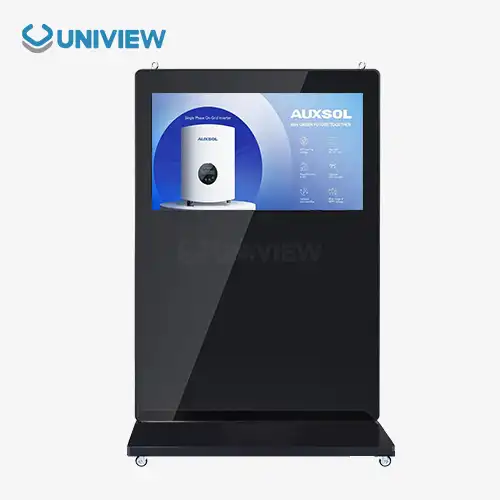
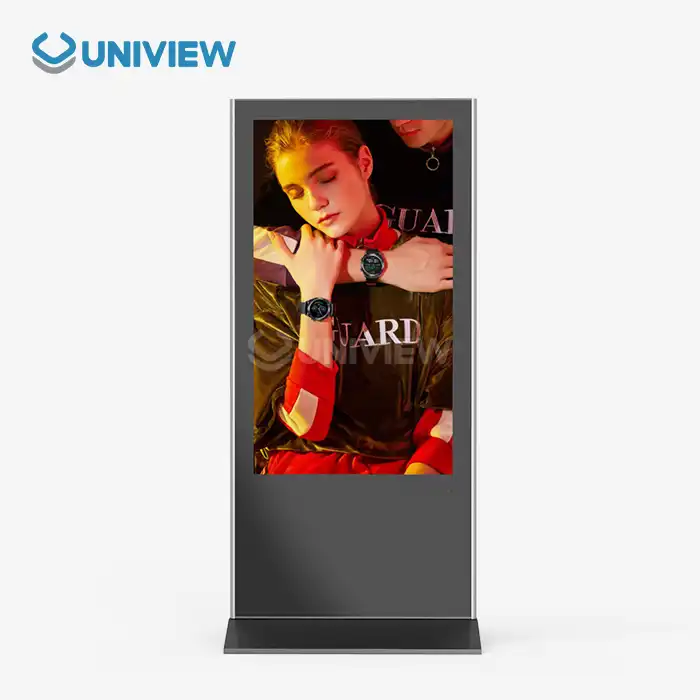
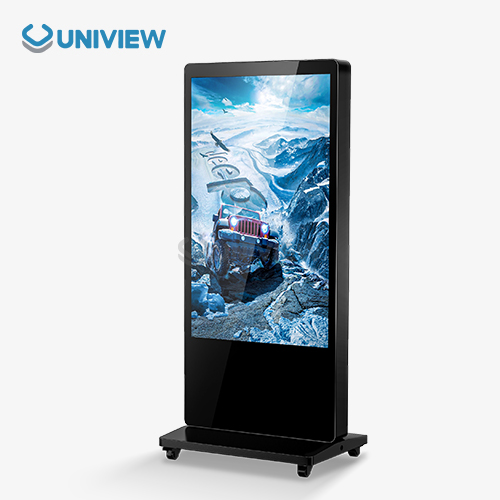
When looking at different hanging options, procurement workers need to think about how much space they have and how flexible the installation can be. Stand-mounted displays are great for trade shows, changing promotional areas, or other places where permanent installation is not possible. They are portable and can be put up for short periods of time. Wall-mount digital signage displays, on the other hand, make better use of space because they don't block the floor and look better when integrated. Installing screens on the wall also makes them safer because people can't easily change them, and there is less chance of damage happening by accident in places with a lot of foot traffic. Permanent installation makes it easier to handle cables in a more advanced way. Power and data connections can be hidden in wall cavities for a professional look that freestanding options can't match.
Ceiling-Mounted Options and Hanging Displays
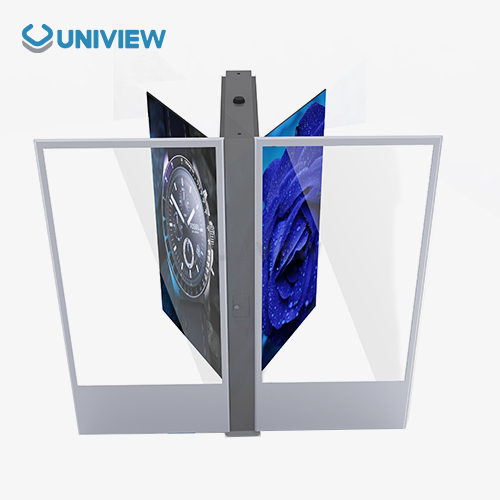
Ceiling-mounted setups are useful in some architectural situations where there isn't enough wall room or where the viewing angle needs to be downward. For better visibility from above, suspended displays are often used in transportation hubs, airport concourses, and big shop areas. But ceiling installations make servicing harder to get to because service workers have to use lifts or ladders to get to them, which isn't needed for wall-mounted units. When it comes to video walls with multiple screens, weight becomes very important. Ceiling mounts need structural studies to make sure they can hold the weight. Wall fixing makes it easier to distribute weight across vertical surfaces with pre-existing nail or concrete anchor points. This makes installation easier and reduces the need to change the structure.
Industry Preferences and B2B Procurement Trends
New procurement data shows that B2B buyers in the hotel, business, and retail sectors are becoming more and more interested in digital signs that can be mounted on the wall. This trend shows how workspaces are changing to include more unified visual communication systems that allow for flexible work arrangements and better ways to involve customers. System designers say that wall-mounted setups are now chosen for 68% of business signage projects. This is because they look better, take up less space, and are easier to maintain. When it comes to procurement, dependability is very important. Wall-mounted systems have 23% lower failure rates than mobile stand configurations. This is because they are less likely to be physically disturbed and have more stable cable connections over the course of their working lifetimes.
How to Choose and Install Your Wall Mount Digital Signage Display
Selecting Appropriate Display Size and Specifications
The right display size has a direct effect on how easy it is to read information and how engaged an audience is. The "viewing distance formula" is what the industry recommends: the diagonal size of the screen times 1.5 to 2.5 to find the minimum comfortable viewing distance. The 43-inch wall mount digital signage display works well in places where people stand between 6 and 10 feet away, like at the register or in a business's lobby. Larger 55-inch screens can fit 8 to 14-foot gaps, making them perfect for hotel hallways or waiting areas for public transportation. In addition to size, lighting requirements need to be carefully thought through. 450–700 nit displays work well in controlled lighting indoors, but 2,000–4,000 nits are needed for sites near windows or outdoor setups to avoid being washed out by ambient light. When choosing a resolution, you have to weigh the amount of information you need for the content against your budget. For example, 4K screens are worth the extra cost when they show high-resolution product images or building visualizations.
Installation Best Practices and Technical Requirements
Professional placement guarantees that the system will work well and last a long time. The first thing to think about is which wall to use. For drywall projects, you need to find solid studs or put up backing plates that spread the weight over a larger surface area. Concrete or brick walls can hold more weight, but they need special tools to hold them in place. Mounting gear should be at least 50% heavier than the display's weight rating to account for dynamic loading from earthquakes or accidental hits. Electrical planning has to think about both getting power to people and connecting them to the internet. Using concealed conduit wiring keeps things looking clean and meets electricity codes. You can connect to the network through wired Ethernet for stable content delivery or WiFi for easier setup, but for mission-critical apps, wired links are more reliable. Connector fatigue, which happens a lot when systems aren't put correctly, can be avoided with the right connection strain relief.
Maintenance Guidelines and Longevity Optimization
Maintenance steps that are done regularly greatly increase the life of displays. Screen surfaces should be cleaned on a regular basis with cotton cloths and alcohol-free cleaners made especially for LCD films. Anti-glare films are damaged by rough materials or cleaners that contain ammonia, which lowers the quality of the picture. Ventilation grilles need to be cleaned every three months to get rid of dust that builds up and makes it harder to control the temperature, especially in outdoor units that are very bright. Manufacturers release firmware patches that fix security holes and improve speed as part of software maintenance. Regular checks of content management systems make sure that playlists are correct and get rid of old media files that are taking up space. Industry service data shows that proactive maintenance contracts with qualified service providers cut down on the need for emergency service. This is because proactive actions cost 60% less than reactive fixes.
Optimizing Procurement: Buying Wall Mount Digital Signage Displays for Your Business
Strategic Bulk Purchasing and Customization Advantages
Buying in bulk can save you a lot of money and give you more customization options that you wouldn't have with a single-unit buy. Manufacturers usually set their prices so that orders over ten units get 12–18% off, and at 25, 50, and 100 units, the savings get even bigger. In addition to lower prices, ordering in bulk lets you change the specifications of the wall mount digital signage displays to meet the needs of your unique industry. Customers in the hospitality industry may ask for unique boot logos that show off the property's name, while transportation workers need ruggedized enclosures that meet higher standards for vibration resistance. Custom brightness tuning, special mounting clamps, and pre-configured content management integration make deployment easier across multiple locations. Compared to individual unit setups, this makes installation 35% faster.
Warranty Coverage and Global Support Considerations
The warranty terms are very important when buying tools that will be used in mission-critical situations. Standard guarantees for personal gadgets that last one year are not enough for business setups that will be used nonstop for five to seven years. Professional digital signage makers offer longer warranties that last between three and five years and cover problems with the panels, the backlight, and computer parts. Premium guarantee levels include on-site service, which eliminates the downtime that comes with sending equipment, which slows down operations. Manufacturers must keep up with foreign service networks for global B2B clients with operations in many countries. Long periods of downtime that hurt customer experiences and income can be avoided with responsive support infrastructure that can provide online technical help 24 hours a day, 7 days a week, across all time zones. With insurance from reputable insurers, you can reduce your risks even more and protect your finances in case of manufacturing flaws or early failures.
Partnering with Experienced Manufacturers and Suppliers
Choosing a vendor has a huge impact on the success of a project, and not just on the quality of the final result. Manufacturers with a lot of experience show that they really understand the problems that come up in specific applications by giving advice on how to write the specifications. Suppliers with a history of success in your business can give you useful information about the best setups, common rollout mistakes, and new solutions that meet new needs. Professional providers are different from commodity dealers because they offer technical help. Engineering teams that can customize software, create unique mounting solutions, or connect to private systems add value that goes beyond the sale of a product. Logistics skills are very important for international projects. For example, established suppliers can handle customs paperwork, regional compliance certifications, and coordinating delivery schedules across multiple installation sites. This makes purchasing easier for companies that work in different parts of the world.
Future Trends and Energy Efficiency in Wall Mount Digital Signage Displays
Advanced Energy Management Technologies
As companies try to reach their environmental goals, lowering operational costs through energy-saving becomes more and more important. Modern wall mount digital signage displays use a lot less energy because they have advanced power control systems built in. LED backlighting uses 40% less power than older CCFL lighting while providing better brightness regularity and longer operating lifespans of more than 80,000 hours. Intelligent ambient light sensors change the backlight's strength based on the lighting conditions. This saves 50% of the energy used during low-light times and makes the parts last longer. Scheduling features turn off screens when they're not being used, which cuts down on idle power use in places where work hours are set. These two technologies work together to cut a display's yearly energy costs by $120 to $340, based on how it is used and the cost of power in the area. This gives the company a measurable return on its investment and helps with its sustainability efforts.
Emerging Technologies and Smart Integration
As technology improves, digital signage's features keep changing. When artificial intelligence is added, material can be optimized based on the demographics of the audience as determined by camera-based analytics. This lets targeted messages be shown, which increases the efficiency of engagement. When you add an interactive touchscreen, it turns idle screens into platforms for active interaction. These platforms can support wayfinding apps, product configurators, and self-service deals, which makes staff's jobs easier. Cloud-based content management systems make it easier to coordinate between multiple locations. For example, marketing teams can launch campaigns immediately across entire networks from a central website that can be accessed through any web browser. Real-time data integration pulls in live information feeds like traffic reports, weather updates, social media streams, and product availability. This makes sure that the content shown is always up-to-date without any help from a person. With these features, digital displays that are placed on the wall become strategic communication tools instead of just information screens.
Scalability and Digital Transformation Alignment
Forward-thinking buying strategies look at ways to improve, making sure that investments stay useful as technology changes quickly. Modular design that supports software updates extends the useful lifecycles, and makers regularly release feature upgrades that add new functions to hardware that has already been deployed. When planning network hardware, it's important to keep in mind that higher-resolution material and interactive apps will need more bandwidth in the future. When choosing a display, open standards compatibility should be given the most weight. Proprietary environments that limit future freedom should be avoided. Digital signage is an important part of connected environments for companies that want to go through a full digital change. It works with building management systems, customer relationship platforms, and business data tools. This all-around method gets the most out of infrastructure assets by getting more value from them as systems that are linked together share information and work together.
Conclusion
This is a smart purchase that will improve communication in a variety of business settings: upgrading to professional wall-mount digital signage displays. These custom-made solutions offer operating dependability, better picture quality, and management features that consumer-level options can't match. Wall-mounted screens are adaptable and scalable, so they can be used for a wide range of purposes, from interacting with customers in stores to supporting business communication and transportation information systems. When you combine lower maintenance costs, the ability to change material on the fly, and longer operating lifespans, you get a great return on your investment and put your company at the forefront of customer experience innovation. Careful specification selection, the right way to put things, and working with makers with a lot of experience are all things that can help you have successful deployments that give measured business value over long service lives.
FAQ
1. Who handles installation for wall-mounted displays?
Installation duty changes depending on how the goods are bought. A lot of companies that sell business displays offer professional assembly services for wall-mount digital signage displays as extras. These services take care of mounting, wiring, and setting up the displays for the first time. Companies with their own facilities teams often use mounting templates and installation guides given by the manufacturers to handle installations. Certified installers are helpful for complicated installations with many units or special fitting needs because they make sure the load is distributed correctly, that codes are followed, and that warranties are kept. Making it clear who is responsible for installation during purchase stops project delays and makes sure that everyone is held accountable for doing the job right.
2. What lifespan can I expect from commercial digital signage?
Before the backlight brightness drops to 50% of its original level, which is called end-of-service life, professional wall-mount digital signage screens usually last 50,000 to 80,000 hours. This is equal to about 8 to 14 years of service, since it works 16 hours a day. However, replacement cycles in real life tend to be between 5 and 7 years, since new technology always brings better features that require changes. Proper upkeep, temperature control, and the right brightness settings have a big effect on how long a display actually lasts. In fact, displays that are well taken care of often last longer than the manufacturer's specs.
3. How do I ensure content compatibility with my display hardware?
Modern commercial screens can play standard video files like MP4, AVI, and MOV codecs, which means they work with a wide range of content creation tools. Resolution matching stops scaling artifacts, so making content at the original monitor resolution (1920x1080 for Full HD or 3840x2160 for 4K) keeps the picture quality at its best. Content management systems usually check media when it's uploaded and mark types that aren't suitable before deploying them. Manufacturers give detailed specification sheets that list accepted formats, file size limits, and suggested encoding settings. This lets content teams set up production processes that make sure all files can be played smoothly.
Partner with Uniview Commercial for Professional Digital Signage Solutions
For reliable wall-mount digital signage displays, trust Uniview Commercial. They make industrial-grade visual solutions that are made to work in tough business settings. Our wide range of products includes 32-inch to 75-inch screens with brightness levels between 450 and 4,000 nits. These screens can be used indoors and outdoors in the retail, hotel, business, and transportation industries. Advanced heat management, high-brightness panels with anti-glare coatings, and IP65/IP66-rated casings for outdoor use are all built into every display. We offer a wide range of customization options, flexible discounts for large orders, and extra warranty coverage that lasts for three to five years, backed by full insurance security. Our global support system makes sure that technical help is available 24 hours a day, 7 days a week in more than 100 countries. This is made possible by experienced engineering teams that are ready to meet your specific deployment needs. To talk about unique solutions, get full technical specs, and find out how our wall-mount digital signage displays can change your visual communication strategy with dependability and performance excellence, email our procurement experts at sales@univiewlcdisplay.com.
References
1. Digital Signage Federation, "Commercial Display Longevity and Maintenance Best Practices," Industry Standards Publication, 2023.
2. Anderson, M. and Roberts, K., "Energy Efficiency in Commercial Digital Signage: A Comparative Analysis," Journal of Business Technology, Volume 45, Issue 3, 2023.
3. International Display Technologies Association, "Professional vs. Consumer Grade Displays: Technical Specification Comparison," Technical White Paper Series, 2024.
4. Chen, L., "Global B2B Procurement Trends in Commercial Digital Signage," Supply Chain Management Review, 2023.
5. Williams, T., "Installation Best Practices for Wall-Mounted Commercial Displays," Facilities Management Journal, Volume 38, Number 2, 2023.
6. Parker, D. and Thompson, S., "Emerging Technologies in Interactive Digital Signage Applications," Commercial Technology Quarterly, Spring 2024.
Learn about our latest products and discounts through SMS or email