- English
- French
- German
- Portuguese
- Spanish
- Russian
- Japanese
- Korean
- Arabic
- Greek
- German
- Turkish
- Italian
- Danish
- Romanian
- Indonesian
- Czech
- Afrikaans
- Swedish
- Polish
- Basque
- Catalan
- Esperanto
- Hindi
- Lao
- Albanian
- Amharic
- Armenian
- Azerbaijani
- Belarusian
- Bengali
- Bosnian
- Bulgarian
- Cebuano
- Chichewa
- Corsican
- Croatian
- Dutch
- Estonian
- Filipino
- Finnish
- Frisian
- Galician
- Georgian
- Gujarati
- Haitian
- Hausa
- Hawaiian
- Hebrew
- Hmong
- Hungarian
- Icelandic
- Igbo
- Javanese
- Kannada
- Kazakh
- Khmer
- Kurdish
- Kyrgyz
- Latin
- Latvian
- Lithuanian
- Luxembou..
- Macedonian
- Malagasy
- Malay
- Malayalam
- Maltese
- Maori
- Marathi
- Mongolian
- Burmese
- Nepali
- Norwegian
- Pashto
- Persian
- Punjabi
- Serbian
- Sesotho
- Sinhala
- Slovak
- Slovenian
- Somali
- Samoan
- Scots Gaelic
- Shona
- Sindhi
- Sundanese
- Swahili
- Tajik
- Tamil
- Telugu
- Thai
- Ukrainian
- Urdu
- Uzbek
- Vietnamese
- Welsh
- Xhosa
- Yiddish
- Yoruba
- Zulu
Best Practices for Standing Digital Screen Content That Sells
For content to work on a standing digital screen, it needs more than just eye-catching images. It needs a smart message that connects with decision-makers and leads to real business results. With a good content strategy, digital displays that stand alone can go from being static information boards to active sales tools that engage audiences, make value propositions clear, and eventually turn watchers into approved leads. These vertical display options need to show material that grabs people's attention right away and builds trust through clarity and usefulness, whether they are used in retail showrooms, business lobbies, transportation hubs, or hospitality settings. Along with technical details and examples from real life, this complete guide looks at the tried-and-true best ways to create content for standing digital screens that not only get people's attention but also get them to take action.

Understanding Standing Digital Screens and Their Role in Business Communication
What Defines a Commercial-Grade Standing Digital Display
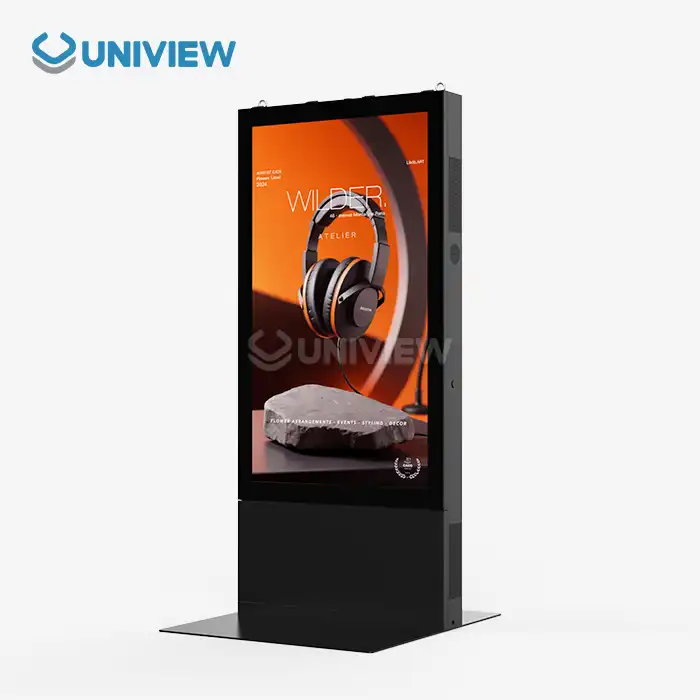
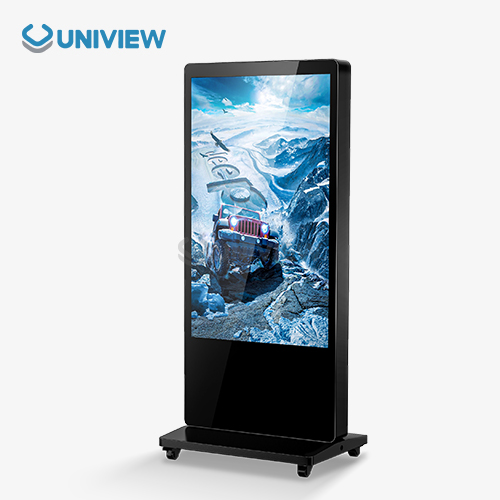
A standing digital screen, often referred to as a digital signage totem or floor-standing booth, is a self-contained commercial display device that may be put on the ground inside or outdoors. These devices feature commercial-grade LCD or LED panels that function 24/7, unlike consumer TVs converted for business. They also offer built-in media players (System-on-Chip or separate PC setups), secure steel or aluminum enclosures, and smart content management software that allows you to plan and remotely update.
Commercial systems feature operating brightness levels from 450 nits for regulated interior environments to 2,500 nits or greater for semi-outdoor installations in broad sunshine. Panels typically endure eight years or 50,000–70,000 hours of uninterrupted usage. This is longer than consumer displays, which endure barely months under identical settings. Impact-resistant glass and stronger frames prevent breakage in public spaces, while thermal management technologies with fanless cooling or low-noise ventilation keep things cool during lengthy runs.
Strategic Advantages in B2B Communication Environments
Standing digital screen devices ease company communication issues. The nicest part about these displays is that they can be relocated to high-traffic locations during busy periods or special events without strengthening the wall, hiding the wires, or making other structural alterations due to their mobile digital real estate nature. To maximize exposure, a business may relocate a freestanding display from the front of the store in the morning to the rear in the afternoon.
Infrastructure freedom eliminates high installation expenses. Professionals must install wall-mounted displays, evaluate their construction, and establish permanent cable management systems. However, floor-standing devices simply need conventional electrical outlets and take up floor space that may be reused. The vertical 9:16 aspect ratio aligns with people's walking sight lines, creating an eye-level impact that helps people remain on the screen longer and retain what it says compared to horizontal displays above natural viewing angles.
These displays accomplish several key things for B2B procurement decision-makers. Product demonstration platforms demonstrate features and benefits, real-time information dissemination tools change prices or availability, wayfinding solutions help visitors navigate large facilities, and customer engagement terminals collect contact information and qualify leads through interactive questionnaires. One well-placed digital totem in a company hall may replace many static signs. This totem can assess viewer interactivity and content performance.
Technology Integration and Content Management Capabilities
Standardized connection protocols and API models make current standing digital screen solutions simple to integrate with corporate IT. Marketing teams may alter messaging on dozens or hundreds of display networks from a single screen using content management systems. Cloud-based solutions help you arrange content to change instantaneously depending on time, day, week, or real-time events like weather or inventory levels.
Interactive models employ PCAP touchscreens. This technology makes models responsive like smartphones, facilitates multi-touch gestures, and allows complicated experiences like product configurators, virtual catalogs, and navigation applications. These screens may gather leads when linked to CRM systems. Visitors seeing product specifications may fill out inquiry forms on the screen, automatically adding accepted prospects to sales funnels.
Advanced analytics may monitor dwell time, engagement rates, content completion percentages, and conversion activities. This data-driven technique turns digital signage from broadcasting to selling with a demonstrable ROI. Procurement teams may back investments with quantifiable performance improvements rather than subjective aesthetics.
Best Practices for Creating Content That Drives Sales on Standing Digital Screens
Prioritize Visual Hierarchy and Message Simplicity
Effective content begins with tight information design that considers the brain constraints of accidental visitors to your standing digital screen. People in procurement who go around buildings lose interest rapidly. Studies show you have three to five seconds to make your argument before consumers lose interest. Visual hierarchy organizes content layers by size, color, contrast, and spatial linkages to achieve information goals.
The top third of the screen should have your key message in large, high-contrast typefaces that can be read from 15 to 20 feet away. Supporting information may be smaller, and third information, like contact information or cautions, takes up less screen space. Color psychology matters. Cool colors like blue and green make people feel comfortable and trusting, while warm colors like orange and red grab attention and make them move swiftly. Contrasting colors make writing legible in various lighting conditions.
Simple messages need disciplined editing. On each screen, only three points should support one primary value statement. Overloading screens with information confuses viewers and degrades the impression. "Less is more" applies to the finest digital signage, which includes compelling headlines, succinct benefit statements, and unambiguous calls to action.
Incorporate Dynamic Visuals and Motion Graphics Strategically
Static digital displays lose a significant opportunity. Electronic signs are better than textual ones because they may feature motion, which draws people's attention from the sides and keeps them intrigued. Simple animations like dynamic symbols, text that changes, or product presentations that repeat are effective at retaining visitors on your site.
Motion visuals should communicate, not simply look good. Product rotation animations enable customers to see items from multiple perspectives, feature callouts may progressively highlight specifications or benefits, and data visualizations can graphically represent performance metrics or ROI calculations. A firm that offers industrial equipment may provide an animated infographic showing how its solution improved customer productivity. Abstract advantages become tangible.
You must consider technical elements and settings while creating videos. Even in sunny atriums or outdoors, 2,000+ nit displays make video viewable. Video content must communicate visually via on-screen text, graphics, or a clear visual narrative without sound in public spaces since sound generally blends with other noises or generates extra noise.
Segment Content for Specific Audience Personas
Many B2B buyers have different goals and assessment requirements. Technical specialists want specifications, performance data, and system compatibility. Financial decision makers value total cost of ownership, ROI estimates, and guarantee terms most. Operations managers consider reliability, maintenance, and vendor responsiveness. A standing digital screen at a trade exhibition or corporate showroom will see individuals from all backgrounds, therefore it requires content strategies that consider each perspective.
Content may be divided in many ways. Interactive displays allow viewer navigation. The initial screens provide high-level value concepts and offer to "Learn More" about technical specifics, case studies, or ROI. Tracks linked to viewers' passions are chosen for tailored content excursions. Content rotation alternates messaging topics throughout the day. This addresses all stakeholders' concerns over time.
User attributes provide more exact targeting using personalization technology. Proximity sensors activate unwatched displays as viewers approach. Camera-based analytics may anticipate audience groups without identifying them, so material can be tailored to their profiles. Although these sophisticated capabilities must be carefully considered for privacy and compliance, they demonstrate that digital signage may give more relevant and distinctive experiences that increase conversion rates.
Integrate Clear Calls-to-Action and Lead Capture Mechanisms
Content that increases awareness without stating next actions is poorly structured. All digital signage material should have unambiguous calls to action that lead to quantifiable conversion events like accessing a website, scanning a QR code, scheduling a meeting, asking for pricing, or submitting their contact information via an interactive screen.
QR codes are back in use, particularly as pandemic patients prefer frictionless connections. Smartphone users may easily transition from passively watching material to actively contributing with codes like "Scan to download specifications" or "Scan for exclusive pricing". QR code attribution data illustrates which spots and messages generate the most reactions for certain displays or content themes.
Interactive touchscreens may become lead generators with well-designed forms and inquiry procedures. Instead of generic contact forms, excellent lead capture provides value exchange, such as "Configure your custom solution and receive instant pricing" or "Take our 60-second needs assessment for personalized recommendations." Progressive disclosure strategies ask questions one after another instead of giving consumers large forms to fill out, making it seem like less labor, and each encounter offers sales teams vital qualifying data.
Comparing Standing Digital Screens: Making the Right Choice for Your Business
Freestanding Versus Wall-Mounted Display Considerations
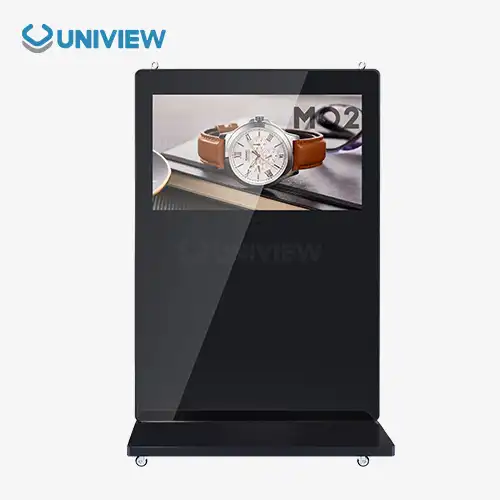
How flexible the area, installation, and device usage are will determine whether to employ an independent or wall-mounted design. Standing digital screen units are ideal for businesses that change layouts with the seasons, show booths that move their displays, and corporate buildings that utilize common spaces for various purposes. Moving displays without a professional fitting service allows you more flexibility than wall-mounted devices.
Installation expenses are sometimes cheaper for solitary devices. Wall hanging requires a structural assessment to ensure the wall can support the weight, expert installation, covert cable routing, and occasionally electrical work to insert outlets. Installation expenses rise when venues host many shows. Simply plugging in freestanding choices lets non-technical individuals utilize them rapidly.
When simple design trumps flexibility, wall mounting may be best for fixed setups. In high-end architecture, wall-mounted displays appear sleek and integrated and don't take up floor space. Modern standing digital displays feature slimmer frames and better finishes like brushed metal, glass, and creative bases that don't detract from a room's beauty.
Interactive Touch Models Versus Non-Touch Information Displays
Touch or non-touch depends on the content strategy and viewer preference. Interactive touchscreens allow for more complex engagement experiences like product configurators, where users can choose options and see how the price changes in real time, virtual catalogs where they can browse large product portfolios, wayfinding apps that direct users to specific locations, and lead capture forms that directly collect visitor information. These features convert viewers into active participants, collecting engagement and qualifying data for sales follow-up.
Touch technology greatly impacts user experience. Projection Capacitive (PCAP) touchscreens react like smartphones and offer multi-touch gestures, making them simpler to use and faster to learn. Infrared touch frames are cheaper but need actual contact on the screen and may not operate properly in harsh sunlight. Surface Acoustic Wave (SAW) technology is transparent, but dust and liquids may dirty it in public.
Non-touch screens perform better for broadcasting rather than involvement. Schedules, announcements, promotions, and marketing messaging operate great on touchless displays. Without interactive components, costs and upkeep are reduced. No calibration, screen cleaning, or sophisticated interactive content software is needed. Many organizations utilize a combination of networks, with interactive digital displays in critical places to stimulate contact and non-touch units broadcasting facility information.
Indoor Versus Outdoor-Ready Display Specifications
Technical characteristics distinguish indoor screens from outdoor ones depending on the weather. Indoor standing digital screen systems are bright enough for regulated lighting in shops, corporate entrances, hospitality events, and airports at 450–700 nits. They prioritize clarity and color fidelity. They generally feature 4K panels with sharp visuals and extensive color ranges for high-end brand presentations.
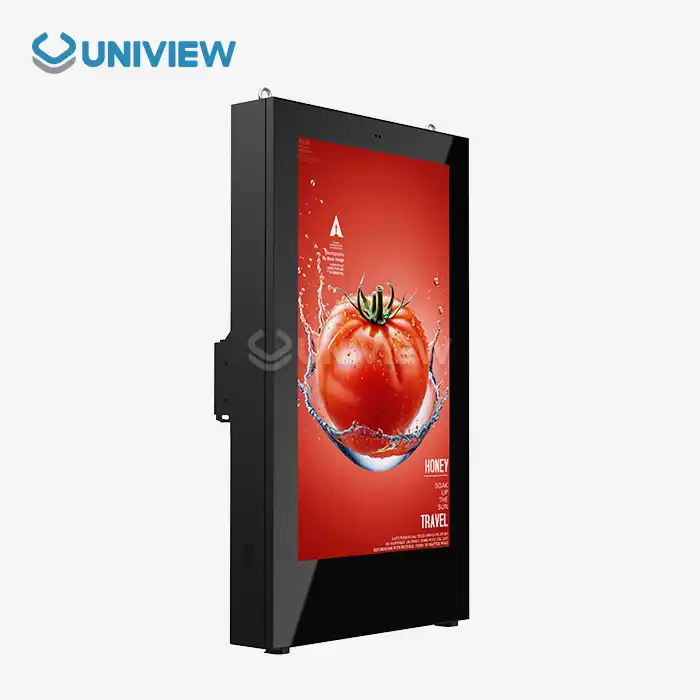
Outdoor and semi-outdoor systems have different needs. To be readable in direct sunlight, brightness ratings must hit 2,000 to 4,000 nits, which is 4 to 8 times the brightness of an indoor monitor. High-brightness panels consume more power and generate heat; they require air systems or heat-reduction technology. Outdoor displays require IP65 or IP66 environmental protection standards to prevent dust and water jets from any direction.
Near the seaside, in industrial locations with tiny particles, or in harsh weather, corrosion resistance is crucial. Premium outdoor standing digital displays include marine-grade materials, conformal coatings on internal PCBs, and stainless steel components protected with rust- and degradation-preventing surface technologies. Extreme temperatures need -30°C to +60°C operating ratings for certain usage. In frigid climes, electronics require internal heating, and in deserts, advanced cooling.
Wind force must be considered while developing outdoor solo displays. Units must withstand specific wind speeds without tipping. They normally have level 10 to 16 wind resistance, depending on location and building codes. During storms, heavy bases, ground anchoring, and air-circulating containers prevent collapse. Outdoor units are more costly than interior units due to technical regulations, so undertake a thorough environmental study before buying.
Procurement Guide: Buying Standing Digital Screens for Your Business
Evaluating Total Cost of Ownership Beyond Initial Price
Strategic purchasing goes beyond pricing. The business's lifetime cost of ownership is also considered. If you simply consider entry-level display prices, they may appear like a decent value. However, reliability, care, energy usage, and replacement frequency frequently offset any savings. Well-known manufacturers' commercial-grade standing digital screen devices include industrial-grade panels, robust media players, and high-end power sources, so they last longer and break down less frequently.
Warranty coverage varies by vendor and should be considered before purchasing. Basic warranties may only cover part replacement; owners must pay labor and delivery. Full insurance covers parts, labor, and early repair to save downtime. Extended warranties that cover more than 1 to 3 years might help you budget and reduce risk. This helps with large-scale deployments when tracking unit failures is challenging.
Energy consumption influences device lifetime costs. Older CCFL technologies require more electricity than LED-backlit LCD panels. They consume considerably less electricity at night since they adjust brightness dependent on illumination. An average 55-inch business monitor that operates 16 hours a day at 200 watts costs $140 a year in electricity in the U.S. Energy costs about $50,000 for 50 screens over seven years. This is why purchasing teams should consider power specifications and costs.
Customization Options and Integration Requirements
Businesses often customize products beyond standard specifications. Hardware customisation may include mounting adjustments, enclosure colors or finishes that match the company's identity, built-in card readers or payment terminals, environmental monitoring, or customized I/O connections for building management systems. Leading manufacturers provide engineering services to customize common platforms for special applications. Personalized orders need longer lead times and minimum quantities.
Software customization helps activities integrate seamlessly. Displays may interact with the existing content management system's digital infrastructure without additional management tools. An API may link inventory systems, CRMs, appointment scheduling platforms, and business intelligence tools that leverage real-time operational data to produce content. Custom integrations are available with open design and REST APIs, MQTT, and WebSockets.
Branding comprises device appearance as well as screen content. Unique splash screens that display corporate names during boot, branded container panels, and unique user interface designs provide consistent brand experiences. Because they serve various customers, distributors, and system integrators benefit from white-label displays. OEMs adding screens to larger systems require technical documentation, SDK access, and engineering expertise that conventional vendors may not supply.
Supplier Selection Criteria and Partnership Considerations
Choose a provider based on more than product features and pricing. Manufacturing abilities indicate a company's size, quality control, and ability to fulfill huge orders. ISO 9001 and ISO 14001-certified suppliers demonstrate systematic quality and environmental management, respectively. Manufacturing claims may be verified by site inspections or third-party audits, although distance may make these options less practical.
International missions and multinational companies need a worldwide support infrastructure. Suppliers with regional service centers, authorized repair networks, or local alliances may respond more quickly to technological issues. You can obtain support 24/7 across all time zones if difficulties arise outside of business hours. Support for many languages helps multinational firms communicate easily, reducing misunderstandings that make problem-solving tougher.
Project schedules and inventory strategies depend on supply chain reliability. Electrical part shortages delayed projects in numerous industries during the epidemic, demonstrating the fragility of global supply chains. Suppliers that preserve strategic inventory backups, get components from many sources, and discuss delays are trusted. Unlike marketing materials, customer referrals can tell you how frequently a supplier delivers on schedule, how consistent their goods are, how fast they resolve issues, and how successful the collaboration is.
Financial stability is important when buying from smaller or regional producers. Financially distressed suppliers may decrease quality, break warranties, or close, leaving purchasers without long-term support for installed equipment. Financial documents, credit ratings, and public business intelligence reports may assist you in assessing a provider's stability. Letters of credit or staged payments connected to delivery targets safeguard you.
Conclusion
Standing digital screens have evolved from novel technology into essential business communication infrastructure across diverse industries. Their effectiveness ultimately depends not on hardware capabilities alone but on content strategies that capture attention, communicate value clearly, and motivate viewer action. The best practices outlined in this guide—prioritizing visual hierarchy and message simplicity, incorporating strategic motion elements, segmenting content for specific audiences, and integrating clear calls-to-action—transform these displays from passive information boards into active sales tools that generate measurable business results. Successful implementation requires careful procurement decisions evaluating total cost of ownership, customization requirements, and supplier capabilities, followed by ongoing optimization through maintenance, analytics, and content refinement. Organizations that approach digital signage strategically, backed by commercial-grade hardware and supported by comprehensive service, achieve significant returns through enhanced customer engagement, improved brand perception, and increased conversion rates.
FAQ
Q: What is the typical lifespan of a standing digital screen in commercial use?
A: Commercial standing digital screens generally have operational lifespans of 50,000 to 70,000 hours of continuous use, which translates to approximately 5-8 years when running 24/7. Actual longevity depends on several factors, including environmental conditions, usage intensity, display brightness settings, and maintenance quality. Indoor displays in climate-controlled environments typically reach the upper end of lifespan projections, while outdoor units exposed to temperature extremes, humidity, and UV radiation may experience shorter operational lives. Regular maintenance, including cleaning, ventilation inspection, and prompt repair of minor issues, extends effective service life significantly.
Q: Can standing digital screens be integrated with existing enterprise content management systems?
A: Modern digital displays support integration with enterprise content management systems through standardized connectivity protocols and APIs. Most commercial-grade units include built-in media players that accept content from popular CMS platforms via network connections, enabling centralized management of multi-display networks. Integration typically supports scheduled content updates, real-time messaging, and remote monitoring of display status. Organizations with custom CMS implementations may require API development or middleware solutions to bridge proprietary systems with display hardware. Procurement specifications should verify CMS compatibility requirements with suppliers before finalizing purchases to ensure seamless integration with existing infrastructure.
Q: What are the warranty and support options usually offered by leading suppliers?
A: Warranty coverage for commercial standing digital screens typically ranges from 1 to 3 years for standard offerings, with extended warranty options available that extend protection to 5+ years. Comprehensive warranties include parts and labor coverage, though terms vary regarding who performs repairs and whether advance replacement units are provided during service. Premium suppliers offer 24/7 technical support with guaranteed response times, remote diagnostic capabilities, and global service networks for international deployments. Specialized applications may require custom service level agreements defining specific uptime guarantees and penalty provisions for non-performance. Insurance backing from recognized underwriters provides additional protection for large capital investments in multi-display networks.
Q: How do brightness specifications affect standing digital screen performance in different environments?
A: Brightness specifications measured in nits (candelas per square meter) directly determine display visibility under varying ambient light conditions. Indoor controlled environments function well with 450-700 nit displays, adequate for retail stores, offices, and hospitality lobbies. Semi-outdoor installations in atriums or covered transportation areas require 1,000-1,500 nits to overcome indirect sunlight. Fully outdoor displays exposed to direct sunlight demand 2,000-4,000 nits for clear visibility. Higher brightness consumes more power, generates additional heat requiring robust cooling, and increases display costs. Automatic brightness adjustment features optimize visibility while minimizing unnecessary power consumption during evening hours or cloudy conditions.
Partner with Uniview Commercial for Your Standing Digital Screen Solutions
Your company communication plan needs more than conventional displays—it needs a standing digital screen manufacturer with high-quality products and extensive service. Uniview Commercial provides commercial-grade LCD and LED digital signage solutions for demanding B2B applications in retail, corporate, hospitality, transportation, and outdoor advertising, with over a decade of engineering excellence and global deployment experience.
We offer high-brightness panels from 2,000 to 4,000 nits for perfect visibility in direct sunlight, IP65/IP66-rated enclosures for environmental protection, and advanced corrosion resistance through European surface treatment technology for durability in harsh conditions. The freestanding displays include dependable heat dissipation systems, ultra-clear offline coated AR glass, and whisper-quiet operation at 60 dB even outside. Our commitment goes beyond hardware with 3-5 year warranty coverage, 24-hour worldwide assistance, and China Pacific Insurance Company-backed quality protection.
We understand each deployment has distinct needs. Our technical team can customize enclosure finishes to fit the company's identity and integrate with enterprise systems to meet your needs. Our worldwide presence in over 100 countries offers constant quality and trustworthy assistance for your company, whether you need a single high-impact display for a flagship location or a network of dozens of locations across numerous nations.
Standing digital screen suppliers that truly understand B2B procurement priorities deliver more than products—they become strategic partners invested in your success. Contact our specialist team at sales@univiewlcdisplay.com today to discuss your specific requirements, explore customization options, and receive detailed technical specifications. Let's transform your vision into reality with standing digital screen solutions that captivate audiences and deliver measurable business results.
References
1. Digital Signage Federation (2022). "Digital Signage Audience Measurement Standards and Best Practices." Digital Signage Federation Industry Standards Committee.
2. Huang, J., & Liu, M. (2021). "The Impact of Dynamic Digital Signage on Consumer Attention and Retail Sales Performance." Journal of Retailing and Consumer Services, Volume 58, Article 102345.
3. International Organization for Standardization (2020). "ISO 9241-303:2011 Ergonomics of Human-System Interaction - Part 303: Requirements for Electronic Visual Displays." ISO Technical Committee.
4. Nielsen, K. & Partners (2023). "B2B Digital Signage ROI: Measuring Business Impact Across Commercial Applications." Nielsen B2B Technology Research Division.
5. Roberts, T., & Chen, W. (2022). "Environmental Durability Requirements for Outdoor Commercial Display Systems." IEEE Transactions on Consumer Electronics, Volume 68, Issue 2, Pages 134-142.
6. Thompson, R. (2023). "Content Management Systems for Enterprise Digital Signage Networks: Integration Architecture and Best Practices." International Journal of Business Information Systems, Volume 42, Number 3, Pages 287-305.
Learn about our latest products and discounts through SMS or email