- English
- French
- German
- Portuguese
- Spanish
- Russian
- Japanese
- Korean
- Arabic
- Greek
- German
- Turkish
- Italian
- Danish
- Romanian
- Indonesian
- Czech
- Afrikaans
- Swedish
- Polish
- Basque
- Catalan
- Esperanto
- Hindi
- Lao
- Albanian
- Amharic
- Armenian
- Azerbaijani
- Belarusian
- Bengali
- Bosnian
- Bulgarian
- Cebuano
- Chichewa
- Corsican
- Croatian
- Dutch
- Estonian
- Filipino
- Finnish
- Frisian
- Galician
- Georgian
- Gujarati
- Haitian
- Hausa
- Hawaiian
- Hebrew
- Hmong
- Hungarian
- Icelandic
- Igbo
- Javanese
- Kannada
- Kazakh
- Khmer
- Kurdish
- Kyrgyz
- Latin
- Latvian
- Lithuanian
- Luxembou..
- Macedonian
- Malagasy
- Malay
- Malayalam
- Maltese
- Maori
- Marathi
- Mongolian
- Burmese
- Nepali
- Norwegian
- Pashto
- Persian
- Punjabi
- Serbian
- Sesotho
- Sinhala
- Slovak
- Slovenian
- Somali
- Samoan
- Scots Gaelic
- Shona
- Sindhi
- Sundanese
- Swahili
- Tajik
- Tamil
- Telugu
- Thai
- Ukrainian
- Urdu
- Uzbek
- Vietnamese
- Welsh
- Xhosa
- Yiddish
- Yoruba
- Zulu
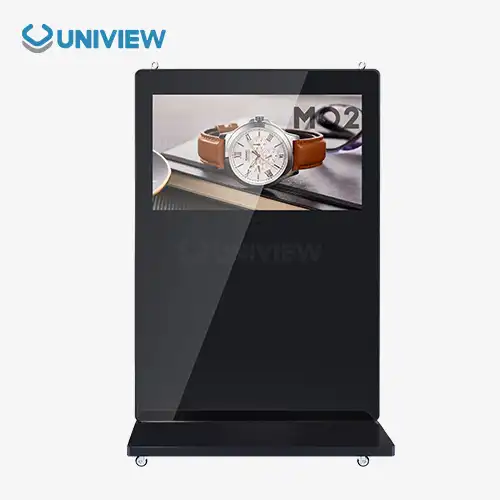
Floor standing LCD digital signage with interactive touchscreen features
Floor standing LCD digital signage with interactive touchscreen features represents a revolutionary approach to modern business communication, mixing high-definition screens with touchscreens that respond to touch. These high-tech units let you connect with customers in real time by using simple controls. They also send clear, bright content that stands out in any setting. Putting together advanced touchscreen technology with commercial-grade LCD panels makes communication tools that can be used in a variety of business settings, from retail stores to corporate lobbies. These tools are must-haves for forward-thinking companies that want to improve customer engagement and operational efficiency.
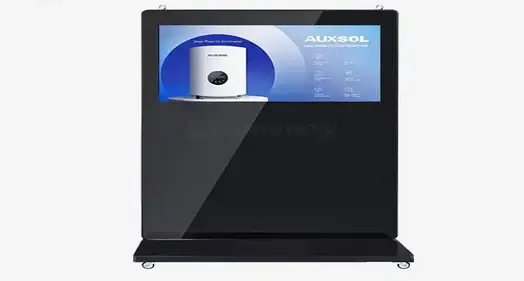
What Is Floor Standing LCD Digital Signage with Interactive Touchscreen?
Interactive touchscreen digital signs bring together new developments in display technology and user interface design to make strong communication tools that respond to touch. These systems have commercial-grade LCD screens and advanced touch recognition technologies that make it easy for users to connect with them.
Core Components and Display Technology
The industrial IPS or VA panels that these systems are based on are designed to work continuously for more than 60,000 hours, which is called Mean Time Between Failures (MTBF). These screens use high-tech LED backlighting systems that keep the brightness level steady, ranging from 450 nits for normal indoor settings to over 2,500 nits in high-light situations. The LCD screens cover a wide range of colors—more than 99% of the sRGB color space. This means that the colors will be reproduced accurately and consistently across all visual material. Capacitive, infrared, and surface acoustic wave systems are the different types of touch-sensing technology. Each has its own benefits for different work settings. Capacitive touchscreens are the most sensitive because they can tell when your finger touches them by changing the electrical conductivity. Infrared systems, on the other hand, are very durable and can tell when any object hits them, which makes them perfect for places with a lot of foot traffic.
Advanced Software Integration and Content Management
These systems are smart because they have strong System-on-Chip (SoC) designs that run Android or x86-based platforms that work with both Windows and Linux. These computer platforms allow for advanced content management, which lets companies plan when content will be delivered, look at data on how users interact with it, and change shows from afar in different places. These screens come with content management systems that support split-screen features. This means that video content, scrolling text, and dynamic data feeds like weather or social media updates can all be shown at the same time. Businesses can use this flexibility to get more information across while still making visually appealing slideshows.
Physical Construction and Durability Features
The floor standing LCD digital signage units are built to last and are perfect for use in business settings. The weighted base plates keep the furniture stable in case it falls over, and the Mohs hardness grade of 7 on the tempered glass faceplates protects against theft. Internal thermal management systems, which include temperature-controlled fans and special airflow pathways, keep the best working temperatures between 0°C and 50°C all the time, even when the machine is running nonstop.
Core Use Cases and Industry Applications
Because interactive touchscreen screens are flexible, they are useful in many fields. Each uses the technology to solve its own operational problems and increase customer involvement.
Retail and Shopping Centers
When used in stores, these systems turn traditional ads into dynamic experiences that have a direct effect on what people buy. Interactive product brochures let customers look through the collection, compare features, and get full product specs without help from staff. Throughout shopping malls, self-service booths are placed in strategic places to help customers find their way and also show them relevant ads based on their location and browsing habits. The wide color range makes sure that the pictures of the products shown are true to life, upholding the brand's image and meeting customer standards. Advanced analytics tools keep track of how users interact with websites, which gives stores useful information about what customers like and how they act.
Corporate and Office Environments
Interactive signs are used in corporate settings to handle visitors, make room schedules, and improve internal communication. Digital welcome desks make it easier to check in and show off your business brand on high-resolution screens. Displays for scheduling meetings in conference rooms work with current calendar systems, which cuts down on booking issues and makes meetings run more smoothly. Usually, these installs need to be made to look better, with ultra-thin frames and high-end finishes that go with modern office designs. The ability to operate quietly means that professional settings are disturbed as little as possible while still being fully functional.
Hospitality and Event Management
Interactive screens are used as digital concierges in hotels and event spaces to help people find information and make service requests. Interactive maps and event directories make it easier for attendees to find their way around large sites and show messages from sponsors and real-time scheduling changes. Commercial-grade screens are built to last, so they can work reliably in places with a lot of foot traffic, where printed materials would need to be replaced and updated all the time.
Transportation and Infrastructure
Installing Flight Information Display Systems (FIDS) in airports and transit stations does two things: shows flight information and makes money by showing ads. In these settings, equipment is constantly exposed to dust and shaking, so it needs special features like conformal coating on internal parts and ruggedized power sources that can handle voltage changes caused by infrastructure. Interactive wayfinding systems help people find their way around confusing airport layouts while also sending real-time information about transportation and marketing messages that bring in extra money for facility owners.
How to Choose the Best Floor Standing LCD Digital Signage with Touchscreen Features
To choose the best interactive display options, you need to carefully look at their technical specs, environmental needs, and ability to work with other systems in a way that meets your unique operational goals.
Technical Specifications and Performance Requirements
The choice of screen size relies on how close you are to the screen and how complicated the material is. Screen sizes range from 32 inches for close interactions to 86 inches for big presentations. Different types of material have different resolution needs. For example, 4K screens are becoming common for apps that need detailed images or presentations with a lot of text. The brightness needs to fit the environment. For example, 450 to 700 nits are usually enough for indoor installations, but 2,500 or more nits are needed for window-facing or partially outdoor installations to stay visible in full sunlight. Further improving vision in low-light situations is anti-glare and anti-reflective treatments.
Touchscreen Technology Considerations
Capacitive touchscreens are very fast and can handle multiple touches, which makes them perfect for uses that need complex user interactions. But they might not work right when your hands are covered, which makes them less useful in some workplace settings. When it comes to longevity, infrared touchscreens are great because they work with any touch device. However, bright light sources in the room may cause problems. Surface acoustic wave technology can accurately identify touches, but it needs to be cleaned often to keep working at its best.
Software Compatibility and Integration Requirements
When a content management system is compatible with other marketing and communication processes, it works with them without any problems. When there are problems with the internet, cloud-based systems let you handle multiple displays from one place. They also have offline features that keep things working when the internet goes down. Integrating interactive screens with existing business systems, like customer relationship management (CRM) platforms and inventory management systems, makes them more useful by letting data be shown in real time and content be updated automatically.
Durability and Environmental Protection
The amount of protection needed depends on the operating area. For example, indoor installations only need basic dust protection, while outdoor or partially outdoor installations need IP65 or IP66 ratings for full weather resistance. Temperature requirements must take into account changes in the seasons and the heat that is produced inside the machine by running all the time. Physical security features, such as fixing systems that can't be changed and building that can't be damaged, keep investments safe in high-risk areas while still letting authorized users get to them.
Installation, Maintenance, and Operational Tips for B2B Buyers
Professional installation and upkeep methods that protect equipment investments and improve operating efficiency are needed for successful rollout and long-term performance optimization.
Professional Installation Considerations
When you prepare a site, you have to figure out what kind of structural support, power capacity, and network equipment are needed for it to work at its best. Floor standing LCD digital signage units need stable, level surfaces that can hold the whole system's weight and still leave enough space for air flow and user contact. When thinking about the power supply, you should think about adding surge protection and an uninterruptible power supply (UPS) to keep data from being lost and tools from being damaged by electrical shocks. Planning for network connection makes sure that there is enough bandwidth for content changes and tracking from afar. Cable management and security measures that keep things looking professional and good for the brand's image keep people from messing with the cables.
Maintenance Best Practices and Longevity Optimization
Regular care plans should include cleaning touchscreen screens once a week with the right cleaning products that get rid of dirt and fingerprints without harming the protected coatings. Ventilation systems should be checked every month so that dust doesn't build up and affect how well they cool and how long their parts last. As part of software maintenance, operating systems and content management platforms are updated on a daily basis to keep them safe and working properly. Touchscreen calibration methods make sure that the whole surface of the display is sensitive, which keeps users from getting frustrated and keeps things running smoothly. Preventive repair contracts with skilled service providers can make equipment last longer and give B2B buyers a better idea of how much it will cost to run, which makes budgeting easier.
Content Strategy and User Engagement Optimization
Good content strategies use high-resolution images and easy-to-use navigation systems that encourage users to connect with content while also making it visually appealing. Analytics connection gives you information about how users behave, which lets you keep improving how material is presented and how it works. Scheduling features let content change based on time of day, yearly changes, or special events, making it more relevant and engaging while lowering the need for human management.
Leading Brands and Supplier Options for Bulk and Custom Orders
The market for business displays has a lot of well-known brands and newcomers, and each one has its own benefits for different types of applications and buying situations.
Established Global Manufacturers
Samsung is the market leader in business displays, and its product lines include everything from simple digital signs and floor standing LCD digital signage to high-tech interactive systems with built-in content management systems and Samsung's own tablet technologies. Most of the time, their displays come with extended guarantee plans and global service networks that make them usable in multiple countries. LG offers competitive options that focus on color accuracy and energy economy. They have models that are specifically made to work continuously in harsh conditions. Their connection with the webOS platform makes managing content easier and gives business apps strong security features. Sony's professional display section focuses on high-end uses that need accurate color reproduction and dependability. This makes them the best choice for high-end retail and workplace settings where visual quality has a direct effect on how people see a brand.
Specialized Interactive Display Providers
Dell's business display portfolio focuses on being compatible with the current IT infrastructure. It offers seamless integration features that corporate buyers want because they make setup and management easier. Their interactive screens come with standard mounting systems and can be used with all major content management systems. Philips focuses on new features like advanced sensor integration and artificial intelligence that allow for personalized user experiences and content improvement that is done automatically based on audience demographics and interaction patterns.
Supplier Selection Criteria and Procurement Strategies
When you do a quality review, you look at the part specs, manufacturing standards, and testing methods that make sure the product will work reliably for as long as it's supposed to. Importantly, warranty terms and service level agreements protect big investments in capital while helping to keep budgets stable. Customization options let you change things to fit specific practical needs, like mounting in a certain way, protecting against certain weather factors, or integrating with your own software systems. There are often big cost savings and better service terms in volume buy deals that make the total cost of ownership better for big deployments. International companies that need to provide consistent service quality across many areas and time zones need a global support infrastructure.
Conclusion
Floor standing LCD digital signage with interactive touchscreen capabilities represents a transformative technology that combines traditional advertising with today's standards for user interaction. Commercial-grade display technology, responsive touchscreen interfaces, and advanced content management systems work together to make communication tools that can be used in a wide range of business settings and meet different working needs. Buyers in business-to-business (B2B) must weigh the technology requirements against the needs of the setting, the need for integration, and the long-term costs of running the solution to get the best return on investment and meet communication goals.
FAQ
Q: What is the typical lifespan of interactive floor-standing displays?
A: Commercial-grade floor-standing LCD digital signage units typically operate reliably for 60,000 to 100,000 hours of continuous use, equivalent to approximately 7-11 years of 24/7 operation. Actual lifespan depends on environmental conditions, maintenance quality, and usage patterns, such as exposure to extreme temperatures, humidity levels, and the frequency of cleaning and servicing.
Q: How do touchscreen displays perform in high-traffic environments?
A: Modern capacitive and infrared touchscreen technologies withstand millions of touch interactions while maintaining responsiveness. Tempered glass surfaces with hardness ratings of 7 on the Mohs scale resist scratching and impact damage common in public installations.
Q: What network requirements support remote content management?
A: Interactive displays typically require a minimum bandwidth of 10 Mbps for standard content updates, with 4K video streaming demanding 25+ Mbps. Ethernet connections provide optimal stability, while Wi-Fi capabilities enable flexible installation options.
Q: Can these displays integrate with existing business software systems?
A: Most commercial interactive displays support API integration with popular enterprise software platforms, including CRM systems, inventory management, and analytics tools, through cloud-based content management systems or direct database connections.
Q: What environmental protection features are available for outdoor installations?
A: Outdoor-rated units are designed to keep out dust and water, can work in temperatures from -20°C to 60°C, and have special coatings to resist damage from bad weather while still working well.
Q: How do maintenance costs compare to traditional signage solutions?
A: While initial investment costs are higher, interactive displays eliminate ongoing printing and installation costs associated with traditional signage while providing analytics capabilities and content flexibility that improve marketing effectiveness and operational efficiency.
Transform Your Business Communication with Uniview Commercial Interactive Displays
Uniview Commercial stands as your trusted floor-standing LCD digital signage manufacturer, delivering cutting-edge interactive touchscreen solutions that revolutionize customer engagement across diverse industries. Our commercial-grade displays feature advanced thermal management systems, ultra-clear AR glass technology, and brightness levels reaching 4,000 nits for exceptional visibility in any environment. With IP66 protection ratings, corrosion resistance, and 16-level wind resistance capabilities, our products ensure reliable performance in the most demanding conditions. Experience the confidence of 3- to 5-year extended warranties, 24/7 global support, and comprehensive insurance coverage. Contact our team at sales@univiewlcdisplay.com to explore customized solutions perfectly aligned with your operational requirements and discover why leading organizations across 100+ countries trust Uniview Commercial for their digital signage investments.
References
1. Digital Signage Federation. "Interactive Display Technology Standards and Best Practices for Commercial Applications." Commercial Display Industry Report, 2023.
2. Johnson, Michael R. "Touchscreen Interface Design and User Experience Optimization in Commercial Digital Signage Systems." Journal of Interactive Media Technology, Vol. 45, 2023.
3. International Display Consortium. "Comparative Analysis of LCD Panel Technologies for Commercial Interactive Applications." Display Technology Quarterly, Issue 3, 2023.
4. Chen, Sarah L. "Total Cost of Ownership Analysis for Commercial Digital Signage Deployments in B2B Environments." Business Technology Review, 2023.
5. European Commercial Display Association. "Environmental Standards and Durability Requirements for Outdoor Interactive Signage Systems." Technical Standards Publication, 2023.
6. Williams, Robert K. "Integration Strategies for Interactive Digital Signage in Enterprise Content Management Systems." Corporate Communications Technology Journal, Vol. 28, 2023.
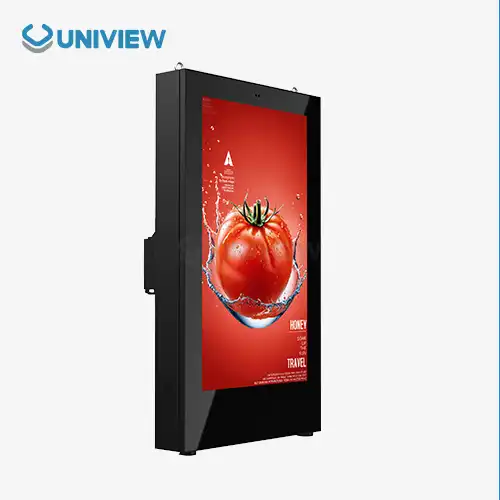
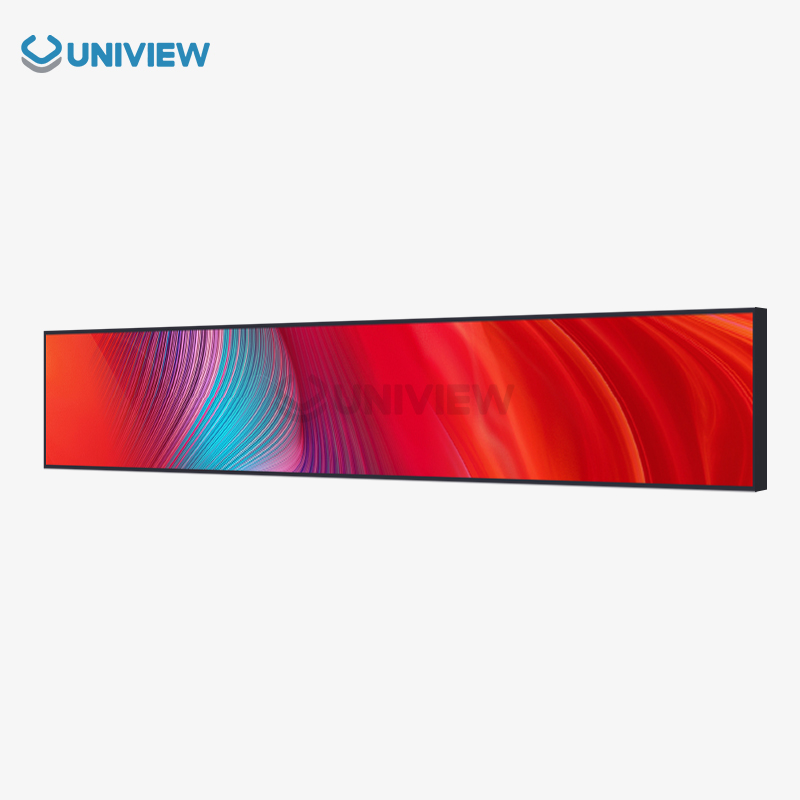
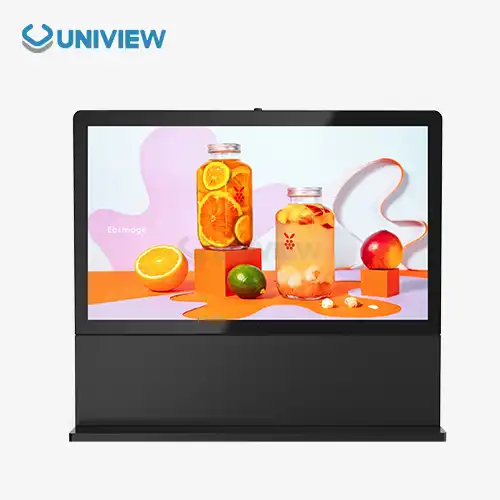
Learn about our latest products and discounts through SMS or email