- English
- French
- German
- Portuguese
- Spanish
- Russian
- Japanese
- Korean
- Arabic
- Greek
- German
- Turkish
- Italian
- Danish
- Romanian
- Indonesian
- Czech
- Afrikaans
- Swedish
- Polish
- Basque
- Catalan
- Esperanto
- Hindi
- Lao
- Albanian
- Amharic
- Armenian
- Azerbaijani
- Belarusian
- Bengali
- Bosnian
- Bulgarian
- Cebuano
- Chichewa
- Corsican
- Croatian
- Dutch
- Estonian
- Filipino
- Finnish
- Frisian
- Galician
- Georgian
- Gujarati
- Haitian
- Hausa
- Hawaiian
- Hebrew
- Hmong
- Hungarian
- Icelandic
- Igbo
- Javanese
- Kannada
- Kazakh
- Khmer
- Kurdish
- Kyrgyz
- Latin
- Latvian
- Lithuanian
- Luxembou..
- Macedonian
- Malagasy
- Malay
- Malayalam
- Maltese
- Maori
- Marathi
- Mongolian
- Burmese
- Nepali
- Norwegian
- Pashto
- Persian
- Punjabi
- Serbian
- Sesotho
- Sinhala
- Slovak
- Slovenian
- Somali
- Samoan
- Scots Gaelic
- Shona
- Sindhi
- Sundanese
- Swahili
- Tajik
- Tamil
- Telugu
- Thai
- Ukrainian
- Urdu
- Uzbek
- Vietnamese
- Welsh
- Xhosa
- Yiddish
- Yoruba
- Zulu
Indoor Floor-Standing Kiosk Displays with Easy Remote CMS
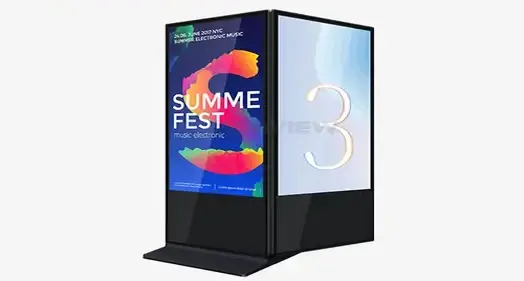
Indoor floor-standing kiosks with easy-to-remote Content Management Systems (CMS) are cutting-edge interactive solutions that change how companies connect with customers in the transportation, retail, and professional sectors. These strong digital touchpoints have commercial-grade hardware and easy-to-use software platforms that make it possible to handle content and make changes in real time from anywhere. These machines improve customer experiences by combining advanced display technology with easy-to-use remote control features. They also make operations more efficient for modern businesses looking for scalable digital engagement solutions.
Understanding Indoor Floor-Standing Kiosks and Their Benefits
What Makes Indoor Floor-Standing Kiosks Essential for Modern Businesses
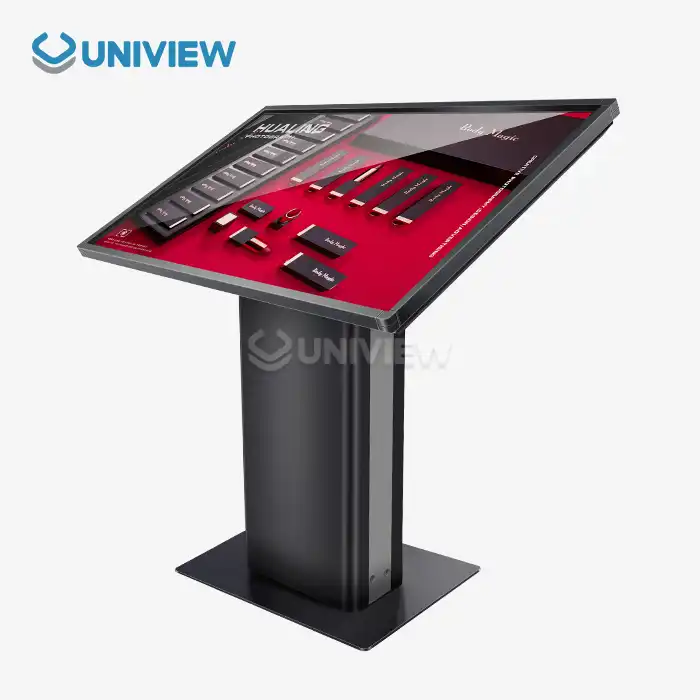
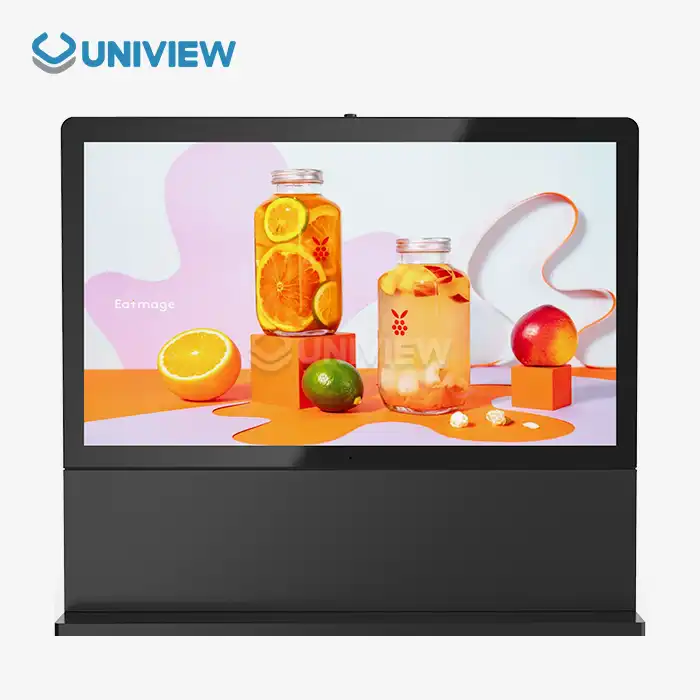
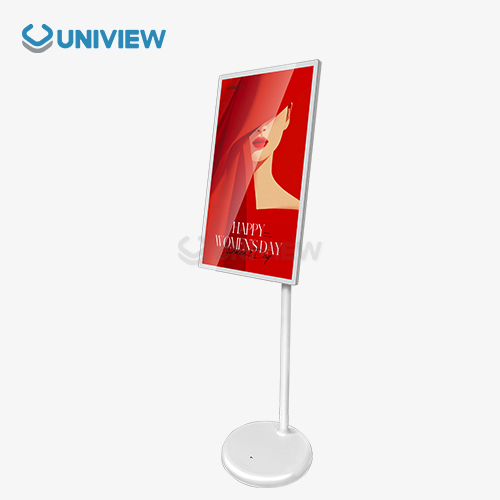
Interactive digital booths have changed how many businesses interact with their customers. These vertical display options give companies strong tools to simplify customer service tasks, lower costs, and improve the user experience. In contrast to traditional static signs, these interactive screens give changing content and have strong hardware made especially for business settings.
These systems are built around industrial-grade parts that make sure they work reliably 24 hours a day, seven days a week. Commercial screens usually have light levels between 350 and 2,500 nits and are covered by Mohs 7-hardness tempered glass panels that keep people from damaging them. The containers are made of powder-coated steel or an aluminum alloy, and they have IP55 to IP65 grades, which means they are completely protected from dust and water.
Core Advantages of Digital Kiosk Solutions
When modern companies use these engaging systems, their operations get a lot better, which has a direct effect on their bottom line. The technology solves important problems like a lack of workers, traffic jams during rush hours, and limited service access while also collecting useful data.
Here are the main working advantages these methods offer:
• Labor Cost Reduction: Automated self-service features take care of routine jobs like check-ins, orders, and information requests. This means that fewer employees are needed during busy times and service is available 24/7 without having to pay extra for overtime.
• Enhanced Customer Experience: Interactive platforms get rid of wait times, offer consistent service quality, and support choices in multiple languages to meet the needs of a wide range of customers in global markets.
• Data Collection and Analytics: Built-in sensors and contact tracking give businesses useful information about how customers behave, what they like, and how engaged they are, which helps them make smart business decisions.
• Space Optimization: Vertical form factors make the best use of floor space while giving users a lot of screen space for viewing material and interacting with it in busy areas.
When added together, these benefits make for strong ROI cases for companies that want to update their customer interaction strategies while keeping their operations running smoothly.
Technical Specifications That Drive Performance
Professional-grade touchscreen computers are built with advanced parts that are made to work continuously in a business setting. Projected Capacitive (PCAP) or Infrared (IR) sensors are usually used in touch panel technologies. These sensors allow for 10-point multi-touch and response times of less than 10 milliseconds. Industrial motherboards work with both Windows 10/11 IoT Enterprise and Android 11/12. They have watchdog settings that keep the system from freezing when it's being used for long amounts of time.
Original commercial IPS screens from top brands like LG, Samsung, and BOE are used in the displays. They ensure 178-degree viewing angles and come in a range of resolutions, from 1080P FHD to 4K UHD (3840x2160). These panels have high-tech thermal control systems that keep heat from building up and make sure they work the same way in all kinds of weather.
How Indoor Floor-Standing Kiosks Work and Leverage Easy Remote CMS
Technical Architecture and Hardware Integration
Modern indoor floor-standing kiosks are very complex pieces of engineering that blend many different technologies to make the user experience smooth. At the hardware level, these units combine powerful computer modules with specialized add-ons like thermal printers, QR/barcode scanners, NFC readers, and payment systems. Businesses can change the functionality based on their individual operational needs thanks to this modular method.
Commercial-grade LCD panels with LED backlighting systems are used in the display section. These panels are designed to work continuously for more than 50,000 hours (MTBF). Intelligent fan control systems and aluminum metal frame construction work together to keep the computer at the right temperature and keep the noise level below 60 decibels. This is called advanced thermal management.
Remote CMS Platform Capabilities
Businesses can now handle and keep an eye on their digital kiosk networks in a whole new way with easy online content management systems. These cloud-based systems have centralized control panels that let material be updated, schedules be changed, and performance be tracked in real time across multiple locations at the same time. The software design allows role-based user permissions, which make sure that each team member has the right amount of access while still following security rules.
Businesses can set up specific campaigns, advertising materials, and educational displays based on time zones, yearly events, or special sales with the content scheduling feature. The system instantly syncs material across all connected devices, making sure that all kiosk networks have the same branding and message. With remote diagnostics, IT teams can keep an eye on the health of systems, find possible problems, and fix them without having to go to the place in person.
Workflow Optimization and Scalability
Working together, hardware and software parts make practical processes that are efficient and can grow with the business. Content creation teams can use standard design tools to make materials, which can then be uploaded and sent out quickly across global networks. Multiple types of media are supported by the system, such as HD video, interactive apps, and web material that changes to fit different screen sizes and orientations.
Bandwidth optimization, automatic backup systems, and offline content caching are some of the network management tools that can be used to keep things running even when there are problems connecting to the internet. With these features, companies can be sure that their digital interaction tools will work well no matter what technical problems or infrastructure issues come up.
Choosing the Right Indoor Floor-Standing Kiosk for Your Business Needs
Evaluating Display Technology and Resolution Requirements
When choosing the right display technology, you need to carefully think about the surroundings and how the user will be using it. Typical indoor uses for screens range from 350 to 500 nits of brightness. Window-facing installations, on the other hand, may need up to 2,500 nits of brightness to stay visible in full sunlight. Screen widths usually fall between 32 and 85 inches, but the choice depends on how far away you want to sit, how complicated the content is, and how much room you have.
Resolution affects both the beauty of the images and the work that needs to be done to make the material. Full HD (1920x1080) screens are very clear for most business uses, while 4K UHD (3840x2160) resolution provides more detail for high-end setups or uses that need to show fine text. The choice between touchscreen and non-touchscreen options relies on how the user will connect with the device and how much money they have to spend.
Hardware Durability and Environmental Considerations
For long periods of time, commercial-grade indoor floor-standing kiosk units must be able to handle constant use and keep working properly. Most chassis are made from SPCC cold-rolled steel or an aviation-grade aluminum alloy, which makes the structure stiff and blocks electromagnetic interference. For rust protection and good looks, the surface can be treated with powder coating or anodization.
To protect a touch screen, you need tempered glass that is the right thickness (3-6 mm) and may have anti-glare or anti-fingerprint treatments added. These protected layers need to be strong enough to last and sensitive enough to touch so that the device will still work properly after millions of touches. Some setups might need extra features to keep people from damaging them, like stronger mounting systems and cases that can't be opened without leaving a trace.
CMS Compatibility and Integration Requirements
Choosing the right content management system has a big effect on how well and how quickly an organization can grow. Cloud-based platforms have benefits like automatic updates, access from anywhere in the world, and built-in data. On-premise options, on the other hand, offer better security control and lower ongoing subscription costs. When choosing a platform, people look at how well it works with their current IT infrastructure, security measures, and processes for creating content.
Integration with current business systems like point-of-sale (POS) devices, customer databases, and analytics tools makes it possible to share data and improve usefulness. APIs and developer support tools make it possible to build custom apps and automate specific business processes, which increases the value of an investment.
Practical Use Cases and Design Ideas for Indoor Floor-Standing Kiosks
Retail and Quick Service Restaurant Applications
Interactive self-service kiosks have changed the way stores and restaurants work by making it easy for customers to place orders and get information. When compared to standard cashier-based systems, these systems make it easier to handle complicated menu customization, process payments, and print records because they connect to POS platforms. Visual upselling cues and promotional signs raise the average deal value by suggesting more products in a smart way.
These displays are used in retail stores to show information about products, keep track of supplies, and register new customers. Customers can look through interactive brochures that have a lot of products, compare specs, and ask for help from salespeople. Integration with inventory management systems lets you see what products are available right now and lets you use more advanced features, such as reserving products and requesting transfers from one shop to another.
Healthcare and Corporate Environment Integration
For patient check-in procedures, appointment booking, and wayfinding help, healthcare centers use indoor floor-standing kiosk options. Integration with Electronic Medical Record (EMR) systems lets you use OCR readers to check insurance and automate the flow of patients. These systems make things easier for administrators while also making things better for patients by cutting down on wait times and streamlining processes.
Interactive directories and visitor control systems are used in corporate halls and office buildings to make things safer and more professional for guests. Some of the features are printing guest badges, host warning systems, and building information displays that match the culture and name of the company. Advanced systems connect to building control platforms so that you can see what spaces are available and book meeting rooms in real time.
Transportation and Public Facility Applications
Airports, train stops, and bus platforms are all transportation places that use interactive kiosks to sell tickets, show schedules, and help passengers. These devices have to work reliably in places with a lot of foot traffic and different lighting situations. They also have to be used all the time. The anti-glare coatings and hardened base design make sure that the device always works well and lasts a long time.
These systems are used to handle lines, help people apply for permits, and provide services to the public in government buildings and public buildings. Integration with government systems makes it possible to print documents, handle payments, and make appointments, which increases the speed of service while lowering the need for staff. Multilingual platforms help a wide range of people and make sure that accessibility rules are followed.
Maintenance Best Practices and Operational Excellence
For kiosk businesses to be successful, they need detailed repair plans that keep the machines running smoothly and make them last longer. Touchscreen calibration, thermal printer cleaning, and software updates that keep security and usefulness up-to-date are all part of regular review plans. Cybersecurity steps, such as changing passwords regularly, installing software fixes, and keeping an eye on the network, protect against possible risks.
For the best results, here are some important upkeep points to keep in mind:
• Hardware Inspection Protocols: Ensuring that possible problems are found early, before they affect the user experience, by checking the display's calibration, touch sensitivity, and the operation of secondary devices once a month.
• Software Update Management: Automatic update systems keep security patches and feature improvements up to date and schedule installations for times when there isn't much traffic to keep service interruptions to a minimum.
• Environmental Monitoring: Temperature monitors and air quality tracking keep things from getting too hot and make sure they are running at their best, which extends the life of parts and keeps performance standards high.
These upkeep practices make sure that all sites provide the same level of reliability for users, which maximizes return on investment.
Procurement and After-Sales Support: Ensuring a Smooth Purchase and Ownership Experience
Procurement Strategies and Buying Options
Businesses today need creative ways to buy things that can work with different budgets and implementation schedules. For large-scale deployments, direct connections with manufacturers are often the most cost-effective choices. For smaller setups, however, approved wholesalers offer local support and faster shipping options. Online platforms let you compare prices and check out specifications, but if you need complicated customizations, you'll usually need to talk to the maker directly.
Strategies for buying in bulk can cut costs per unit by a lot while making sure that specifications are the same in all places. There are more value offers that make total cost of ownership estimates better, such as volume savings, longer warranty choices, and bundled service packages. Custom OEM manufacturing meets specific branding needs and unique form factor needs that set installations apart from standard business products.
Financing and Leasing Arrangements
Businesses can set up indoor floor-standing kiosk networks without making sizable initial investments thanks to capital equipment loan options. Leasing equipment gives you a set monthly cost and repair and upgrade choices that keep your technology up to date during the lease term. A lot of the time, these types of financial structures help with taxes and keep cash available for other business assets.
Rental choices are good for short-term projects, yearly moves, and event-based installations where buying something fixed might not be the best value. Businesses can try how well a technology works before committing to it for a long time, and the ability to improve means they can get the newest features and functions as their needs change.
International Shipping and Logistics Considerations
For global operations to work, logistics must be carefully planned, taking into account shipping times, customs processes, and the needs of local installations. Proper packaging standards, such as ISTA 1A compliance, make sure that equipment comes in perfect condition, even if it has been handled during foreign shipping. Different countries have different documentation needs. Some of the things that may be needed are certificates of origin, technical specs, and compliance statements.
Installation support services include everything from simple tasks like delivery and setup to full project management that includes site studies, custom mounting solutions, and connecting the network. The availability of local technical help affects the long-term success of operations and should be taken into account when choosing a provider. Emergency replacement programs make sure that there is little downtime when there is a major breakdown.
Warranty Coverage and Technical Support Infrastructure
Comprehensive warranty plans protect the worth of investments and make sure that equipment works reliably for its entire life. Standard coverage usually includes tools and work for one to three years, but for mission-critical installations, longer coverage is possible. Coverage that is special to each component takes care of display panels, computing units, and touch sensors separately, since they have different projected lifespans and ways of breaking.
It has many ways to communicate, like phone and email, as well as online diagnostics and on-site service choices for technical support infrastructure. answer times depend on the level of help. For example, paid services are available 24/7 and promise answer times for urgent problems. Training programs for internal IT staff make the company less reliant on outside help while also increasing knowledge within the company.
Conclusion
Indoor floor-standing kiosks that can be used indoors and have easy remote CMS capabilities are game-changing technologies that solve important business problems in the retail, workplace, leisure, and transportation sectors. Industrial-grade hardware and easy-to-use content management platforms are put together in these complex systems to make scalable digital interaction tools that improve customer experiences while lowering business costs. Advanced display technology, strong environmental protection, and full remote control features work together to make sure reliable performance in tough business settings. To get the best return on investment and operating efficiency, execution must carefully take into account technical requirements, environmental needs, and long-term support infrastructure.
FAQ
Q: What are the main operational advantages of easy remote CMS for kiosk management?
A: Easy remote CMS systems give one person control over whole computer networks, so content can be changed, schedules can be made, and performance can be checked from anywhere. These systems get rid of the need for regular site trips to make changes to content. This cuts down on running costs and makes sure that all installations have the same message. Advanced features include user rights based on roles, automatic failover, and full data that show how engaged users are and how well the system is running.
Q: How do I determine the optimal screen size and resolution for my business application?
A: The main things that affect the choice of screen size are watching distance, material complexity, and available room. Larger screens (55 to 85 inches) with 4K resolution are better for apps that need fine text or pictures, while smaller screens (32 to 43 inches) with Full HD resolution are better for apps that just need to show menus or find their way. When making your final choices, think about watching angles, lighting, and how people usually interact with things. For gesture-based control to work well with touch-enabled apps, screens usually need to be bigger.
Q: Can kiosks be customized to match our corporate branding and specific functional requirements?
A: Custom chassis colors, branded casings, and specialized accessory integration are just a few of the many ways that modern indoor floor-standing kiosk systems can be changed to fit your needs. Software interfaces can include aspects of a company's brand, unique tools, and the ability to work with other business systems. OEM production services can handle different shapes, special fitting needs, and specific connection requirements. Custom programming services make it possible to make unique apps and automate workflows that fit the needs of specific business processes and user interactions.
Partner with Uniview Commercial for Advanced Indoor Kiosk Solutions
Uniview Commercial stands as your trusted indoor floor-standing kiosk manufacturer, delivering cutting-edge digital signage solutions that transform customer engagement across global markets. Our commercial-grade interactive terminals feature advanced PCAP touch technology, industrial computing modules, and comprehensive remote CMS platforms designed for 24/7 operation in demanding environments. With over a decade of manufacturing expertise and partnerships spanning 100+ countries, we provide customizable solutions backed by 3-5 year warranties and global technical support infrastructure. Contact our team at sales@univiewlcdisplay.com to discuss your specific requirements and discover how our innovative kiosk technology can enhance your business operations while delivering exceptional customer experiences.
References
1. Johnson, Michael. "Digital Kiosk Technology in Modern Retail Environments: Hardware Architecture and Performance Analysis." Journal of Commercial Display Technology, Vol. 15, 2023.
2. Chen, Sarah. "Content Management Systems for Interactive Digital Signage: Cloud vs On-Premise Solutions." International Conference on Digital Display Technologies Proceedings, 2023.
3. Anderson, Robert. "Touch Panel Technologies for Commercial Kiosks: Comparative Analysis of PCAP and IR Systems." Display Technology Quarterly, Issue 3, 2023.
4. Williams, Jennifer. "ROI Analysis of Self-Service Kiosks in Hospitality and Transportation Industries." Business Technology Review, Vol. 28, 2023.
5. Liu, David. "Environmental Testing Standards for Commercial Grade Interactive Displays." IEEE Standards for Commercial Electronics, Publication 847-2023.
6. Thompson, Emily. "Remote Monitoring and Maintenance Strategies for Large-Scale Kiosk Deployments." Digital Signage Management Today, Vol. 12, 2023.

Learn about our latest products and discounts through SMS or email