- English
- French
- German
- Portuguese
- Spanish
- Russian
- Japanese
- Korean
- Arabic
- Greek
- German
- Turkish
- Italian
- Danish
- Romanian
- Indonesian
- Czech
- Afrikaans
- Swedish
- Polish
- Basque
- Catalan
- Esperanto
- Hindi
- Lao
- Albanian
- Amharic
- Armenian
- Azerbaijani
- Belarusian
- Bengali
- Bosnian
- Bulgarian
- Cebuano
- Chichewa
- Corsican
- Croatian
- Dutch
- Estonian
- Filipino
- Finnish
- Frisian
- Galician
- Georgian
- Gujarati
- Haitian
- Hausa
- Hawaiian
- Hebrew
- Hmong
- Hungarian
- Icelandic
- Igbo
- Javanese
- Kannada
- Kazakh
- Khmer
- Kurdish
- Kyrgyz
- Latin
- Latvian
- Lithuanian
- Luxembou..
- Macedonian
- Malagasy
- Malay
- Malayalam
- Maltese
- Maori
- Marathi
- Mongolian
- Burmese
- Nepali
- Norwegian
- Pashto
- Persian
- Punjabi
- Serbian
- Sesotho
- Sinhala
- Slovak
- Slovenian
- Somali
- Samoan
- Scots Gaelic
- Shona
- Sindhi
- Sundanese
- Swahili
- Tajik
- Tamil
- Telugu
- Thai
- Ukrainian
- Urdu
- Uzbek
- Vietnamese
- Welsh
- Xhosa
- Yiddish
- Yoruba
- Zulu
Wall Mount Digital Signage Placement Tips That Convert
User interest and purchase rates in retail, at work, and at play depend on the wall mount digital signage position. Strategic placement considers traffic, sightlines, illumination, and accessibility to improve visibility. By positioning displays at the correct height, angle, and weather, static spaces may become dynamic communication centers. The displays should be bright enough for work. Businesses may maximize digital sign hardware by knowing these placement criteria. This affects how well consumers know and connect with the firm.
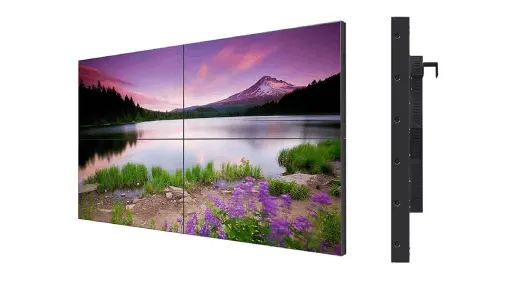
Understanding Wall Mount Digital Signage and Its Benefits
What Defines Commercial-Grade Wall Mounted Displays
Wall-mount digital signage is commercial display technology that stays on building walls. These panels, unlike typical TVs, employ heavy-duty LCD, LED, or OLED elements to function 24/7 without losing quality or slowing down due to heat. System-on-Chip processors, larger power supplies, and improved thermal management technologies in the main structure keep the system running well even under difficult conditions.
Consumer gadgets can't address some of the biggest real-world issues commercial displays can. Regular signs require money to print monthly, but these don't. Unified Content Management Systems enable you to manage communications in several locations. In bright environments, 450–2500 nits improve vision. This ensures text readability under various lighting situations.
Key Advantages for B2B Procurement Teams
Business wall mount digital signage is worth the additional expense since it offers things consumers can't. Companies and retailers that value floor space utilize these technologies to maximize ceiling space. It's durable enough to withstand temperature fluctuations, dust, and constant usage, which would destroy most TVs.
Reduced energy utilization is another major advantage. Newer commercial displays consume 30–40% less electricity than neon-lit ones. This is due to LED lighting and sophisticated brightness management. Most corporate screens endure 50,000 to 60,000 hours (half-brightness), or 5 to 7 years, and cost less to operate.
Reliable parts with warranties save maintenance expenses. MTBF rates for commercial displays are above 50,000 hours, and manufacturer warranties extend three to five years, longer than for TVs. Mission-critical applications benefit from its resilience, reducing service disruptions and replacement costs.
Technology Options and Display Configurations
Display technology depends on product demands and local circumstances. LCD panels are affordable, offer broad viewing angles (178°/178° with IPS technology), and display colors accurately. People install them indoors. LED technology works well for larger displays and outdoor applications where powerful, long-lasting light is needed.
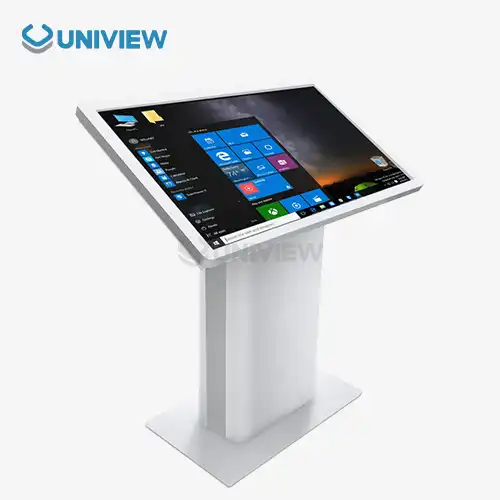
Interesting touchscreen features make viewing something like doing it. Capacitive touch allows you to move around like a smartphone by touching it many times. Interactive displays are useful in navigation applications, product configurators, and self-service booths that enable consumers to control their experience.
Set up more than one screen. There are hanging systems, connections, and built-in media players. All mounting tools work with panels that meet VESA mounting requirements (200x200mm, 400x400mm, and 600x400mm). Video walls are straightforward to install using pop-out mounts. Many applications don't require media players since they have SoC processors that run Android or their own OS. This simplifies loading and reduces potential issues.
Strategic Placement Principles to Maximize Impact
Analyzing Traffic Flow and High-Visibility Zones
To arrange anything well, first examine how people move around your location. Store displays should follow the primary customer routes, which are the paths consumers travel from the entrance to the register. Lobby, elevator, and cafeteria placement benefit businesses. Where passengers become lost or wait for connectivity, transportation hubs should be placed.
Heat maps and meticulous studies reveal where people hang out and look around. These advertisements will stay in people's minds longer. They are dubbed "high-dwell-time spots." Researchers observed that displays facing pedestrian routes garner more attention than those facing traffic flow. This is because the viewer's eyes immediately react to peripheral motions.
Researching sightlines ensures displays are visible from all angles. To get the ideal screen size, divide the viewing distance (in inches) by two to obtain the minimum screen width. When reading on a screen 10 feet (120 inches) away, it must be 60 inches broad and high. Make a list of obstacles before starting. Holiday decorations, construction columns, and hanging signage are examples.
Optimal Mounting Height and Viewing Angles
Users' comfort and information accessibility depend on the height of the mount. Standing people should be able to view the display portions 48–60 inches from the ground. Most individuals are 54 inches tall, so this makes sense. In a conference or waiting area, set the screen 36 to 42 inches from the floor to view while sitting.
The ADA requires wheelchair-accessible viewing locations and heights. Wall mount digital signage should have interactive touchscreen controllers positioned 15–48 inches above the floor. Screens must be elevated 15–20 degrees from vertical to reduce glare and increase touch accuracy. Some displays should be visible when sitting without bending your neck.
Setting the vertical tilt is possible even if the mount is above or below eye level. When a screen is higher than typical, tilt it 5–10 degrees to display information to persons below. Low displays in kids' spaces or easy-to-reach positions may require a little tilt upward. Portrait orientation maximizes vertical space in small hallways or near escalators. Landscape material works best horizontally in large hallways.
Environmental Factors Affecting Display Performance
How effectively a program is viewed and how the viewer thinks depends on the room lighting. South-facing windows and skylights bring in direct sunshine that may dull even the brightest displays when crowded. Moving the displays out of direct light or purchasing ones with 1500-nit anti-glare coatings may address this. Uses techniques that prevent mirror-like shadows and make screen content hard to view in bright areas.
When temperature and humidity are regulated, sensitive electronics last longer. From 32°F to 104°F (0°C to 40°C), most business screens function. They may not operate well in restaurants, outdoors, or factories. High-temperature displays require stronger cooling systems, water-resistant circuit boards, and parts that perform in more temperatures.
Controlling humidity eliminates rust-causing mist and electrical shorts. This is crucial near water or in pools.
Dust, grease, and other air pollutants speed up part breakdown at restaurants, offices, and outdoors. Closed IP65 and IP66 enclosures keep particles out. These housings are commercial. Gaskets and safety glass keep them clean, and regulated air ducts release heat.
Installation and Technical Considerations
Pre-Installation Planning and Site Assessment
If everything goes well, installation begins weeks before the hanging gear is installed. Site studies record issues with the building's construction, power supply, network connections, and surroundings. Load-bearing tests ensure that walls can sustain the display and mounting equipment. Commercial displays of 50 to 200 pounds require more than plywood. Connect them to wall studs or other structural supports.
Planning for electricity determines power sources and line size. Most commercial displays utilize 200–500 watts while on. Larger video walls consume more. Power is stable, and tripping isn't a problem with dedicated lines. Prepare to hide power outlets behind accessible screens. This hides wires and keeps things tidy. UPS systems can keep things running when the power goes off.
Network infrastructure reviews assess data transmission speed and security. Ethernet wired connections are more dependable. They provide consistent 4K video and real-time data updates. Wireless setup provides you additional options, but you need good Wi-Fi coverage and network security features like WPA3 encryption, VLAN separation, and MAC address blocking to prevent unauthorized access to your display systems.
Essential Hardware Specifications and Compatibility
Screen quality affects readability and professionalism. Full HD 1920x1080 resolution is sufficient for most applications, and the pixels per inch allow reading at ordinary viewing distances. 4K (3840x2160) ensures excellent text and images on TVs larger than 55 inches or three feet distant. More computer power and speed are needed to serve materials better.
Connectors should be able to leverage existing information sources and add additional. HDMI 2.0 supports 4K at 60Hz and is the most popular video connector. VGA and DVI connectors link older devices, whereas DisplayPort connections support computer information. You may play flash drive music and movies, and connect other USB devices.
Built-in media players make looping material simple without additional equipment.
The light settings must match the program parameters. Shop displays should be 400–700 nits to block light from the sky. For window-view settings, use 1500–2500 nits. Outdoor shelters must be weatherproof and able to withstand extreme temperatures, water, and sunshine. It should be 2000–4000 nits bright. Uniview Commercial's offline-coated AR glass displays maintain good visual quality even in bright conditions. Their displays range from dark to dazzling.
Professional Installation Versus DIY Approaches
Professional installation services for wall mount digital signage reduce dangers, including building damage, electrical code violations, and warranty-voiding blunders. Officials know local construction rules and how to install items on plaster, concrete, brick, and glass walls. They also operate securely at heights and make no costly errors. Maintenance issues arise when the signage isn't properly supported, exposed to the elements, or when wiring is mishandled.
Professional crews use laser levels, stud finders, concrete pegs, and wire fishing gear to install securely. They protect property owners from damage and worker injury claims with liability insurance. Service agreements include post-installation support, problem-solving, and regular maintenance to prolong equipment life.
Simple things may be possible if the screen is less than 40 inches, the material is light, and the hanging arrangement is simple. Starting this manner is cheaper, but you must learn, get the proper equipment, and be honest about your technical talents. Before doing their own installation, purchasing teams should evaluate the savings against the total cost of ownership, which includes the risk of making a mistake that requires expert repair. Technicians who have done work like yours are licensed and insured, have manufacturer credentials, and give guarantees for both the equipment and the job are excellent.
Comparing Wall Mount Digital Signage Solutions for Procurement Decision-Making
Critical Evaluation Criteria for B2B Buyers
Wall mount digital signage can help you choose. It examines the product's real-world stability, construction quality, and part rating. Stores utilize decorative frames made of cold-rolled steel or shiny metal since they don't shatter and allow heat to escape. Tempered glass (7H Mohs) protects LCD panels in public. MTBF figures indicate reliability based on facts. Good screens may endure 60,000 hours, or seven years of constant usage.
When calculating energy economy, business expenses and environmental impact are considered. LED-backlit displays use 40–60% less electricity than CCFLs. This reduces energy expenses over time. A product with the Energy Star badge is energy-efficient. Automatic brightness adjustments depending on room lighting utilize the least power. Big sets with several screens provide a lower total cost of ownership due to efficiency advantages.
A warranty demonstrates that the manufacturer trusts the product and wants to aid consumers. Home TVs have one-year guarantees, whereas business display warranties cover screens and components for three years. Some high-end companies provide five-year warranties for further security. The guarantee conditions should state how long it will take to obtain a response, how to repair the item, and what it doesn't cover. Uniview Commercial warrants all goods for three to five years. China Pacific Insurance Company provides 24/7 quality assurance and global response for these guarantees.
Brand Comparison and Industry-Specific Suitability
It helps to compare prominent business display producers before buying. Samsung and LG control most of the market. Their products are diverse, their names are well-known, and their service networks are accessible. These companies excel in making popular goods that sell well in stores.
Specialized companies like NEC and Sharp serve tiny markets with unique performance needs. Medical visuals, control room activity, and outside advertisements must be clear. Their products are pricey, but they boast unique features including 10-bit color depth, portrait-mode displays, and harsh settings grades. Philips keeps competitive in Europe by creating eco-friendly goods that meet EU regulations.
With reasonable pricing and high technological features, emerging firms like Uniview Commercial offer amazing goods. Our screens contain 2000–4000 nit high-brightness panels, IP66 waterproofing, and European surface technology to prevent corrosion. These principles are tailored to public advertising, transit hubs, and industries where well-known brands don't operate.
Procurement Options and Contract Considerations
Custom setup services allow you to create project-specific solutions. There may be unique lighting, sizes, fitting gear, sensors, and cameras integrated in. Custom orders take 6–12 weeks, but give the finest options for particular needs. Customization helps large purchasers standardize business standards throughout rollouts. This maintains performance and simplifies maintenance.
Bulk pricing lowers prices to sell more items. Tier-based costs apply to orders of 10, 25, 50, or 100 items. At these levels, you can save 5–10–20–30%. Business clients and multi-location organizations discuss framework arrangements that establish rates for projected quantities every year. This simplifies budgeting and shopping.
Leasing, monthly payments, and equipment-as-a-service may make buying larger goods simpler. These structures protect working capital while allowing immediate utilization.
Payment times are normally 30–90 days for long-term commercial relationships. It's lengthy enough for budget approval and project goals. Fast shipping options are available for urgent assignments. Air freight arrives in 5–7 days, whereas ocean shipment takes 4–6 weeks. Extra money is worth it to accomplish work fast.
How Optimal Wall Mount Digital Signage Placement Enhances Customer Engagement and Conversion
Leveraging Buyer Psychology Through Strategic Positioning
Wall mount digital signage may help you exploit purchasing psychology. Using well-known psychological concepts, exhibit setup impacts purchasers' unconscious behavior.
People enter stores, turning right and looking left. To capitalize on this, the "power wall" concept places displays on shop entrances' right sides. Products in prominent locations boost brand and product exposure. Items at eye level sell better than those on the edges.
Motion and contrast attract attention more than static objects. Screens in strategic locations may display dynamic content since people notice activity around them. High-contrast graphics on dark or bright backgrounds improve vision and memory. Digital signage may be hard to overlook even in settings with many images and signs if you combine these strategies.
Repeating a word strengthens and increases its credibility. People must see or hear something seven times before acting. This is dubbed the "business rule of seven." Well-planned locations allow purchasers to notice displays throughout their travels. The entrance displays showcase the items, product displays provide information, and point-of-sale displays encourage purchases. After viewing this numerous times, individuals feel more comfortable and trusting, making them more inclined to purchase.
Interactive Features and Marketing Integration
Touchscreens make passive viewing active, which keeps people on a site longer and improves memory. Customers may examine more than floor models in interactive product catalogs. Sort items by specifications, see 360-degree photos, and compare features. This self-finding method boosts confidence and simplifies staff work.
Multi-site marketing initiatives function better together. Digital signage displays social media, user-generated content, and real-time adverts for easy multimodal experiences. QR codes connect the physical and digital worlds. It makes it simple to find product information, utilize coupons, and sign up for email lists. These links keep visitors engaged after they leave your site, retaining them.
Time-sensitive advertisements drive buyers to purchase. People worry about missing out on limited-time discounts with countdown clocks and real-time product displays due to a lack of inventory. Networked sign notifications of flash deals focus instant attention to select locations or goods, which boosts sales during peak sales periods.
Data Analytics and ROI Measurement
Modern digital sign systems offer audience data, which allows for unprecedented clarity in measuring interest. With the correct privacy settings, built-in cameras and sensors monitor passersby, their demographics, length of stay, and attentiveness. This data illustrates which screens individuals like, what content groups like, and how geography influences interactions.
Through controlled investigation, A/B testing improves material and placement selections. Show the same material at different heights or places to separate placement considerations. You may even modify the content and present it at various times and locations to test comprehension. We may base placement judgments on facts by applying statistical analysis to determine the most popular combinations.
When you calculate ROI, you may link the show's performance to business performance. POS data links sales of advertised products to advertising. This links sales to campaigns.
Customer flow data shows that with displays, more customers pass by stores. Procurement teams report 15–30% conversion rate increases from intentional display placement optimization. This indicates that these actions affect business.
Preparing for Emerging Technology Trends
AI may customize information in a new manner. Computer vision systems adjust real-time material depending on user data like age and gender. Award programmes present customers with alternative items depending on their prior behaviour. Events become more distinctive, making things more useful and increasing sales.
Augmented reality adds digital information to real-world settings. This enables individuals to virtually put on clothing, see rooms, and engage with tales. AR-enabled displays let furniture shoppers visualize it in their homes. Car buyers may customize their autos, and cosmetics buyers can see how the hues will appear on them. This technology simplifies shopping by describing products and their uses.
Screens connected to the Internet of Things may adapt to activity and environmental data. Retail signs promote available products and hide sold-out items. Transportation displays illustrate upcoming events and service interruptions in real time. Screens on the factory floor provide machine sensor data on production, safety, and quality. Smart connections allow displays to do more than display messages. They're also versatile work tools.
Conclusion
Wall mount digital signage may transform from basic information displays into strong conversion tools that deliver quantifiable business outcomes. Success requires much preparation. Look at how people use the space, locate the ideal areas to put, fix any issues, and choose the proper hardware requirements. As AI-driven customisation and AR integration become more common, purchasing teams must fulfill technical demands within their budgets while preparing for the future. Instead of consumer displays, purchase commercial-grade ones for 24/7 use. They will last longer, be more dependable, and save energy. Businesses benefit most from digital signage as part of their overall communication strategy. They may broadcast dynamic messages on networked displays at every consumer touchpoint.
FAQ
Q: What mounting height works best for different viewing scenarios?
A: Standard installations position display centers 48-60 inches from the floor, matching the average standing eye height of 54 inches. Seated viewing areas require lower mounting at 36-42 inches, while interactive touchscreens must locate controls within the 15-48 inch ADA-compliant reach range. Adjust these baselines based on your specific audience—children's areas benefit from lower positioning, while displays intended for visibility over crowds may mount higher with compensating downward tilt.
Q: Can standard consumer televisions substitute for commercial displays?
A: Consumer televisions lack the thermal management, component durability, and warranty coverage necessary for commercial operation. Commercial displays incorporate industrial-grade power supplies, reinforced panels, and cooling systems engineered for continuous 16-24-hour daily operation. Consumer televisions suffer from panel burn-in, component failure, and voided warranties when used commercially. The higher upfront cost of commercial displays delivers substantially lower total ownership cost through extended lifespan and reduced failure rates.
Q: How do I choose between indoor and outdoor display specifications?
A: Indoor displays rated 400-700 nits suit climate-controlled environments with standard lighting. Window-facing locations require 1500+ nits to overcome daylight. Outdoor installations demand 2000-4000 nit brightness, weatherproof enclosures with IP65/IP66 ratings, extended temperature range components (-20°F to 140°F), and corrosion-resistant treatments. Uniview Commercial manufactures displays across this entire specification range, enabling precise matching to environmental conditions.
Partner with Uniview Commercial for Superior Wall Mount Digital Signage Solutions
Uniview Commercial stands as your trusted wall mount digital signage manufacturer, delivering commercial-grade displays engineered for demanding B2B applications across retail, corporate, hospitality, and transportation sectors. Our extensive product portfolio features ultra-high-brightness panels (2000-4000 nits), industrial IP65/IP66 weather resistance, and advanced corrosion protection through European surface treatment technology. Every display includes comprehensive three to five-year warranty coverage backed by China Pacific Insurance Company, supported by global 24-hour response teams spanning over 100 countries. We specialize in customized solutions tailored to your exact specifications—non-standard sizes, specialized mounting requirements, and integrated interactive capabilities. Contact our procurement specialists at sales@univiewlcdisplay.com to discuss bulk pricing options, volume discounts, and expedited shipping that meets your project timeline. Transform your physical spaces into dynamic communication environments with displays built to perform reliably for decades.
References
1. Chen, Michael, and Rodriguez, Sarah. "Commercial Display Technology: Engineering Principles and Application Guidelines." Journal of Digital Signage Technology, Vol. 15, No. 3, 2023, pp. 78-94.
2. National Signage Alliance. "Digital Signage Placement Standards and Best Practices for Commercial Environments." Industrial Display Implementation Guide, 2024 Edition.
3. Williams, David R. "Environmental Factors Affecting Commercial Display Performance and Longevity." International Conference on Visual Communication Systems Proceedings, 2023, pp. 245-267.
4. Patterson, Jennifer L. "Measuring ROI in Digital Signage Investments: Analytics and Attribution Methods." B2B Marketing Technology Quarterly, Vol. 8, No. 2, 2024, pp. 112-129.
5. American Institute of Display Technology. "ADA Compliance Guidelines for Interactive and Fixed Digital Signage Installations." Accessibility Standards Manual, Revised 2024.
6. Thompson, Robert and Liu, Xiaoming. "Comparative Analysis of Commercial Display Reliability Across Manufacturing Standards." Display Quality Assessment Annual Report, 2023, pp. 34-68.
Learn about our latest products and discounts through SMS or email