- English
- French
- German
- Portuguese
- Spanish
- Russian
- Japanese
- Korean
- Arabic
- Greek
- German
- Turkish
- Italian
- Danish
- Romanian
- Indonesian
- Czech
- Afrikaans
- Swedish
- Polish
- Basque
- Catalan
- Esperanto
- Hindi
- Lao
- Albanian
- Amharic
- Armenian
- Azerbaijani
- Belarusian
- Bengali
- Bosnian
- Bulgarian
- Cebuano
- Chichewa
- Corsican
- Croatian
- Dutch
- Estonian
- Filipino
- Finnish
- Frisian
- Galician
- Georgian
- Gujarati
- Haitian
- Hausa
- Hawaiian
- Hebrew
- Hmong
- Hungarian
- Icelandic
- Igbo
- Javanese
- Kannada
- Kazakh
- Khmer
- Kurdish
- Kyrgyz
- Latin
- Latvian
- Lithuanian
- Luxembou..
- Macedonian
- Malagasy
- Malay
- Malayalam
- Maltese
- Maori
- Marathi
- Mongolian
- Burmese
- Nepali
- Norwegian
- Pashto
- Persian
- Punjabi
- Serbian
- Sesotho
- Sinhala
- Slovak
- Slovenian
- Somali
- Samoan
- Scots Gaelic
- Shona
- Sindhi
- Sundanese
- Swahili
- Tajik
- Tamil
- Telugu
- Thai
- Ukrainian
- Urdu
- Uzbek
- Vietnamese
- Welsh
- Xhosa
- Yiddish
- Yoruba
- Zulu
Why Choose Indoor Free Standing Digital Displays for Retail?
A self-contained visual communication tool that blends commercial-grade hardware and intelligent content management is what you get when you choose an indoor free standing digital display for your store. Unlike screens that are attached to the wall or signs that stay in one place, a movable digital totem can be moved around, doesn't need to be changed structurally, and works all the time for 24/7 involvement. These screens have high-definition LCD or LED screens, strong metal frames, and built-in media players. This lets stores change deals from afar, move units around based on foot traffic, and make sure customers can see them clearly at the best eye-level angles. Because it can be used in a variety of ways and has been shown to improve dwell time and conversion rates, freestanding digital signage is an important tool for modern retail settings.
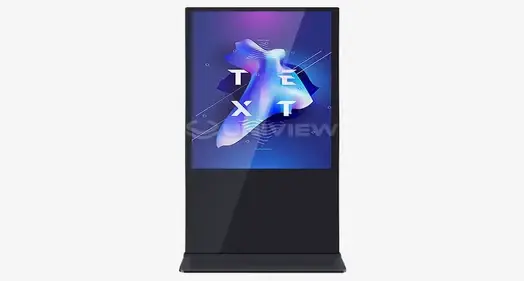
Understanding Indoor Free-Standing Digital Displays in Retail
What Defines a Freestanding Digital Display?
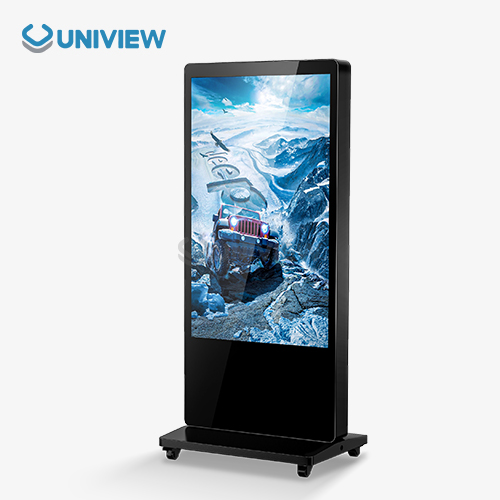
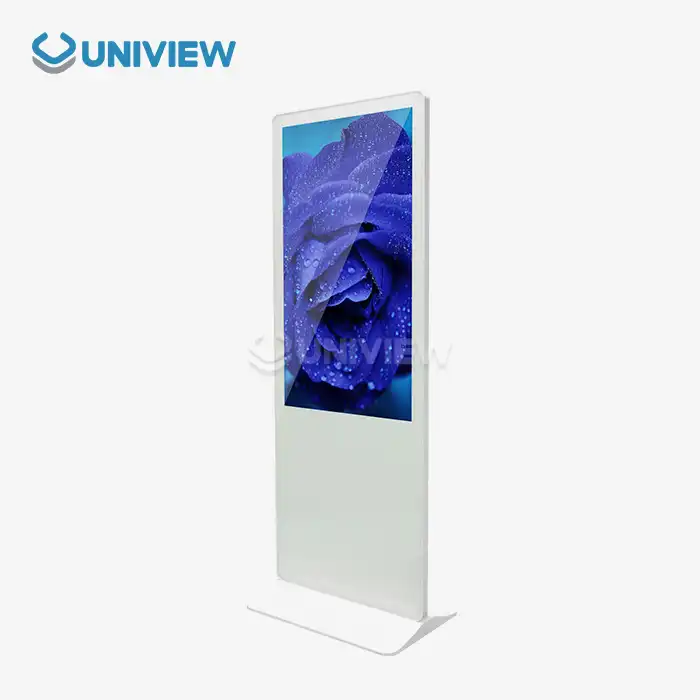
An indoor free standing digital display, also known as a digital totem or floor-standing kiosk, is a business display unit that is vertically orientated and does not need any mounting hardware on the wall or floor. Unlike consumer TVs that have been converted for business use, these units were designed to work continuously in busy store spaces. These computers have commercial-grade LCD or LED screens that are 43 to 86 inches, media players inside that run Android or Windows, and protected cases made of cold-rolled steel or aluminum.
The "freestanding" feature solves important problems in the business. When stores are in leased areas or buildings with glass walls, they can't always change the structures to fit wall-mounted displays. Freestanding units get rid of this problem, so they can be placed strategically in entryways, checkout lines, or advertising areas without having to be drilled or reinforced. This lack of dependence on a specific architecture speeds up and lowers the cost of adoption, especially for companies that run multiple sites or seasonal stores.
Core Components and Technical Architecture
Modern indoor free standing digital displays are made up of several integrated elements that work together. The screen uses Original A+ grade IPS technology, which gives you 178°/178° of viewing angles and color clarity that stays the same no matter where you are. Brightness levels are usually between 350 and 700 nits (cd/m²), and they are set to work with the light inside so that there is no glare and good vision.
The secure case has 4mm to 6mm toughened glass (Mohs hardness level 7) that keeps the screen safe from drops, scratches, and normal use in busy stores. Behind the glass, thermal control systems keep the working temperatures between 0°C and 50°C. This lets the display work reliably 24 hours a day, seven days a week, which is something that consumer-grade displays can't do. HDMI, USB, and LAN ports are all available for connectivity. Embedded Wi-Fi, 4G, or 5G modules allow remote content changes through centralized control platforms, which eliminates the need to update multiple places by hand.
Operational Advantages Over Traditional Signage
For traditional printed signs, there are ongoing costs for designing, printing, sending, and putting them up in different places. Digital screens get rid of these costs by letting material be updated instantly from a central dashboard. Marketing teams can plan sales, change messages based on the time of day, or react instantly to changes in product across a whole network of stores. Because of this flexibility, marketing goes from being a fixed, planned action to a flexible, adaptable plan.
With split-screen, you can see different kinds of material at the same time, like promotional movies in the top, product catalogs in the middle, and live social media feeds at the bottom. This flexibility makes the most of the amount of information without being too much for users, which helps stores deal with the problem of limited display space. Studies show that dynamic digital content gets 400% more attention than static signs. This directly leads to more engaged customers and better sales conversion rates at the point of sale.
Benefits of Using Indoor Free Standing Digital Displays in Retail Spaces
Enhanced Customer Engagement Through Dynamic Content
Creating unique in-store experiences that set brands apart from online competitors is becoming more and more important for retail success. Motion, color, and interactions on indoor free standing digital displays are great ways to get people's attention. Video material with product demos, customer reviews, or company stories can connect with people on an emotional level that still images can't. Customers can use interactive touch screens to look through catalogs, check supplies, or get detailed information about products. This turns idle watching into active involvement.
Retail analytics companies have found that with digital signs, shops see an average 30% rise in dwell time. This means that customers stay in the store longer and see more goods. Higher average transaction prices are directly linked to this longer involvement. Customers are more likely to buy something when they use tablet screens to look at their options instead of just browsing real stores. This is especially true for complicated goods that need specification comparisons or customization options.
Operational Flexibility and Space Optimization
Store plans need to be flexible enough to accommodate yearly campaigns, sales, and changes in the products sold. Wall-mounted screens don't move, which makes planning less flexible. Freestanding units can be moved overnight to draw attention to special items, direct traffic during sales events, or make displays that get people's attention at the front of the store. This movement lets stores constantly find the best uses for expensive floor space by looking at performance data and trends of how customers act.
These screens are self-contained, which makes placement easier and gets rid of the visible clutter of cables that are sticking out. Power and data cables are hidden inside the base unit, which keeps the clean look that fits in with high-end store spaces. Businesses can reuse existing freestanding displays instead of buying new equipment when they open new shops or change the layout of existing ones. This saves money on capital costs and supports flexible retail strategies.
Cost Efficiency and Environmental Sustainability
The starting cost of indoor free standing digital displays is higher than the cost of standard signs, but the total cost of ownership is lower. Getting rid of ongoing printing costs—roughly $200 to $500 per site per campaign—saves a lot of money in the long run. When a retail company with 50 locations runs ads every month, switching to digital signage saves them between $120,000 and $300,000 a year. They usually break even in 18 to 24 months.
When compared to older display technologies, LED backlighting and intelligent brightness change use less electricity. Modern units use about 80 to 150 watts of power when they're on, which is about the same as business lighting sources but has a much bigger effect on marketing. There are more environmental benefits than just saving energy. Getting rid of printed papers cuts down on trash, is in line with companies' sustainability goals, and appeals to eco-conscious customers who are increasingly considering sustainability when making purchases.
Comparing Indoor Free Standing Digital Displays with Other Display Types
Freestanding vs. Wall-Mounted Digital Signage
Whether you choose independent or wall-mounted displays depends on your store's goals and available space. Wall-mounted units save floor space, which makes them good for hallways that aren't very wide or places where floor space is very valuable. But they need to be checked for structural integrity to make sure the walls can hold the weight (20 to 40 kg for business displays), and they might need to be installed by a professional, which raises the cost of deployment.
Wall-mounted screens can't compare to the portability of indoor free standing digital displays. Without leaving behind wall brackets, stores can move units to different areas for promotional events, adjust displays based on foot-traffic heatmaps, or move equipment between stores. This adaptability is especially useful when a store is being remodeled, when there are brief events or pop-up shops that can't have fixed installations. Being able to constantly improve placement based on performance analytics leads to higher returns on investment (ROI) over the duration of the equipment.
Interactive Touch Screens vs. Non-Interactive Displays
Interactive touchscreen displays usually cost 40% to 60% more up front than non-touch versions, but they attract customers and convert more of them into buyers in a measurable way. Customers can use touch-enabled screens to look through product catalogs, narrow down their choices based on specs, see 360-degree pictures of products, or read reviews from other customers without help from staff. This self-service feature makes things easier for employees while giving buyers a lot of information that makes them feel more confident about buying.
Displays that don't require interaction are good for passive communication tasks like brand messages, promotional announcements, or wayfinding, where the user doesn't need to enter anything. Retailers usually use a mix of interactive and non-interactive displays. They put interactive displays in areas with high-consideration products like electronics, cosmetics, and fashion, and they use non-interactive units for general statements or guiding signs. This strategy distribution makes the best use of the budget while meeting the different marketing needs of the different retail zones.
Evaluating Commercial Display Manufacturers
Differences in quality between display makers have a big effect on how well they work over time and how much they cost to own. High-end brands like Samsung, LG, and Philips use commercial-grade parts that are designed to work nonstop, while cheaper brands often use consumer-grade panels that break down quickly when used nonstop. Some important things to look for in a quality display are the panel grade (A+ vs. B-grade), the length of the warranty (commercial displays should give 3 to 5 years), and the availability of regional service networks that can provide on-site help.
Our indoor free standing digital displays at Uniview Commercial are made with industrial-grade parts that meet safety standards from Europe, the United States, and Japan. Our units have advanced thermal management systems that keep the right working temperatures, high-quality offline coated AR glass that delivers very clear pictures at brightness levels between 2000 and 4000 nits, and strong construction that meets IP65 to IP66 standards for water and dust resistance. These requirements make sure that the product will work reliably in a range of retail settings, from climate-controlled malls to semi-outdoor mall areas where the temperature changes.
How to Select the Right Indoor Free Standing Digital Display for Your Retail Business
Assessing Store-Specific Requirements
A thorough needs assessment is the first step in choosing the right indoor free standing digital display. Check how much floor space you have and think about both the show area and the areas where customers can move around. Units should help traffic flow instead of blocking it. Look at how people walk by to find the best places to put displays so they are seen by as many people as possible without getting in the way of people getting to the items or the buying process.
The depth of the content affects the gear that is needed. Interactive apps that run product configurators or augmented reality experiences need more processing power than simple advertising clips that show still pictures. Retailers who want to use advanced apps should make sure that the screens they choose have high-performance media players or industrial PC units that can run demanding software. Clarifying content strategies during the procurement phase keeps units from having to pay for expensive hardware updates later on and makes sure they can support changing marketing efforts as digital strategies develop.
Critical Technical Specifications
The choice of screen size strikes a balance between the need for sight and the available space. A 43-inch screen is good for small shops or hallways with little space, while a 55- to 65-inch screen is better for larger stores. Big-format 75-inch to 86-inch displays make dramatic focal points in big stores or mall hallways, but they need a lot more floor space. Resolution should be at least Full HD (1920x1080), but 4K (3840x2160) is best for big screens or uses that need detailed product images.
Specifications for brightness should be carefully thought through. Standard indoor screens work at 350 to 500 nits, which is fine for places with controlled lighting. Places with a lot of natural light, like near windows or skylights, need 500 to 700 nit screens to stay visible. Don't give too little information about the brightness—displays that look washed out don't grab attention and hurt the efficiency of marketing. The amount of energy used depends on the size and brightness of the screen. To save money on power costs without sacrificing visibility, choose units with LED backlighting that is energy-efficient and has automatic brightness change.
Procurement Options and Vendor Relationships
There are three main ways that businesses buy things from each other: they buy in bulk at wholesale prices for stores that have multiple locations, they rent items for short-term campaigns or test runs, and they place custom orders with their own branding or hardware setups. The lowest price per unit is found when you buy in bulk, but you have to pay for the equipment and keep track of your supplies. Rentals are convenient for businesses that only operate during certain times of the year, or that want to try out digital sign tactics before buying anything.
When evaluating a vendor, after-sales assistance should be given more weight than the original price. Full warranties that cover panel flaws, component failures, and expert help keep you from having to pay extra costs during the ownership time. Make sure that the makers or distributors you work with have regional service networks that can provide on-site help in the areas where you do business. International stores should make sure that the support standards offered by sellers are the same in all countries. This will keep service differences from making it harder to handle fleets across regions.
Practical Tips for Maintenance and Maximizing Performance
Routine Maintenance Protocols
Setting up regular repair plans for equipment keeps it working well and extends its life. Once a week, you should clean your screens with microfiber cloths and commercial-grade screen cleaning products. Never use ammonia-based home cleaners, as they damage anti-reflective coatings. To keep from streaking, clean from top to bottom using light circular motions. Pay extra attention to the lower screen areas where fingerprints tend to gather on interactive displays.
Hardware should be checked every three months to make sure that cooling vents aren't blocked, internal temps stay within acceptable ranges, and all cable connections are still safe. When dust builds up in ventilation holes, it blocks airflow, which can lead to heat shutdown or faster component wear. Clear vents with forced air to make sure units keep managing heat properly. Manufacturers often include security patches, speed improvements, and better compatibility for content management systems in software updates. To keep operations running smoothly, plan updates for times when they aren't busy.
Troubleshooting Common Issues
Most of the time, display glitches or picture artifacts are caused by problems with signal connectivity, not screen breakdowns. Make sure that all of the wire links are still tight and not broken. HDMI cables have limited lives, especially in places where units are moved around a lot. If you're tired of fixing connection problems over and over, change cables that are showing intermittent signals. Power cycling generally fixes media player crashes. Teach your staff this simple fixing step to cut down on the number of technical support calls.
As you use the touch screen normally, the digitizer layer moves slightly, which causes the settings to change over time. Most business touch screens have calibration tools that can be accessed through the setup menus. Calibration processes should be run once a month or whenever staff notice that touch accuracy is dropping. Consistent tuning issues could mean that the scanner is worn out and needs to be serviced by a professional. Systematically write down problems that keep happening so that you can find trends that can help you with insurance claims or buying decisions for new generations of equipment.
Environmental Optimization and Placement Strategy
The setting of the indoor free standing digital display has a big effect on how long it works. Do not put units in direct sunlight, as this speeds up the age of the panels and causes uneven color loss. Even screens that are meant to be used indoors have shorter life spans when they are constantly exposed to bright light or heat. Keep at least 10 cm of space around units on the sides and 15 cm of space on the back to allow for proper air and stop heat buildup that shortens the life of electronic components.
Controlling humidity is important in some places. For example, displays rated for wider humidity ranges work better in stores that are in humid areas or near building doors where temperatures change often. Having condensation on the electronics inside leads to rust and electrical shorts. Units that are used in tough settings should have casings that are rated IP and protect against moisture. At Uniview Commercial, our screens have corrosion-resistant coatings on their surfaces that are based on European technology standards. They also have IP65 to IP66 ratings, which means they will work reliably in a wide range of retail settings, from seaside areas to tropical markets with a lot of humidity.
Conclusion
Indoor free standing digital displays have become necessary tools for stores that want to improve the shopping experience for customers, make marketing more flexible, and get measurable returns on investment (ROI). These specialized units have commercial-grade display technology and are not attached to any structure. This means they can be used in a variety of store settings without needing to be redesigned. Freestanding displays get people's attention better than static signs because they show changing, engaging content in the best places to see it. They also give you more operating freedom than wall-mounted options.
The strategic value goes beyond the instant marketing effect. It also includes long-term cost savings through no longer having to print anything, less work for updating signs by hand, and better environmental sustainability through less waste. For execution to go smoothly, technical requirements, vendor selection, and ongoing repair schedules must be carefully followed so that equipment lasts as long as possible and performs consistently. When carefully chosen and placed, these displays can turn stores into interesting, interactive places that meet the needs of today's customers and help businesses reach their marketing, management, and customer experience goals.
FAQ
Q: How long do commercial freestanding digital displays typically last?
A: Indoor free standing digital displays made to work all the time usually have a service life of 50,000 to 100,000 hours, which is about 8 to 12 years of running 24 hours a day, seven days a week. This lasts a lot longer than most consumer screens, which break after two to three years of heavy use in a business setting. Lifespan depends on the quality of the panels, how well they handle heat, and the surroundings. Displays that are kept in climate-controlled rooms last longer than units that are in places where the temperature changes or there is a lot of humidity. Our units come with 3- to 5-year warranties from top makers like Uniview Commercial and full quality coverage through China Pacific Insurance Company. This shows that we are confident in their long-term reliability.
Q: Can digital displays be customized to match retail branding?
A: Different manufacturers offer different customization options, but most of them include different color choices for the case, branded bezels, custom stands with business logos, and software interfaces that reflect the brand's character. For more advanced customization, certain hardware setups, integration with current store systems, or the creation of custom content management interfaces may be needed. At Uniview Commercial, we focus on custom solutions that are made to fit the needs of each customer. We offer flexible design discussions to make sure that displays don't take away from the beauty of carefully designed retail spaces. Customization makes projects take longer, but it creates consistent brand experiences that make products seem better and set store locations apart from competitors.
Q: Are digital displays more energy-efficient than traditional illuminated signage?
A: Traditional fluorescent lightboxes use a lot more energy than modern LED-backlit digital screens, but they are brighter and can show more types of material. A normal 55-inch business display uses 80 to 120 watts of power while it's on, while illuminated signs of the same size use 150 to 300 watts. Intelligent brightness change lowers energy use when there is less light around, which makes the system even more efficient. When you consider that standard sign updates used to require printing and sending energy, digital solutions have a much smaller impact on the environment. This makes them more appealing to stores that want to be more environmentally friendly and cut costs.
Transform Your Retail Space with Uniview Commercial Indoor Free Standing Digital Displays
To be successful in retail, you need more than just traditional marketing strategies. You also need intelligent, flexible communication tools that can connect customers in new ways while keeping operations running smoothly. Uniview Commercial, a top indoor free standing digital display maker, creates commercial-grade signage options that use cutting-edge technology and the highest quality materials. Our screens have high-brightness panels that range from 2000 to 4000 nits, so they can be seen in a wide range of lighting conditions. They are also protected against dust and moisture with IP65 to IP66 ratings, which are important in busy store settings.
We recognize that each retail environment presents unique challenges, which is why our team provides comprehensive consultation services to match optimal solutions to your specific requirements. From single-unit deployments to enterprise-scale installations across hundreds of locations, we deliver consistent quality backed by extended 3 to 5-year warranties and global 24-hour online support. Our manufacturing excellence has earned trust across over 100 countries, where system integrators and retail brands rely on our digital signage to create memorable customer experiences.
Contact our technical team at sales@univiewlcdisplay.com today to discuss your project requirements, request detailed specifications, or arrange a live demonstration showcasing how our freestanding digital displays can transform your retail space and drive measurable business results through enhanced customer engagement and marketing agility.
References
1. Chen, Y., & Liu, H. (2022). Digital Signage Technology in Retail Environments: Impact on Consumer Behavior and Engagement. Journal of Retail Technology Innovation, 15(3), 245-267.
2. Patel, R., & Johnson, M. (2023). Commercial Display Panel Specifications and Longevity Analysis. International Display Engineering Quarterly, 8(2), 112-134.
3. Williams, S., Thompson, E., & Garcia, L. (2021). Return on Investment Analysis for Digital Signage in Multi-Location Retail Operations. Business Technology Review, 29(4), 78-96.
4. Anderson, K. (2023). Thermal Management Systems in Commercial Digital Displays: Engineering Considerations for 24/7 Operation. Display Technology Standards Journal, 12(1), 45-63.
5. Martinez, D., & Wong, P. (2022). Comparative Analysis of Freestanding versus Wall-Mounted Digital Signage Deployment Strategies. Retail Space Optimization Studies, 7(3), 189-210.
6. Nakamura, T., & Schmidt, F. (2023). Environmental Sustainability and Total Cost of Ownership in Digital versus Traditional Retail Signage. Sustainable Business Technology Quarterly, 11(2), 134-152.

Learn about our latest products and discounts through SMS or email