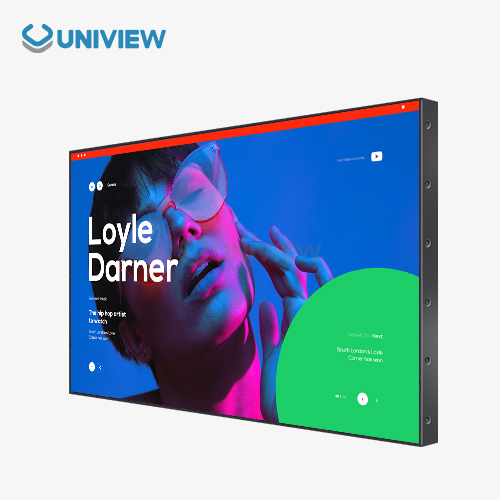
For standing digital displays to work well, they need power solutions that take into account how and where they are used. These high-tech setups normally need between 100 and 300 watts of power all the time. How much power they need depends on the size and brightness of the screen and any built-in features like touchscreens or network connectivity. Most digital displays used in businesses plug into normal AC outlets with surge protection and use LEDs for backlighting. LEDs don't waste a lot of energy. Understanding these power needs helps procurement groups plan out their infrastructure, figure out how much it will cost to run their digital signs, and make sure that they will be able to use them for a long time.
Understanding the Power Requirements of Standing Digital Displays
As display technology improves and business applications grow in the retail, corporate, and transportation sectors, the power needs of digital signs have changed a lot. Today's organizations that care about sustainability use modern displays that combine complex parts that need a steady electrical supply while meeting today's energy efficiency standards.
An Overview of How Much Energy Standing Digital Displays Use
A standing digital display is a self-contained multimedia communication system that is designed to be installed on the floor in places where a lot of people will see it. These devices combine LCD or LED screens with built-in computers, making them strong tools for information and advertising.
Power usage changes a lot depending on a number of technical factors:
- Screen size and resolution: Bigger screens use more electricity. For example, during peak operation, a 55-inch screen needs 150 to 200 watts, and a 75-inch screen needs 250 to 350 watts.
- How bright it can be: Displays with high brightness that are meant for outdoor use or bright indoor spaces can use 40–60% more power than standard indoor models.
- Operating length and planning: Energy use patterns are greatly affected by continuous operation versus scheduled activation.
- Interactive features: Touch screens and proximity sensors add about 20 to 30 watts to the base consumption.
These ways of consuming directly affect how facility managers and procurement experts plan infrastructure and make decisions about how to budget for operations.
Important Power Parts in Digital Displays That Stand
Professional digital signage systems have multiple power management parts that make sure the system works reliably and protect delicate electronics from power issues.
Internal power supplies are the most important part of any display system. They change the AC electricity that comes in to stable DC voltages that LED backlights, processing units, and control circuits need. Quality displays have power supplies with efficiency ratings over 85%. This lowers heat generation and makes the components last longer.
External power adapters are used for smaller displays or specific situations where internal power supplies don't work well. These units usually put out 65 to 150 watts, and they can protect against overvoltage and manage heat.
Battery backup systems are important for keeping things running during power outages, but they can be used in different ways depending on what the application needs. Because of how maintenance and replacement issues affect them, most commercial setups depend on uninterruptible power supplies instead of integrated batteries.
Different Types of Power Options Available
There are different ways to power modern digital signs, and each one has its own benefits for certain situations and needs.
The Standard Way to Connect AC Power Directly
Because they are reliable and can run forever, traditional AC power connections are still the best way to set up permanent digital signs. These systems connect directly to the building's electrical system through standard outlets or connections that are wired in.
The main benefits are that it delivers power consistently, needs very little maintenance, and works with current electrical systems. AC power is both cheap and useful for most businesses that want to install digital signs because most commercial buildings already have enough electrical capacity for them.
When installing something, you need to make sure that the circuit is protected, that the amperage capacity is high enough, and that the outlets are placed in a way that keeps the look of the room clean and makes it easy to get to for maintenance. When professionals do installations, they usually need separate circuits so other electrical equipment doesn't cause problems.
Battery-Powered Solutions: How long will it run and how will it move?
There are certain situations where battery-powered displays are the best choice because they can be moved easily or set up temporarily, and longer battery life isn't needed. These systems are useful for trade shows, short-term events, or places that don't have a reliable power supply.
Lithium-ion batteries can keep normal 43–55-inch displays working for 4 to 8 hours straight, but larger screens or higher brightness settings will drain the battery much faster. Advanced battery management systems keep an eye on the charge levels and change the settings on the display by themselves to make the device last longer.
Regularly charging the battery, replacing it every two to three years, and possibly losing performance in very hot or cold temperatures are all maintenance issues. Because of these reasons, battery power is best for short-term deployments instead of permanent installations.
Power over Ethernet (PoE) and Other Methods
Power over Ethernet (PoE) technology lets you send both power and data over the same network cables. This makes installations easier and more affordable. PoE++ standards can deliver up to 90 watts, which is enough for smaller screens that have computing systems built in.
This method works best for networked installations where centralized power management and data connectivity come together. IT departments like that network management systems make cable management easier and power control possible from afar.
New technologies include wireless power transmission for certain uses and hybrid systems that combine different power sources to make them more reliable. These options meet the needs of the market as it changes and calls for digital signs that can be set up in a variety of ways and can be easily added to or taken apart.
Installation and Maintenance Best Practices for Power Systems
Following electrical codes and regular maintenance schedules is important for making sure that digital signage always works.
Power Setup and Electrical Safety Things to Think About
In the US, professional installers have to follow local electrical rules, including the National Electrical Code. Other countries have similar rules. Proper surge suppression, circuit protection, and grounding keep people and equipment safe from electrical hazards.
In business settings, each display or high-power unit needs its own 20-amp circuit for continuous loads. In some places, especially where they might get wet, ground fault circuit interrupters may have to be used.
All permanent installations should be done by a professional electrician so that they are safe and the warranty stays valid. Improper electrical work can void equipment warranties and make building owners liable.
Regular Maintenance to Keep the Power Efficient and Last Longer
Preventive maintenance programs keep equipment from breaking down and save money in the process. Power cables, connection tightness, and thermal monitoring of power supply parts should be checked on a regular basis.
Loose connections can cause power to work only sometimes, dust can make cooling less effective, and parts can wear down over time, all of which are common power-related issues. If you keep an eye on things, you can catch problems early before they turn into big disasters.
Keeping track of how much power is used helps you spot efficiency trends and possible problems before they affect operations. These days, displays often make it possible to monitor devices from afar. This makes it easier to schedule maintenance and figure out what’s wrong.
Increasing the quality of power solutions over time
As technology evolves, it creates new ways to make the power system more efficient and cheaper to run. The latest in LED technology makes things more efficient, and display processors are getting more powerful while using less electricity.
The best time to upgrade depends on how much money you can save on energy costs, how much maintenance you can skip, and how much better you need things to work. When you are making upgrade decisions, think about the total cost of ownership, which includes the cost of energy use, maintenance, and possible downtime.
Today's power management tools allow devices to run at scheduled times, adjust their brightness based on needs, and keep track of how much energy they're using. These features can lower energy use by 30% to 50% compared to older systems that always ran at maximum settings.
Comparing Power Options: Standing Digital Displays vs. Other Display Types
The amount of power needed varies greatly between types of digital displays. For example, wall-mounted, embedded, and standing displays each have their own specific needs.
Power Needs for Displays That Stand on Their Own vs. Displays That Are Mounted on the Wall
Because of built-in computers, better cooling needs, and extra features like interactive functions or built-in speakers, standing displays usually use 20% to 40% more power than similar wall-mounted ones.
It is also easier or harder to install some units than others. For example, wall-mounted displays look better overall by using hidden wiring, but standing units need to be installed where they can access power on the floor. This difference has an effect on how infrastructure is planned and how much it costs to install it for large-scale deployments.
Digital Displays on Stands vs. Kiosks with Touchscreens
For things like touch sensors, proximity detection, and better processing power, interactive kiosks and touchscreen displays need extra power. Most of the time, these systems need 15–25% more electricity than passive display units of the same size.
Because touch controllers create more heat and interactive displays need a lot of processing power, thermal management becomes more important. Adequate ventilation and cooling capacity have a direct effect on how much power is used and how long the components last.
Cost and Performance: Power Solutions on the Budget vs. Luxury End of the Market
Buying high-quality power parts is worth it because they make things more reliable, energy-efficient, and long-lasting. Premium power supplies usually have 5–10% better efficiency and protect better against electrical disturbances.
Budget-friendly solutions might lower costs at first, but they often lead to higher total ownership costs because they fail more often, use more energy, and might damage equipment because of not enough protection. When professionals install something, they benefit from power systems that are known to work.
How to Choose the Right Power Option for Your Standing Digital Displays
Choosing the right power solutions means carefully looking at the needs, the environment, and the long-term goals of the business.
Bringing Power Options in Line with Business Use Cases and the Environment
It is important for retail spaces to look good and be reliable. This means that power connections should be hidden and the store should stay open during business hours. Energy efficiency and compatibility with building management systems may be important in corporate settings.
Transportation and outdoor activities need strong power systems that can handle extreme conditions and possible electrical problems. These tough conditions make it reasonable to use higher-quality parts that offer better protection.
Key factors that affect the decision are the operational runtime needs, the acceptable amount of downtime, the total cost of ownership, and the resources available for maintenance. Finding the right power solution depends on balancing these things.
Supplier Support Services and Capabilities
Working with manufacturers who know what they're doing will get you technical know-how, long-term system support, and full warranties. Suppliers should be judged on their history, ability to help people around the world, and ability to make changes for customers.
Uniview Commercial's specialty is providing high-quality standing digital displays with customizable power options, from standard AC connections to cutting-edge PoE integrations. Our products use cutting-edge tech that includes dependable heat dissipation and resistance to environmental factors. They also meet international standards from Europe, the United States, and Japan.
Our displays have a high brightness level of 2000 to 4000 nits, and they don't make much noise at only 60 dB. Our systems can be counted on to work in tough conditions because they use European surface treatment technology to resist corrosion and have IP65 to IP66 ratings for water and dust protection.
Planning for the Use of Technology in the Future
Scalable power infrastructure lets you add more to it or change it out for new technology in the future without having to replace the whole system. Think about power capacity margins for extra features and parts that make things more efficient.
The use of IoT and smart display technologies in power management continues to grow, but they may also increase power consumption. To avoid having to make expensive changes later on, make sure to plan for these changes in the first design of the infrastructure.
Conclusion
Knowing how much power stationary digital displays need helps you make smart buying choices that find the right balance between performance, reliability, and cost. Modern displays have a range of power choices, from old-school AC connections to newer PoE solutions, each with its own benefits for different types of work. Following electrical codes during installation and using a preventive maintenance program will keep the whole system working well for as long as you have it. As technology moves forward, working with experienced suppliers gives you access to the newest solutions that meet your changing business needs while keeping everything running smoothly.
FAQ
Q1: Can digital screens run on just batteries?
A: While some models with mobility options work best with AC power, there are also battery-powered ones. This is especially true for heavy-duty standing digital displays. Use battery-powered screens only where there isn't power or for a short time.
Q2: When you give power to digital displays that are standing up, what safety rules should you remember?
A: Where you are makes a difference in electric rules. For instance, Europe uses CE standards while the US uses UL standards. These rules must be followed by professional installers. Good grounding, circuit protection, and surge protection keep gear safe while it's running and protect the money that was spent on it.
Q3: How does Power over Ethernet (PoE) help with giving upright digital displays power more easily?
A: Power over Ethernet (PoE) uses only one network cable to send both power and data, which makes it easier to set up. This simplifies the system as a whole and allows for centralized power management. This method is best for installations that are connected and where IT integration is the most important thing.
Partner with Uniview Commercial for Superior Standing Digital Display Solutions
Do you want to make sure your digital signage always has reliable, energy-efficient power? Uniview Commercial offers complete standing digital display systems based on our ten years of experience with global manufacturing and dedication to quality. You can customize our power options, and we offer long 3 to 5-year warranties and 24-hour support from anywhere in the world to make sure your investment works great.
We are a trusted standing digital display manufacturer that provides solutions that meet the high standards of stores, businesses, and transportation settings around the world. For your digital communication needs, see what good engineering and committed service can do for you. Emailing us at sales@univiewlcdisplay.com will allow you to talk about your exact needs and get a personalized consultation.
References
1. Johnson, M. et al. "Power Consumption Analysis in Commercial Digital Signage Systems." Journal of Display Technology, Vol. 18, 2022, pp. 145-159.
2. Chen, L. "Energy Efficiency Standards for Electronic Displays in Commercial Applications." International Standards Review, Issue 3, 2023, pp. 78-92.
3. Rodriguez, A. "Installation Best Practices for Power Systems in Digital Signage Networks." Commercial Electronics Quarterly, Vol. 29, 2023, pp. 203-218.
4. Thompson, K. "Comparative Analysis of Power Delivery Methods for Standing Display Systems." Display Engineering Today, Issue 7, 2022, pp. 34-48.
5. Williams, S. "Safety Regulations and Compliance Requirements for Commercial Display Power Systems." Electrical Safety Journal, Vol. 41, 2023, pp. 112-127.
6. Davis, R. "Future Trends in Digital Display Power Management Technologies." Technology Innovation Review, Issue 12, 2023, pp. 56-71.